Huddle
- By
A better Looking For Group list: filter by level, role, dungeon, mood and class, and sort by any column.
huddle-one-dungeon.png
huddle-list.png
huddle-listing.png
Description
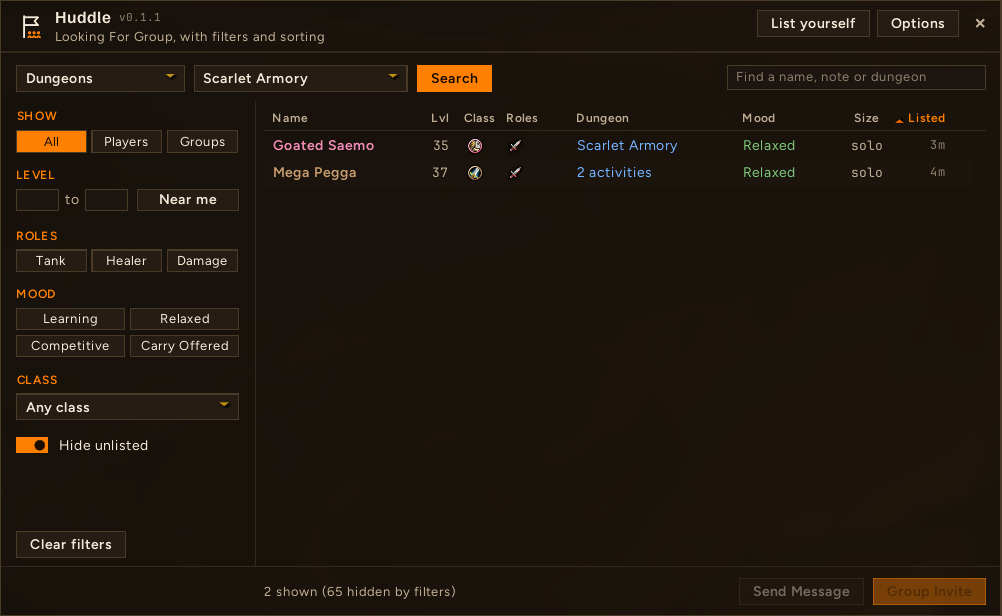
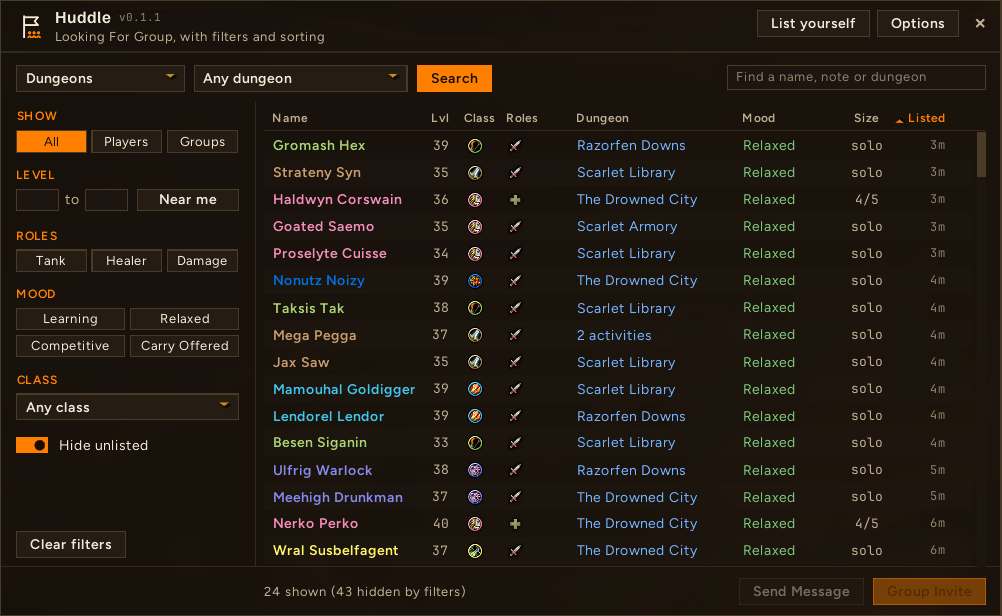
Huddle replaces the Looking For Group panel with a bigger list you can filter and sort. Find a healer in your level range for The Drowned City in two clicks.
Made for WoW Forever (not Classic Era).
What it does
- Filter by level range (or "Near me"), role, mood (Learning, Relaxed, Competitive, Carry Offered), class, dungeon, players or groups, and free text over names, notes and dungeons.
- Sort by name, level, class, role, dungeon, mood, group size or how long ago they listed. Click a column, click again to flip it.
- Act fast. Send Message and Group Invite like the game's panel, Ask to join for groups, double-click to whisper, right-click for a menu, hover for every dungeon, the note and who's in the group.
- Remembers your filters, sort and window position.
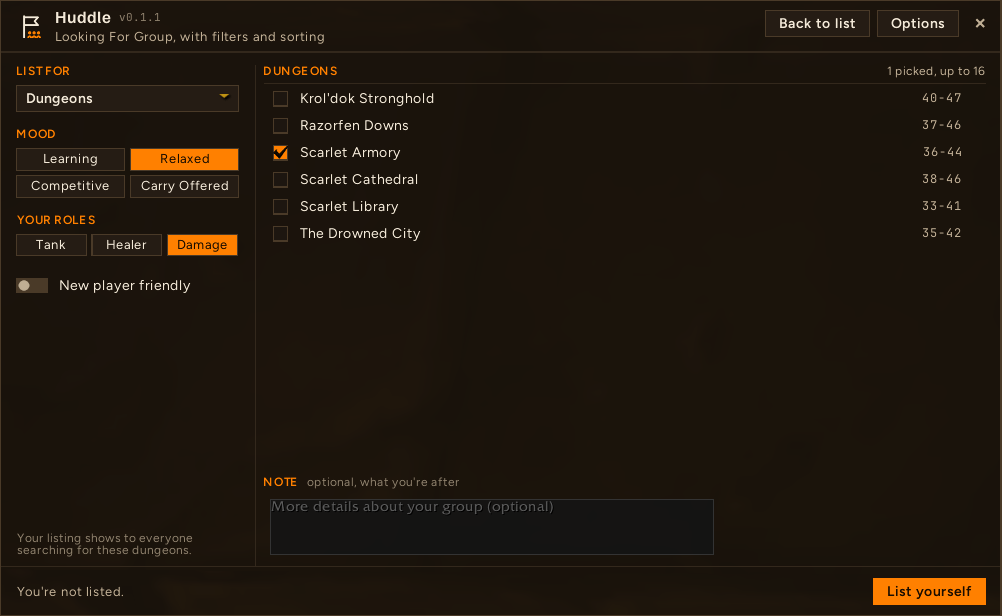
- List yourself or your group without leaving Huddle: dungeons, mood, roles, "new player friendly" and a note. Update or remove your listing the same way.
- Your call how it fits in. Replace the game's panel (default), open next to it, or only open with
/huddleand a key binding (Options > Leave it alone). - Plays by the rules. Searches only on your click, never reads hidden (secret) results during boss fights, and leaves the game's panel alone in combat.
Getting started
- Install Huddle and open the Looking For Group panel (or type
/huddle). - Pick a category and dungeons at the top and press Search.
- Narrow it down with the filters on the left. Select someone and press Group Invite or Send Message.
Commands
| Command | What it does |
|---|---|
/huddle |
Open or close Huddle |
/huddle mode replace / beside / off |
Replace the game's panel, open next to it, or leave it alone |
/huddle list |
List yourself (or your group) |
/huddle blizzard |
Open the game's own panel |
/huddle clear |
Clear all filters |
/huddle reset |
Move the window back to the middle |
Credits
Made by Iceberg Engineering AB, the makers of RaidSage. Open source under the MIT licence. If Huddle finds you a group and we meet some day, you can buy us a beer. Fonts: Figtree, Familjen Grotesk and JetBrains Mono, under the SIL Open Font License.
Huddle Team