


However.quest
Capture d'écran 2026-11-03 094719.png
Capture d'écran 2026-11-03 094639.png
Capture d'écran 2026-11-03 094801.png
Capture d'écran 2026-11-03 094742.png
Description
Your own WoW Forever leveling guide, built for your character
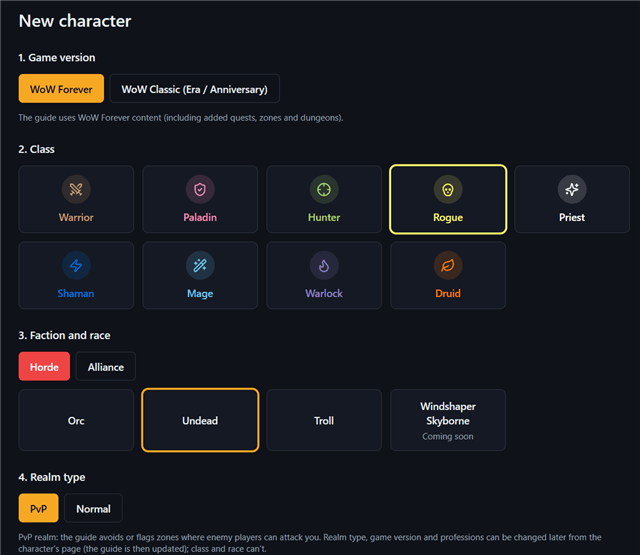
Most leveling guides follow one fixed route for everybody. HoweverGuides plays a 1-60 route generated for your character on however.quest: your class, race and faction, the professions you picked, PvP or normal realm, and the new WoW Forever quests, zones and dungeons. Free, no account needed.
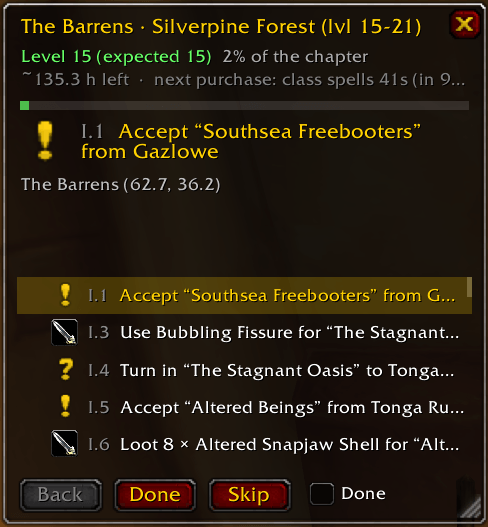
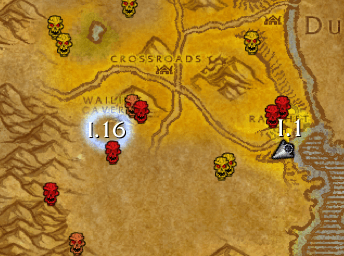
How it works
- Create your character on however.quest (class, race, realm type, professions). The site computes your route, with time estimates per chapter.
- Click Send to addon and copy the guide string (the whole guide, or just the next chapter).
- In game, type
/hg importand paste it. That's it: the guide follows you from there.
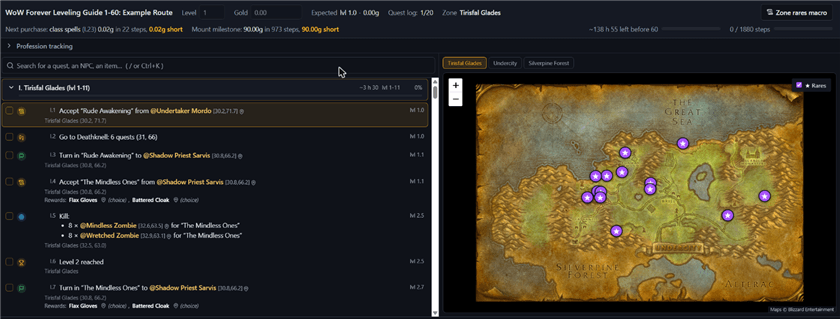
A guide that follows what you actually do
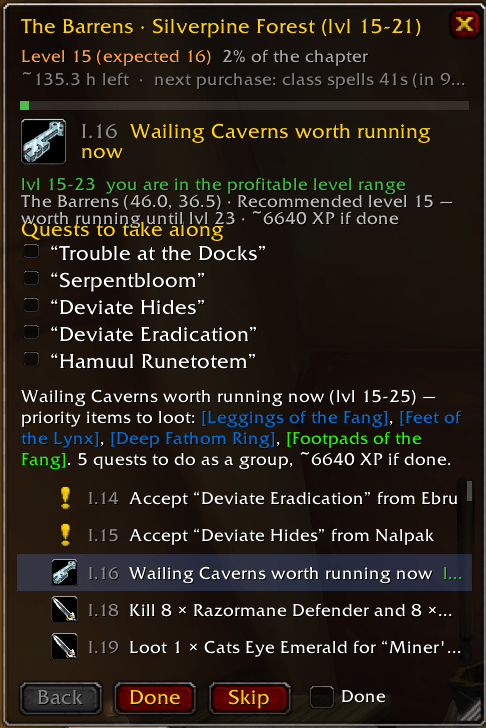
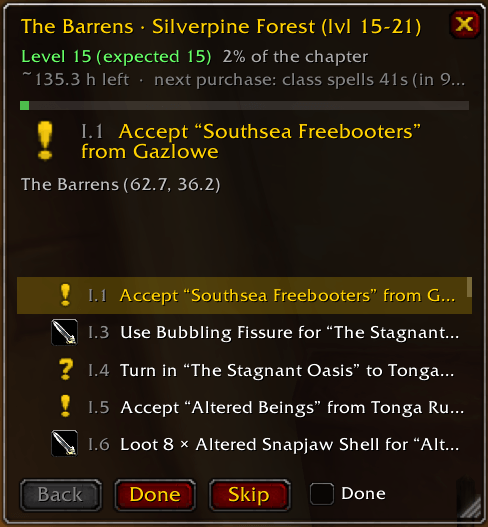
- Steps check themselves off from your real character: accepted quests, objective counters, turn-ins, travel, flight paths, trainers, professions, level, gold. Quests you already did are skipped when you log in.
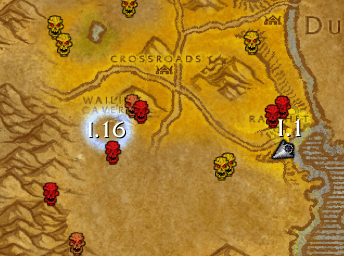
- Arrow, map pins and route: an arrow points to the next step, the next steps are pinned on the world map and the minimap, and the route is drawn on the world map.
- Automatic quests: the guide's quests are accepted and turned in for you. When a quest offers a choice of rewards, nothing is picked behind your back: the best one for your gear glows. Hold Ctrl to skip.
- Flights: the guide's destination glows on the flight map, and a bar shows the time left in the air.
- Quest item button: when a quest needs an item to use, a button (and a key binding) is there for it.
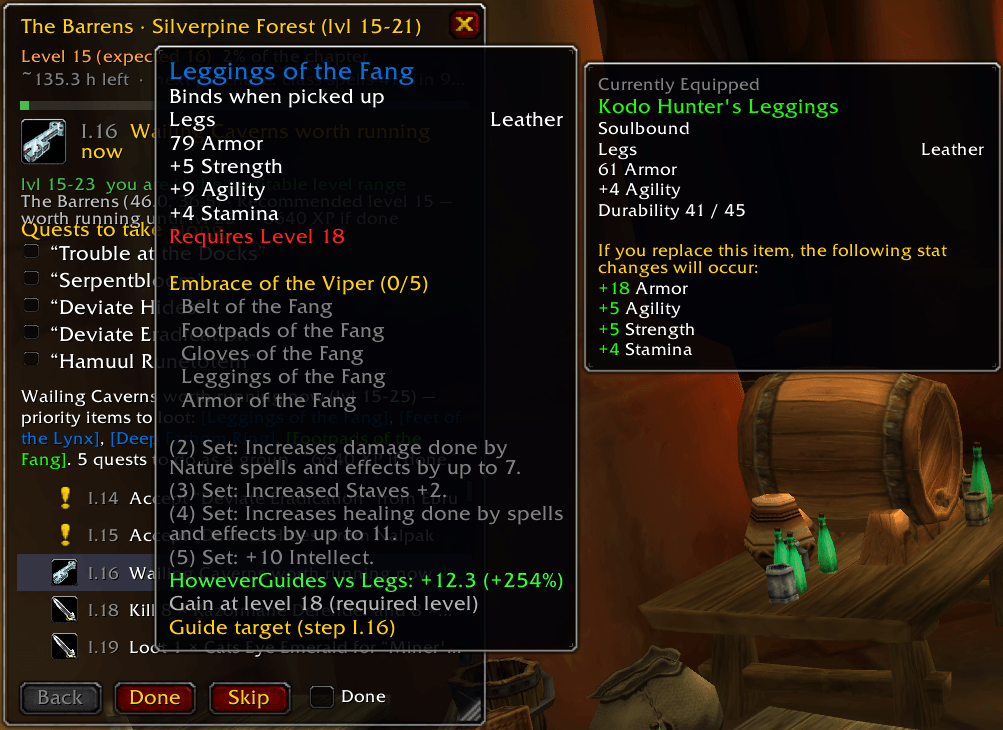
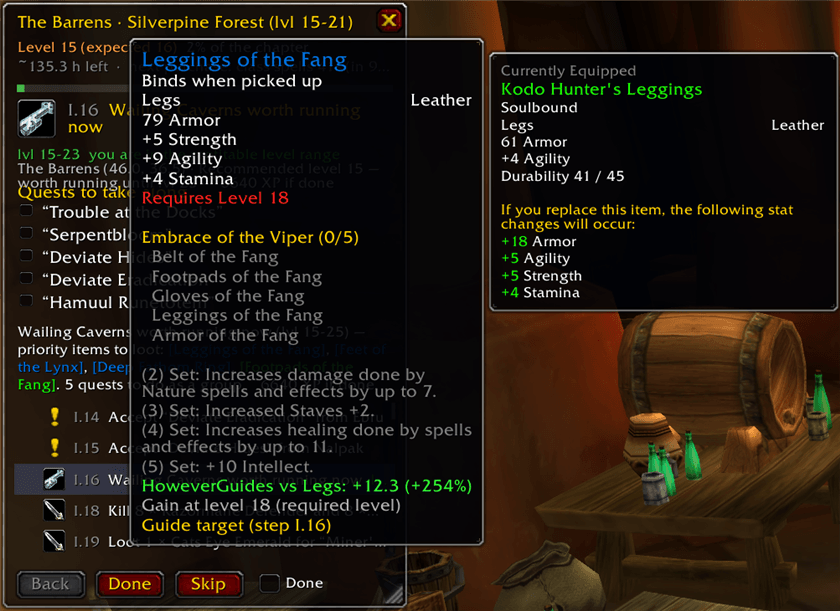
- Gear gains in tooltips: every item shows its gain against what you wear, scored with your guide's stat weights, and tells you when the guide aims at it.
- Rares of the whole game on the world map and the minimap, plus target macros for the step's mobs and the zone's rares.
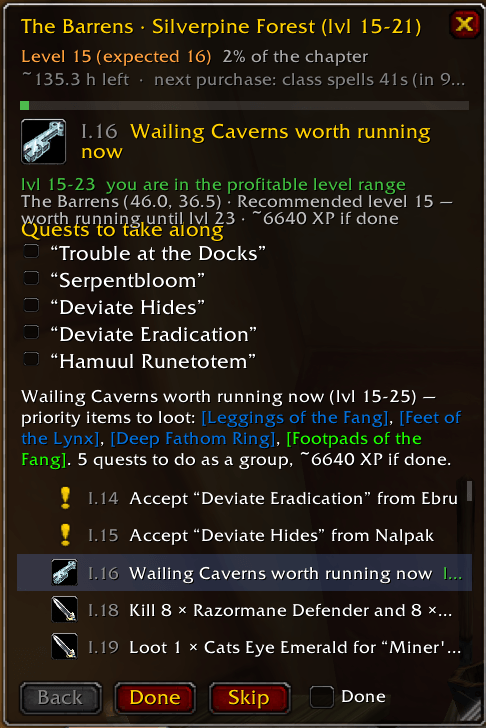
Off the planned route? Recalculate it
Played with friends, skipped a zone, ran a dungeon early? The addon notices when you drift from the plan (level, zone, quests, gold) and prepares an export of your character. Paste it on the site: it rebuilds the rest of the route from where you really are, then send the new guide back to the addon. Your progress is kept.
Good to know
- Made for WoW Forever; also works on Classic Era.
- English and French. Use a guide in your game client's language.
- Every frame can be placed in the game's Edit Mode, or with
/hg unlock./hg helplists the commands. - This is an alpha: bug reports and ideas are very welcome in the comments.
However is an unofficial fan project, not affiliated with or endorsed by Blizzard Entertainment.
However.quest Team
