Hotkey Hider - Hide Keybind & Macro Text on Action Bars
- By
Hides keybind text and macro names on your action bars for a clean minimal UI. Your keys keep working, the text just disappears.
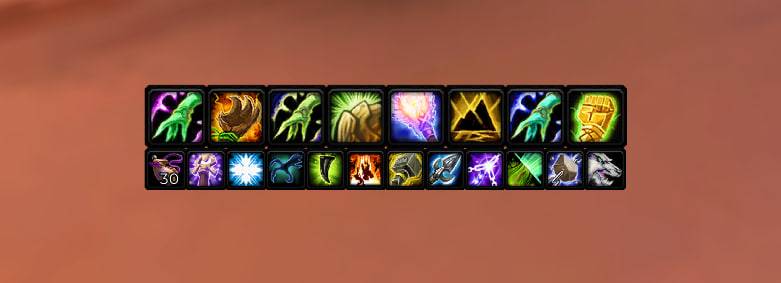
photo_2026-07-14_16-29-10.jpg
Description
Hotkey Hider hides the keybind text (hotkeys) and macro names on all standard action bars. Perfect for a clean, minimal, distraction-free UI: your key bindings keep working, the text simply becomes invisible.
FEATURES
- Hides hotkey text on all action bars: main bar, bottom left and right bars, right side bars, bonus bar, pet bar and stance bar
- Hides macro names on action buttons
- Toggle hotkeys and macro names independently
- Stays hidden when the game refreshes your bars (rebinding keys, switching action bar pages)
- Settings are saved between sessions
COMMANDS
/hidekeys or /hhk - show current status
/hidekeys keys - toggle keybind text
/hidekeys names - toggle macro names
NOTES
The red range indicator dot shares the hotkey text field, so it is hidden as well.
Lightweight and standalone: no libraries, no dependencies. Localized in 10 languages. Built for WoW Burning Crusade Classic - TBC Anniversary (2.5.6). If you are looking to hide keybinds, remove hotkey text or clean up your action bars, this is it.
Hotkey Hider - Hide Keybind & Macro Text on Action Bars Team