HomeTails
- By
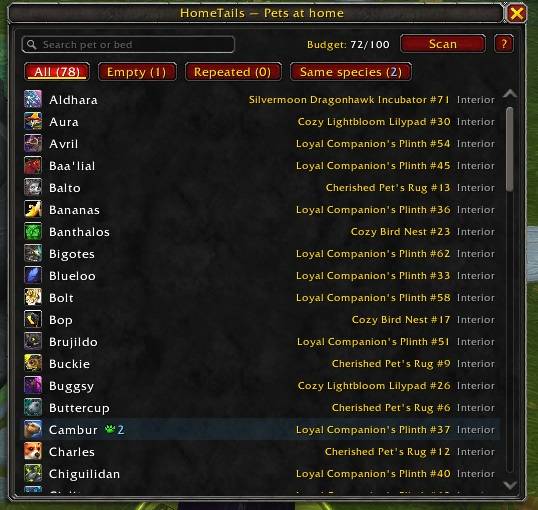
See every pet on your housing pet beds at a glance: which bed each pet is on, repeated pets, same-species pets and empty beds.
SS_01.jpg
SS_02.jpg
SS_03.jpg
SS_04.jpg
SS_05.jpg
Description
HomeTails
Never place the same pet twice by accident.
Since Patch 12.1 you can put your companion pets on pet beds in your house, but the game never shows you all of them together. Once you have dozens of beds, it is easy to forget which pets are already out and where.
HomeTails keeps a list of every pet bed in your home, shows which pet is on each one, and marks repeats as you decorate.
Features
🏠 All your placed pets in one window
- Every pet bed in your house and yard, with its pet, bed number (#) and location.
- Pet icons, sorted alphabetically.
- Search box: type a pet name to see right away if it is already placed. It also searches by species and bed name.
- Shift-click a pet to link it in chat.
- Hover a bed in your house and it lights up in the list.
- Shows your pet placement budget.
🔍 Smart filters
- All: every pet bed.
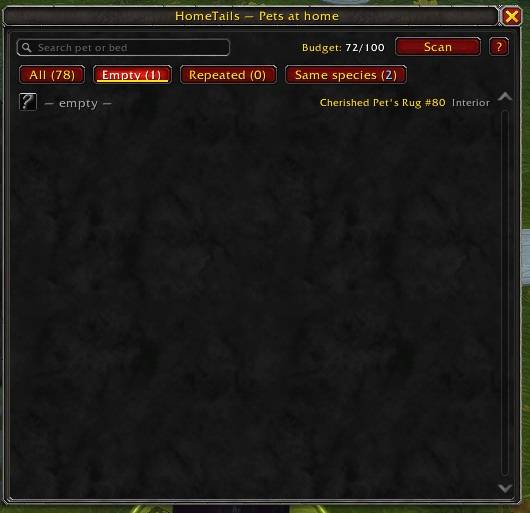
- Empty: beds with no pet assigned, so you can fill the gaps.
- Repeated: the exact same pet placed on more than one bed, highlighted in orange.
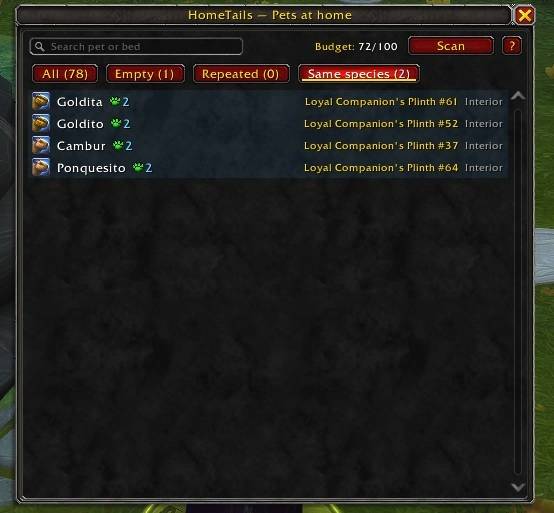
- Same species: different pets that are the same species (for example two Rustyroot Snooters with different custom names), grouped together.
🐾 Counters on the pet picker
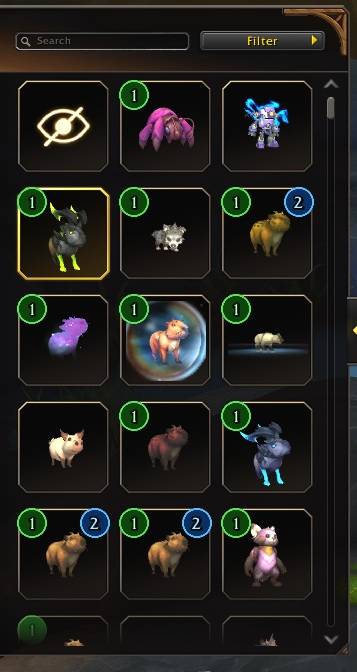
When you choose a pet for a bed in Customize Mode, HomeTails puts badges on Blizzard's own pet grid:
- A green 1 on pets placed once and an orange 2, 3… on pets placed more than once.
- A blue number when other pets of the same species are already placed, even if the one you are looking at isn't.
- Hover any icon to see exactly which beds use that pet or species.
📍 Find any bed in your house
In the Placed Decor list (Advanced Mode), every pet bed shows its #number and the pet on it. Click the line and the game selects that bed in your house.
⚡ Updates by itself
Open the Placed Decor list once and HomeTails records all your pet beds in one go. After that it notices when you place, remove or change pets while you edit. Your data is saved, so you can check the list even when you're away from home.
🌍 Multi-language
English, Español and Português. It follows your game language automatically, or you can pick one in the options.
Getting started
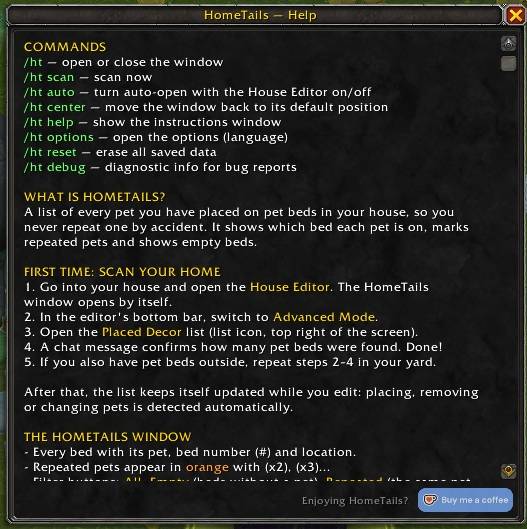
- Go into your house and open the House Editor. The HomeTails window opens on its own.
- Switch to Advanced Mode in the editor's bottom bar.
- Open the Placed Decor list (list icon, top right of the screen).
- A chat message tells you how many pet beds were found. Done!
- If you also have pet beds outside, repeat steps 2–4 in your yard.
Tip: Open the pet picker in Customize Mode once, so HomeTails can learn the species of your custom-named pets.
Full instructions are in-game: click the ? button in the HomeTails window, or go to Options → AddOns → HomeTails.
Commands
/htor/hometails— Open or close the HomeTails window/ht scan— Scan now/ht auto— Turn auto-open with the House Editor on/off/ht center— Move the window back to its default position/ht help— Show the instructions window/ht options— Open the options (language)/ht reset— Erase all saved data/ht debug— Diagnostic info for bug reports
Notes
- HomeTails reads the game's own Placed Decor list, because the full list of placed decor can't be read directly by addons. That's why the first scan needs that list opened.
- Requires World of Warcraft: Midnight, Patch 12.1 or later.
Found a bug or have an idea? Leave a comment!
Support HomeTails ☕
HomeTails is free and made with love. If it helps you decorate your home, you can support its development by buying me a coffee. Every bit helps me keep the addon updated and keep building new features!

The HomeTails Team