HomeSoul
- By
Walk into your kitchen and your character reaches for coffee — HomeSoul places invisible triggers anywhere in your home that bring moments like that to life automatically.
ToyMark.png
ChainMark.png
12.1 Areas Tab.png
SoulTab.png
MeditateToy.png
Description
HomeSoul — Make Your Home Feel Lived In
So, if you ever wanted to shuffle over to your French press in your fantasy kitchen and mumble under your breath while drinking a cup of coffee, this addon is for you.
HomeSoul lets you place invisible marks anywhere in your player housing. Walk into a marked spot and something happens — your character performs an emote, uses a toy, or reaches for a consumable. Your home stops being a backdrop and starts feeling like somewhere you actually live.
You don't need to be a roleplayer. You just need to want your home to feel like yours.
Features
Mark Types
Emote Marks — shown with a gold square in your mark list. Choose from a full list of available WoW emotes and place them anywhere. Sit at the bar and drink. Curl up in bed and sleep. Groan at the dining table when it's time to eat. Your character emotes automatically when you walk into the radius. Emotes respect your current target — if you have your pet selected, your character emotes at them.
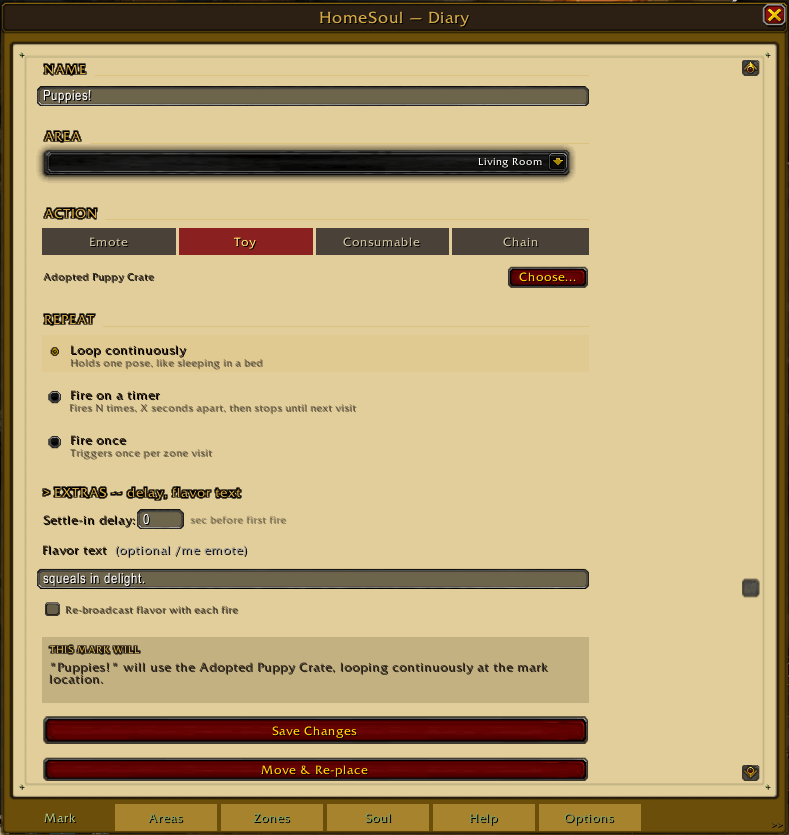
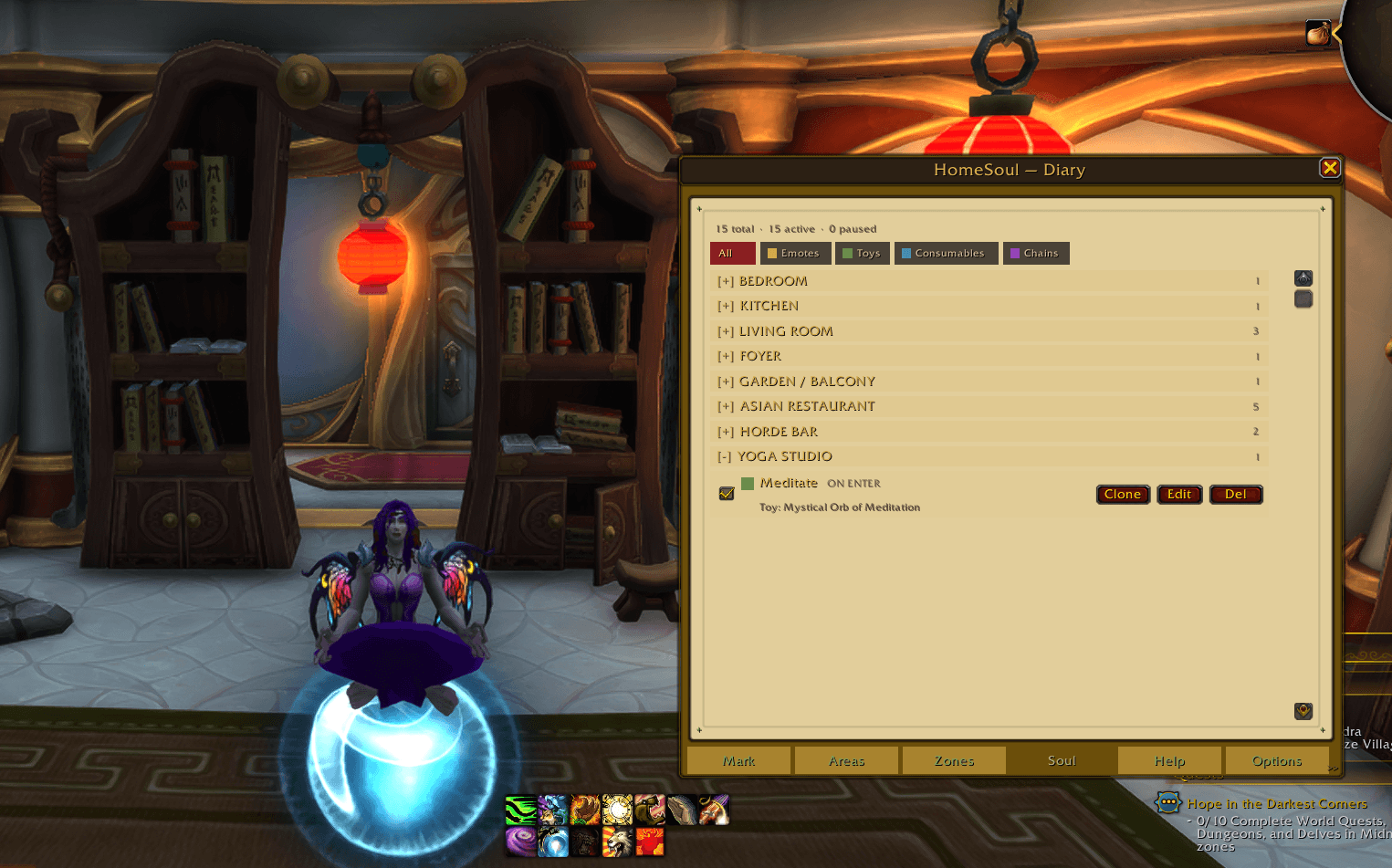
Toy Marks — shown with a green square in your mark list. Place a toy at a specific spot. When you walk in, HomeSoul prompts you to use it with a single click. Pick up a book from the bookshelf. Open an anniversary balloon chest. Reach for whatever you've left on the mantle.
Consumable Marks — shown with a blue square in your mark list. Walk into a spot and HomeSoul prompts you to use an item from your bags. A cup of coffee. A Noggenfogger Elixir. A grog for the ambiance. No inventory tracking — HomeSoul assumes if the effect matters to you, you'll keep it stocked.
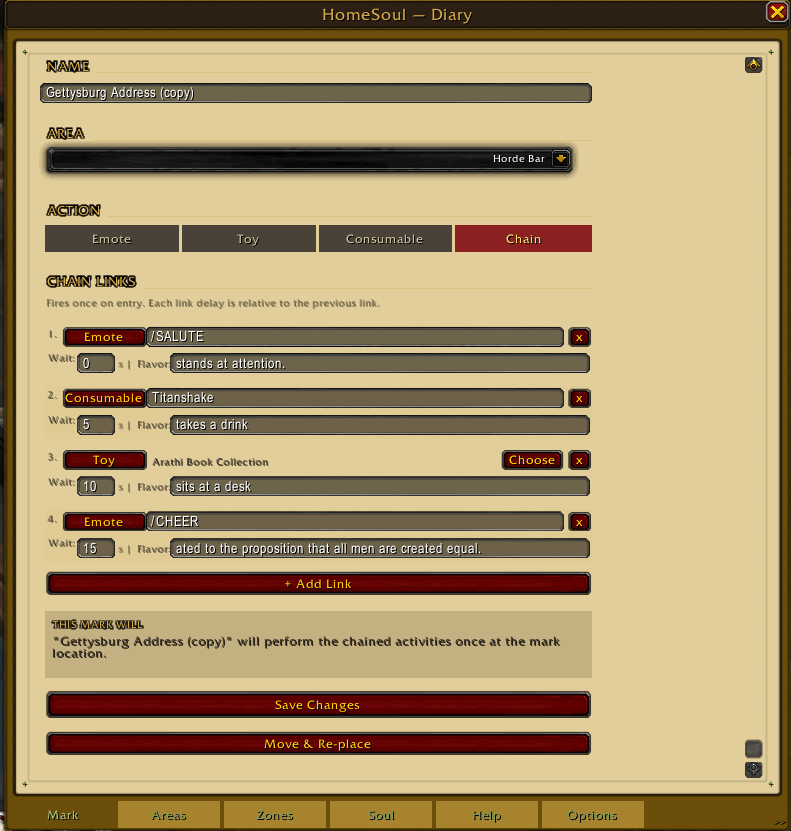
Chain Marks — shown with a purple square in your mark list. String a sequence of actions together at a single spot. Walk into your bar, reach for a toy, take a drink, bow to the room, cheer — in order, on a clock. Each link in the chain can be an emote, a toy, or a consumable, with its own delay relative to the previous step. Chains fire once per cooldown period.
Timing Modes
LOOP — holds a pose continuously. Sleeping in a bed, sitting in a chair.
TIMER — repeats on a clock. Every N seconds, optionally stopping after N fires.
ONCE — fires the first time you enter the spot and then stays quiet until you reload or re-enable it.
Flavor Text
Pair any mark with a /me emote that fires alongside it. carefully sips the cup of steaming hot Joe. Fires once per zone entry by default. Check Repeat to send it with every fire.
Areas
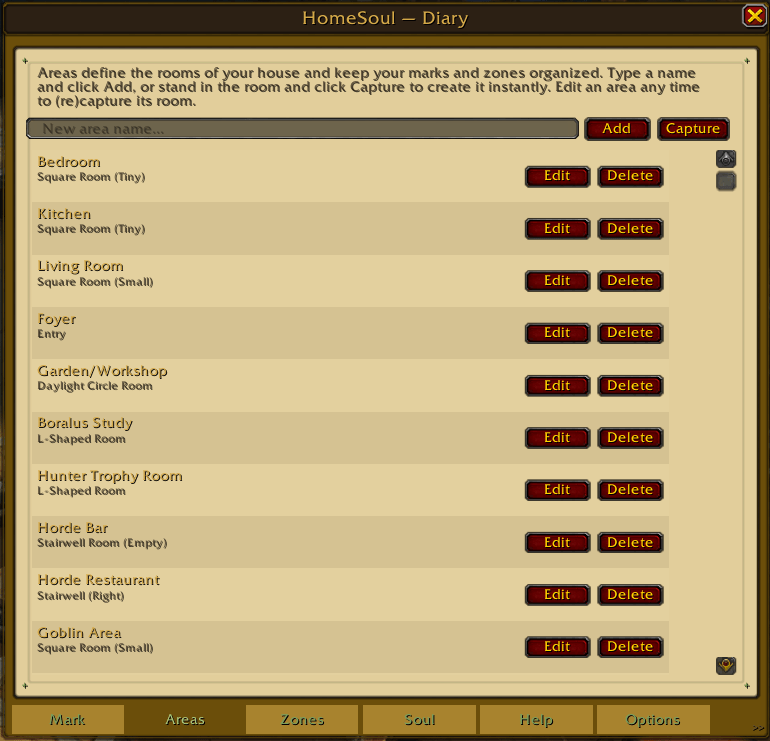
Organize marks by room — Bedroom, Kitchen, Living Room, or whatever you name them. Your mark list groups everything by area so it stays readable even as your home fills up.
Type a name and click Add, or stand in the room and click Capture — HomeSoul suggests a name using Blizzard's own name for that room type, and you can rename it however you like. Rooms that share the same shape get numbered automatically so they never collide.
If you own more than one house, areas, zones, and marks now stay scoped to whichever house you're actually standing in — no more seeing your bedroom decor mixed in with your other home's kitchen list.
Room-Aware Mark Firing
Marks check which room you're actually in, not just distance — so a mark in one room won't fire if you're standing in a different room stacked directly above or below it, like a stairwell. New marks capture this automatically; older marks pick it up the next time you Move & Re-place them.
Soul Tab — Your Mark List
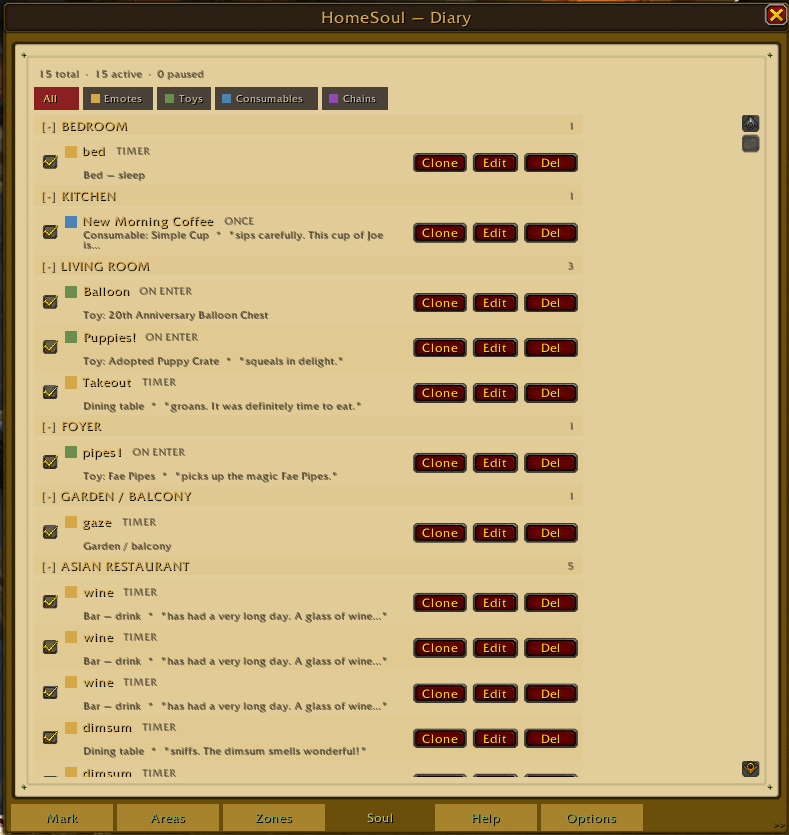
Every mark you've placed lives here. Each row shows the mark name, a color-coded type square, and timing mode.
- Pause/Resume — disable a mark without deleting it. Paused rows dim automatically.
- Edit — change any mark setting in place without losing your location data.
- Clone — duplicate a mark and re-place it somewhere new.
- Delete — permanently remove a mark.
- Filter bar — All / Emotes / Toys / Consumables / Chains.
- Overview bar — total active and paused counts at a glance.
- Chain expand/collapse — click [+] next to any chain mark to see all its links inline.
- Map mismatch indicator — if a mark's saved position doesn't match your house's internal map ID this session, its saved position may have gone stale. A red "MAP MISMATCH" label now tells you exactly which marks need a quick Move & Re-place, instead of failing silently.
Options Tab — Danger Zone
Want a clean slate? Type RESET and click the button to reset all marks, zones, and areas back to a fresh install (areas return to the 8 default names). Your settings — Enable HomeSoul, minimap toggle, Favorites Only, custom emotes, mark cooldown — are never touched, only your content. This cannot be undone, so it asks you to type the word first.
Coming Soon
- Guest broadcasting — marks and flavor text visible to visitors in your home, not just to you.
- Speech chains — chain links that send dialogue to chat channels (SAY, YELL, WHISPER) for in-game plays and RP sequences.
Part of HomeSuiteHome
HomeSoul is part of the HomeSuiteHome suite alongside HomeWatch — guest tracking, open house tools, and welcome whispers. Both addons are designed to make player housing feel like a place worth coming home to.
Slash Commands
/homesoul
/hs
Requirements
- World of Warcraft Retail
- Patch 12.1.0+ (The War Within / Midnight; also works on 12.1.5) — Room-Aware Mark Firing and Areas' room-capture flow both depend on 12.1 housing APIs with no pre-12.1 fallback.
- Must be used inside your own home instance — marks only fire when you are the housing owner.
Credits
Author: Blodwedd Mallory
Questions or feedback: blodweddmallory.com/contact
Special thanks to the WoW housing community for early testing and feedback.
HomeSoul Team