
HomebrewQOL
- By
gallery_01.jpg
gallery_02.jpg
gallery_04.jpg
gallery_03.jpg
Description
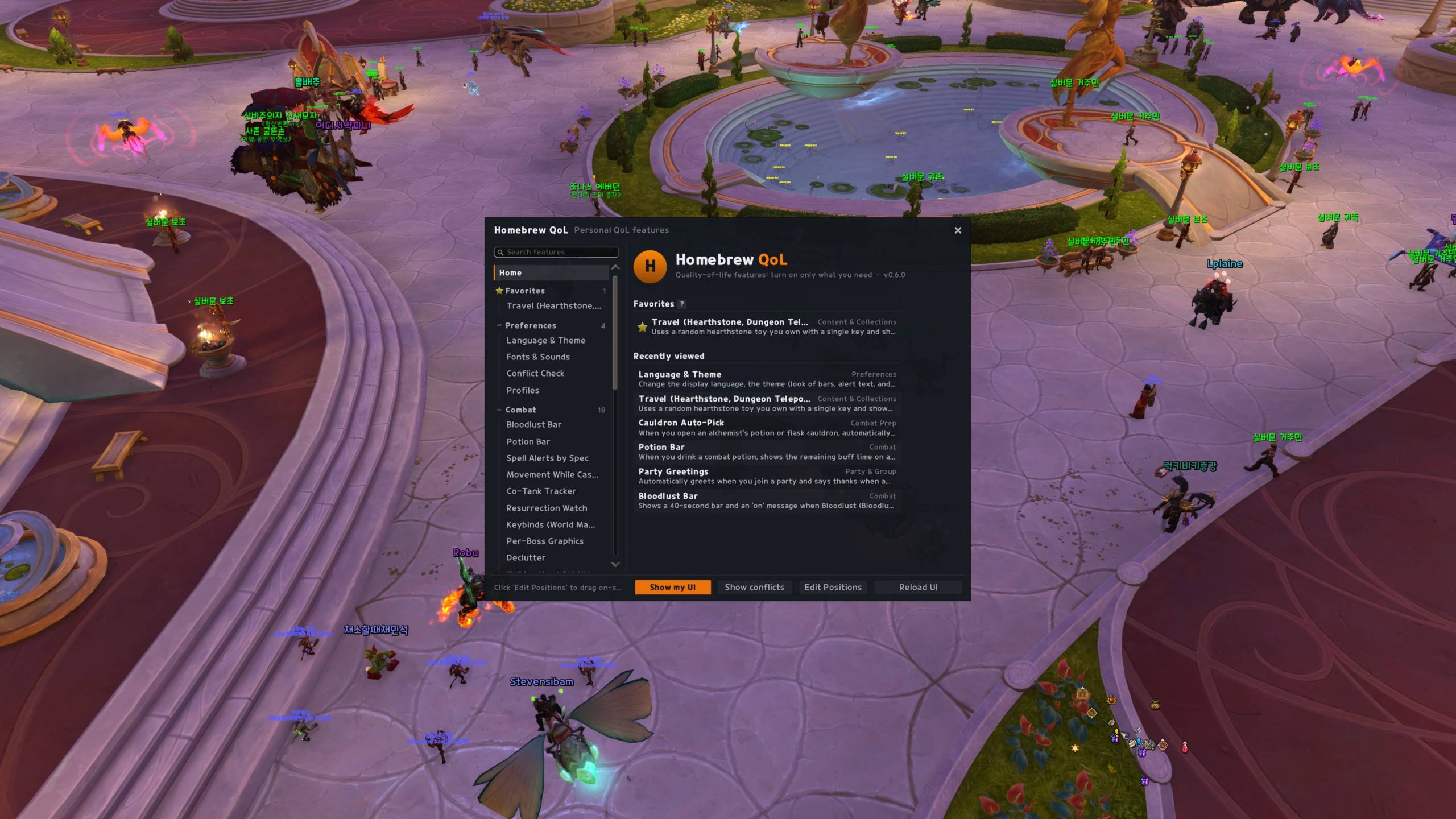
Homebrew QoL gathers 90 small quality-of-life features into one addon with one settings window (/hbq).
-
Everything is off by default (only the small launcher icon is shown). Open
/hbqand turn on only what you want. Nothing automatic happens right after install. -
One look for everything. A shared theme (presets, class or custom accent color, fonts, bar texture) applies to every bar, alert and window.
-
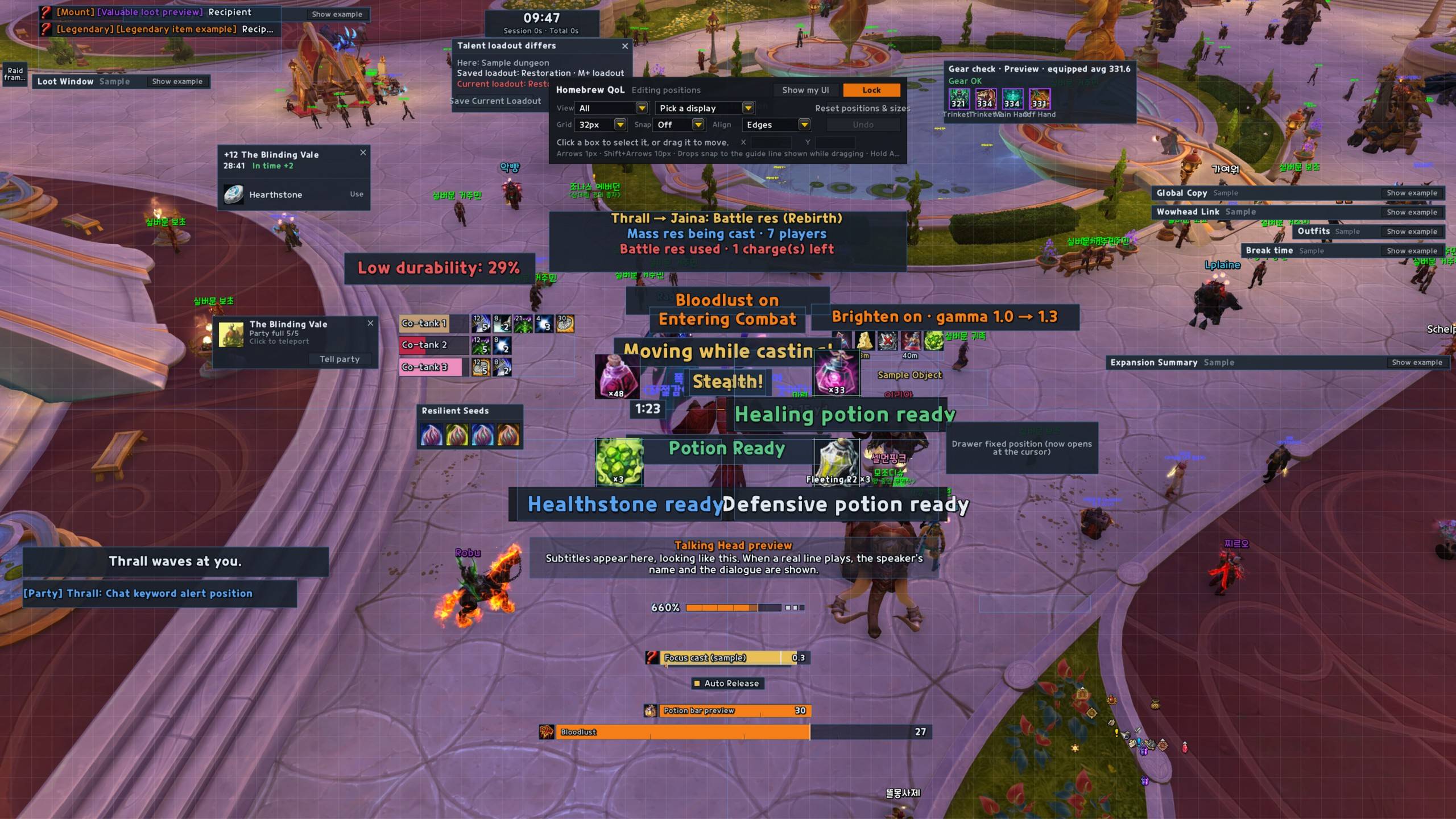
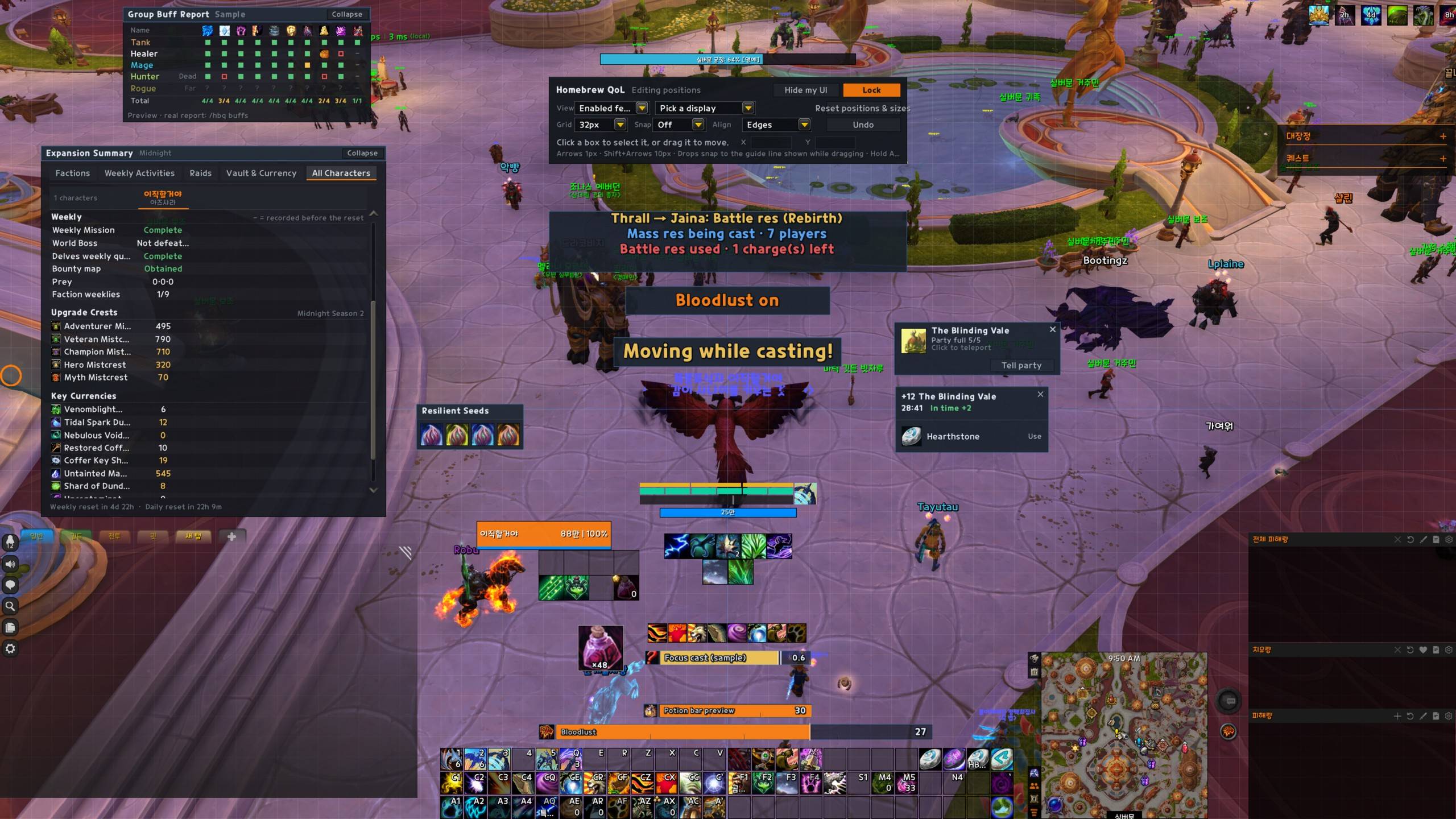
Layout editor (
/hbq move): drag any display, nudge with arrow keys (Shift = 10px), show only enabled features, open full examples of big windows. Each feature page has a test display button that keeps a sample on screen so you can place it while changing its settings. -
Key bindings and macros on the page. Bind keys for world markers, quest focus, global copy, Wowhead links, random hearthstone and more right on each feature page (click, press a key; right-click clears). Drag a macro icon to get a ready-made macro for your action bar.
-
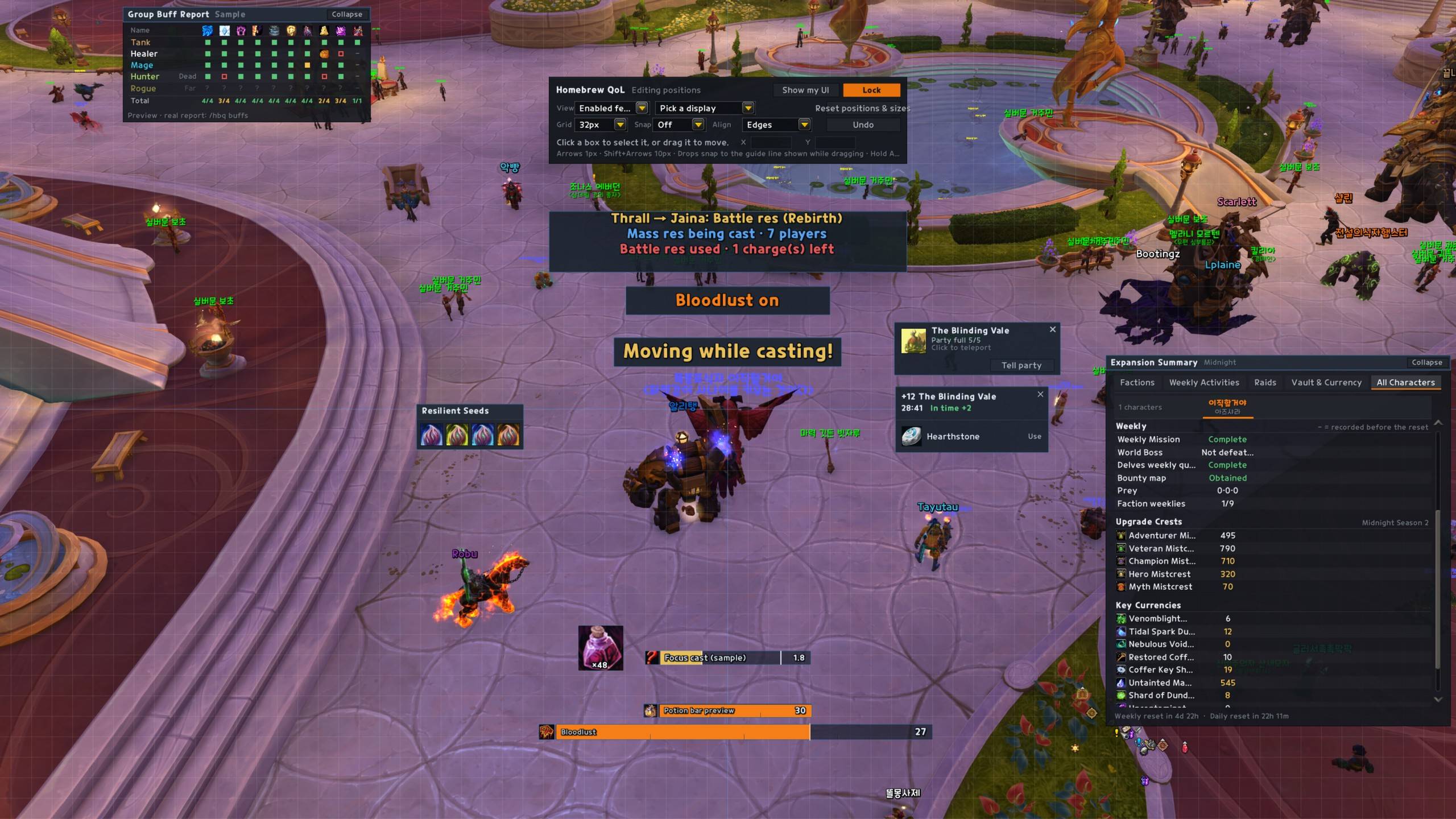
All Characters view. The Expansion Summary window compares Great Vault, Mythic+ keystones and rating, weekly activities and currencies across your characters.
-
Conflict warnings. If another installed addon does the same thing, a red ! appears next to the option (shown when you turn on the conflict view), and the addon tells you when something else changes a setting it manages.
-
Korean and English. Follows the game client language; switch in settings. Boss, dungeon, currency, class and spec names follow the addon's language too.
-
Built for Retail 12.1.5 (Midnight) rules: no secret values used for decisions, no combat-log parsing, and nothing that sends addon messages inside instances.
Commands
-
/hbq— open settings ·/hbq move— layout editor ·/hbq test— list feature tests ·/hbq lang auto|ko|en
Features
Preferences
-
Language & Theme — Change the display language, the theme (look of bars, alert text, and windows), and the settings window color in one place. Press [Save & Reload] afterwards to save and reload the UI so the changes apply right away.
-
Fonts & Sounds — Adds your own font and sound files, or game sounds, to the alert sound and font lists. Added entries can also be picked in other addons that use SharedMedia.
-
Conflict Check — Shows features that overlap or clash with other addons: known overlaps with your installed addons, and conflicts actually detected this session (who changed what).
Combat
-
Spell Alerts by Spec — Automatically turns Blizzard spell alerts (the proc indicators at the screen edges) on or off per specialization. They are on only in checked specs and off in the others.
-
Movement While Casting Warning — Shows a warning on screen when you start moving while casting or channeling (an alert sound can be turned on). Useful for breaking the habit of cutting your own casts short by moving.
-
Co-Tank Tracker — Shows the other tanks' debuffs and stack counts in a small frame. Useful for timing tank swaps.
-
Resurrection Watch — Alerts you when a group member starts being resurrected or casts a battle res or mass res, when battle res charges change, and when you get a resurrection request. Alerts are visible only to you.
-
Keybinds (World Markers, etc.) — Places or clears world markers, performs your mount's special action, and focuses the next/previous quest with a single key. Assign keys in the Blizzard settings Keybindings screen under the 'Homebrew QoL' section.
-
Per-Boss Graphics — Changes graphics settings (particle density, etc.) for each boss in The Venomous Abyss, Kith'ix, and Nymrissa. Applying on entering the boss room and on encounter start can be enabled separately, and the original settings are restored when you leave or combat ends.
-
Declutter — Selectively turns off Blizzard effects that clutter the combat screen. Screen effects and weather, boss kill banners, alert toasts, zone text, and garrison bodyguard dialogs can each be toggled. All are off by default.
-
Talking Head Subtitles — Replaces the NPC talking head frame with faceless subtitles (speaker + dialogue) or hides it. You can set it differently for combat, instances, and world quests, and you can also keep the dialogue in your chat window. Voices still play.
-
Combat Average FPS — When combat ends, reports the fight duration and average/minimum FPS in your chat window. Use it to compare how much real combat performance changed after adjusting graphics settings or addons.
-
Combat Timer & Alerts — Shows elapsed combat time on screen, and announces entering and leaving combat with text, sound, or text-to-speech.
-
Auto Combat Logging — Turns on combat logging (/combatlog) when you enter chosen content such as raids or Mythic+, and turns it off when you leave, so you don't miss logs for sites like Warcraft Logs.
-
Cursor Ring, GCD & Crosshair — Draws a ring that follows the cursor, a global cooldown (GCD) ring or bar, and a crosshair at screen center. Helps you keep track of the cursor and your character on large screens.
-
Target Distance — Shows the distance to your target on screen. For enemies it narrows the range using your spell ranges and shows it like '8–15 yd'.
-
Focus Cast Bar — Shows your focus target's cast as a large separate bar and marks with a tick when your interrupt comes back during the cast. Uninterruptible casts are grey, casts you can interrupt right now are green, and when the cast is interrupted the interrupter's name is shown briefly.
-
Dispellable Debuff Highlight — Highlights people with a dispellable debuff on the default Blizzard party and raid frames with a thick border and a light tint. It works even during 12.x restrictions because the game draws it directly.
-
Skyriding HUD — Shows speed and vigor (Skyward Ascent charges) as a one-line gauge while on a skyriding mount. While mounted, it can also make the extra action bars and Cooldown Manager transparent.
Combat Prep
-
Group Buff Report — Before the pull, shows the raid buffs and consumables (flask, food, augment rune, weapon buff) of everyone in your party or raid in one table. Checks only out of combat and never sends anything to group chat.
-
Stealth & Gear Reminder — Alerts you on screen when a stealth class is not stealthed in an instance, and on instance entry or ready check, checks for empty gear slots, trinket and weapon item levels, and whether your equipment set is equipped.
-
My Prep Check — Shows your missing flask, food, augment rune, weapon buff, and healthstone as icons, warns on screen about a missing or passive pet, and tells you when entering a dungeon or raid if your talents differ from the loadout you saved for it. It can also show your current spec and loadout on entry and switch them with a click.
Party & Group
-
Auto Accept & Release — Automatically accepts summons, resurrections, and Party Sync requests from friends, and releases your spirit when you die. All off by default.
-
Party Commands — Commands to share all your quests with the group at once and, as party leader, to disband the group or reinvite the same people. Off by default.
-
Party Member Summary — When you join a party, inspects members one by one and shows their role, item level, specialization and Mythic+ rating as a table in your own chat only. Run /hbq party to check again anytime.
-
Group Finder Helpers — Points out holiday and Timewalking dungeons in the Dungeon Finder, adds a group-forming progress bar to the queue eye icon, and shows the inviter's level, class, and a search button next to party and guild invite dialogs.
-
Invites & Role Check — Automatically accepts party invites from friends and guild members, confirms Dungeon Finder role checks when a friend leads, and invites people who whisper you a keyword. All off by default.
-
Ready Check Timer — Shows a bar with the time left to press Enter on the Dungeon/Raid Finder ready dialog and the battleground/arena entry dialog. Off by default.
Chat & Social
-
Request Blocker — Automatically declines duel and pet battle requests, party invites, group join requests, quest shares, and Battle.net friend requests from people who are not your friends. All off by default.
-
Chat Tools — Stops the chat box from remembering the last channel used, filters chat spam, adds leave options to the channel menu, announces rare locations, and alerts you to emotes directed at you.
-
Chat Keyword Alert — Alerts you with a sound, on-screen text, or a taskbar flash when a keyword or your character name appears in the chat types you choose.
-
Default Chat Window Tweaks — Hides the buttons, social button, and combat log tab of Blizzard's default chat windows, and changes the edit box position, font size, arrow keys, text fading, group chat colors, and resize limits of separate windows.
-
Chat Copy & Restore — Shows recent messages from the default chat windows in an easy-to-copy window, and keeps recent chat after a UI reload.
-
Trade Summary & Log — Summarizes the gold and items exchanged in chat when a trade ends, and keeps the last 100 trades per character, viewable on this page.
Automation
-
NPC Automation — Skips NPC dialogs that have only one option, picks the join option at event NPCs, and opens the character window along with the item upgrade window. Hold Shift while talking to an NPC to skip this once.
-
Auto-Accept Confirmations — Automatically accepts the confirmation popups for looting soulbound items, bind-on-roll, selling tradeable items, and mailing refundable items. Choose each type separately. All are off after install.
-
Empty Mail Cleanup — Adds a button to the inbox that deletes read mail with no attachments or gold, one at a time, after a confirmation popup.
-
Handy Lockpick — Rogues (Pick Lock) and Mechagnomes (racial) can open locked lockboxes in bags and the trade window with a single right-click. Doesn't work in combat.
-
Merchant Helper — Sells gray items at vendors following your exclude and include lists, and improves the delete confirmation for quest-starting items and the non-refundable purchase confirmation.
-
Merchant Prices — Shows every cost in the price row for vendor items bought with items or currencies, and grays out only the costs you're short on. Hover a cost to see how many you have in bags, bank, and Warband Bank.
-
Loot Window — Replaces the default loot window with a notification-style window. Shows owned counts, uncollected appearances, mounts, and gear with tertiary stats, and keeps what you looted on screen for a few seconds like an alert.
-
Hide Bonus Rolls — Hides the bonus roll prompt for chosen raid bosses and difficulties, Mythic+, dungeons, Delves and world bosses. It only hides the prompt and never passes, so you can bring it back with /hbq brg show while its timer runs.
-
Quest Auto Accept & Turn-in — Accepts quests from NPCs and turns in finished quests automatically. Normal and daily/weekly quests can be chosen separately, and quests that cost gold or currency or need a reward choice are left to you. Hold Shift while talking to an NPC to skip this once.
-
Auto Repair & Durability — Repairs your gear automatically at repair vendors (guild funds first if you like) and reports the cost in chat. Warns on screen when durability is low, shows per-slot durability on the character window, and prints durability in chat when you die.
-
Convenience Automation — Faster auto loot, auto-filled item delete confirmation with an item link, automatic keystone insertion, and a 'Train All' button at trainers.
-
Remove Transforms — Automatically cancels transform effects from profession gear, holiday costumes, toys, and consumables. Pick groups and add your own spell IDs. Transforms applied in combat are removed after combat.
-
Movies, Errors & Tutorials — Skips movies and cutscenes without the confirmation dialog or automatically skips ones you have seen, hides red error messages by type, and turns off tutorials and help tips. All off by default.
-
Mail Alt List — Shows a list of your characters on this account next to the mailbox Send Mail tab; click one to fill in the recipient. Off by default.
Info Display
-
Tooltip: Item Info — Adds to the bottom of item tooltips: uncollected appearances in ensembles, faction progress for reputation items, combine reagents, Delve key and shard status, and quest status for quest-starting items. Each feature is enabled separately.
-
Tooltip: Extra Info — Adds the keys needed to open chests, vendor locations for exchange tokens, unspent specialization knowledge, and currency counts for event choice windows to tooltips and windows.
-
Tooltip: Player Info — Adds item level (from inspect) and the current season Mythic+ rating to player tooltips. Each feature is enabled separately.
-
Window Tweaks — Quest text size, screen borders (letterbox), a pinned Edit Mode layout, and a volume slider on the character window.
-
Title Manager — Adds a search box and earned/unearned filters to the title list in the character window. Unearned titles appear in gray, and clicking an earned title switches to it right away.
-
Bag Item Tracker Bar — Lines up the counts of chosen items and currencies on a small bar, like the backpack currency display. Can pin the holiday currency during holidays and your highest-tier upgrade crest at the front; mousing over the crest shows a per-tier table.
-
Soft Target Nameplate — Shows the name of the object or NPC selected by the interact key near its nameplate. Can also show quest objectives and how many of the required currency you have.
-
Waypoint Timer — When you track a map pin or quest, shows the target's time remaining under the distance on the on-screen waypoint marker. Appears only for targets with an end time, such as zone events and world quests.
-
Nameplate Helpers — Shows enemy nameplates only in combat, and shows remaining quest objectives (yours and party members') next to quest targets' nameplates.
-
Action Bar & Bag Cleanup — Hides the keybind and macro text on Blizzard action bars, the stance bar, and the bag and bank clean-up buttons, each separately.
-
Minimap Tweaks — Makes the default minimap square and hides the zoom, clock, and calendar buttons. Addon buttons around the minimap are gathered into one drawer opened with a [+] button.
-
Tooltip Tweaks — Shows the default tooltip next to the cursor and changes its size. Adds target-of-target and guild rank to unit tooltips, and can hide unit tooltips in combat.
-
Unit Frame Tweaks — Adds class colors and an elite border to the default Blizzard player and target frames, and hides portrait damage numbers and the resting Zzz. Can also pull the raid frame toggle button out of the manager panel.
-
Top Widget & Alignment Grid — Moves and resizes the widget at the top center of the screen (battleground score, objective bars). Shows an alignment grid for lining up frames with /hbq grid or in position edit mode.
Content & Collections
-
Expansion Summary — Shows faction renown, weekly activities, raid lockouts and boss loot, the Great Vault, crests, key currencies, and season power in one window. Open it with /hbq summary.
-
Prey & Skyriding — Adds difficulty, achievement, and quest objective markers to the Midnight Prey hunt table, and sets a waypoint on prey whose location is revealed. Skyriding race NPC options show the medals you've earned.
-
Restore Transmog Changes — Restores unapplied changes and reselects the outfit you were editing when you close and reopen the transmog window. Weapon illusions, weapon sheathing, and separate shoulder settings are restored too.
-
Transmog & Collection Helpers — Adds a list window for wearing saved outfits anywhere, a Catalyst result preview, and clickable achievement links in mount journal and decor catalog sources.
-
Dressing Room Enhancements — Adds per-slot undress buttons, target model and appearance swap buttons, and an animation slider to the dressing room (preview) window.
-
Housing Travel — Teleports home with a single macro (returns to where you were before visiting when you're in your own neighborhood) and toggles Cave Spelunker's Torch. You can also drag the Housing Dashboard teleport button to an action bar.
-
Travel (Hearthstone, Dungeon Teleports) — Uses a random hearthstone toy you own with a single key and shows a hearthstone window after a Mythic+ run. When you join a Group Finder group or your party fills, shows that dungeon's teleport window and a destination announce button.
-
Housing Editor Helpers — Shows decor placement cost and storage counts in the house editor, and adds hotkey duplication, dye copying, and an editing clock. Also adds sizes to decor previews, previews from decor acquired alerts, and faction info with visit buttons on other players' house lists.
-
Collection Helpers — Separately toggleable herbalism seed quick slot, Underlight Angler trait view, pet battle team commands and auto-summon dismissal, Trading Post preview unchecking, and achievement screenshots. All are off by default.
-
Music Player — Pick and play game music and cinematics by zone, dungeon, and raid. Keeps playing after you close the window, and supports in-order and shuffle playback, search, and direct file or movie ID input.
System & Tools
-
Settings Window — Covers the settings window search, the Reload UI button, and scrolling to the top when you pick a page.
-
Minimap Button — Opens the settings window from a Homebrew QoL button. Choose between a floating icon you can place anywhere and a button on the minimap edge. If Expansion Summary is available, right-click opens that window. You can also open the settings window from the Blizzard addon compartment (the addon menu next to the minimap).
-
System Tweaks — Stops bags from opening automatically at vendors and banks, lists addons by name, briefly brightens the screen with one command, and reminds you to take breaks at a set interval.
-
Sound Cleanup — Mutes game and mount sounds by category, and lets you mute or preview any sound by file ID. Muting emote sounds in rest areas and following the output device are also set here.
-
Drawer Macro — Opens a drawer (a small icon window) of spells, items, toys, and mounts from a single macro slot. Opening, closing, and picking work in combat; editing drawer contents happens out of combat.
-
Wowhead Link — Shows the Wowhead URL of the item, spell, NPC, quest, or achievement under the mouse in a copy window. Quest details and Achievements window buttons and a right-click menu entry are also available.
-
Developer Tools — Tools for building and testing addons: a forced addon restriction test that applies 12.x addon restrictions (secret values, chat lockdown, etc.) outside instances, debug commands for inspecting frames under the mouse, events, and NPC dialogs, lookup commands for quests, rested XP, mounts, and map IDs, and sound restart, movie, and console commands.
-
CVar Editor — A window to find game client variables (CVars), view their current and default values, and change them. Values changed here keep a record of the original value so you can revert them.
-
Global Copy — The /hbq copy command shows the names and IDs of the item, spell, unit, or text under the mouse in a copy box. The value opens selected, so Ctrl+C copies it right away.
-
Custom Slash Commands — Adds short aliases for slash commands you use often. Write '/alias /command' in the list, and typing the alias runs that command for you. Secure commands such as /cast cannot be run.
-
Profiles — Exports all feature settings as a single string and imports them from another PC or a saved string. Shows the contents before importing and keeps a backup of your previous settings.
-
Game Settings Helper — Changes graphics presets (Performance, Balanced, Quality), lag tolerance, max camera distance and the combat text font in one place. Changed game settings are restored when turned off or on logout and re-applied at the next login, so nothing stays behind if you remove the addon.
-
Addon Load Viewer — A small window listing CPU time (Blizzard's built-in profiler) and memory for each loaded addon. Use it to find heavy addons.
-
Applicant Alert — Alerts you when a new applicant applies to your Group Finder listing. By default it only alerts when you are solo, the party leader, or an assistant.
-
Party Greetings — Automatically greets when you join a party and says thanks when a Mythic+ run ends. Also plays sounds when someone joins or the party is full.
-
Bloodlust Bar — Shows a 40-second bar and an 'on' message when Bloodlust (Bloodlust, Heroism, Time Warp, etc.) is applied, and a 'ready again' message when Sated wears off. The look follows the theme; bar color, text color, and effect are set here.
-
Potion Bar — When you drink a combat potion, shows the remaining buff time on a bar, then leaves an icon with the potion cooldown. Can also show 'Potion Ready' on screen when you can use it again (toggled separately from the bar).
-
Other — Short commands you use often.
HomebrewQOL Team
