Holy Roll Forever
- By
10-banner-ingame.png
11-everyones-roll-ingame.png
12-winner-only-ingame.png
13-roll-log-ingame.png
14-options-menu-ingame.png
Description
Holy Roll Forever
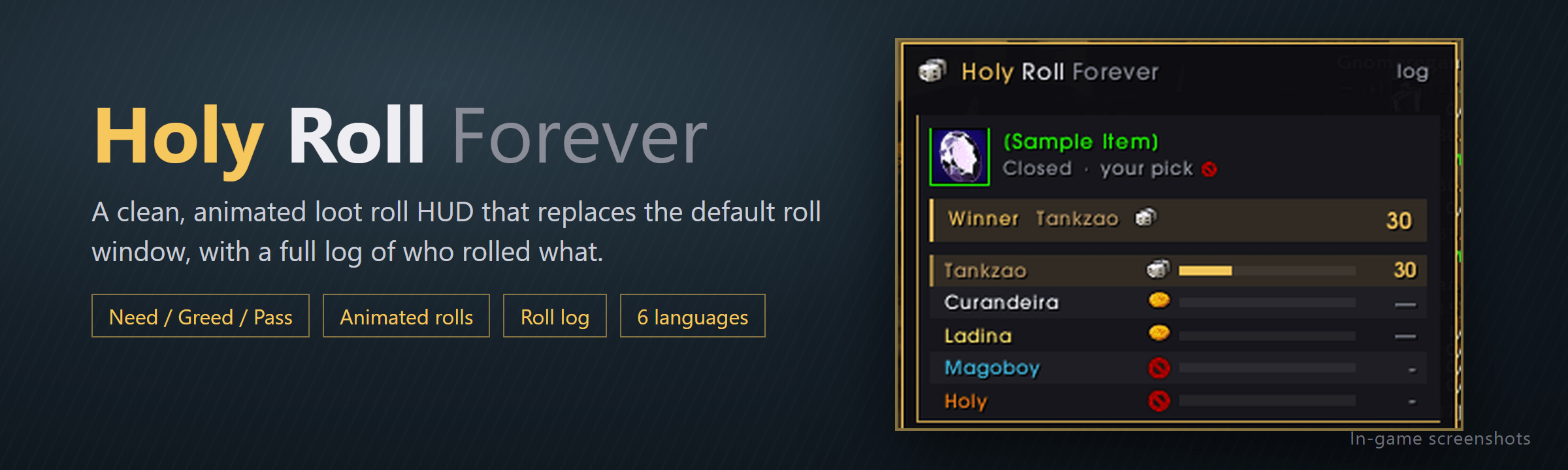
A clean, animated loot roll HUD that replaces the default roll window — with a full log of who rolled what.
No more guessing who needed, who greeded and what everyone rolled. Holy Roll Forever shows every loot roll in a compact dark-and-gold HUD, lets you roll right from it, shows the winner for a few seconds and then gets out of your way. Every roll is saved in a log you can check any time.
✨ Features
🎲 Replaces the default roll window
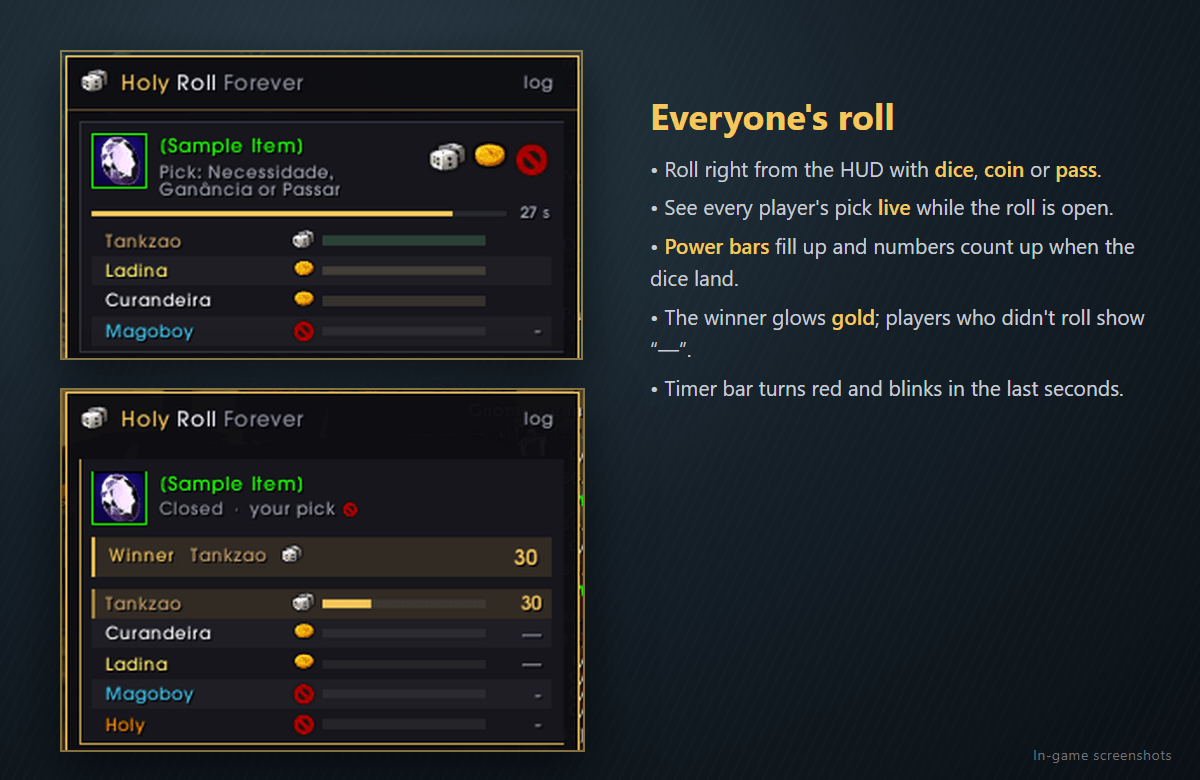
- Roll with dice (Need), coin (Greed) or pass, right from the HUD — using the game's own icons.
- The item icon has a quality-colored border; hover it for the tooltip.
- A timer bar counts down and turns red (blinking) in the last seconds.
- Buttons you can't use are dimmed, and the tooltip tells you why (the game's own reason).
- The full item name and status are always shown — nothing gets cut off with "…".
- Prefer the original window? Turn it off in the options or with
/hr original.
👥 Two HUD modes
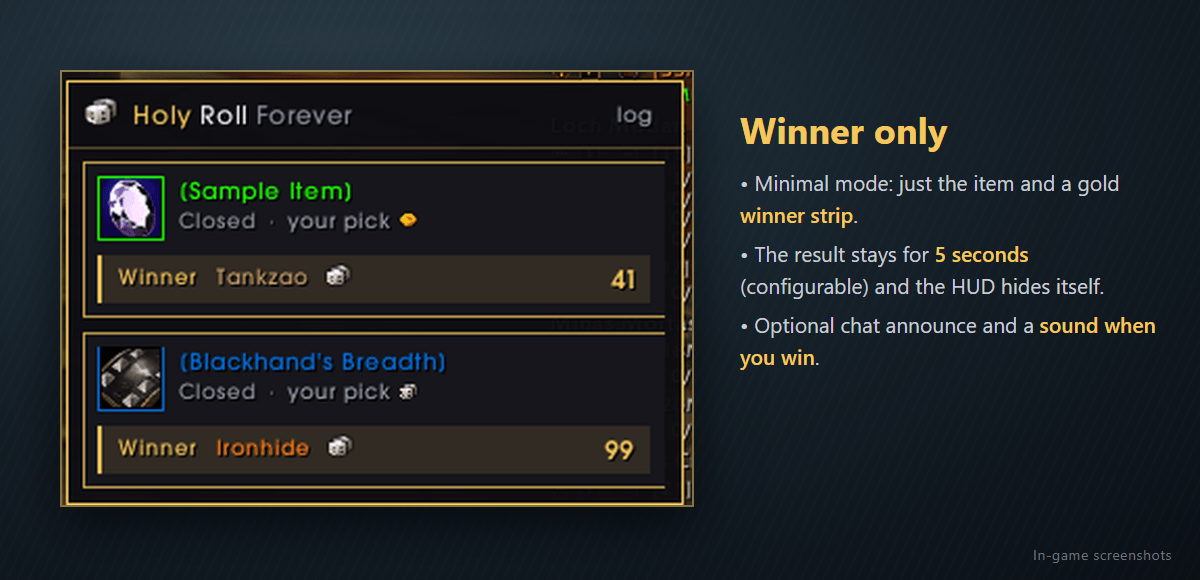
- Winner only — just the item and a gold winner strip with the pick and the number.
- Everyone's roll — every player with class color, pick icon, a power bar and the number they rolled. Picks show up live while the roll is open.
🌟 Animated rolls
- Numbers count up and power bars fill when the dice land.
- Players slide in, pick icons "pop", and the winner glows gold.
- Cards slide in and the winner strip flashes when the result comes out.
📜 Roll log
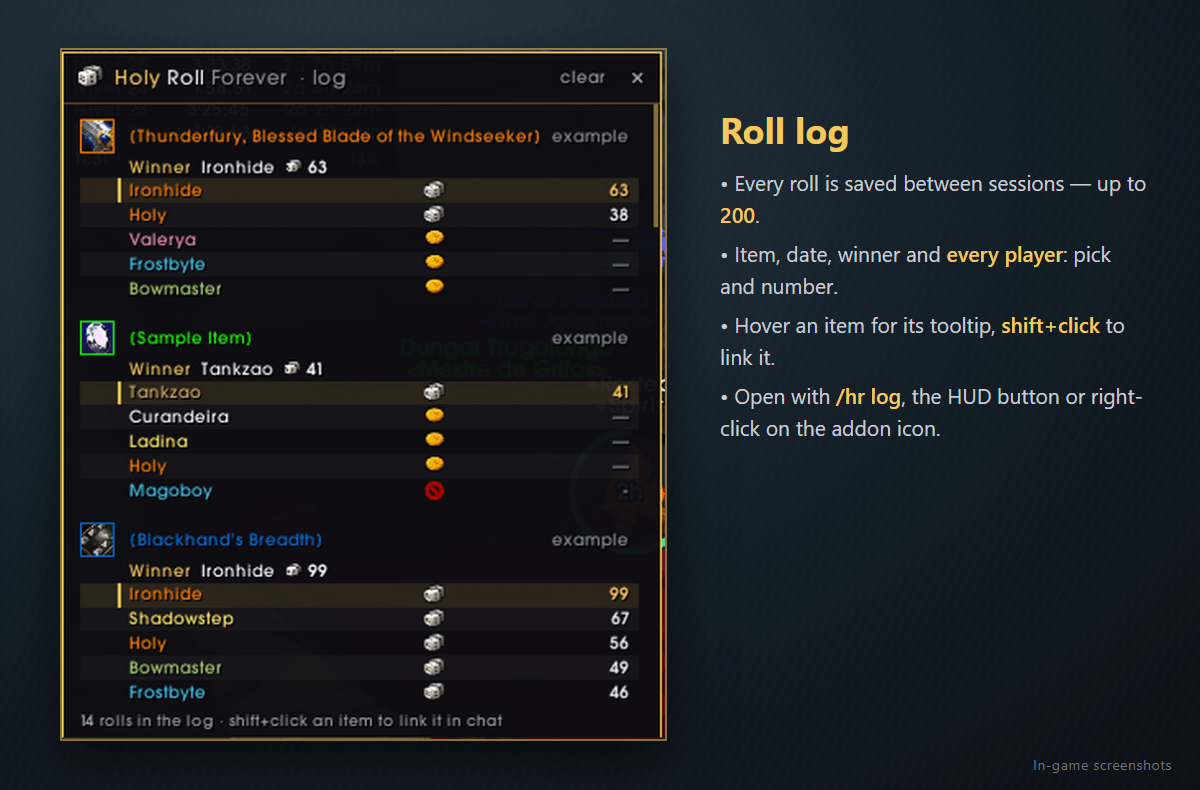
- Every roll is saved between sessions (up to 200): item, date, winner and every player with pick and number.
- Players who didn't get to roll (because someone picked Need) show "—".
- Hover an item for its tooltip, shift+click to link it in chat.
⏱️ Gets out of your way
- The result stays on the HUD for 5 seconds (1–30, configurable) and then the HUD hides itself.
- Rolls you only see in chat (items you can't roll on) go straight to the log — they never pop up the HUD.
- Optional: announce the result in your chat and play a sound when you win.
- Optional: only show results for items from a minimum quality (you still roll on everything).
🌍 Speaks your language
Automatically follows your game language: English, Português, Español, Русский, 简体中文 and 繁體中文. Pick names (Need/Greed/Pass) come straight from the game, so they always match your client.
⚙️ Options menu
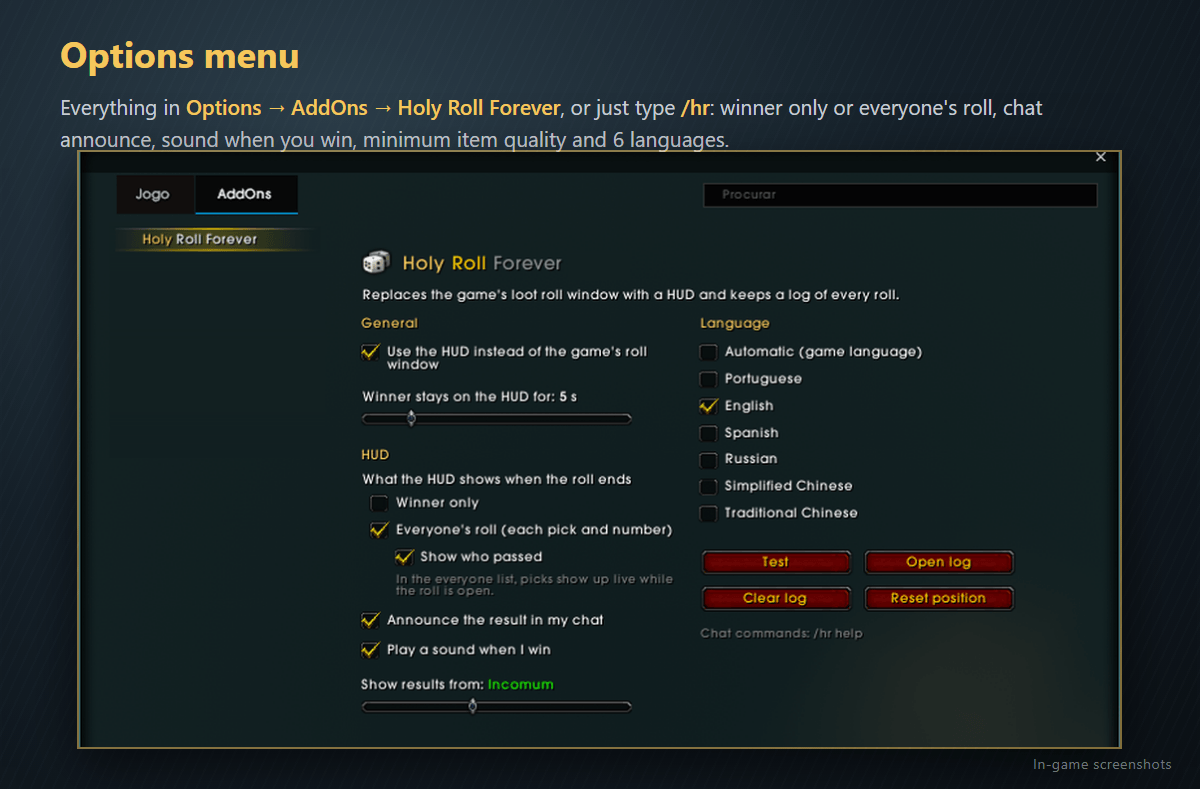
Everything is in Options → AddOns → Holy Roll Forever (or just type /hr).
⌨️ Commands
| Command | What it does |
|---|---|
/hr |
Open/close the options menu |
/hr options |
Same as /hr |
/hr log |
Open/close the roll log |
/hr test |
Show a sample roll on the HUD (great for positioning it) |
/hr clear |
Clear the log |
/hr time 5 |
Seconds the result stays on the HUD |
/hr original |
Toggle the game's original roll window back on/off |
/hr lang en |
Force a language: pt, en, es, ru, zh, tw — or auto |
/hr mouse |
Diagnostics: shows what is catching clicks under the cursor / screen center |
/hr debug |
Diagnostics: loot messages the addon didn't understand |
/hr help |
List all commands |
Tips: drag the HUD by its header to move it (/hr test shows it so you can place it). Left-click the addon icon in the AddOns menu opens the options, right-click opens the log.
📸 Screenshots
See the Images tab: everyone's roll mode, winner only mode, roll log and options menu.
🇧🇷 Em português
Um HUD de rolagem de saque bonito e animado, que substitui a janela padrão — com um log de quem rolou o quê.
- Role com dado (Necessidade), moeda (Ganância) ou passar direto no HUD, com barra de tempo e o ícone do item na cor da qualidade.
- Dois modos: só o ganhador ou o roll de todos (cada jogador com a cor da classe, a escolha, uma barra de força e o número — ao vivo durante a rolagem).
- Animações: números contando, barras enchendo, vencedor brilhando em dourado.
- Log salvo entre sessões com até 200 rolagens e todos os jogadores.
- O resultado fica 5 segundos na tela (configurável) e o HUD some sozinho.
- Opcional: aviso do resultado no seu chat, som quando você ganha e qualidade mínima do item.
- Segue o idioma do seu jogo automaticamente.
- Menu em Opções → AddOns → Holy Roll Forever ou com
/hr. Comandos na tabela acima (são em inglês em todos os idiomas).
Made with ❤️ by Holypdr — part of the Holy … Forever addon family.
Found a bug? Use /hr debug or /hr mouse and send the result in the comments.
Holy Roll Forever Team