
HoloUI
- By
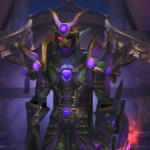
Holographic sci-fi interface for Midnight: 3D health HUD, character hologram, spell ring, boss timers and a cyan skin for the whole UI.
What's new
New: holographic dialogues
- Talking to an NPC opens HoloUI's comm link instead of the game's windows. The world dims and a projector pod powers up beside the text: its lights come on, a ring turns on its top, a beam rises from its lens and the NPC materializes on it as a large turning hologram, with a scan ring running up it, motes drifting in the light and now and then a glitch of the signal; its name, level and kind on a plate under the pod.
- The talk reads on a large panel made for reading: Exo 2 Medium in large type across the panel with even margins, roomy lines, a soft warm white on an almost solid dark panel, real typography (curly quotes, apostrophes, em dashes, ellipses), paragraphs well apart that fade in one after another, the first one opening with a drop cap like a book and the others with their initial in cyan, your name picked out in cyan, objectives in their own box. The panel grows with its text. Quests and options are listed with their key (1-9, Space for the first); the buttons carry their key too ([SPACE] Accept, [ESC] Decline), the main one lit.
- Quests read there too: the briefing (text, objectives, rewards on cards with tooltips, XP and money on chips; accept / decline), the progress (the items still needed, with how many you have and a bar; continue) and the report (choose a reward with 1-9 or a click; complete). Quest greetings (NPCs with only quests) too.
- While talking the rest of the interface fades out (3D portraits and the minimap too); it comes back when the talk ends, and at once if a fight starts.
- Options: on / off, hide the interface, dim the world, text size, text letter by letter (off by default) and its speed. Off by itself when Immersion or DialogueUI is installed.
- If you had HoloUI before, it asks once whether to turn the new look on (it stays off until you do; Options > AddOns > HoloUI > Dialogues and quests). New installs have it on.
Options in pages
- Esc → Options → AddOns → HoloUI is split into pages: General, HUD, Spells, Effects and sounds, Game interface, Dialogues and quests, Merchant and helpers, Modules, Tools.
Fixes and polish
- Fixed a Lua error when opening the game's nameplate options: the options' preview nameplate is now recognised (and shown with the holographic look).
- Quest tracker: when minimised, its holographic background now shrinks to the header too.
- Bags: a 90 % solid dark backing behind the items, so they read clearly over the world.
- Talking head (NPCs speaking with their portrait): no longer over the target in the bottom-right panel - at the bottom between the chat and the panel on wide screens, top-left on 16:9.
- Page arrows (spellbook, collections, mail, calendar, adventure guide, ...): holographic cyan instead of the old gold buttons.
- Quests and conversations: on a holographic blue background with light text instead of the orange parchment (uses the game's "quest text contrast" setting, which can be changed back in the accessibility options).
This mod has no additional files