


HideQuests
Capture d'écran 2025-09-13 134022.png
Capture d'écran 2025-09-13 134052.png
Capture d'écran 2025-09-13 134040.png
Capture d'écran 2025-09-13 134059.png
Description
English Description:
Advanced Objective Management Addon
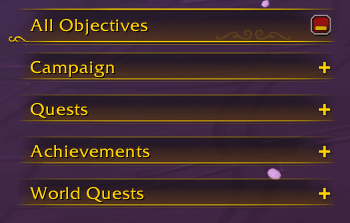
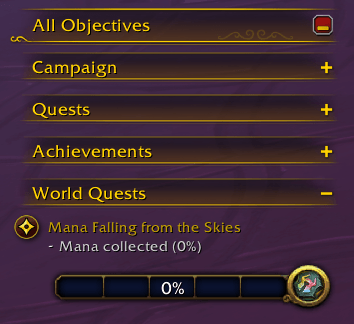
Keep your interface clean and your objectives clear! This addon automatically reduces the display of selected objectives upon entering the world, while providing full and flexible control over your UI.
Key Features:
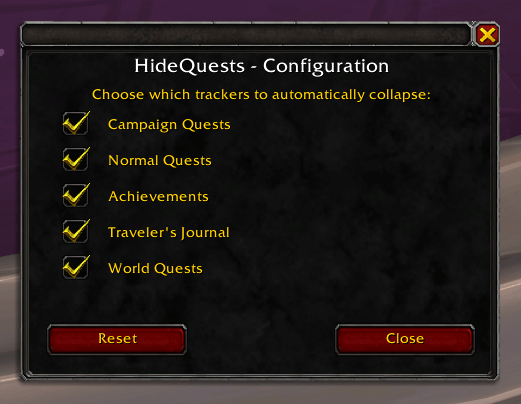
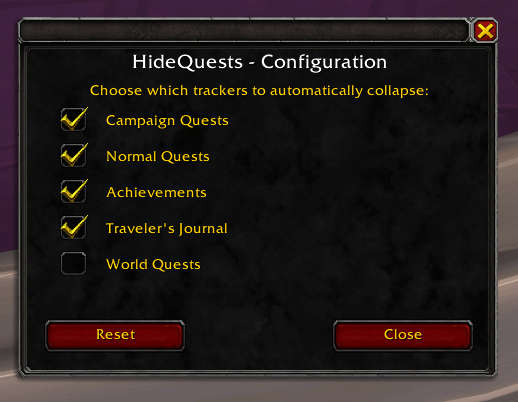
🎛️ Full Configuration Menu – Intuitive interface with a clickable minimap icon to access settings.
⚙️ Individual Tracker Control – Enable or disable each type of objective independently: Normal Quests, Achievements, Campaign Quests, World Quests, and Adventure Journal.
🔄 Immediate Application – Changes apply instantly without restarting.
💾 Preference Saving – Configuration saved per character.
🎯 Quick Minimap Access – Click the icon or use the commands /hidequests and /hq.
Minimap commands:
/hq minimap hide - Hides the minimap icon
/hq minimap show - Shows the minimap icon
/hq minimap (no parameter) - Displays the command help
Français Description :
Addon de gestion avancée des objectifs
Gardez votre interface propre et vos objectifs clairs ! Cet addon réduit automatiquement l’affichage des objectifs sélectionnés dès l’entrée dans le monde, tout en offrant un contrôle complet et flexible sur votre interface.
Fonctionnalités principales :
🎛️ Menu de configuration complet : Interface intuitive avec icône cliquable sur la minimap pour accéder aux paramètres.
⚙️ Contrôle individuel des trackers : Activez ou désactivez indépendamment chaque type d’objectif : quêtes normales, hauts faits, quêtes de campagne, quêtes mondiales et journal de voyage.
🔄 Application instantanée : Les changements s’appliquent immédiatement sans redémarrage.
💾 Sauvegarde des préférences : Configuration par personnage.
🎯 Accès rapide via minimap : Cliquez sur l’icône ou utilisez les commandes /hidequests et /hq.
Commandes pour la minimap :
/hq minimap hide - Cache l'icône minimap
/hq minimap show - Affiche l'icône minimap
/hq minimap (sans paramètre) - Affiche l'aide des commandes
The HideQuests Team
