HideMyUI
- By
Lightweight auto-hide for your interface: action bars, bags and panels fade away on their own and come back the moment your mouse touches them.
Screenshot 2026-09-06 153138.png
HideMyUI-screenshot.jpg
Description
HideMyUI
Lightweight auto-hide for your interface: action bars, bags and panels fade away on their own and come back the moment your mouse touches them.
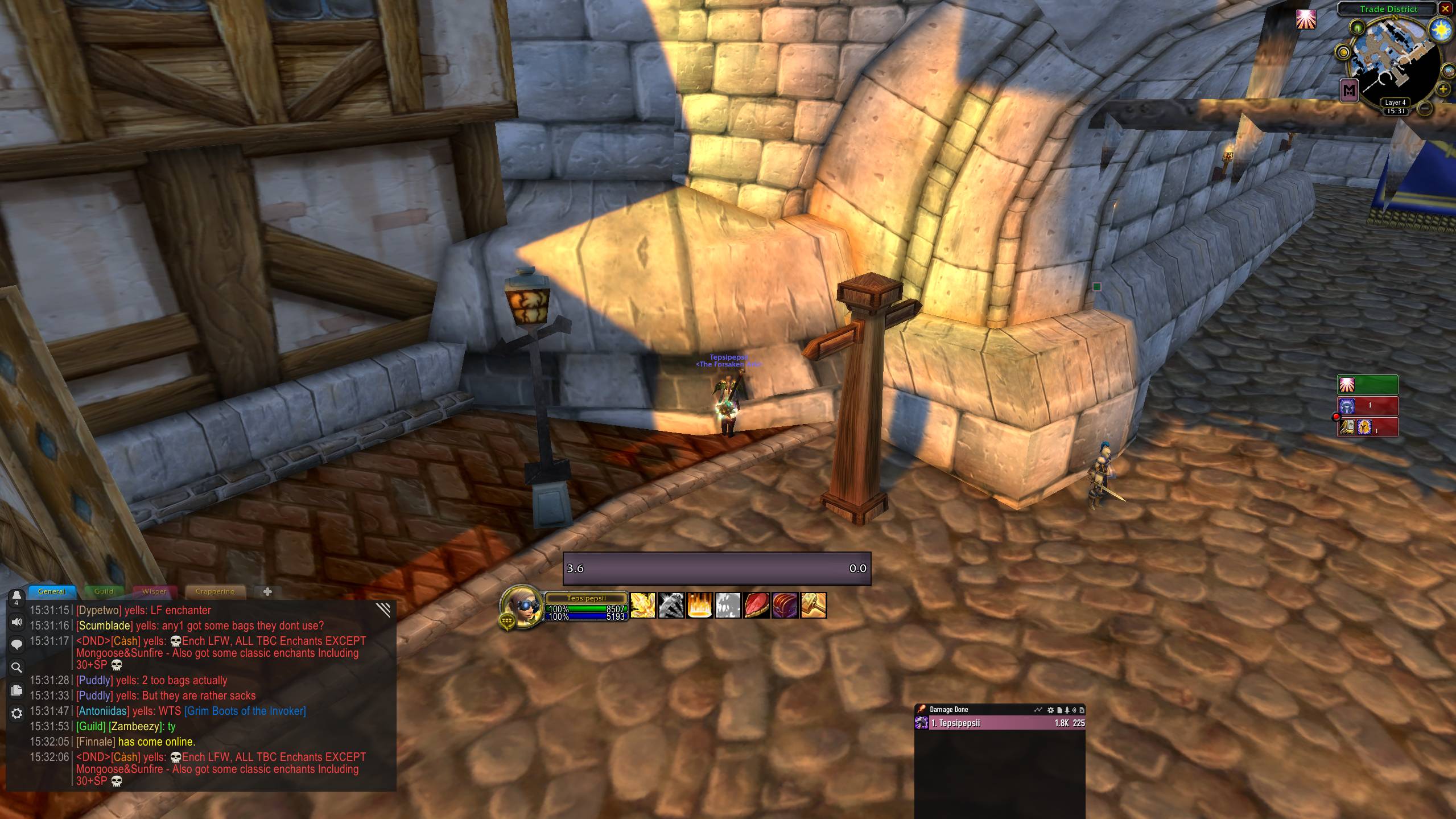
Your action bars are only useful while you are looking at them. HideMyUI fades them out when you are not, and brings them back the instant your cursor gets close — so you keep the whole screen for the game and still have every button one mouse move away.
What it can hide
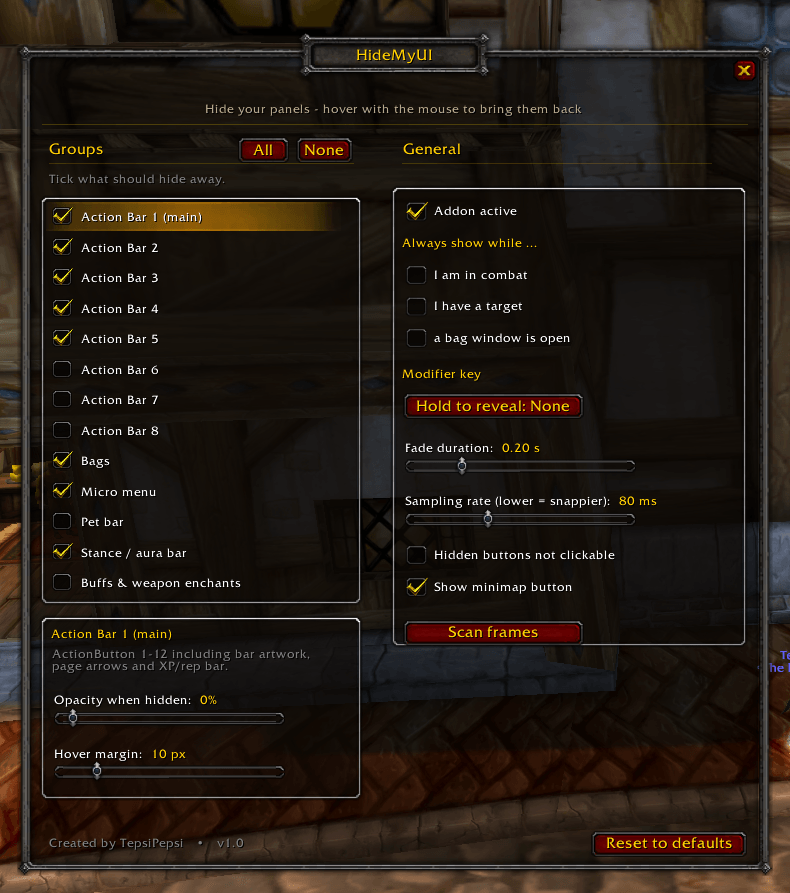
Every part of the interface is its own group with its own hover zone. Move the mouse over the bags and only the bags come back — the action bars stay out of the way.
- Action Bar 1 (the main bar, including its artwork and the XP/reputation bar)
- Action Bar 2 to 5 — the bottom rows and the two vertical bars on the right
- Action Bar 6 to 8 — detected automatically and only listed if your client has them
- Bags — backpack, bag slots and keyring
- Micro menu
- Pet bar
- Stance / aura bar — paladin auras, warrior stances, druid forms, rogue stealth bar
- Buffs and weapon enchants
Settings
Per group
- On or off
- Opacity while hidden, from fully invisible to just dimmed
- Hover margin — how far from the bar the mouse already counts as "close"
Global
- Always stay visible while you are in combat, while you have a target, or while a bag window is open
- Hold Shift, Ctrl or Alt to reveal everything at once
- Fade duration and sampling rate
- Optionally make hidden buttons unclickable, so no stray clicks or tooltips land on something you cannot see
Keybinds keep working the whole time. Hidden means transparent, not disabled — you can press your rotation without the bars ever showing up.
Nothing is hidden after installing. HideMyUI does not touch your interface until you tick the groups you actually want gone. One click on "All" if you want the lot.
Built to stay out of the way
Hiding your interface should not cost you frames. HideMyUI is written around that:
- One single OnUpdate handler in the whole addon, and it returns after two additions and a comparison on any frame where nothing is fading and no hover check is due — which is the vast majority of frames.
- Hover detection uses pre-computed rectangles sampled about twelve times a second, not a per-frame scan of every button.
- Layout changes are handled through events, not a polling timer.
- Nothing is allocated per frame, so it cannot cause garbage-collection stutter.
- No protected API calls: only transparency is ever changed, never Show or Hide. No "Action blocked" errors, no taint.
In a synthetic benchmark with all groups active this comes out at roughly 0.0013 ms per frame while idle — about a hundredth of a percent of a 60 fps frame. Your own numbers will differ, but the design is the point: there is nothing running that has to be paid for every frame.
Minimap button
Registered through LibDBIcon, so button-collector addons such as MinimapButtonButton or MinimapButtonBag pick it up like any other, and LDB displays (Titan Panel, Bazooka, ChocolateBar) show it too. Left-click opens the settings, right-click pauses and resumes the addon, and it can be dragged around the minimap or switched off entirely.
Good to know
- Running Bartender4's fading alongside is not recommended — both would write the same transparency values and fight each other. Pick one.
- If you want a full action bar replacement with moving, resizing and profiles, Bartender4 is the better tool. HideMyUI does one thing: it gets your interface out of sight and back again.
HideMyUI Team