Hide Chat - Forever
- By
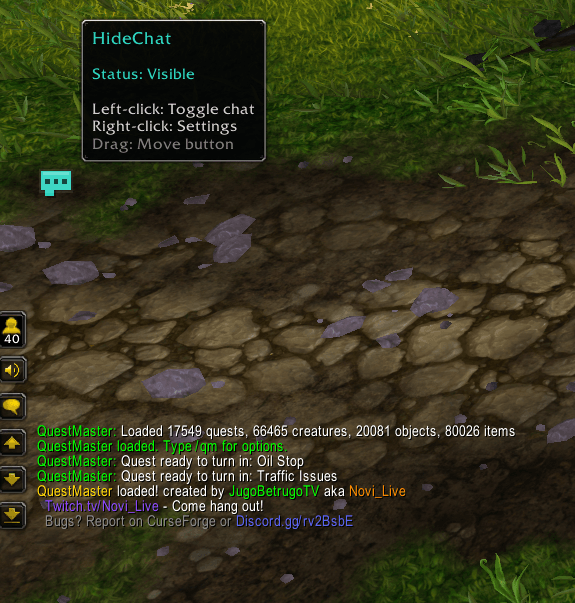
Hide Chat lets you instantly hide or restore WoW's default chat window with one click or /hc. Enjoy a clean, distraction-free UI for questing, PvP, screenshots, and roleplay, with a movable button that remembers its position.
Screenshot 2026-02-13 003909.png
Screenshot 2026-02-13 004009.png
Screenshot 2026-02-13 003952.png
Screenshot 2026-02-13 003936.png
Screenshot 2026-02-13 004149.png
Description
Support my Work via Donations :)

Community Discord - click me
HIDE CHAT
A Cleaner Screen. A Better World of Warcraft Experience.
Hide the chat. Enjoy the game. Stay in control.
Hide Chat is a lightweight, simple, and convenient World of Warcraft addon that lets you instantly hide or restore your default chat window whenever you want.
Whether you're tired of endless Trade Chat spam, want to enjoy Azeroth without distractions, or need a clean interface for screenshots and videos, Hide Chat gives you complete control with a single click.
No complicated settings. No unnecessary features. Just a simple way to make your World of Warcraft experience more enjoyable.
One click. Zero clutter. Total freedom.
Why Hide Chat?
Sometimes, you just want to enjoy the game without distractions.
World of Warcraft is filled with incredible environments, immersive adventures, and unforgettable moments.
But your chat window doesn't always need to be part of them.
Trade Chat spam, constant conversations, and unnecessary messages can easily distract from your gameplay or cover parts of your screen.
Hide Chat provides an elegant solution by allowing you to instantly hide your default chat window and bring it back whenever you need it.
Your chat isn't deleted or permanently disabled. It's simply hidden until you choose to restore it.
Less distraction. More immersion. Your adventure, your choice.
Key Features
👁️ Instant Chat Hiding
Your chat. Your rules.
Hide or restore the default World of Warcraft chat window instantly with a single click.
Enjoy a cleaner interface while questing, exploring, fighting, or simply relaxing in Azeroth.
When you're ready to communicate again, bring your chat window back just as easily.
No interface reloads or complicated configuration required.
🖱️ One-Click Toggle Button
Simple controls. Instant results.
Hide Chat adds a small, convenient toggle button to your interface.
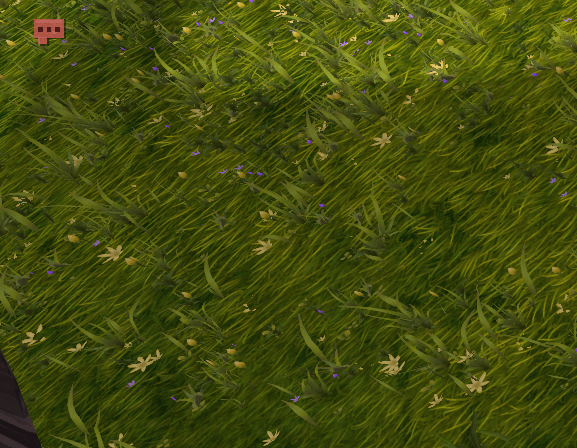
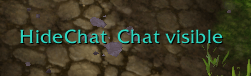
Click the button to hide your chat window. Click it again to restore your chat.
The button is designed to provide quick access without interrupting your gameplay.
A straightforward solution that does exactly what you expect.
📍 Movable Button & Saved Position
Place it wherever you want.
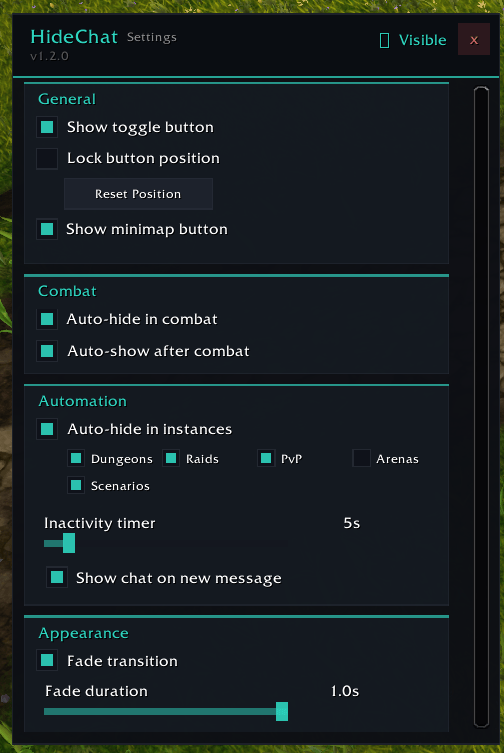
The Hide Chat toggle button can be freely moved around your screen.
Simply drag it to your preferred location and create a layout that fits your interface.
Your chosen position is automatically remembered, so you won't need to reposition the button every time you log in.
Keep it somewhere convenient or move it out of the way.
⌨️ Quick Slash Command
Prefer commands over clicking?
Hide Chat also provides a convenient slash command for players who prefer keyboard-based interaction.
Type /hc in your chat to instantly toggle its visibility.
It's quick, simple, and available whenever you need it.
🛡️ Safe & Non-Intrusive
Hide your chat without changing everything else.
Hide Chat focuses specifically on the default chat window rather than replacing World of Warcraft's entire communication interface.
The addon is designed to leave your friends list, QuickJoin interface, voice chat controls, and separate messaging addons such as WIM unaffected.
No additional chat windows. No unnecessary interface replacements.
Just the chat visibility control you actually need.
⚡ Lightweight & Minimalist
A tiny addon with a simple purpose.
Hide Chat focuses on delivering its core functionality without unnecessary features or complicated systems.
Its minimal design makes it a convenient addition to both default and heavily customized World of Warcraft interfaces.
Install it, position your button, and enjoy a cleaner screen.
Simple by design. Useful every day.
Perfect for Every Playstyle
🌍 Questing & Exploration
Explore Azeroth without constant chat messages taking up valuable screen space.
Immerse yourself in questlines, discover new locations, and enjoy the atmosphere without unnecessary visual distractions.
⚔️ PvP & Arena
Keep your focus on the fight.
Remove unwanted chat clutter when you want a cleaner interface during PvP encounters.
Hide Chat provides a quick way to free up screen space while keeping the option to restore communication whenever necessary.
🐉 Raids & Dungeons
Create a more focused interface for dungeon runs and raid encounters.
Hide your chat when you don't need it and restore it when communication becomes important again.
📸 Screenshots & Content Creation
Capture the moment. Not the chat spam.
Take cleaner screenshots and record gameplay without your default chat window covering part of the action.
Perfect for content creators, streamers, and players who love sharing their adventures.
🎭 Roleplay & Immersion
Sometimes the best way to experience World of Warcraft is to simply enjoy the world around you.
Hide Chat helps reduce interface distractions so you can focus on the atmosphere, scenery, and adventure.
🧘 Relaxed Gameplay
Not interested in Trade Chat arguments, spam, or constant conversations?
Hide your chat and enjoy a quieter gaming experience.
Bring it back whenever you feel like socializing again.
How to Use Hide Chat
Getting Started
After installing Hide Chat, a small Chat button will appear on the left side of your screen by default.
Click the button to hide your chat window.
Click it again whenever you want to restore your chat.
You can also type /hc to toggle chat visibility through a slash command.
Customize Your Button Position
Simply drag the Chat button to your preferred location.
Hide Chat automatically remembers where you placed it, allowing you to maintain your preferred interface layout between sessions.
That's it. No complicated setup required.
Supported World of Warcraft Versions
Hide Chat supports multiple World of Warcraft editions, including:
World of Warcraft Retail
World of Warcraft Forever
Mists of Pandaria Classic
Wrath / Titan Reforged Classic
Burning Crusade Classic / Anniversary
World of Warcraft Classic Era
Compatibility may vary depending on the game version and Blizzard interface restrictions.
Always install the appropriate CurseForge release for your game client.
The Hide Chat Philosophy
Not every addon needs hundreds of features to be useful.
Hide Chat was created with one simple goal: give players an effortless way to control the visibility of their chat window.
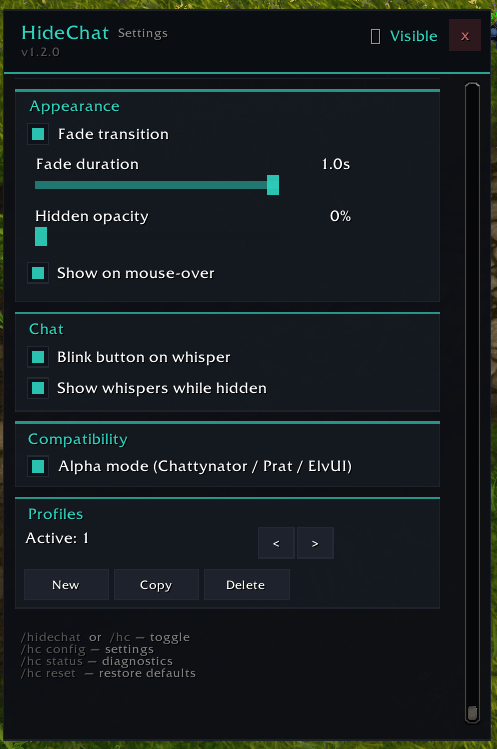
No overwhelming configuration menus.
No unnecessary interface replacements.
No complicated setup.
Just an easy-to-use addon that lets you enjoy World of Warcraft with fewer distractions.
Sometimes, the simplest features make the biggest difference.
Hide the clutter. Enjoy the adventure. Bring the chat back when you need it.
Community & Development
Hide Chat is maintained with compatibility improvements, fixes, and community feedback.
Found a bug or have a suggestion?
Share your feedback through CurseForge or join our Discord community.
When reporting an issue, please mention your World of Warcraft version, addon version, and any relevant interface conflicts.
Your feedback helps keep Hide Chat simple, reliable, and enjoyable.
Developed by JugoBetrugoTV
Thank you for using Hide Chat.
Less chat. More Azeroth :)
Hide Chat - Forever Team

Owner