
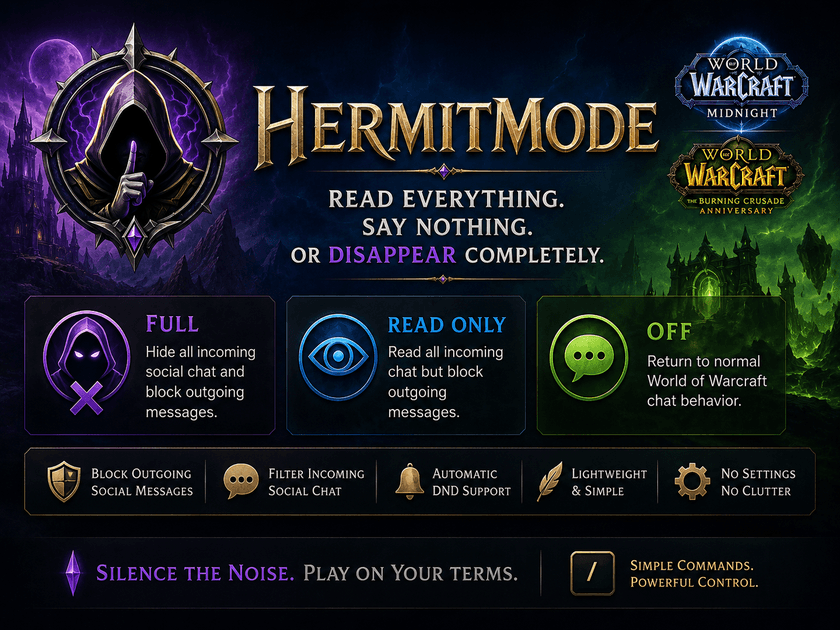
HermitMode is a lightweight World of Warcraft addon that gives you direct control over your social chat experience.
Whether you want complete silence, a read-only chat window, or normal communication, HermitMode lets you switch between three simple modes with a single command.
Three simple modes
FULL
Complete social isolation.
- Incoming player chat is hidden.
- Outgoing social messages are blocked.
- You can play without seeing or accidentally sending social chat.
READ ONLY
Stay informed without talking.
- Incoming chat remains fully visible.
- Outgoing social messages are blocked.
- Perfect for players who want to follow party, raid, guild, or public chat without accidentally replying.
OFF
Returns World of Warcraft chat to normal behavior.
What HermitMode can control
HermitMode handles the major social chat types available in World of Warcraft, including:
- Say and Yell
- Character Whispers
- Battle.net Whispers
- Party
- Raid
- Raid Warning
- Guild
- Officer
- Instance Chat
- Emotes and Text Emotes
- General and public channels
- Trade
- Services
- Profession channels
- Custom numbered channels
- Communities chat on Retail
Prevent accidental messages
HermitMode is not just a visual chat filter.
When FULL or READ ONLY mode is active, the addon actively prevents outgoing social messages from being sent.
That means typing something like:
/p hello
or:
/w PlayerName hello
will be blocked instead of reaching the other player.
This makes READ ONLY especially useful for players who still want to follow group communication while ensuring they cannot accidentally send a message.
Commands
/hermit full
Enable complete social isolation.
/hermit readonly
Enable Read Only mode.
/hermit ro
Shortcut for Read Only mode.
/hermit off
Restore normal chat.
/hermit status
Display the current HermitMode status.
/hermit dnd on
Enable automatic Do Not Disturb mode.
/hermit dnd off
Disable automatic Do Not Disturb mode.
/hermit help
Display the command list.
Automatic DND
By default, HermitMode enables World of Warcraft's Do Not Disturb status while FULL or READ ONLY mode is active.
Default DND message:
Hermit Mode active
Automatic DND can be enabled or disabled independently.
Supported versions
HermitMode currently supports:
World of Warcraft Retail — Midnight
and
The Burning Crusade Anniversary
Each game version uses its own implementation where necessary so that outgoing chat blocking works correctly with the different Blizzard chat systems.
Lightweight by design
HermitMode has no configuration panels, no libraries, no minimap buttons, and no unnecessary background processing.
It simply does one job:
give you control over whether you read or send social chat.
Why use HermitMode?
HermitMode can be useful when:
- you want to focus entirely on gameplay;
- you communicate with your group through Discord;
- you want to follow raid or party chat without responding;
- you stream or record gameplay and want to reduce accidental chat interaction;
- you want a temporary break from public or guild chat;
- you simply prefer a quieter World of Warcraft experience.
Feedback
HermitMode was built around a very simple idea: sometimes you want to keep playing World of Warcraft without participating in text chat.
If you encounter a chat type that bypasses HermitMode, please report the exact command or channel used so it can be investigated.
💜 Support HermitMode — Donate
f you enjoy HermitMode, your support helps me continue improving the addon, maintaining compatibility with future World of Warcraft updates, and developing new projects for the WoW community.
Thank you for supporting future development!

HermitMode Team
