


Hekili ElvUI Player Anchor
Discord_E2pfWw1h0W.png
Description
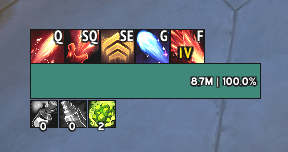
Attaches Hekili's Primary bar to Elvui's player frame
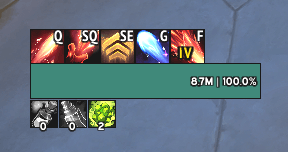
This will ONLY work with Hekili's Primary bar!
If you wanna move the anchor:
1. make a macro with this command in it:
/run local a,b=Hekili_Primary_B2,ElvUF_Player_HealthBar a:ClearAllPoints() a:SetPoint("TOP", b, "TOP", -7, 66)
2. Put it somewhere in your bars to press it, and then play around changing the two numbers at the end (-7, 66). until you find the right position. The first number is the vertical position and the second, the horizontal.
3. Once you got it, go into the addon's folder and open "core.lua" with notepad.
4. Copy the macro command without the "/run " in it and paste it replacing the line highlited in the picture below. Or just change the two numbers for the ones that you want. Save and close.
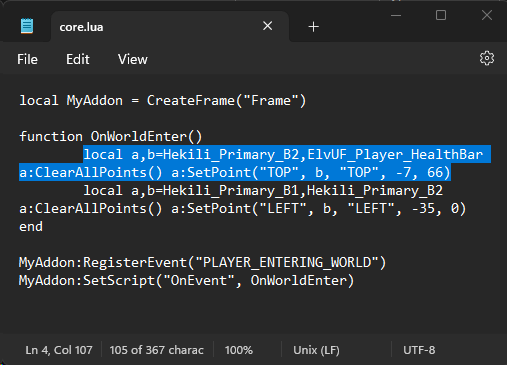
Note: the "primary icon" on hekili I have it set up through the addon to always be the first icon on the bar. If you wanted to move this just change the numbers on the line below the one you changed (in this case it would be the -35, 0). Or if you want the primary icon to be completely independant from the others just delete that line entirely.
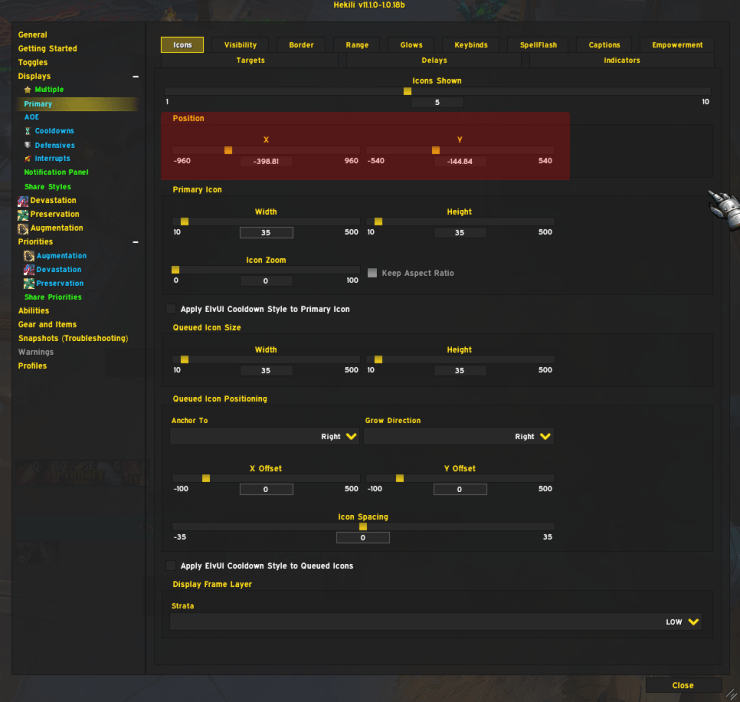
The way I have Hekili set up in the picture is my own profile but you can easily set it up the same way I have it (don't mess with the red part):
The Hekili ElvUI Player Anchor Team
