HealMeUp!
- By
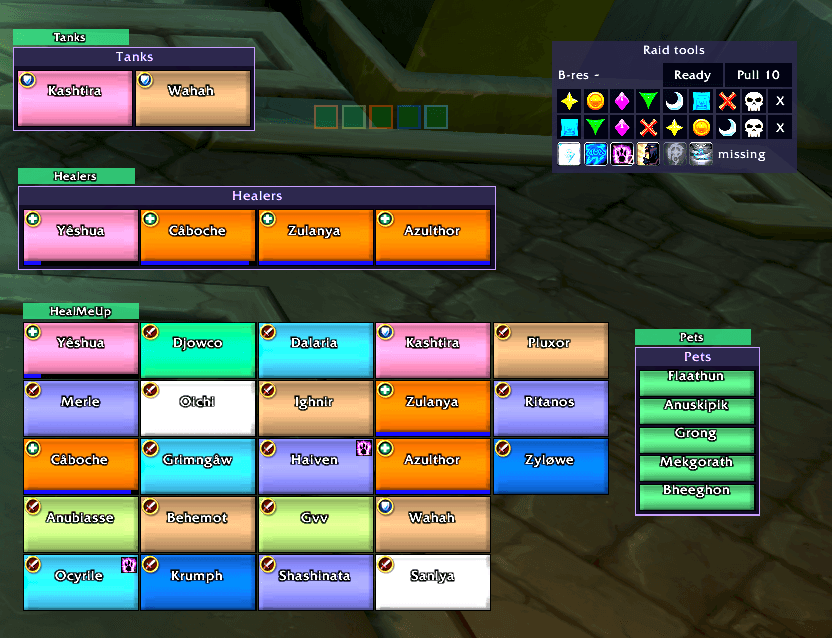
Screenshot 2026-10-28 182135.png
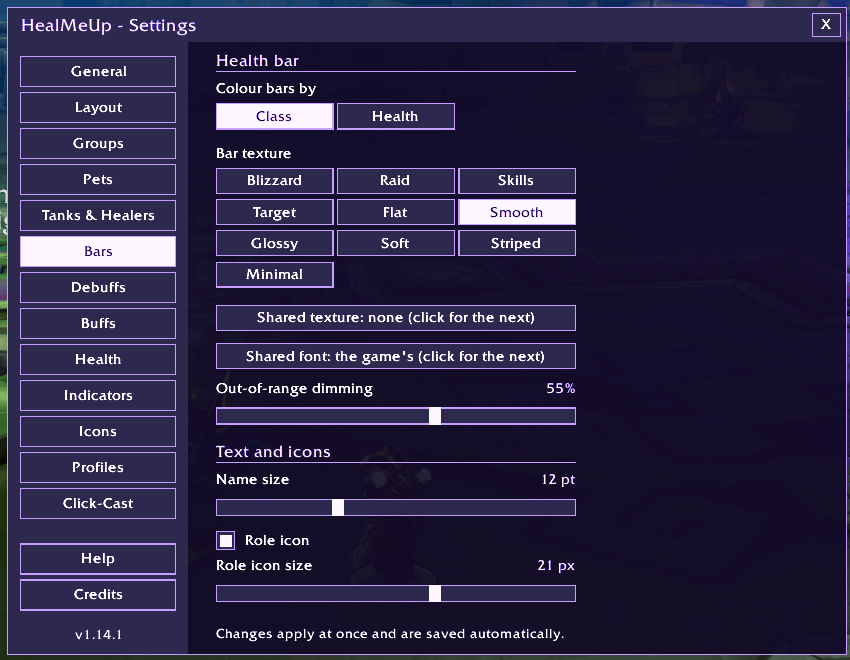
Bars.png
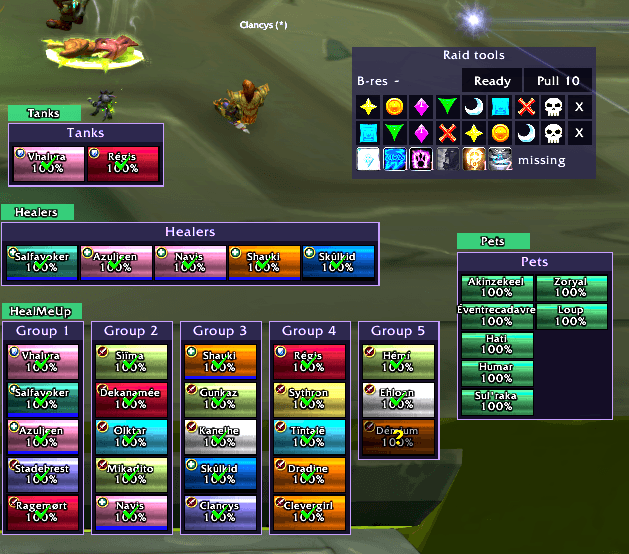
Compact Raid plates by group, during a ready check, note that you can resize all of this, its all modifiable at will
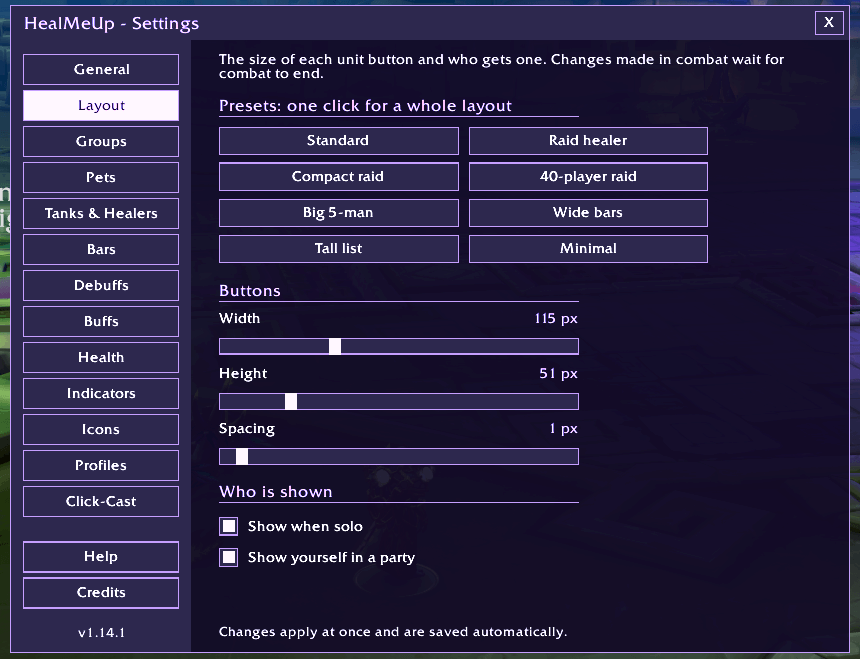
LayoutPanel.png
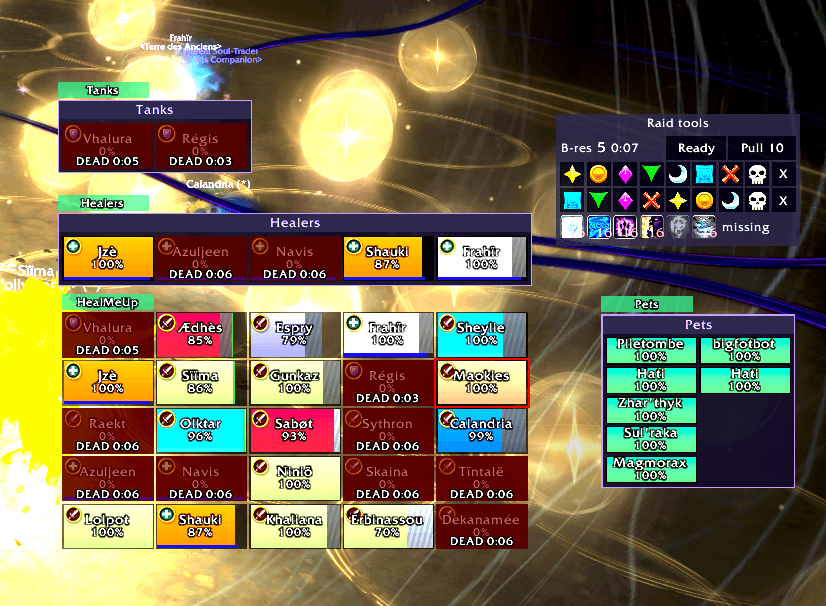
Everyone's ded :(, we had to, so we can show you the "i see ded people" on the plates
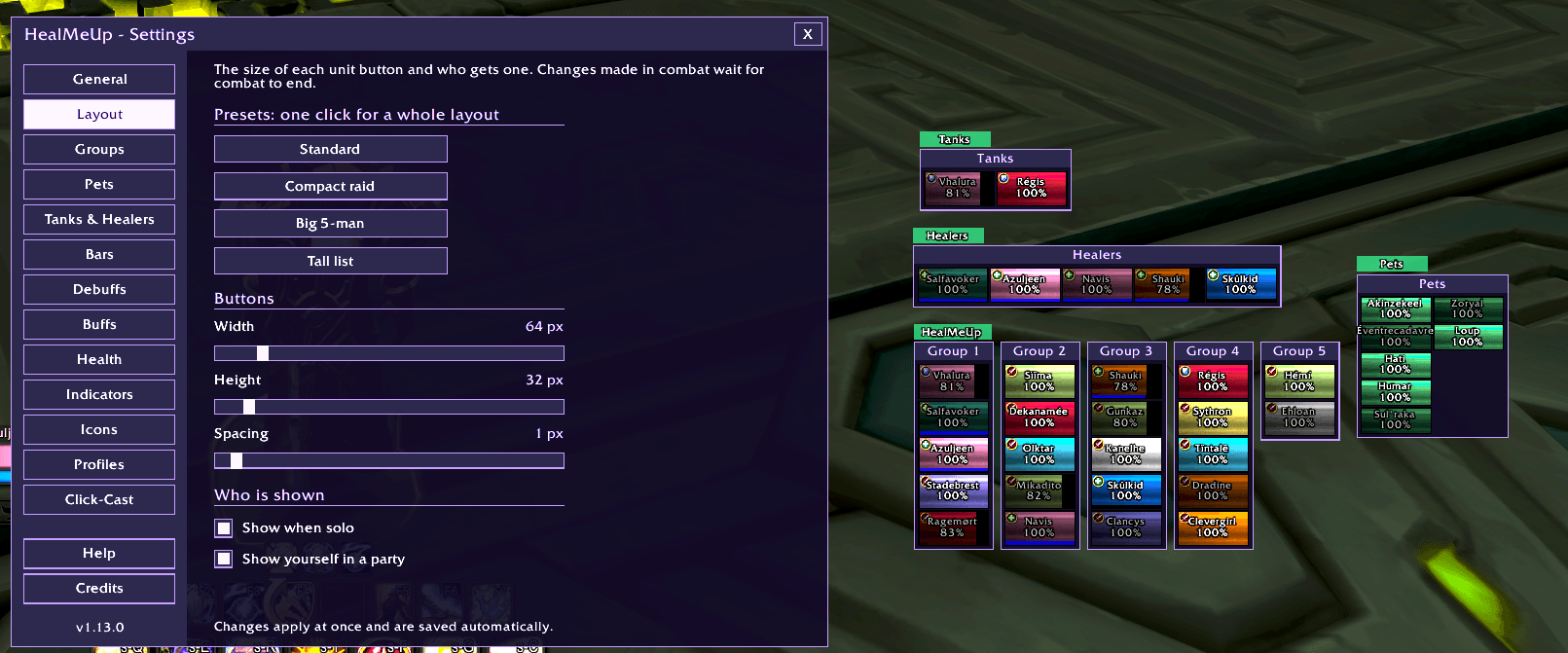
RaidCompact1.png
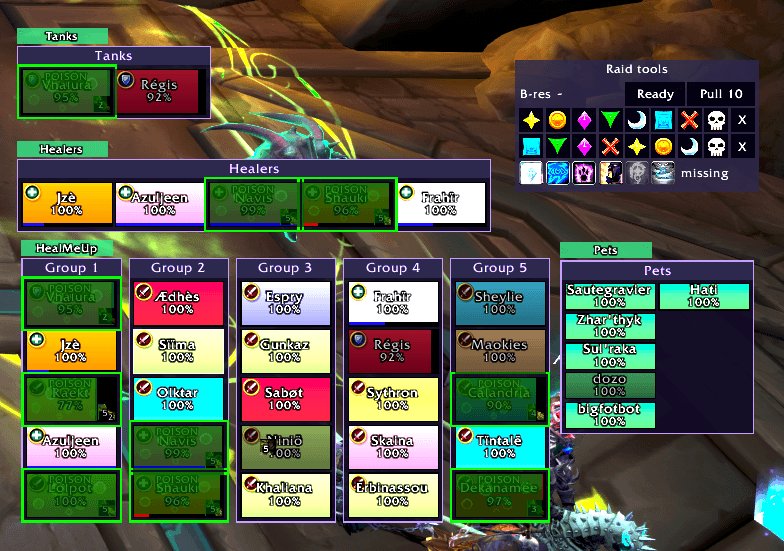
Showing poison debuff in the unit plates...
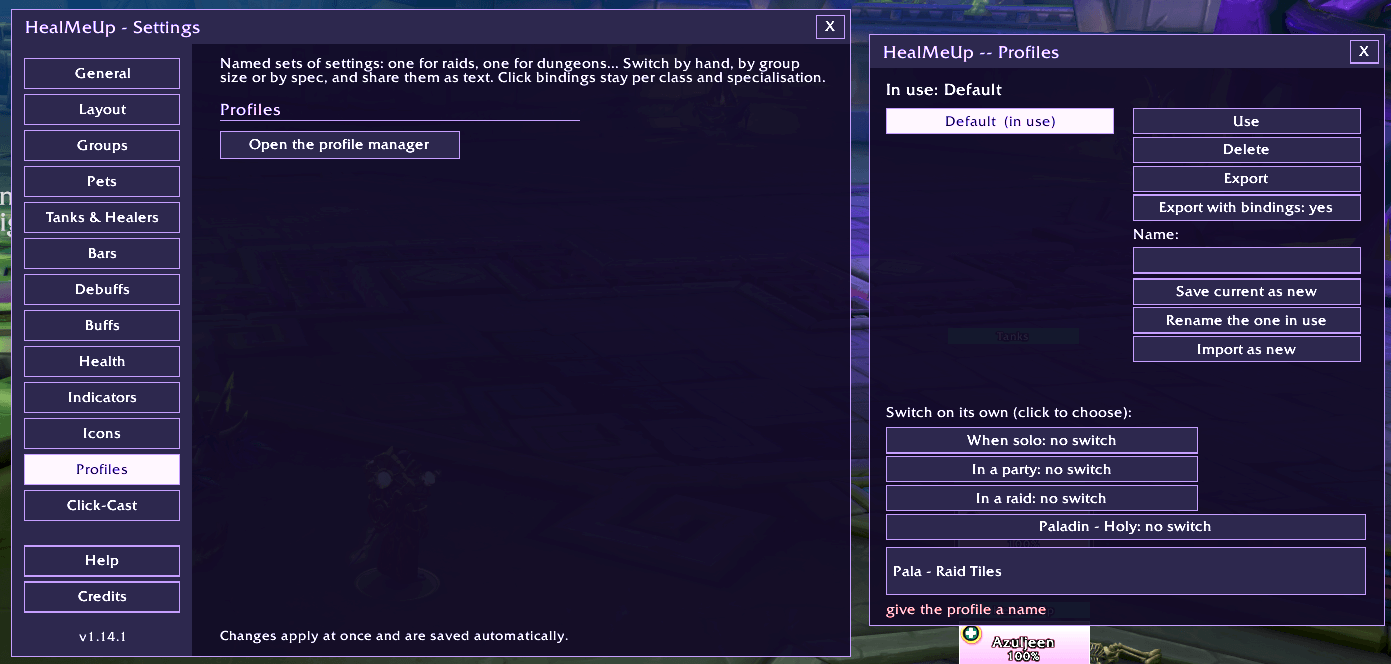
ProfileManager.png
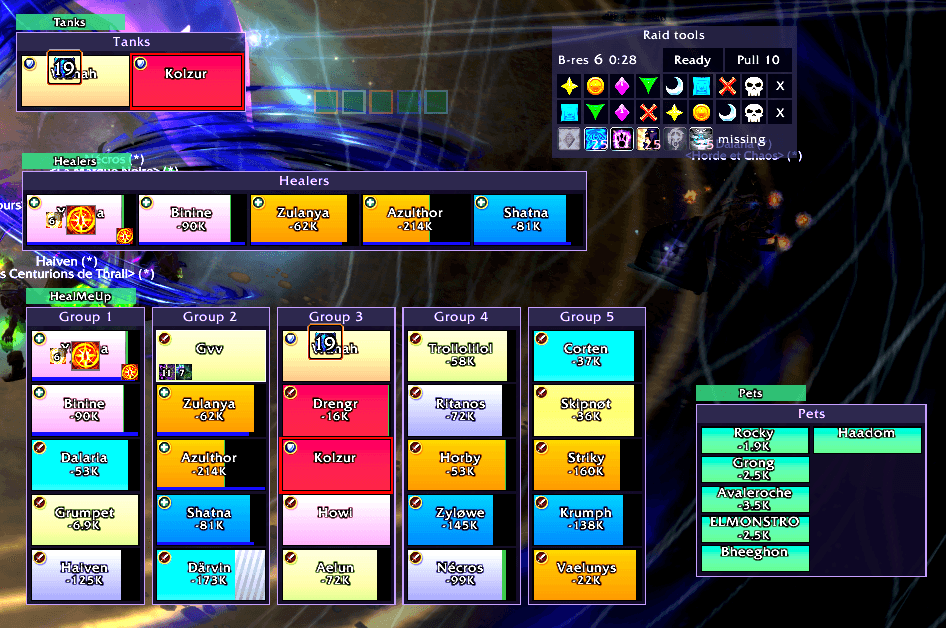
Screenshot 2026-10-28 181438.png
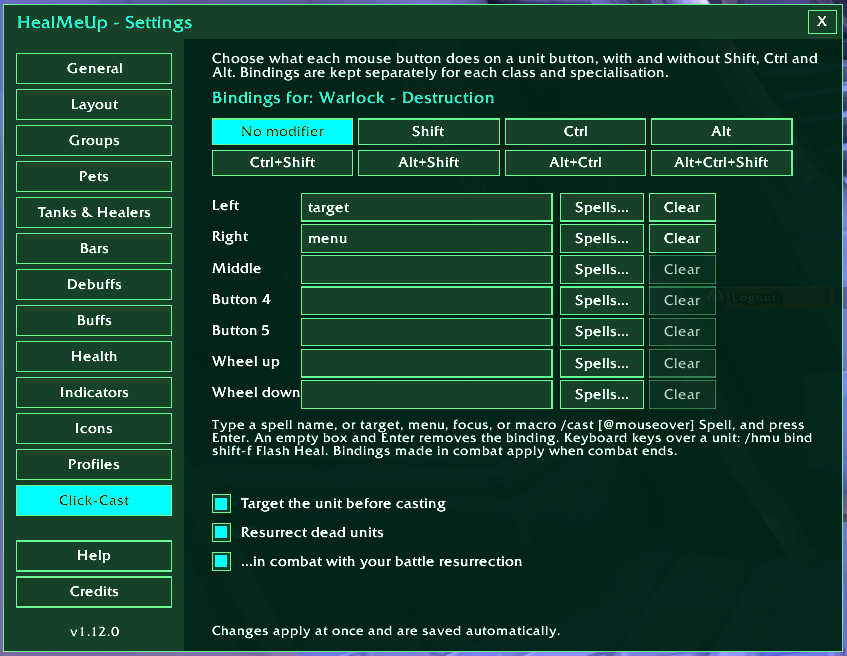
This is where you setup your spells for to cast on click!
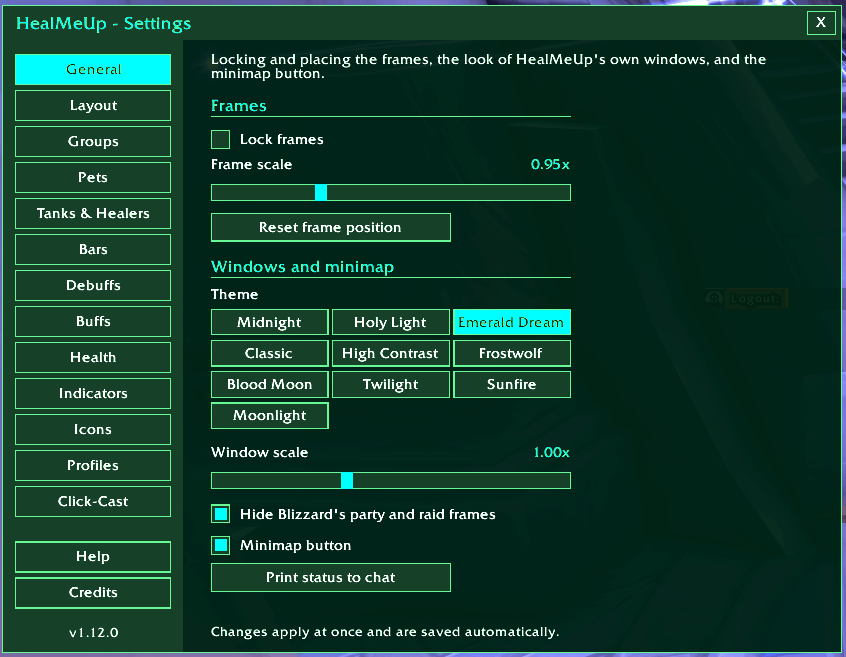
Basic Skining (themes) for the addon, will have more in future :)
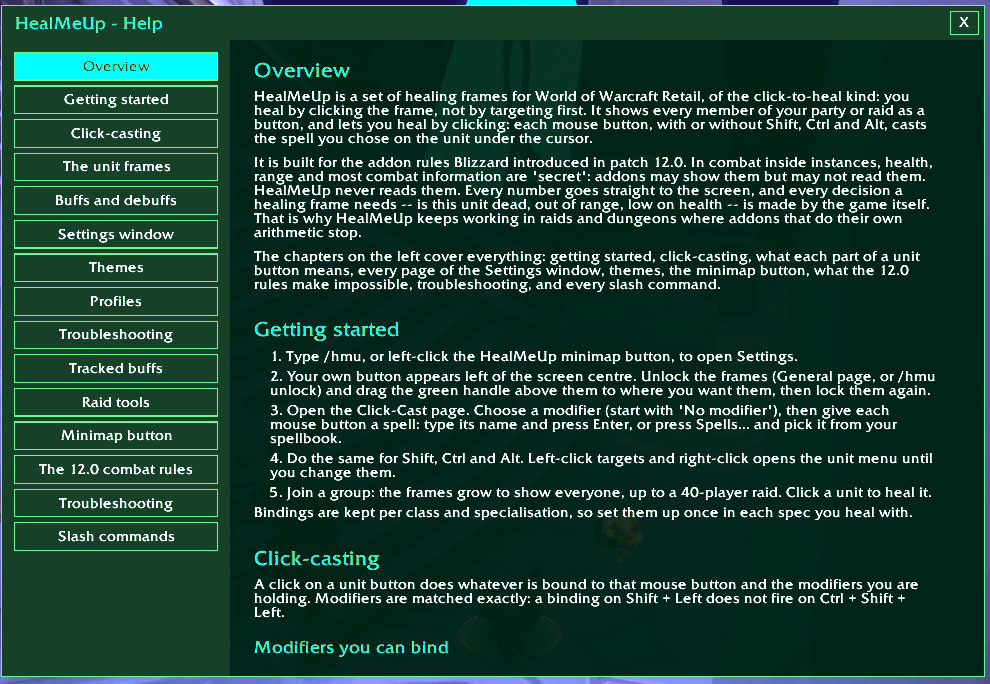
Full integrated help, everything is there!
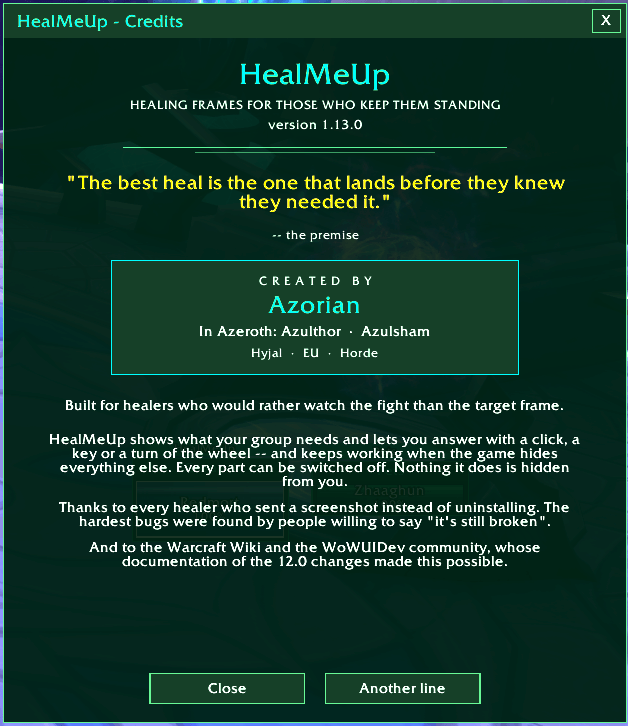
The credits window......hummm its me and me again lol
Description
WORLD OF WARCRAFT RETAIL
HealMeUp!
Heal with a click. Cleanse with a key. Raise the fallen with a turn of the wheel.
Raid frames forged for Midnight. Faster reactions, clearer information, and your eyes where they belong: on the fight.
Your raid. Your spells. Your control.
HealMeUp is a click-to-heal raid frame addon for World of Warcraft Retail. Your whole group sits in front of you as clean, readable frames. Hover a player and click to heal them, press a key to cleanse them, or roll the wheel to shield them. You never target first and you never take your eyes off the fight.
Built from the ground up for Midnight's addon rules (patch 12.x), HealMeUp respects the game's combat restrictions. When the game hides information from addons, HealMeUp lets the game draw those elements itself, helping your buffs, debuffs, timers and dispel colours stay visible in combat, raids, Mythic+ and PvP.
✦ Cast your way
Every input becomes an opportunity to save a life.
- Every mouse button, every modifier: five mouse buttons, each with no modifier, Shift, Ctrl, Alt and every combination of them. That is forty bindings before you touch the keyboard.
- Mouse wheel and keyboard keys over a frame: bind Wheel up, Shift+Wheel down, F, Shift+Q, Ctrl+F5 and more. While your pointer is over a player, the key casts on that player. Everywhere else it does what it always did. This works in combat too.
- Bindings for each class and specialisation: set them once per spec and they switch with you.
- Spellbook picker: choose spells from your own spellbook, or bind target, menu, focus or any macro.
- Target first (optional): every heal also targets the player you clicked.
- Smart resurrect: your heal button resurrects a dead player out of combat. As an option, it can use your battle resurrection in combat.
✦ See everything that matters
Know who needs help before the next hit lands.
- Health that tells the whole story:
- Incoming heals and shields drawn on the bar.
- Heal absorbs shown as a hatched band.
- Lost maximum health.
- Health as a percentage, as health left, or as health missing.
- Debuffs, sorted the way a healer thinks: the ones you can remove come first, then boss mechanics, then the rest, all with timers.
- Dispel awareness: removable debuffs light up with a glow, a type colour, a pattern for each type (readable without colour), and the type written on the bar: MAGIC, CURSE, POISON, DISEASE, BLEED.
- Big centre icon: see crowd control or the boss mechanic affecting a player.
- Defensive cooldowns: external ones first (Pain Suppression, Ironbark, Blessing of Sacrifice and the like), then the player's own.
- Your heals over time: in a row of their own, with timers.
- Tracked buffs: pick any buffs (Power Infusion, Innervate, Atonement, a tank's cooldown) and see them on every frame, whoever cast them.
- Missing class buff mark: know who still needs your Fortitude or Mark of the Wild.
- Private auras: mechanics the game hides from addons, drawn by the game on your frames.
- The details that matter: out-of-range dimming, aggro border, mana bar (healers only or everyone), role icons, raid markers, and highlights for your target and the frame under your mouse.
- Status at a glance: DEAD 0:42, OFFLINE 2:10, AFK 1:05, plus incoming resurrection, summon and ready-check icons.
- Ignore list: debuffs you never want to see. The bloodlust lockouts are left out by default.
✦ Frames that fit your raid
From a solo adventure to a full forty-player encounter.
- From solo to a 40-player raid: a panel for each group, or one long list, grouped by subgroup or by role.
- Tanks, Healers and Pets frames: copies of the players who matter most, each movable on its own.
- Spotlight: pin anyone into a frame of their own: yourself, a co-tank, the healer you look after. Live slots follow your target, focus, pet or your target's target, even if that player is not in your group.
- Nicknames: show "MT", "Kicks" or "Dad" instead of long character names.
- Your look: themes, bar textures, sizes, spacing, scale, colour by class or by health.
- Your choice: hide Blizzard's raid frames if you want only HealMeUp (optional).
✦ Raid tools built in
The essentials, ready when your raid leader needs them.
- Battle-res charges: the shared pool in raids and Mythic+, with the time until the next charge.
- Ready check and pull timer: convenient buttons, with right-click to cancel the countdown.
- Target markers and world markers: one click each, plus clear-all.
- Missing group buffs: every class buff, how many players lack it, and who they are.
✦ Profiles that switch themselves
Different content. Different specs. Zero setup repetition.
- Up to 10 profiles: each with every setting.
- Automatic switching: by group size (solo, party, raid) and by specialisation. Your healing spec gets your healing layout everywhere.
- Share your setup: export a profile as one line of text, and import a friend's.
✦ Built to be trusted
Designed for the rules of Midnight, not around wishful thinking.
- Midnight-safe by design: the values the game hides in combat are never read, compared or guessed. HealMeUp hands them to the game to draw.
- Combat-proof: change a setting in combat and it is stored at once, then applied the moment combat ends. HealMeUp tells you so, and never throws an "action blocked" error.
- Self-test:
/hmu selftestchecks the addon in-game and tells you, in plain words, what works, what the game is hiding right now, and what it does about it. - Bug reports made easy:
/hmu reportproduces one text to copy into a bug report, with versions, spec, settings you changed and recent errors. - Tested before every release: hundreds of automated checks run against a model of the game client, and every fix is proven by putting the bug back and watching a test catch it.
Getting started
Three steps between installation and your first heal.
Your party or raid appears automatically.
Type /hmu config or click the minimap button, then choose your bindings on the Click-Cast page.
Hover a player and click to heal. No targeting required.
Command reference
Your most useful shortcuts, all in one place.
| Command | What it does |
|---|---|
/hmu configor /hmu |
Open the settings and dashboard. |
/hmu bind shift-1 Flash Heal |
Bind a click, key or wheel. Examples: /hmu bind shift-f Renew, /hmu bind wheelup Heal. |
/hmu spotlight |
Open the Spotlight manager. |
/hmu track add Power Infusion |
Track a buff on every frame. |
/hmu profiles |
Open the profile manager. |
/hmu raidtools |
Show or hide the raid tools bar. |
/hmu nick Thrall MT |
Give a player a nickname. |
/hmu selftest |
Check HealMeUp and its current capabilities. |
/hmu report |
Gather information for a bug report. |
/hmu help |
Open the full in-game guide. |
Keep your team alive.
Less time fighting your interface. More time making the plays that save the pull.
Made with ♥ by Azorian
Known in Azeroth as Azulthor and Azulsham
Hyjal (EU) · Horde
HEALMEUP! · MADE FOR THE FIGHT
HealMeUp! Team