


HayabikuHandyHandbag
- By
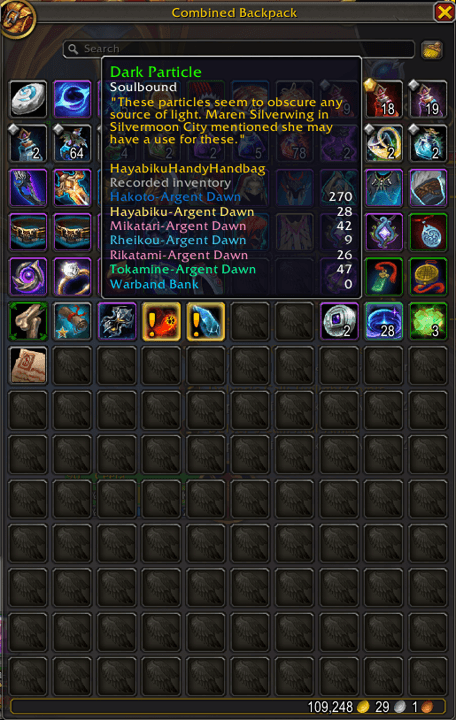
Bild4.png
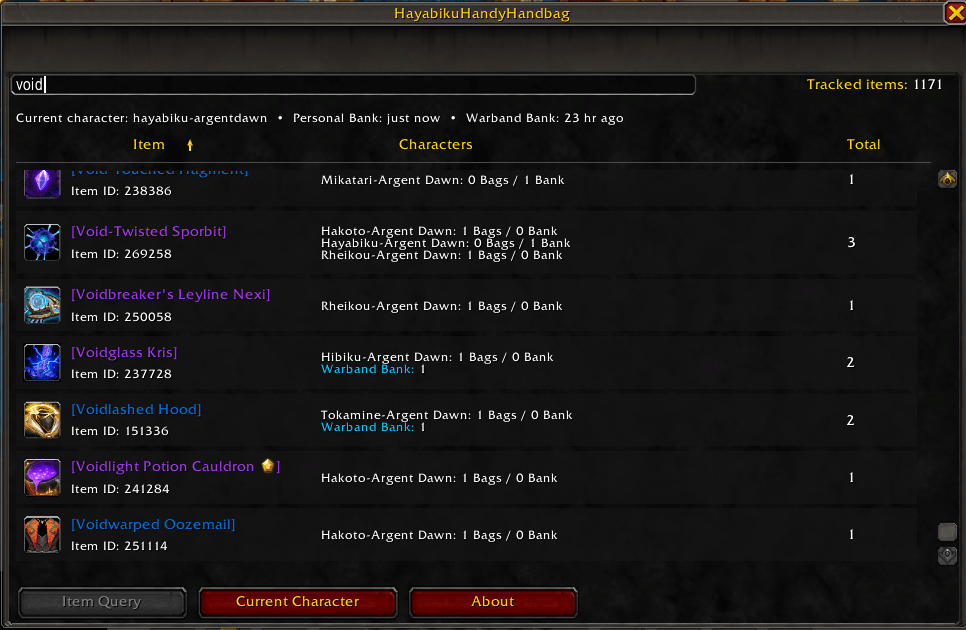
Bild2.png
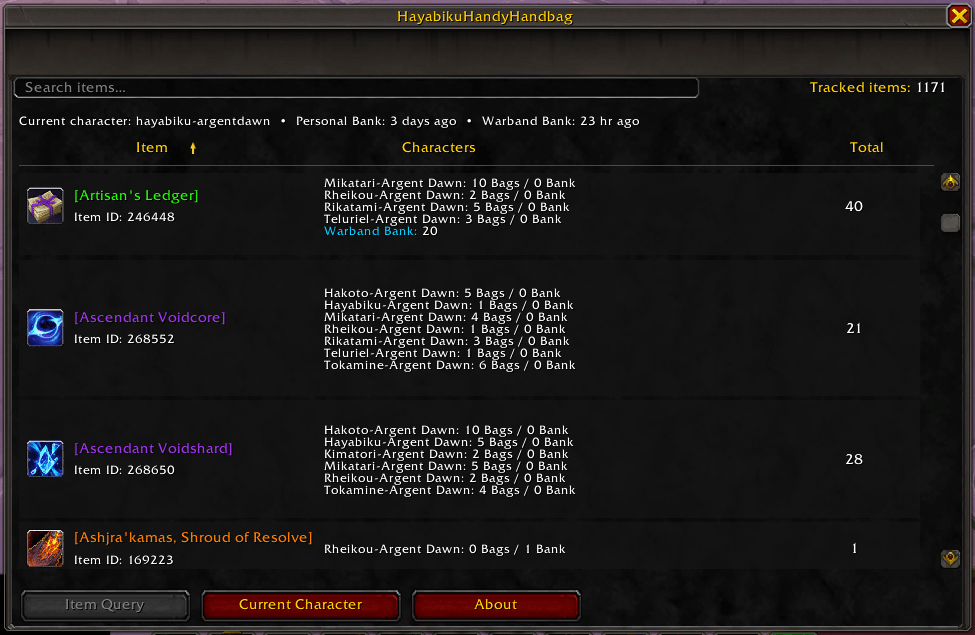
Bild1.png
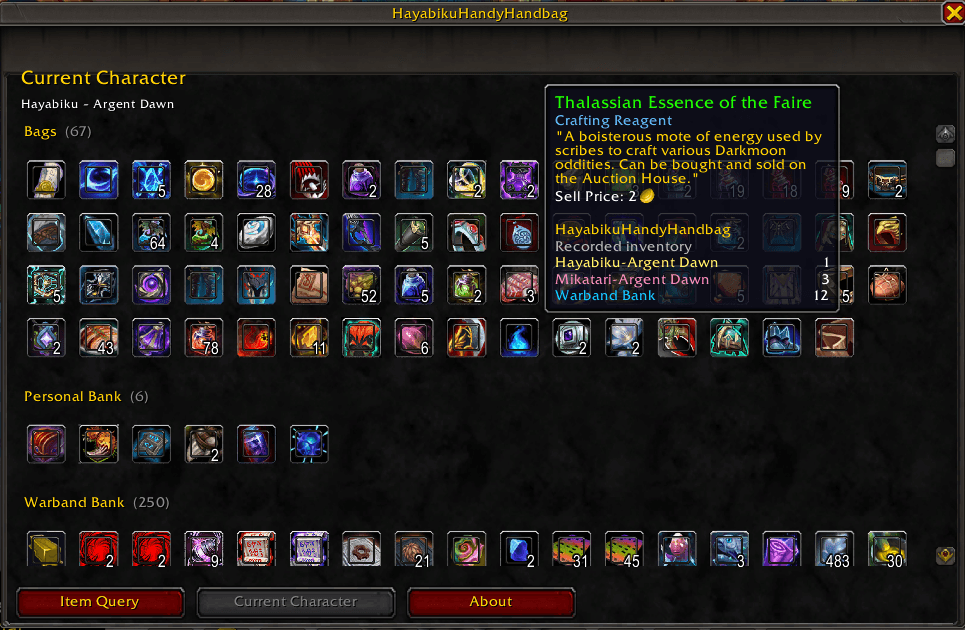
Bild3.png
Description
HayabikuHandyHandbag
Find your items across characters, personal banks, and the Warband Bank — without logging through every alt.
HayabikuHandyHandbag is a lightweight account-wide inventory tracker for World of Warcraft Retail. It records the items stored in your characters' bags and personal banks, includes your shared Warband Bank, and brings everything together in one searchable overview.
Whether you are looking for crafting materials, consumables, equipment, or that one item you know you stored somewhere, HayabikuHandyHandbag helps you find it quickly.
HayabikuHandyHandbag is an inventory tracker, not a replacement for Blizzard's bag or bank interface.
Features
- Account-wide item tracking across all characters you have logged into
- Tracks the backpack, equipped bags, and reagent bag
- Tracks all six personal character bank tabs
- Tracks all five account-wide Warband Bank tabs
- Instant item-name search across all recorded inventories
- Clear per-character breakdown of bag and bank quantities
- Combined total count for every tracked item
- Sortable columns for item name, number of characters, and total quantity
- Item tooltips show stored counts for each character and the Warband Bank
- Dedicated Current Character view with item icons for bags, bank, and Warband Bank
- Full item tooltips when hovering over icons
- Account-wide saved data
- Automatic cleanup of duplicate character records
- Lightweight, dependency-free design
How It Works
HayabikuHandyHandbag updates your data automatically:
- Character bags are scanned when you log in and whenever your inventory changes.
- Personal bank data is updated when you open the bank on that character.
- Warband Bank data is updated when the bank is opened and its tabs are available.
The addon stores the latest scan in an account-wide database, allowing you to search previously recorded inventories even while playing another character.
Usage
Type the following command in chat to open or close the addon:
/hhh
You can also press Escape to close the window.
Item Query
The Item Query tab displays every item recorded across your characters and the Warband Bank.
- Enter part of an item's name to filter the list instantly.
- Click Item, Characters, or Total to sort the results.
- Click the same column again to reverse the sort order.
- Shift-click an item link to insert it into chat.
Current Character
The Current Character tab shows the recorded contents of:
- Bags
- Personal Bank
- Warband Bank
Hover over an item icon to view its full tooltip and account-wide stored quantities.
Important Notes
- A character must be logged into at least once before the addon can record its inventory.
- Personal bank data for other characters reflects the most recent successful scan.
- To refresh a character's bank data, log into that character and open the personal bank.
- Warband Bank contents can only be updated while the bank and its storage tabs are accessible.
- Moving, deleting, or spending items while a character is offline will not be reflected until the relevant inventory is scanned again.
Compatibility
- World of Warcraft Retail
- No external libraries or dependencies required
Installation
CurseForge App
Install HayabikuHandyHandbag through the CurseForge app and keep it updated automatically.
Manual Installation
- Download the latest release.
- Extract the
HayabikuHandyHandbagfolder into:World of Warcraft/_retail_/Interface/AddOns/ - Restart World of Warcraft or type
/reload. - Make sure the addon is enabled on the character-selection screen.
Feedback and Bug Reports
Found a bug or have an idea for a new feature? Please leave a comment on the CurseForge project page.
When reporting an issue, please include:
- Your World of Warcraft version
- The addon version
- What you were doing when the issue occurred
- Any Lua error message, if available
HayabikuHandyHandbag Team
