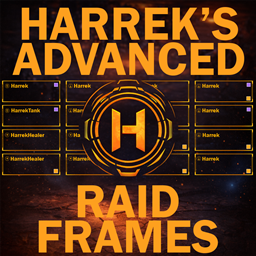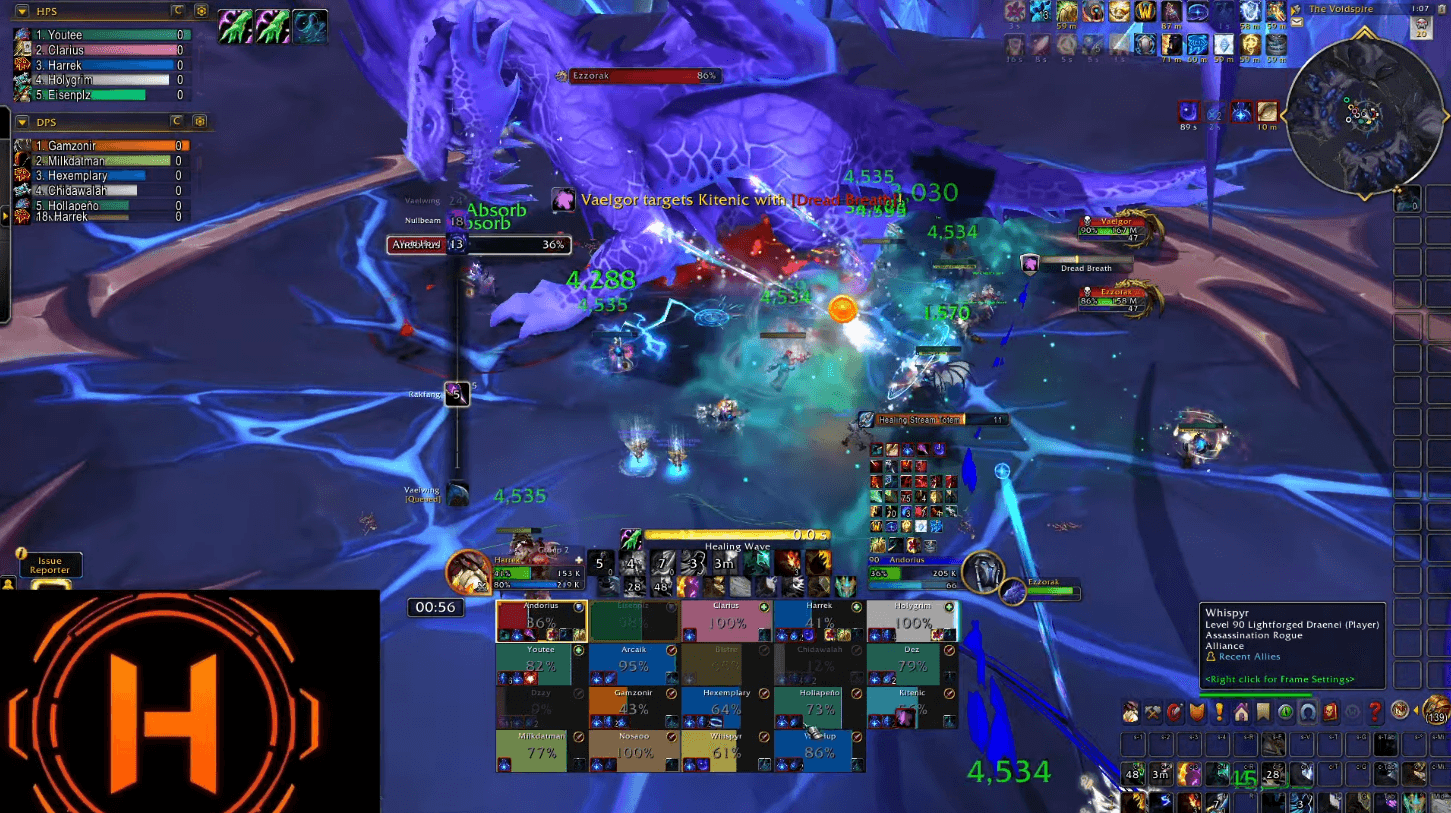
In Combat Example
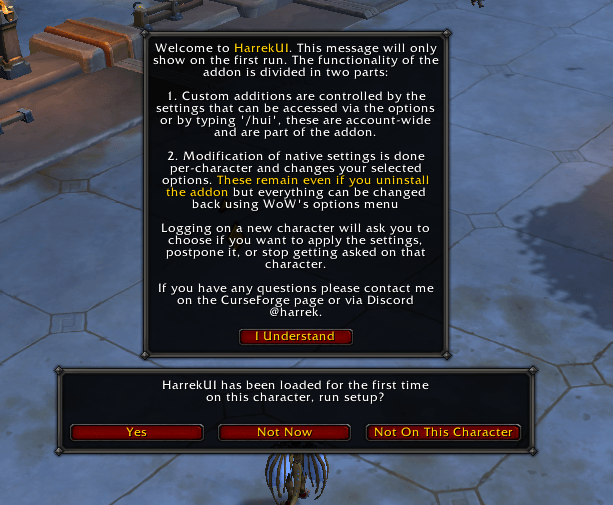
Intro pop up
Description
This is not a full UI replacement, this addon focuses on adding little bits of extra functionality to the default ui and making it easier to set up new characters. Your ui elements will still be the default ones from blizzard but some specific features that we're lacking have been added and the set up is automatic.
HarrekUI is a quick-setup addon for Harrek's interface. It comes with an EditMode profile and a full set of cvars pre-configured so the whole ui will look in a specific way with the click of a button. On top of changing your default settings automatically, the addon also has a full set of custom-coded functionality added on top of default elements, all of which can be turned on or off individually.
Usage
The addon is divided in two parts: One part handles default WoW settings, the other is custom coded tweaks. You will get a pop-up on first log in with a little bit of an explanation about how the addon is set up, this pop-up will only show the first time you log in after installing.
Every time you log in on a new character you will get asked if you want to set up the ui for that character: Clicking yes activates the HarrekUI edit mode profile and changes your settings to match the preset, clicking no hides the pop-up for this session, and clicking 'not for this character' will make it never show again on that toon. This selection affects native settings of WoW, and the changes will persist even if you uninstall the addon.
The second part adds a wide array of extra functionalities. Most of these are active from the moment you start the game with the addon installed and are controlled by the settings accessed via /hui or the default options menu. You can turn these on or off at any moment and these do require the addon to be installed to work. Some options are disabled by default, and all them are listed below.
Default Configurations
For the default settings, the first part is the addon importing and enabling the HarrekUI layout, which positions most of the elements. Right after all the cvars are set to their default values. This part involves changing data on WoW's default options so the elements changed here will remain so even if you uninstall the addon, but all of these are simply specific options on the default options panel so everything can be changed back. For a full list of the cvars changed and their values see the end of this page
Custom Tweaks
These are the custom coded tweaks that the addon adds:
- Screenshot Message — Hide the "Screen Captured" confirmation text after taking a screenshot.
- Auto Combat Log — Automatically start combat logging when you log in.
- Auto Sell and Repair — Automatically sell junk and repair when talking to npcs.
- Max Camera Distance — Slider to zoom camera out further than what default allows.
- Show Coordinates — Show a small coordinates text near the minimap.
- Enable /way Command — Allow using
/way x yto create native waypoints. - Low On Food Reminder — Show a reminder when your chosen food is low and you are in Silvermoon City, select the food using the "Chosen Food" option.
- Chosen Food — Pick which food the reminder watches for.
- Lock Last Action Bars — Lock the last action bars so they act as static icon displays and won't change accidentally.
- Player Combat Text — Hide incoming/outgoing combat numbers on the player frame.
- Totem Frame — Hide the totem frame below the player frame.
- Essence Frame — Hide the essence icons on the player frame.
- Target Info on the Right — Move small target-related frames (Target-of-Target and target cast bar) to the right of the target frame.
- Click-Through Buff Icons — Disable aura icon mouse functionality on group frames so mouseovers work on any part of the frame.
- Frame Transparency — Toggle transparency for the group frames to keep them solid all the time.
- Cast Time Inside — Move the cast time of the default cast bar from outside the bar to inside of it.
- Show Cast Bar Icon — Show a small spell icon next to the player cast bar.
- Name Only Friendly Nameplates — Name-only nameplates for friendly players.
- Class Color Friendly Names — Color friendly player nameplate names by class.
- Color Enemy Nameplates — Color nameplates of enemy units by classification, pick separate colors for boss, miniboss, caster, and melee.
- Combat Timer — Lets the in-game stopwatch work as a combat timer by automatically starting and stopping it on encounters.
- Stopwatch Scale — Adjust the size of the stopwatch.
- Cast Tracker — Shows icons for your last three abilities cast,
- Lock Cast Tracker — Lock the cast tracker position.
- Cast Tracker Icon Size — Adjust the size of the cast tracker icons.
Known Bugs
- Sometimes the EditMode profile fails to import on first run
- Recoloring enemy cast bars seem to revert to the original color in combat in some situations
Planned Updates
- Custom evoker essence bar.
- Mobility spell bar to track hover and spiritwalker's grace duration.
- Customize amount of aura icons on the group frames.
If you have any request for additional functionality please let me know in a comment or contacting me via discord @harrek
Full CVar List
showTargetOfTarget: Enabled
raidFramesDisplayClassColor: Enabled
raidFramesDispelIndicatorType: Show All
raidFramesDisplayPowerBars: Disabled
raidFramesDisplayAggroHighlight: Enabled
raidOptionDisplayPets: Disabled
raidFramesHealthText: Health Percentage
raidOptionDisplayMainTankAndAssist: Disabled
enableMultiActionBars: All Action Bars Active
countdownForCooldowns: Enabled
empowerTapControls: Disabled
displaySpellActivationOverlays: Disabled
combatWarningsEnabled: Enabled
encounterTimelineEnabled: Enabled
encounterTimelineHideForOtherRoles: Enabled
encounterTimelineIconographyEnabled: Enabled
cooldownViewerEnabled: Enabled
damageMeterEnabled: Enabled
nameplateShowAll: Enabled
nameplateShowEnemies: Enabled
nameplateAuraScale: 1
nameplateStyle: Blocky Bars
nameplateDebuffPadding: 0
nameplateShowSelf: Enabled
advancedCombatLogging: Enabled
occludedSilhouettePlayer: Enabled
combinedBags: Enabled
uiScale: 0.7
UnitNameNPC: Enabled
UnitNameFriendlySpecialNPCName: Disabled
ShowQuestUnitCircles: Enabled
AutoPushSpellToActionBar: Disabled
cameraSmoothStyle: Never Adjust Camera
cameraDistanceMaxZoomFactor: 2.6
statusTextDisplay: Both
nameplateInfoDisplay: [X] Health Percentage, [ ] Health Value, [X] Rarity Icon
nameplateCastBarDisplay: [X] Name, [X] Icon, [X] Target, [X] Highlight Important Casts, [ ] Highlight When Targeted
nameplateThreatDisplay: [ ] Progressive, [X] Flash, [ ] Health bar Color
nameplateEnemyNpcAuraDisplay: [X] Mob Buffs, [X] Personal Debuffs, [X] Shared CC
nameplateEnemyPlayerAuraDisplay: [X] Enemy Buffs, [X] Personal Debuffs, [X] Big Debuff
nameplateFriendlyPlayerAuraDisplay: [ ] Enemy Buffs, [ ] Personal Debuffs, [ ] Big Debuff
nameplateSimplifiedTypes: [X] Minions, [X] Minor, [ ] Friendly Players, [ ] Friendly NPCs
encounterTimelineIconographyHiddenMask: [ ] Tank, [X] Healer, [ ] DPS, [X] Dispellable, [X] Enrage, [X] Deadly
nameplateStackingTypes: [X] Enemies, [ ] Friendlies
HarrekUI Team
Owner