HappyToy
HappyToy automatically finds off-cooldown toys and queues them into a macro, so you can keep using toys non-stop.
ScreenShot_2026-05-23_033844_087.png
ScreenShot_2026-05-23_033338_831.png
ScreenShot_2026-05-23_033319_740.png
Description
HappyToy automatically finds off-cooldown toys and queues them into a macro, so you can keep using toys non-stop.
**HappyToy** 能够自动检索当前冷却好的玩具加入到宏里面,使玩家可以连续一直放玩具。
## ✨ Core Features
- 🎯 **Auto-queue usable toys by priority** — Automatically selects the next available toy by weight (highest first)
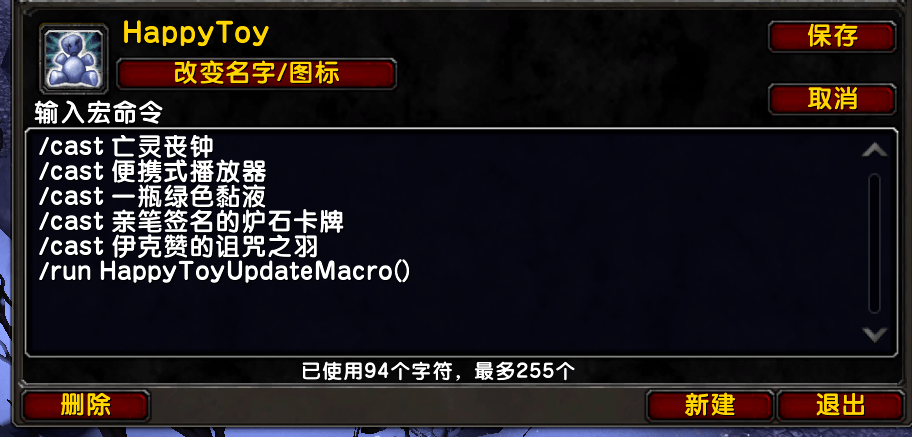
- 📋 **One-click macro** — Auto-creates an in-game macro; press once, use one toy, auto-updates to the next
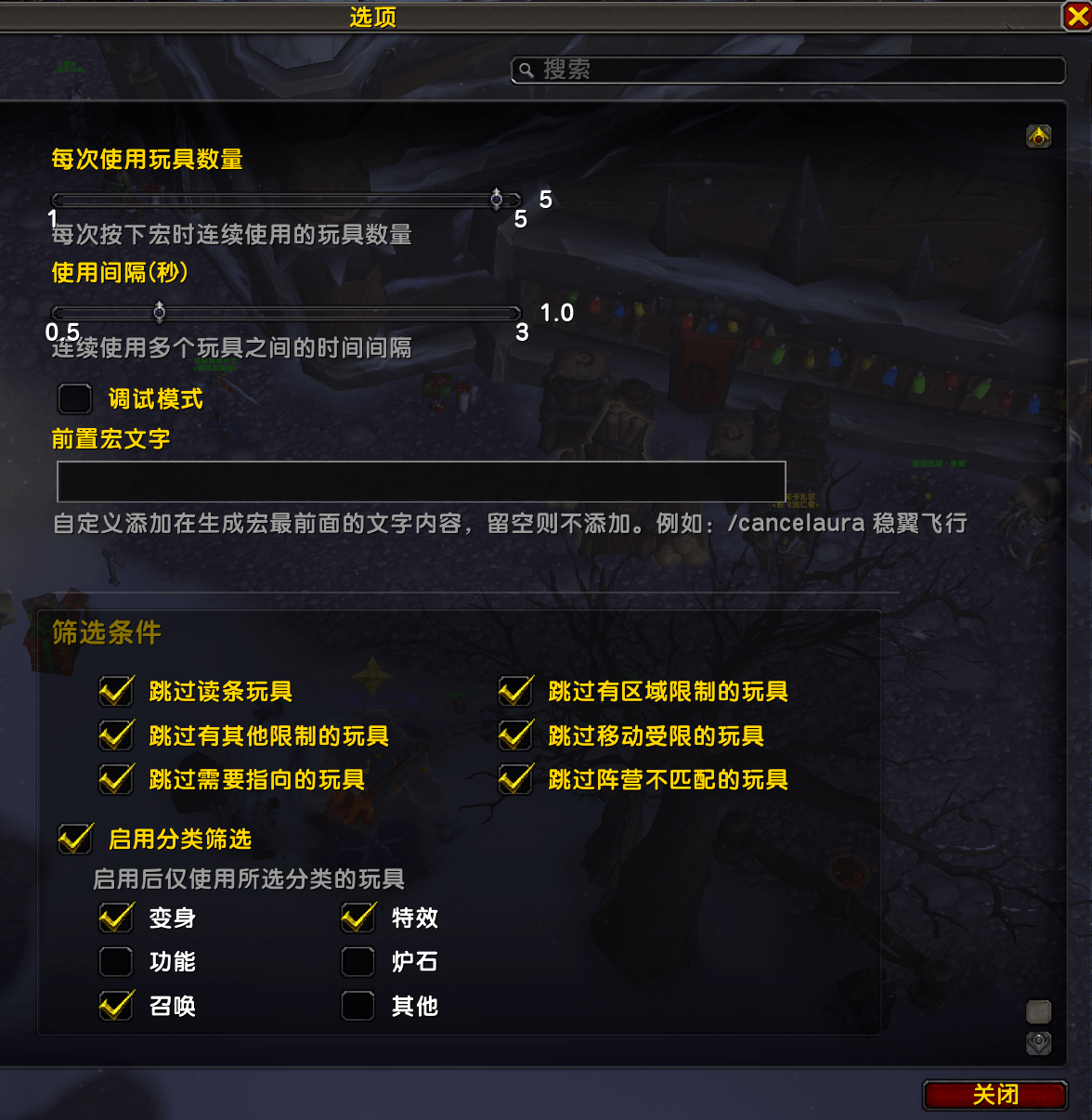
- 🔄 **Multi-cast mode** — Set 1–5 toys per press for chaining effects
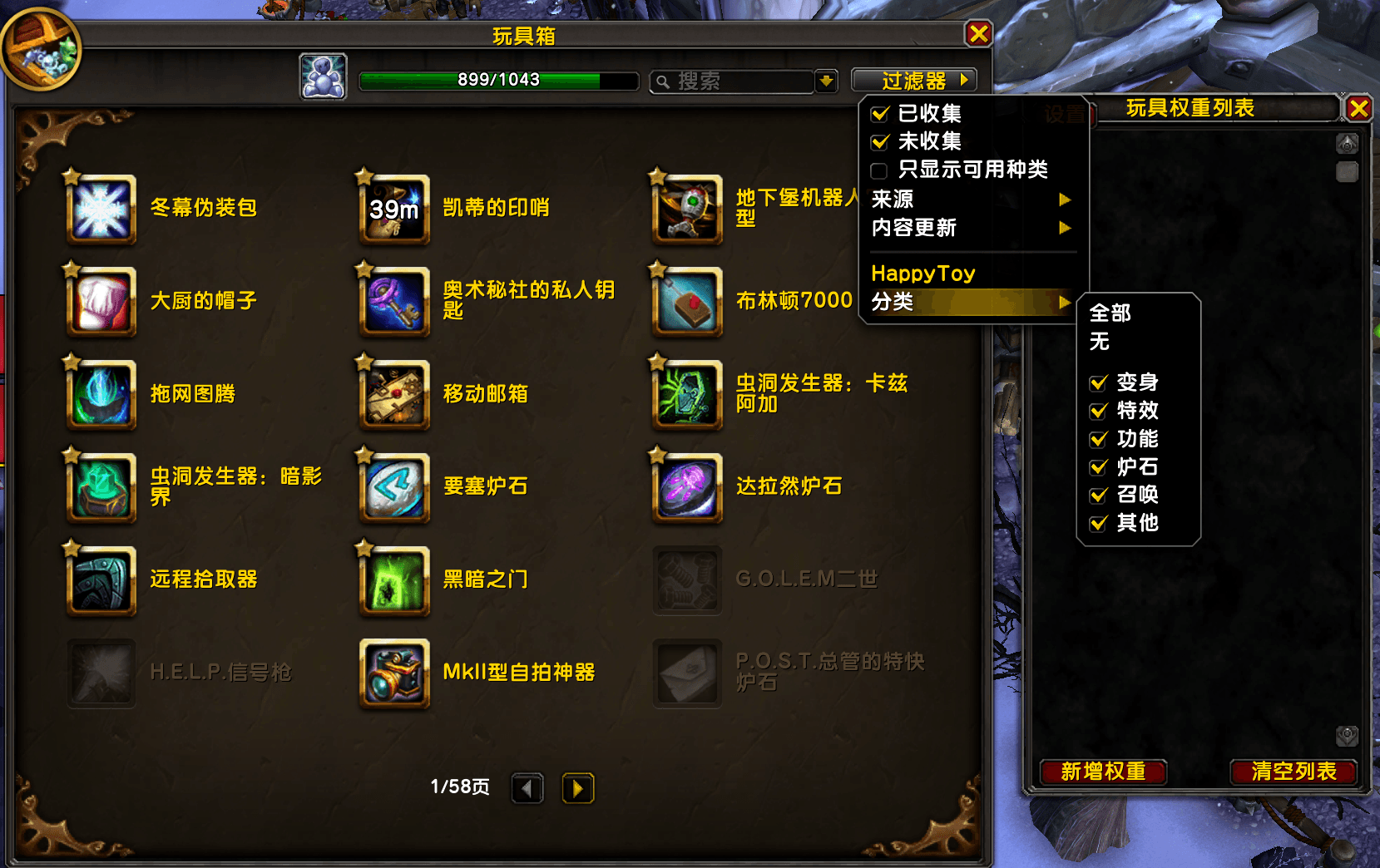
- 🔍 **Smart filtering** — Filter by category, zone restriction, faction, and more
- ✔️ **Green checkmarks** — Instantly see which toys are in your priority list
- 📝 **Right-click to edit** — Right-click any toy to set category, weight, and restrictions
- 🛡️ **Flawless filter display** — v2.1 uses an EnhancedLayer architecture, no more greyed-out icons!
---
## 🚀 Quick Start
### 3 Steps and You're Done!
1. **Open the Toy Box** (Shift+P) — The priority panel appears on the right
2. **Right-click a toy** — Select "Edit Properties" and set a weight (1–100)
3. **Grab the macro** — Find the auto-created `HappyToy` macro, drag it to your action bar and bind a key
That's it! Press the macro button to automatically use the highest-priority available toy!
---
## 🎮 What Can It Do?
| Feature | Description |
|---------|-------------|
| **Auto-queue toys by priority** | Picks the next usable toy based on your weight settings |
| **Chain-cast multiple toys** | Set 1–5 toys per press for combined effects |
| **Smart filtering** | Filter display by category, faction, zone restriction, and more |
| **Works in combat** | Macro updates automatically after combat ends |
| **Auto-updates after use** | Successfully using a toy automatically queues the next one |
---
## ⚙️ Settings
Accessible via in-game settings or `/ht settings`:
- Number of toys per use (1–5)
- Cast interval (0.5–3.0 seconds)
- Skip cast-time toys
- Filter conditions
- Category filtering
- Macro prefix text
---
## 📝 Commands
| Command | Description |
|---------|-------------|
| `/ht next` | Use the next toy |
| `/ht show` | Show the priority panel |
| `/ht settings` | Open settings |
| `/ht debug` | Toggle debug mode |
---
## 📥 Installation
1. Download and extract
2. Copy the `HappyToy` folder to `World of Warcraft\_retail_\Interface\AddOns\`
3. Restart the game or reload the UI (`/reload`)
4. Open the Toy Box and start having fun!
---
HappyToy Team