
HandyNotes_NPCs-forever
- By
A HandyNotes plugin for WoW Forever that shows vendors and service NPCs on the world map and the minimap.
Capture d'écran_20261105_201339.png
Capture d'écran_20261105_201307.png
Capture d'écran_20261105_201229.png
Capture d'écran_20261105_201147.png
Description
HandyNotes: NPCs (Forever)
A HandyNotes Plugin for WoW Forever that shows vendors and service NPCs on the
world map and the minimap: repair vendors, bankers, auctioneers, flight masters, innkeepers, stable masters, battlemasters,
class and profession trainers, weapon masters, mount trainers, transmogrifiers and more.
A minimap button opens a menu to filter NPCs by function.
Installation
1. Install HandyNotes.
2. Download this addon and copy the `HandyNotes_NPCs_Forever` folder into your `Interface/AddOns/` directory.
The folder name must be exactly `HandyNotes_NPCs_Forever`, matching the `.toc` file.
3. Restart the game or type `/reload`.
Usage
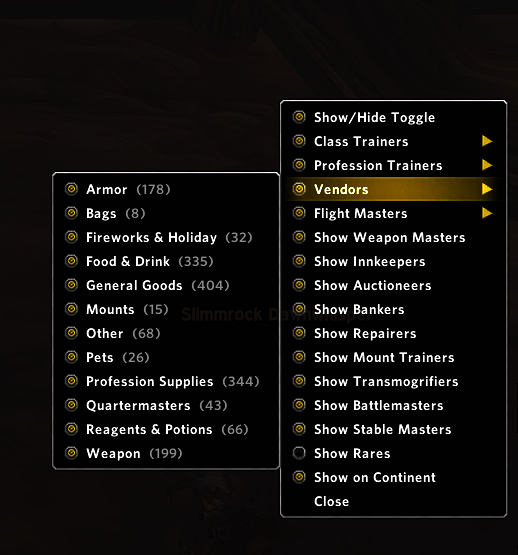
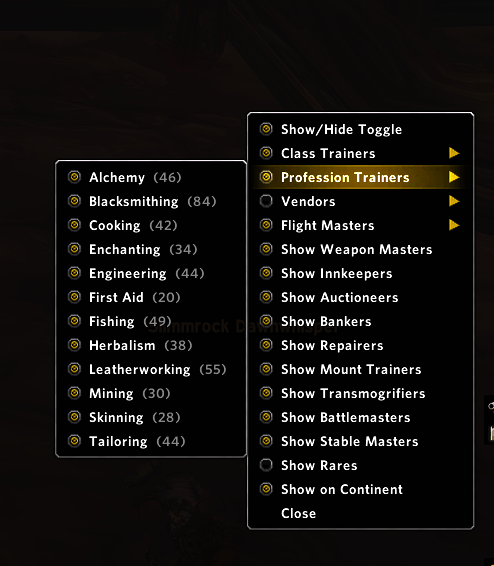
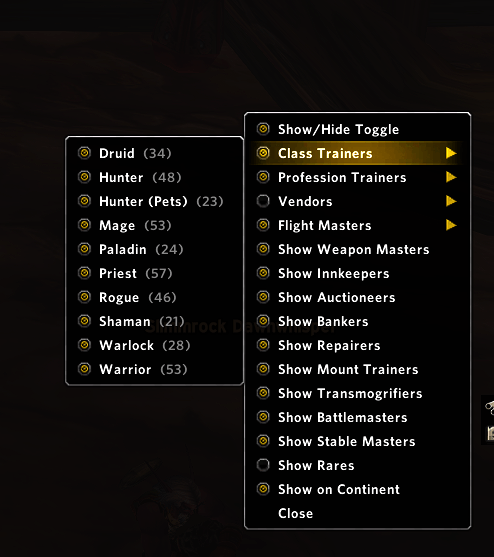
- Minimap button: click it to open the function menu. Each entry has a checkbox to show or hide that type of NPC.
Class Trainers, Profession Trainers, Vendors and Flight Masters open a submenu (by class, profession, vendor type or faction).
The menu also has Show/Hide Toggle and Show on Continent. The button can be hidden in the options.
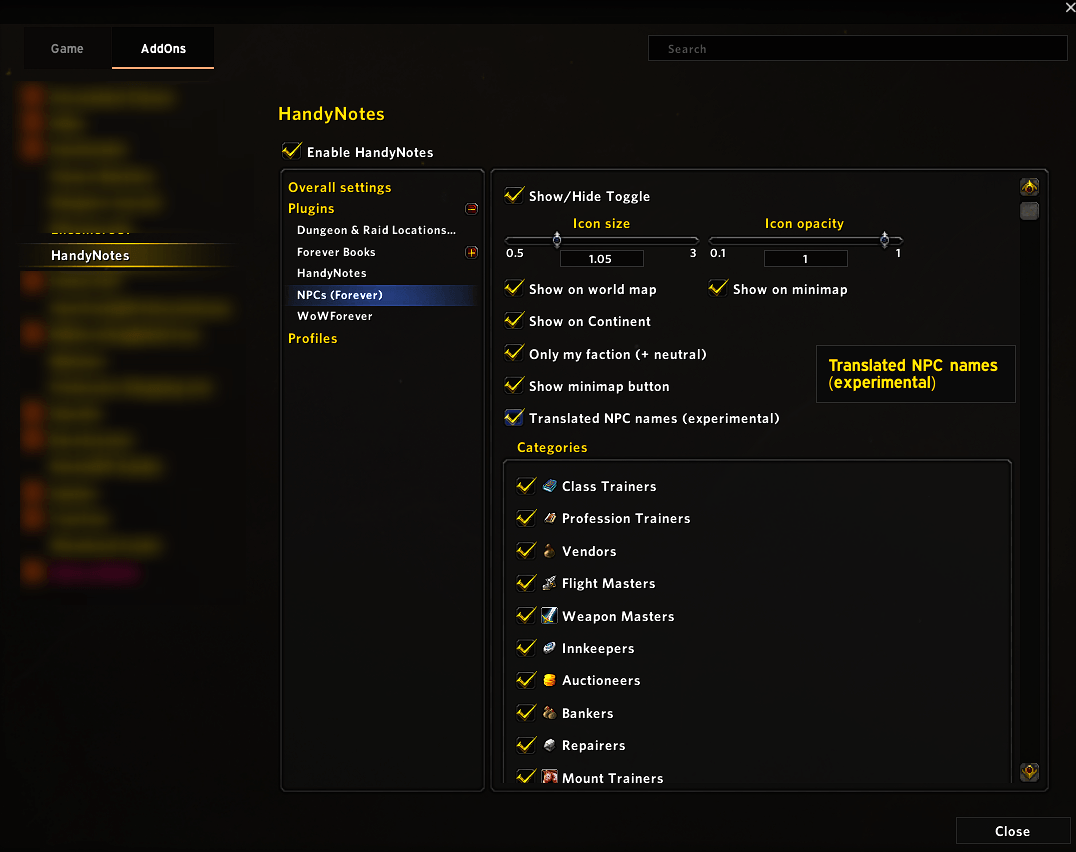
- Options: `Esc > Interface > AddOns > HandyNotes > Plugins > NPCs (Forever)` (icon size and opacity, world map / minimap, only my faction, …).
- Clicking an icon sets a waypoint (uses TomTom if installed).
- Slash commands:
- `/npcsforever` — number of loaded points
- `/npcsforever menu` — open the menu at the cursor
- `/npcsforever debug` — diagnostic report (useful when reporting an issue)
- `/npcsforever icons` — preview of all icons (a green square means a missing texture)
- `/npcsforever reset` — show the minimap button again at its default position
Compatible with minimap button collectors such as MinimapButtonButton / EllesmereUI / Elvui.
Languages
English, French, German, Spanish (Spain / Latin America), Italian, Portuguese (Brazil), Russian, Korean, Simplified Chinese
and Traditional Chinese. Texts that the game client already translates (NPC types, classes, factions, profession names) are taken
from the client. The remaining texts are translated by the addon; these translations have not been reviewed by native speakers,
so corrections are welcome (open an issue or a pull request).
NPC names are stored in English. An experimental option tries to show them in the client's language.
Data
NPC positions come from the Wowhead Forever database, which is still partial (beta): NPCs without a known position are missing.
The data (`Data.lua`) is updated regularly.
Troubleshooting
- The addon does not appear in the list: check the folder name (`HandyNotes_NPCs_Forever`) and that HandyNotes is installed.
- No error message but something is wrong: type `/console scriptErrors 1`, then `/reload`.
- Report an issue with the output of `/npcsforever debug`.
*Fan project, not affiliated with Blizzard Entertainment or Wowhead.*
HandyNotes_NPCs-forever Team

