Haloframe
- By
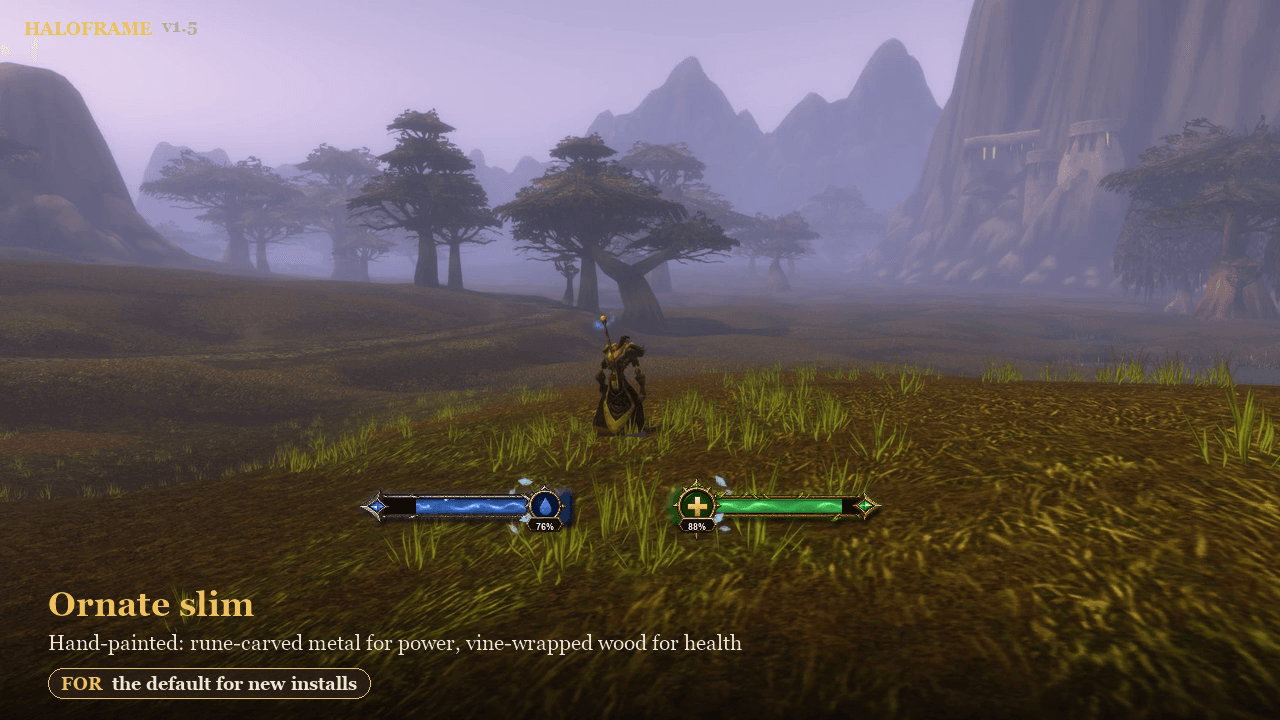
The default for new installs: slim hand-painted bars lying side by side under your character, power on the left and health on the right.
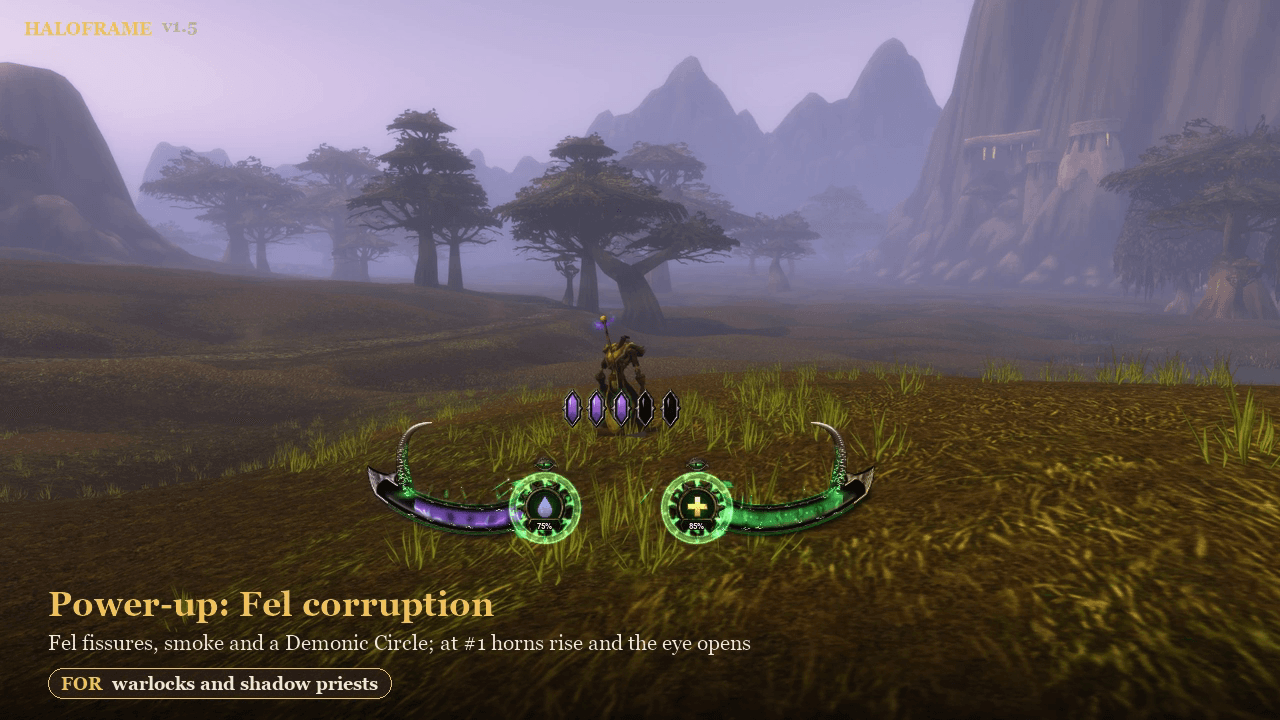
Warlocks and shadow priests: fel fissures, smoke and a Demonic Circle as you climb the damage meter; at #1 the horns rise and the eye opens.
effects.png
fill-styles.png
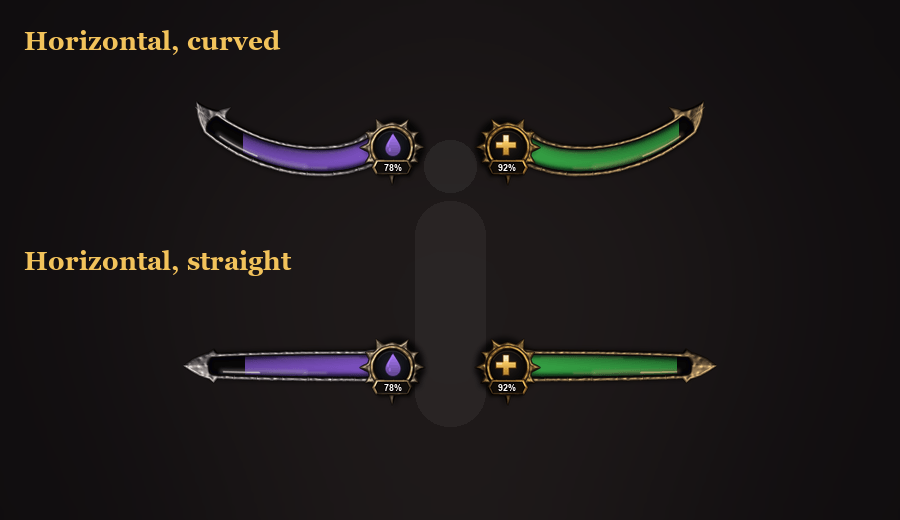
horizontal.png
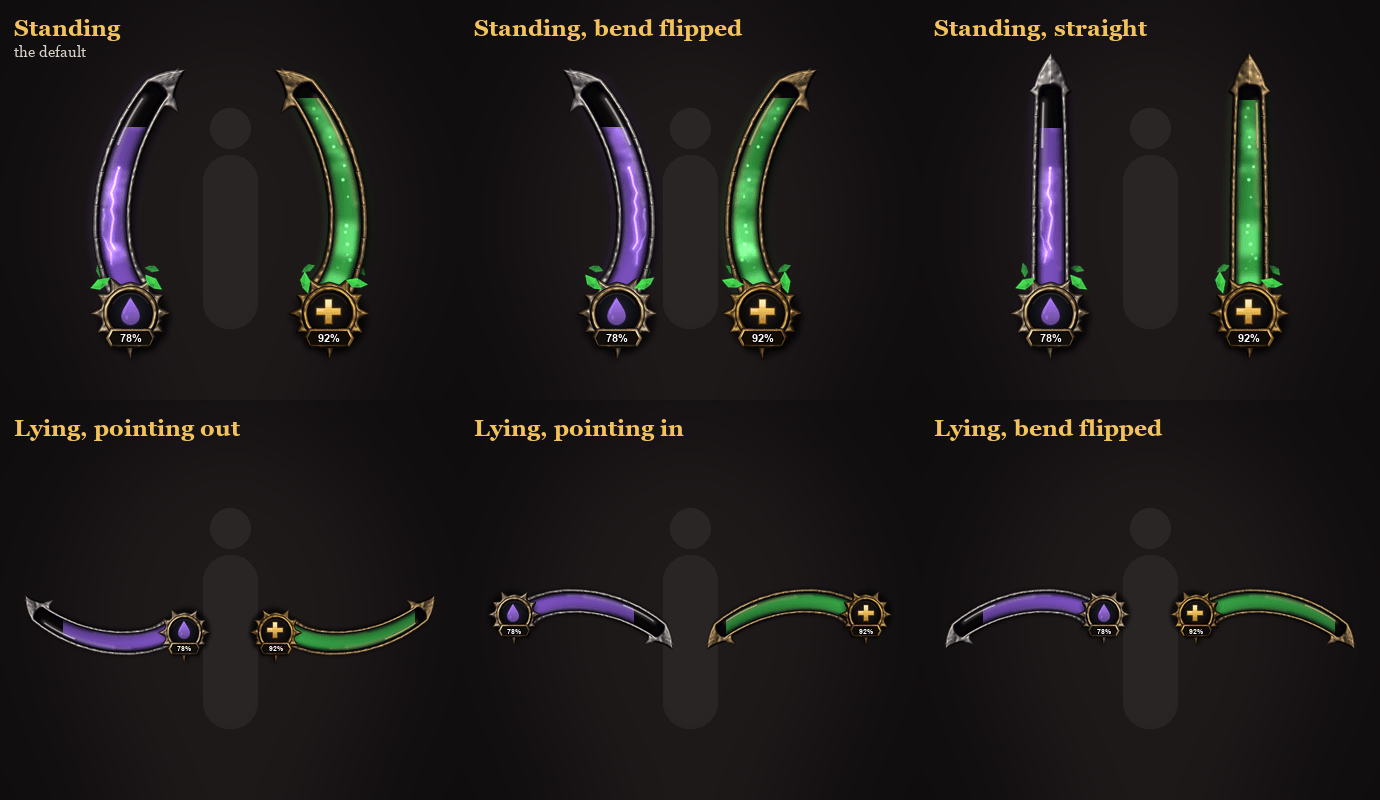
layouts.png
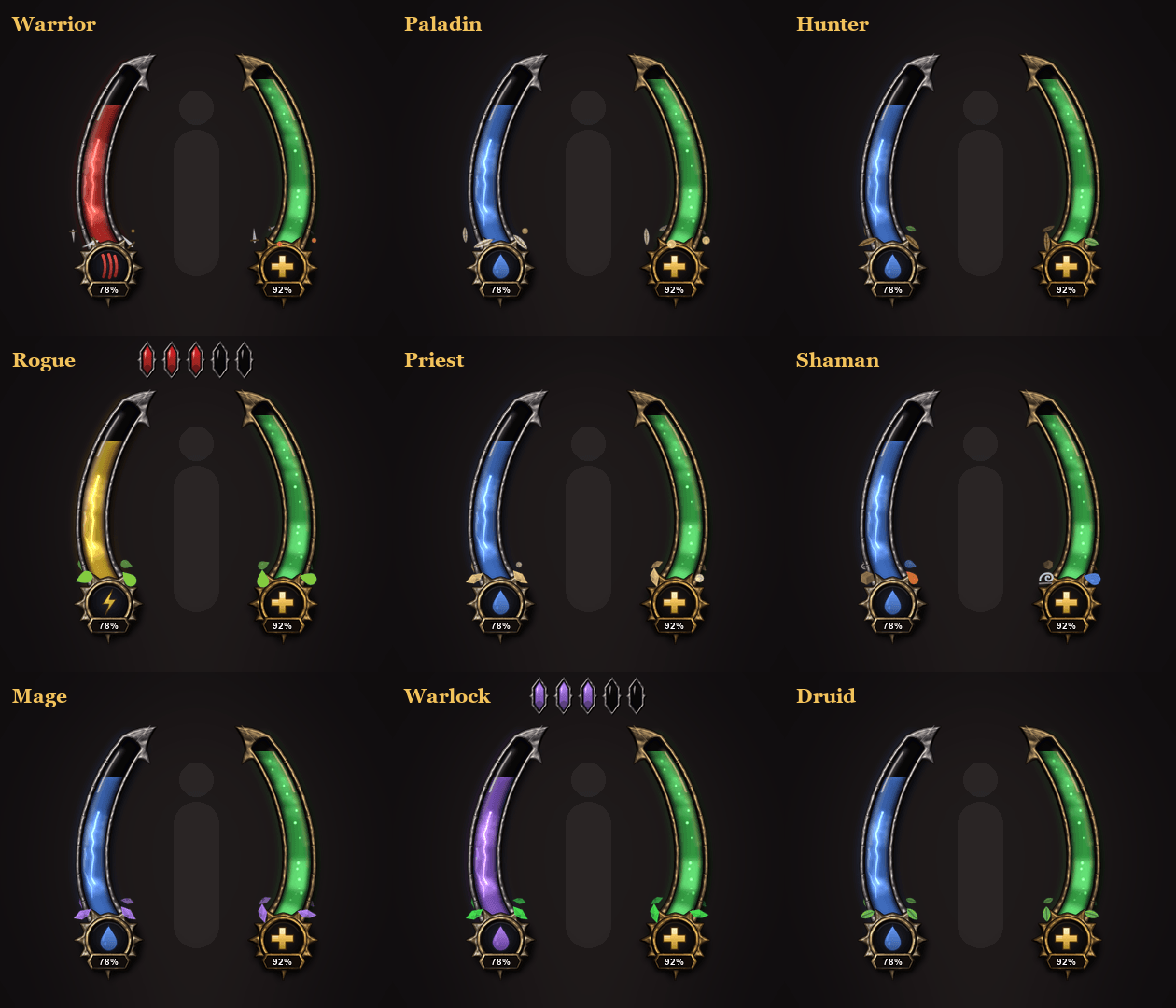
all-classes.png
Description
Haloframe
Your resources, framed around your character.
Haloframe replaces the classic bars with two bars around your character: power on the left, health on the right. Each is a glass tube in an ornate frame that ends in a medallion showing an icon and the percentage. Soul shards or combo points sit above as gems in metal sockets.
Eight bar styles
Pick one under Style > Bar style:
- Ornate slim (the default) and Ornate: hand-painted. Power sits in rune-carved metal with blue gems, health in vine-wrapped wood with leaves and green gems, and painted wisps and sparkles rise through the glass.
- Classic arc: the curved glass tube with an arrowhead tip; a slider bends it from straight to the full arc.
- Blade: a thick straight tube in a seamless, engraved metal sheath with a broad arrowhead.
- Thread: a slim glass thread with a needle tip and a small medallion, for a quiet HUD.
- Crescent: a slender tube that sweeps up into a hooked horn, with a horned medallion.
- Bastion: a heavy bar of eight glass chambers with a shield medallion.
- Fang: a wedge narrowing to a needle point, with a serrated edge and a diamond medallion.
The liquid always follows your resource colour, and every effect below works with every style.
Your class, your colours
Your class and specialization decide the rest: mana, rage or energy in the power bar with its own icon, your shards, the proc and combat colours, and the artifacts that circle the foot of each bar: leaves for druids, the four elements for shamans, fel shards for warlocks, arcane, fire or ice shards for mages, blades, shields, feathers, poison and shadow for the others. Your spec is detected automatically from your talents.
Standing or lying
- With the Classic arc, a Curve slider bends the bars from straight to the full arc in five steps, and the bend can be flipped.
- The bars can stand on either side of your character, or lie side by side (power left, health right), each pointing the way you choose. The medallion and percentage stay upright.
Feel every proc
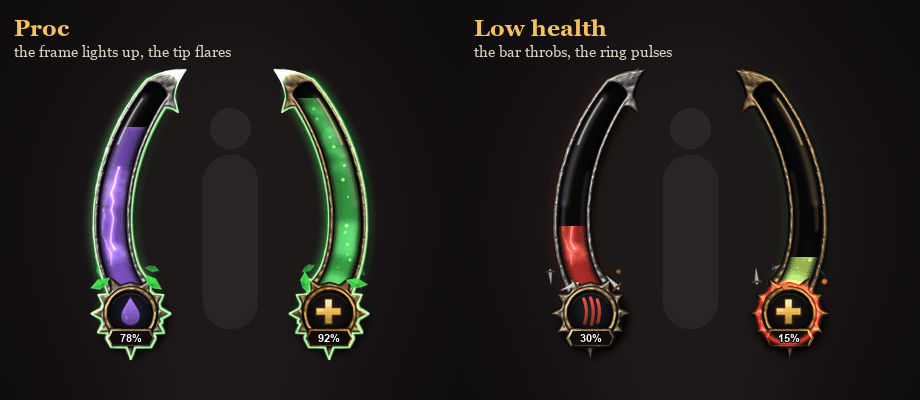
When a spell procs, a surge races up the bar, the tip flares with sparks and the medallion rings out. The frame keeps pulsing like a heartbeat until you use the proc. Procs that light up your action buttons are detected automatically, and you can add buff names of your own.
Power-up: climb the damage meter
Your frames come alive as you climb the damage meter, one step for each rank from #5 to #1, with a moment every time you move up. Pick a style, or let Auto choose one for your class:
- Fel corruption (warlocks, shadow priests): corruption splits your frames with glowing fel fissures, fel wisps and smoke rise, a Demonic Circle forms round the medallions and souls spiral in. At #1 painted demon horns rise and a fel eye opens and watches.
- Storm charge (shamans): lightning crawls along the rims and plasma twists in the glass; at #1 a bolt bridges both medallions.
- Gilded ascension (paladins, holy and discipline priests): the frames turn to gold from the medallion to the tip, with god rays; at #1 wings of light and a halo.
- Runic awakening (everyone else): five runes carved into each bar light up one per rank, and rune rings form round the medallions.
Your rank comes from the game's own damage meter, so it works in combat. Intensity, the rank it starts at, solo play and every climb moment can be adjusted; /halo climb plays it once.
Alive, but readable
- Soft lightning inside the power bar and a heartbeat pulse inside the health bar
- Smooth bars, and a damage trail that shows what you just lost
- Flashes on big gains and losses, and a soft warning pulse when health or mana runs low
- Light runs along the frame when combat starts and ends, with an optional out-of-combat fade
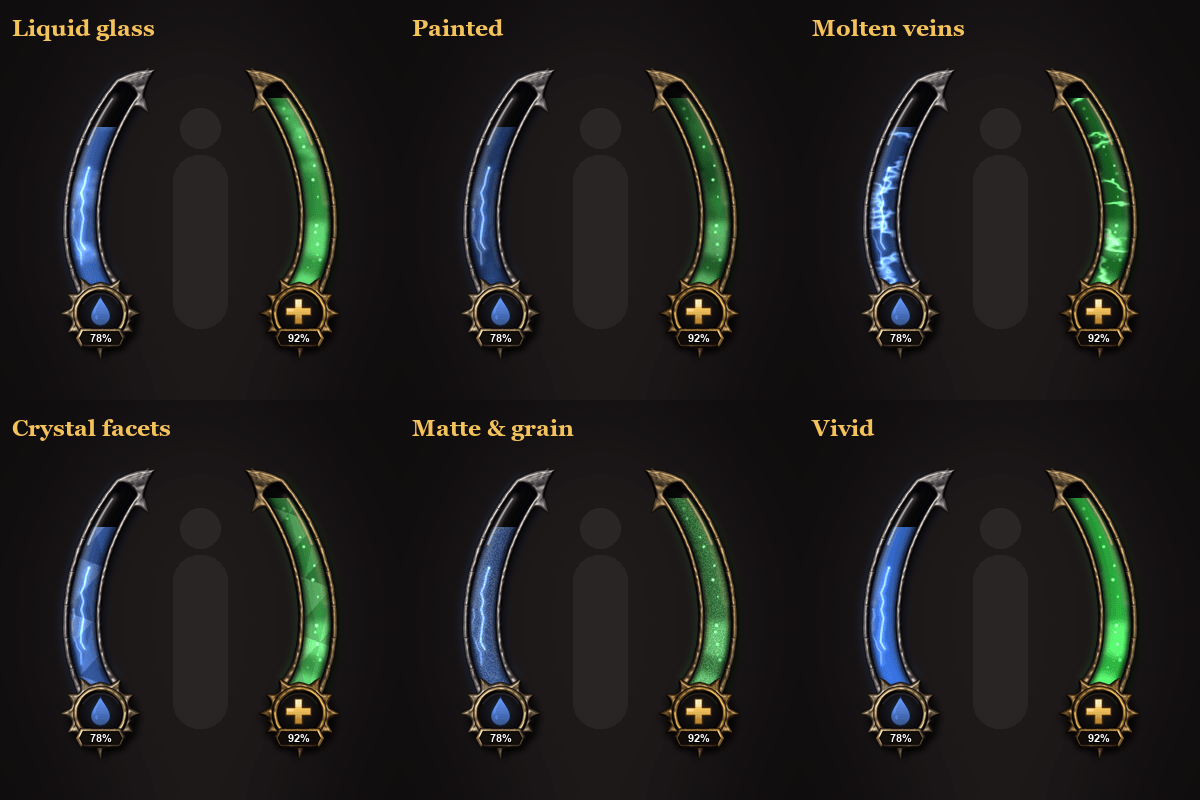
- Six fill styles: Liquid glass, Painted, Molten veins, Crystal facets, Matte & grain, Vivid
Make it yours
Type /halo for a tabbed options window (General, Style, Layout, Colours, Animation, Effects, Power-up) with a tooltip on every setting. You can move, scale, restyle and recolour everything, and turn any animation off. A minimap button opens the options (left-click) and locks or unlocks the display (right-click); drag it anywhere round the minimap.
Commands: /halo options · /halo unlock / /halo lock · /halo art <class> [1-3] · /halo climb [style] · /halo rank · /halo minimap · /halo reset
Made for WoW Forever (1.60.1). Feedback and bug reports are welcome in the comments.
Haloframe Team