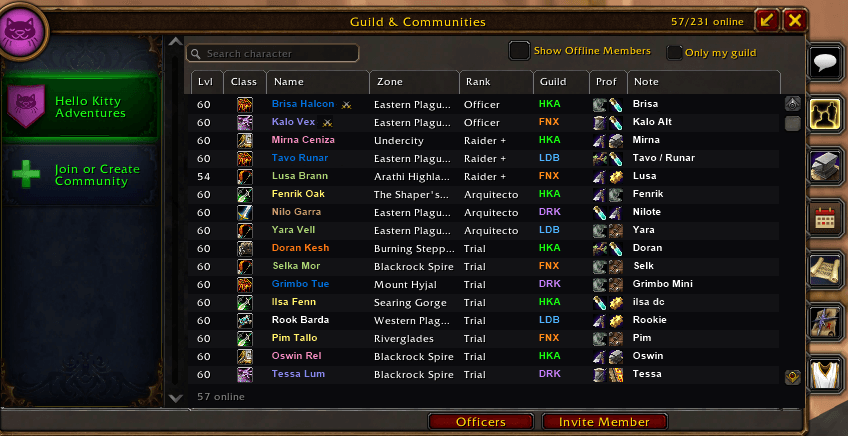
hermandad-nombres-inventados.png
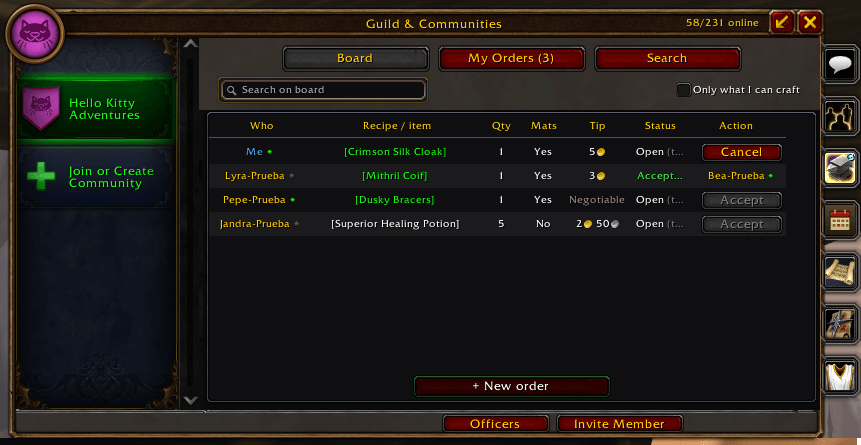
2gu.png
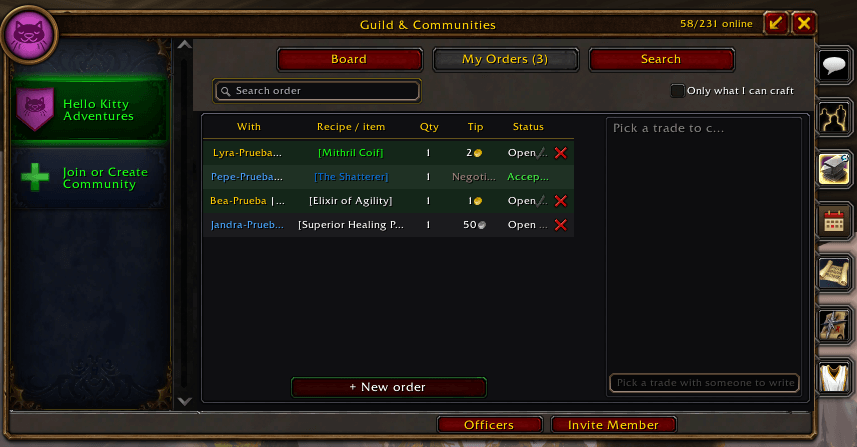
3gu.png
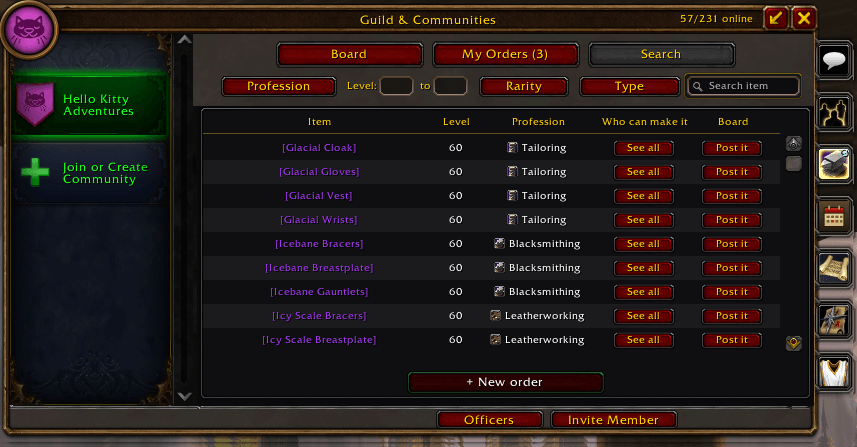
4gu.png
5gu.png
7gu.png
6gu.png
Description
GuildUnion
Guild tools for WoW Forever: events and raids, trade and crafting orders, officer tools and guild stats. And, if you want, a shared guild chat that joins several guilds into one community.
It works for a guild on its own right after installing. Joining other guilds is optional.
Available in English and Spanish (it follows your game language; /gu language changes it).
Beta: the addon is being tested with real guilds. If something breaks, type /gu errors and send the text.
Install
Install it from CurseForge, or copy the GuildUnion folder into World of Warcraft\_forever_\Interface\AddOns\ (so you end up with AddOns\GuildUnion\GuildUnion.toc) and restart the game.
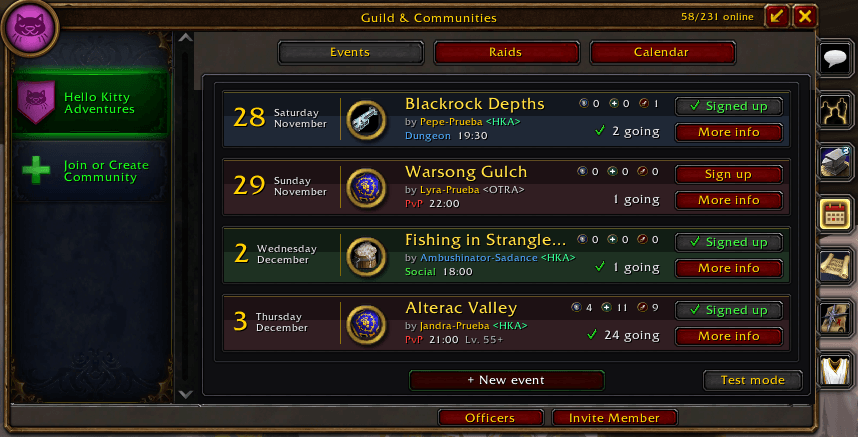
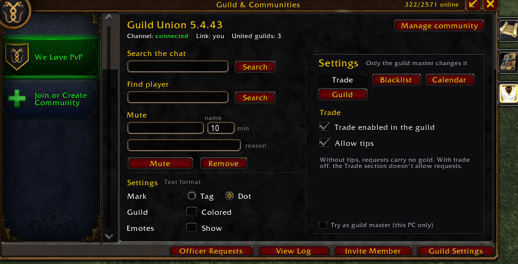
GuildUnion adds its sections (Chat, Members, Trade and Events) as tabs on the right of Blizzard's Guild & Communities window (J). /gu or the minimap button opens the GuildUnion panel, with the settings.
For your guild (no setup needed)
Events, raids and calendar
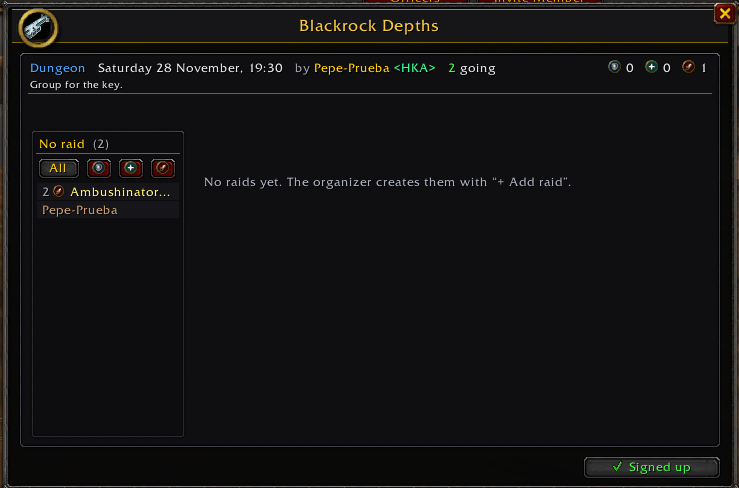
- Create events (PvP, social) and raids of 10, 20 or 40, public or invite only, with a reserve list when they are full.
- Sign up with your role. The organizer arranges the raid groups, and the in-game raid sorts itself the same way; you can invite by role.
- A calendar with everything. Events can be pinned to the top.
- By default the guild master and officers create events; the guild master can change it (everyone, or certain people for a while).
Trade
- Board: post what you need or what you sell (BoE items too), with an expiry time.
- Orders: ask for a craft with a tip or "negotiable", choose who brings the materials, or send a personal order to one player. Each order has its own private chat.
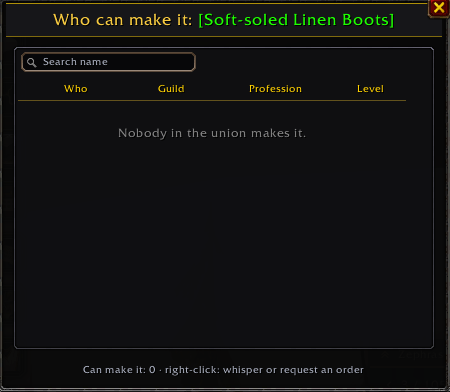
- Search: look for an item and see who can craft it, including offline members. Everyone shares their professions and recipes just by opening their profession window.
Officer tools (the Officers button)
- Stats: members, ranks, levels, classes, races, professions, activity, alts, joins and leaves, with bar charts. Export the text for Discord or a file.
- Remove several: paste names and remove them in batches, with a confirmation, never touching anyone who has the addon.
- /gu noaddon: who in your guild does not have the addon.
- Kick, promote and demote with a confirmation, an invite and leave log, and a blacklist.
- Pin a message at the top of the guild chat.
Officers are the guild master and the ranks with the Officer box ticked in Guild Control, whatever the rank is called.
For several guilds (a community)
The guild master clicks Create community in the GuildUnion tab (or types /gu create) and follows the steps; then invites the other guilds from the same tab. Up to 20 guilds. Everything above keeps working and now reaches the whole community, plus:
- Shared guild chat: what you write in /g reaches every guild, with a coloured dot or the guild tag in front of the name. It shows up in Blizzard's Guild & Communities chat.
- Members of every guild who are online, with their level and professions.
- Officer requests across guilds (kick or rank changes are asked to that guild's officers), and an optional officer chat for the whole community.
- Moderation: mute someone in every guild, a guard that removes impostors and outsiders from the protected channel, and a shared blacklist.
- Chat history (30 days) for officers, with search.
- Union stats: one line per guild and the total, from one officer of each guild.
Manual setup (advanced): one line per guild in the Guild Information of every guild (GU:t:Community Name and GU:g:Exact Guild Name:TAG), and the channel with its password in the guild master's officer note (GU:c:Channel:password, letters and numbers only).
Commands
/gu - open or close the GuildUnion panel
/gu status - how the addon is connected
/gu stats - guild stats (officers)
/gu noaddon - who in your guild does not have the addon (officers)
/gu history and /gu search - chat history (officers)
/gu pin text - pin a message (officers; /gu pin clear removes it)
/gu create - create a community (guild master)
/gu perf - the addon's CPU use and your FPS
/gu language en / /gu language es - change the language
/gu errors - show and copy the addon errors
License
MIT - see LICENSE.txt. Libraries in Libs keep their own licenses.
GuildUnionChat Team