GuildPaint
- By
Paint tiny pixel pictures and trade them with your guild as collectable cards, with rarities, a gallery and chat links.
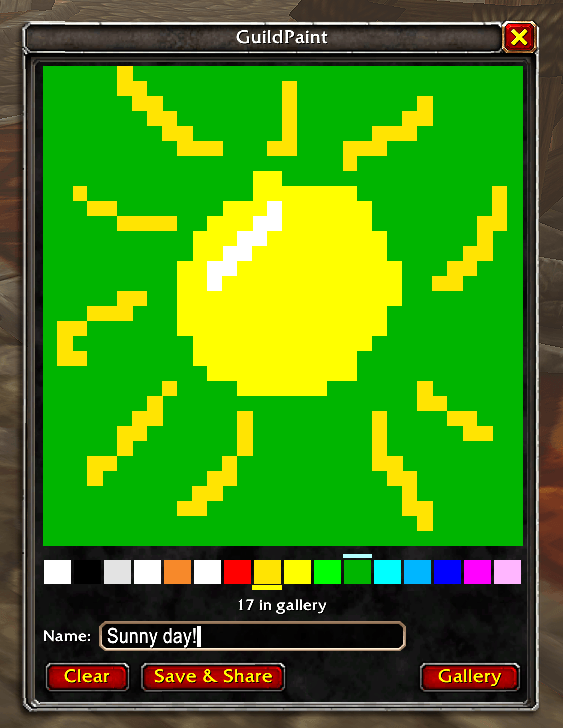
Paint a picture while you fly or wait. And save & share with your guild :)
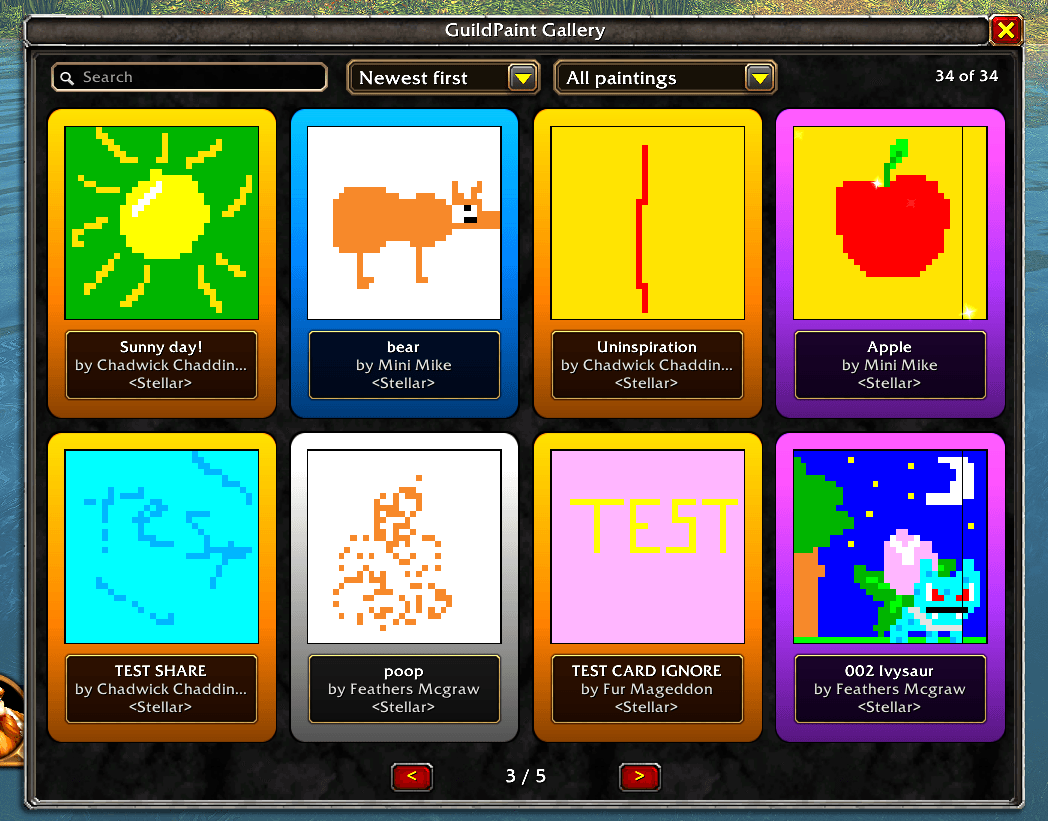
View all your collection!

Show off your rare collected paintings by linking them
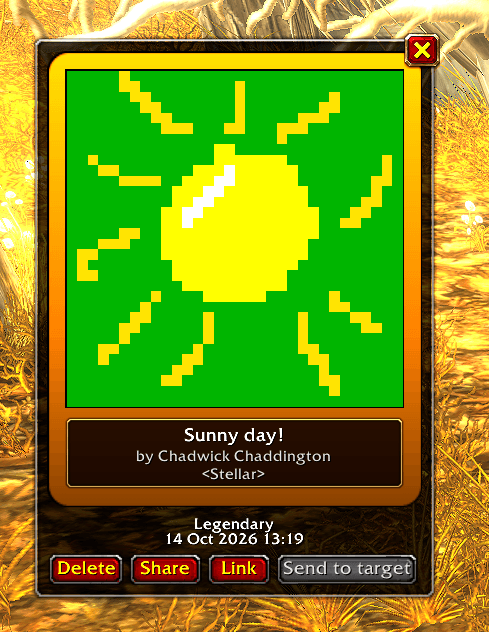
Link and view paintings
Description
GuildPaint
Paint tiny 32×32 pixel pictures and share them with your guild as collectable cards.
Every painting becomes a card with a rarity, from Poor up to Legendary. Collect them in your gallery, link them in chat, and hand them to friends.
Features
- Simple paint pad: 32×32 canvas, 16 colours, an eraser and a background colour. Give each painting a title.
- Save & Share: one click saves your painting and sends it to every guild member who has GuildPaint.
- Flight mode: the paint window opens when you take a flight path. Paint on the way, and it's shared when you land.
- Rarities:
- Legendary: only the painter ever holds one.
- Epic: only guild members online when the painting was first shared.
- Rare and below: every later share or gift is one step lower than the giver's copy, and never above Rare.
- Gallery: up to 1,000 paintings as pages of cards, each with its rarity border, picture, title, artist and guild.
- Card view: open any card to see it full size, then Share it, Link it in chat, Send it to a player, or Delete it.
- Chat links: post a card in any chat. Anyone with GuildPaint can click it to view the card, but a link never gives them a copy.
- Send to target: target a player and offer them a copy. They choose whether to accept.
- Pop-ups: a new guild painting can pop up as it arrives. It never pops up in combat, in dungeons or raids, while you're dead, or while you're already using GuildPaint.
Requirements
- Built for the WoW: Forever client.
- Guild members need GuildPaint installed to receive paintings.
- Sending to a player and chat links only work between players of the same faction.
How to use
Painting
- Click the minimap button (drag it to move it around the minimap) or type
/paint. - Left-click the canvas to paint and right-click to erase.
- Left-click a colour to paint with it. Right-click a colour to make it the background.
- Type a title in the Name box and press Save & Share.
Your collection
- Press Gallery or type
/paint galleryto browse your cards. Use<and>to turn pages. - Click a card to open it, then:
- Share: sends it to your guild again, one rarity lower than your copy.
- Link: puts a clickable link in your chat box.
- Send to target: offers a copy to the player you have targeted.
- Delete: removes it from your gallery (you'll be asked first).
Settings Esc > Options > AddOns > GuildPaint
- Flight mode: open the paint window on flight paths and share when you land.
- Pop up when a painting is shared: show new guild paintings as they arrive.
Commands
/paint: open or close the paint window/paint gallery: open or close your gallery/paint help: list the commands/paint test: check the sharing code is working/paint fix: tidy artist and guild names on paintings saved by early versions (only needed if you used GuildPaint before 4.1)
Good to know
- Rarities are kept by the addon itself; there's no server, so they work as long as everyone uses the normal addon.
- Your gallery holds 1,000 paintings. When it's full, new paintings are shown to you but not saved until you delete some.
GuildPaint Team