


GuildNotes
- By
![If a player has a note added a [Note <status icon>] tag will appear next to their name in chat. You can click it to open the table with their name set as a filter](https://media.forgecdn.net/attachments/1383/546/chat-note-jpg.jpg)
If a player has a note added a [Note <status icon>] tag will appear next to their name in chat. You can click it to open the table with their name set as a filter
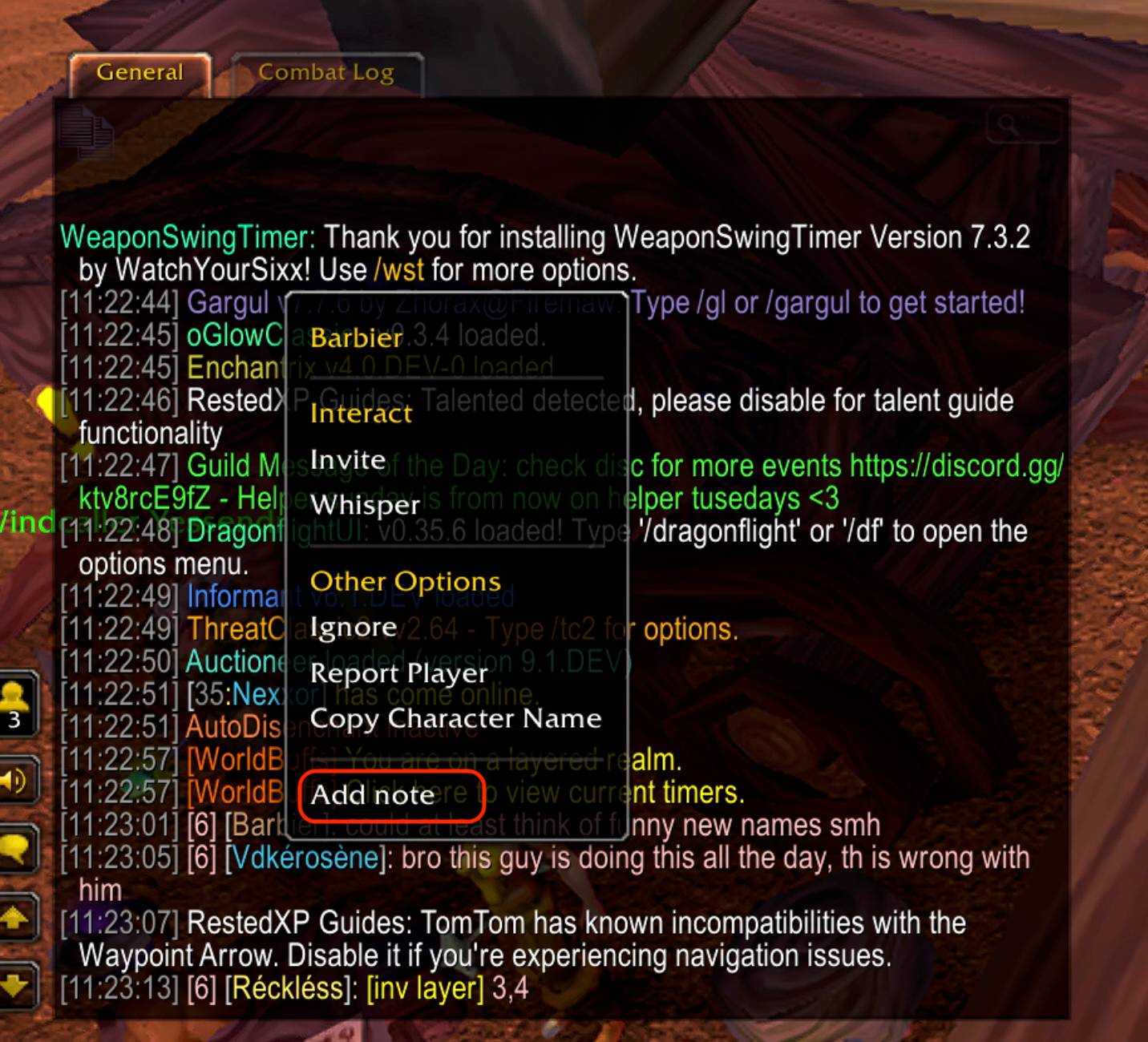
Right click player in chat to add a note
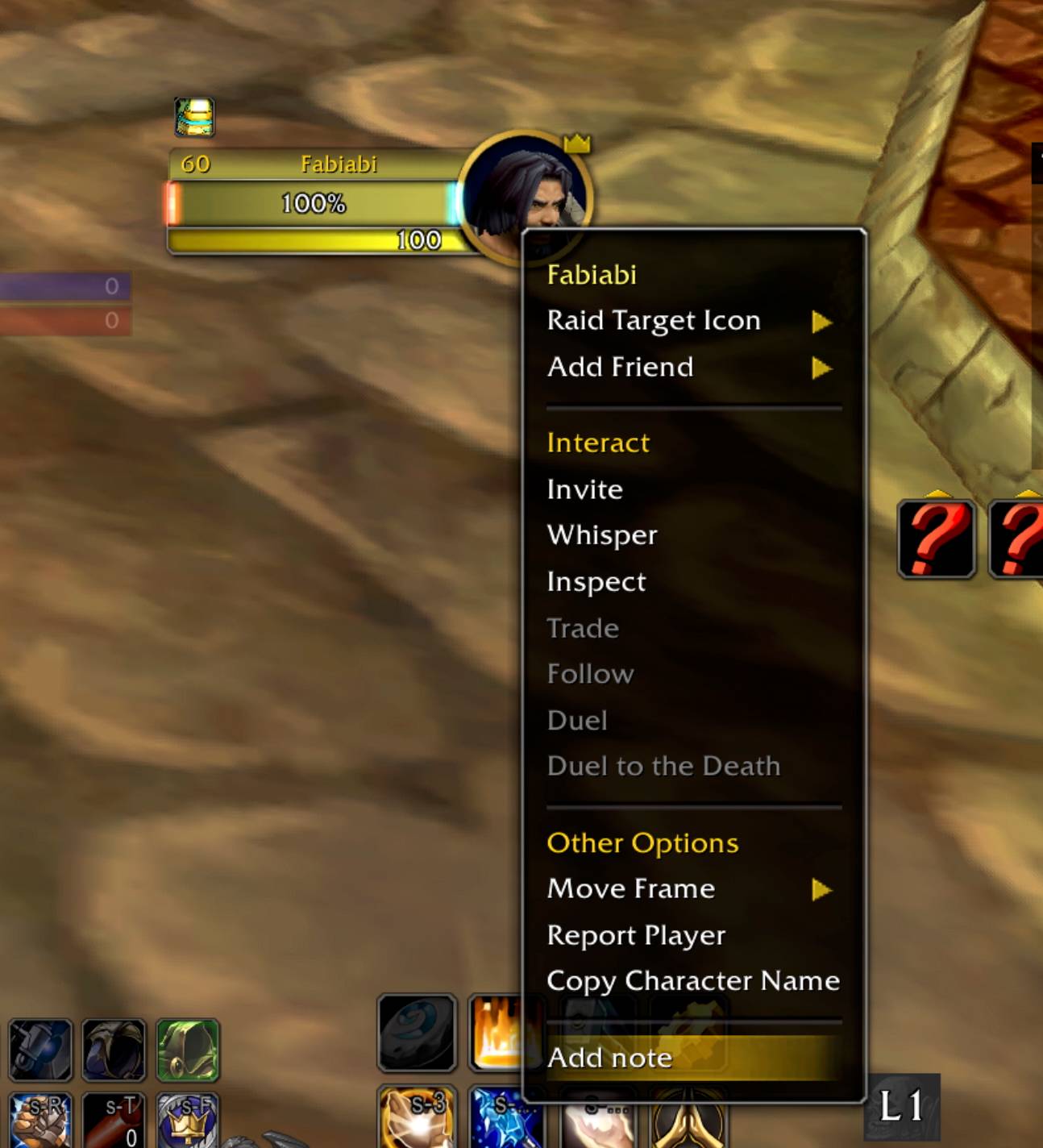
Right click target frame to add a note
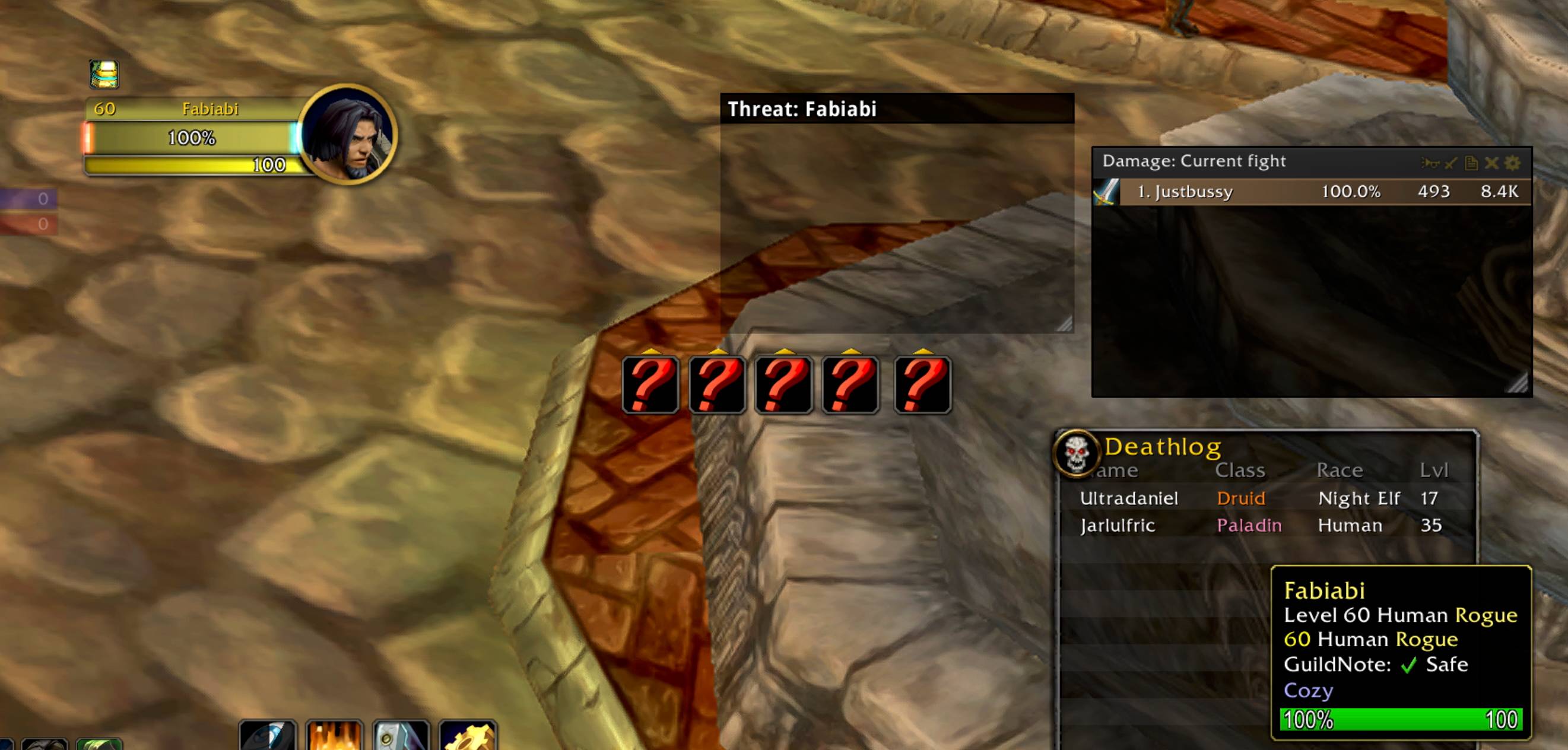
Quick status from note in mouseover tooltip
![Search bar allows filtering by name and other columns. Clicking a [Note <status icon>] in chat, will open the addon with the player data](https://media.forgecdn.net/attachments/1383/547/filter-table-jpg.jpg)
Search bar allows filtering by name and other columns. Clicking a [Note <status icon>] in chat, will open the addon with the player data
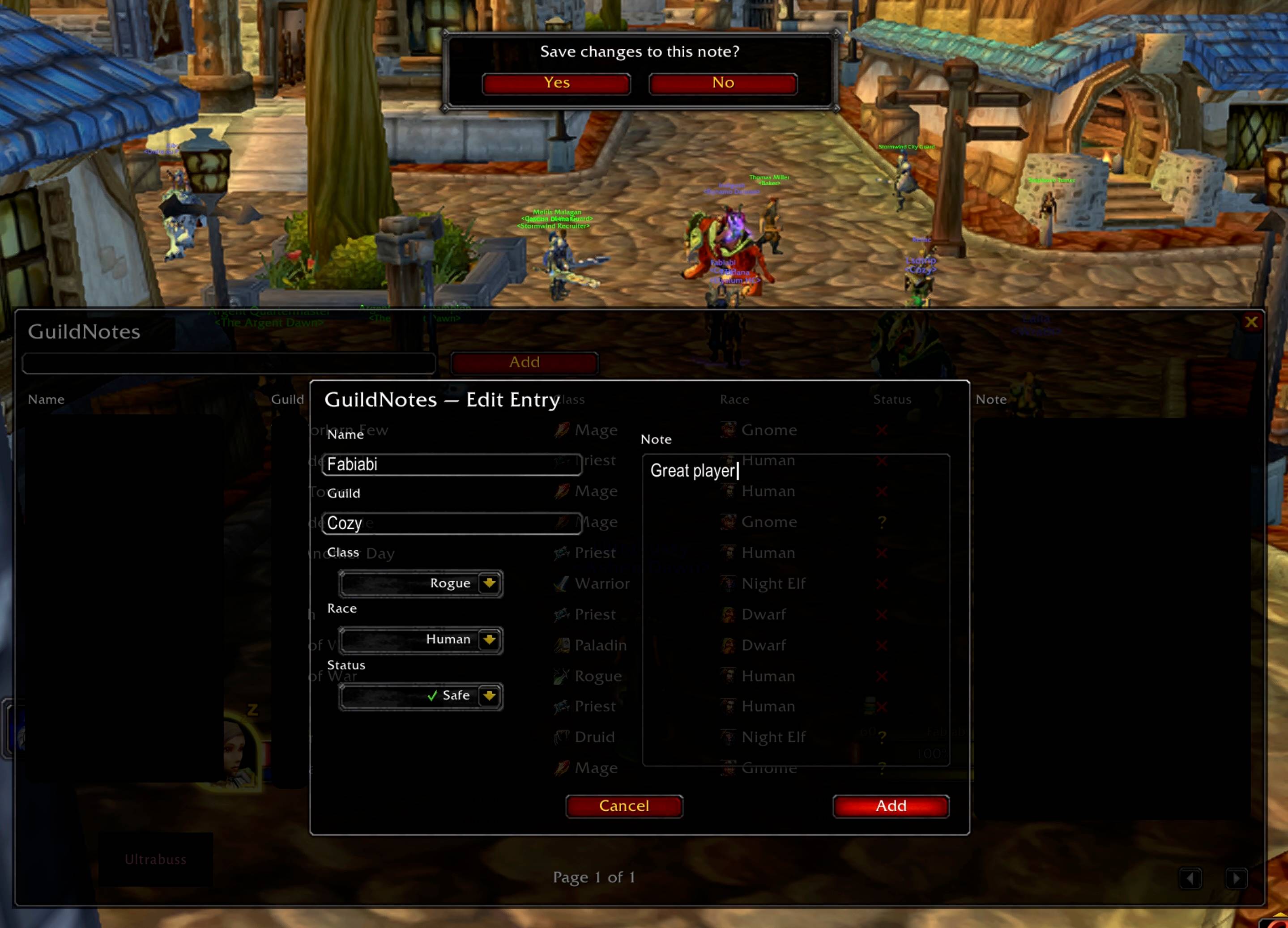
Addnote.jpg
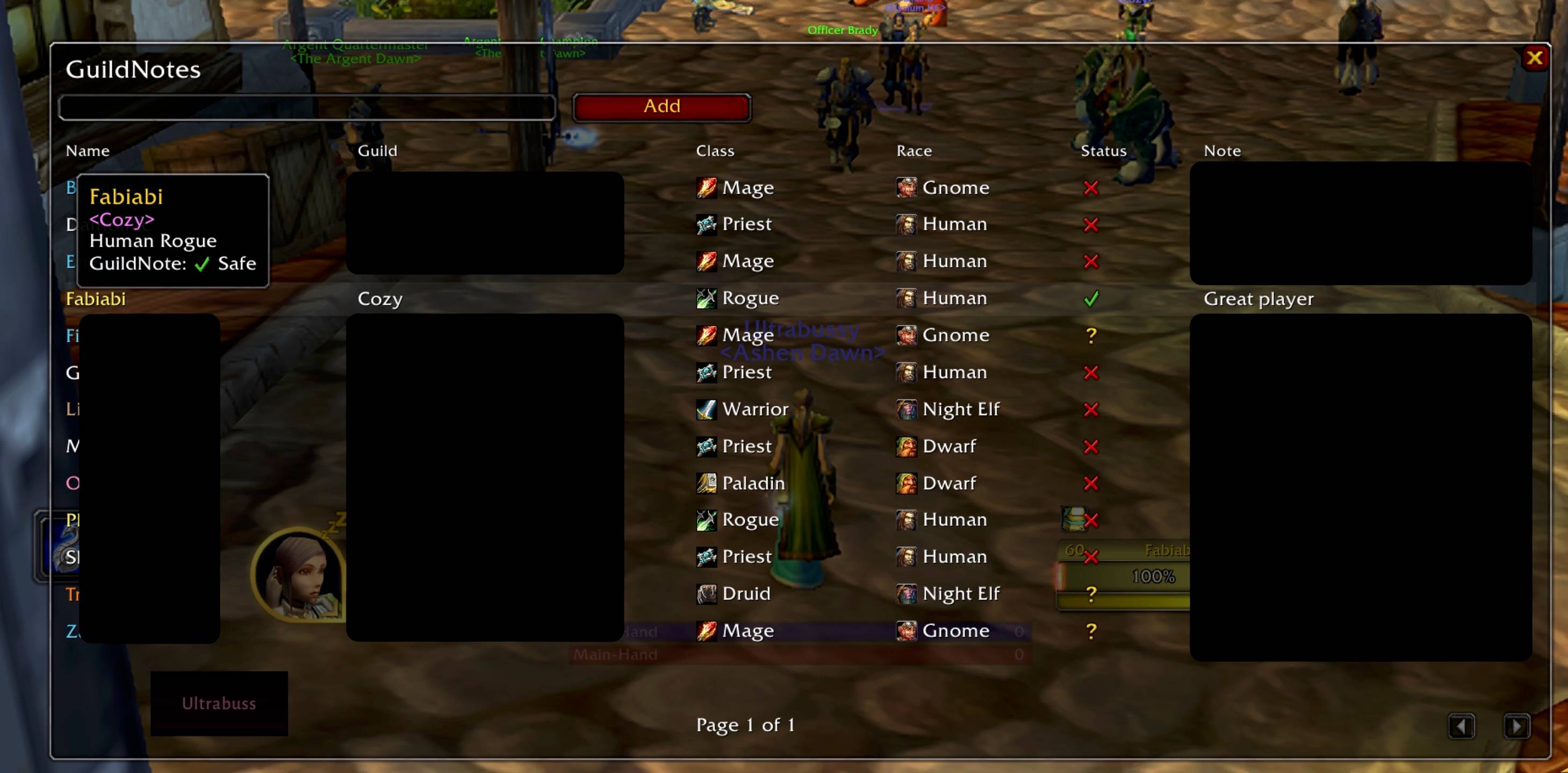
Mouseover a table row to display a tooltip for easier lookup
Description
📖 GuildNotes
Keep track of players you meet in the world — the good, the bad, and the unforgettable.
GuildNotes is a lightweight World of Warcraft addon that lets you record and share notes about players outside of your guild. Perfect for remembering who was a great tank, who ninja-pulled the boss, or who you’d like to group with again (or avoid).
✨ Features
🖋️ Add & Edit Notes – All ranks can create and notes about any player. Top 3 ranks in guild can edit or delete the notes.
🔍 Search & Filter – Quickly find players by name, guild, or note keywords.
💬 Chat Integration – Notes appear as clickable tags next to players’ names in guild, party, raid, or whisper chat.
🔄 Guild-wide Sync – Notes are broadcast to guildmates so everyone has the same information.
🛡️ Permission Control – Only specified guild ranks can edit or delete notes. Everyone else can view them.
👀 Compact UI – Organized roster-style view with class, race, guild, and reputation status (Great, Safe, Cautious, Avoid).
⚔️ Player Reputation System – Mark players as “Great Player”, “Safe”, “Caution”, "Griefer, or “Avoid” to guide future groups.
🏷️ Example Uses
Remember excellent PUG players you’d group with again.
Flag griefers, ninja looters, or toxic players to avoid.
Share raid performance notes with your guild.
Build a shared guild-wide reputation list for the server.
/gnotes |
Open main window |
/gnotesync |
Manual sync test |
/gnotesend |
Debug send for development |
⚙️ Requirements
Notes sync within your guild, but can be created for any player you encounter.
GuildNotes Team
