GuildLogistics (Discontinued)
- By
An addon to manage your guild like Raid fees sharing between roster members for raids and much more.
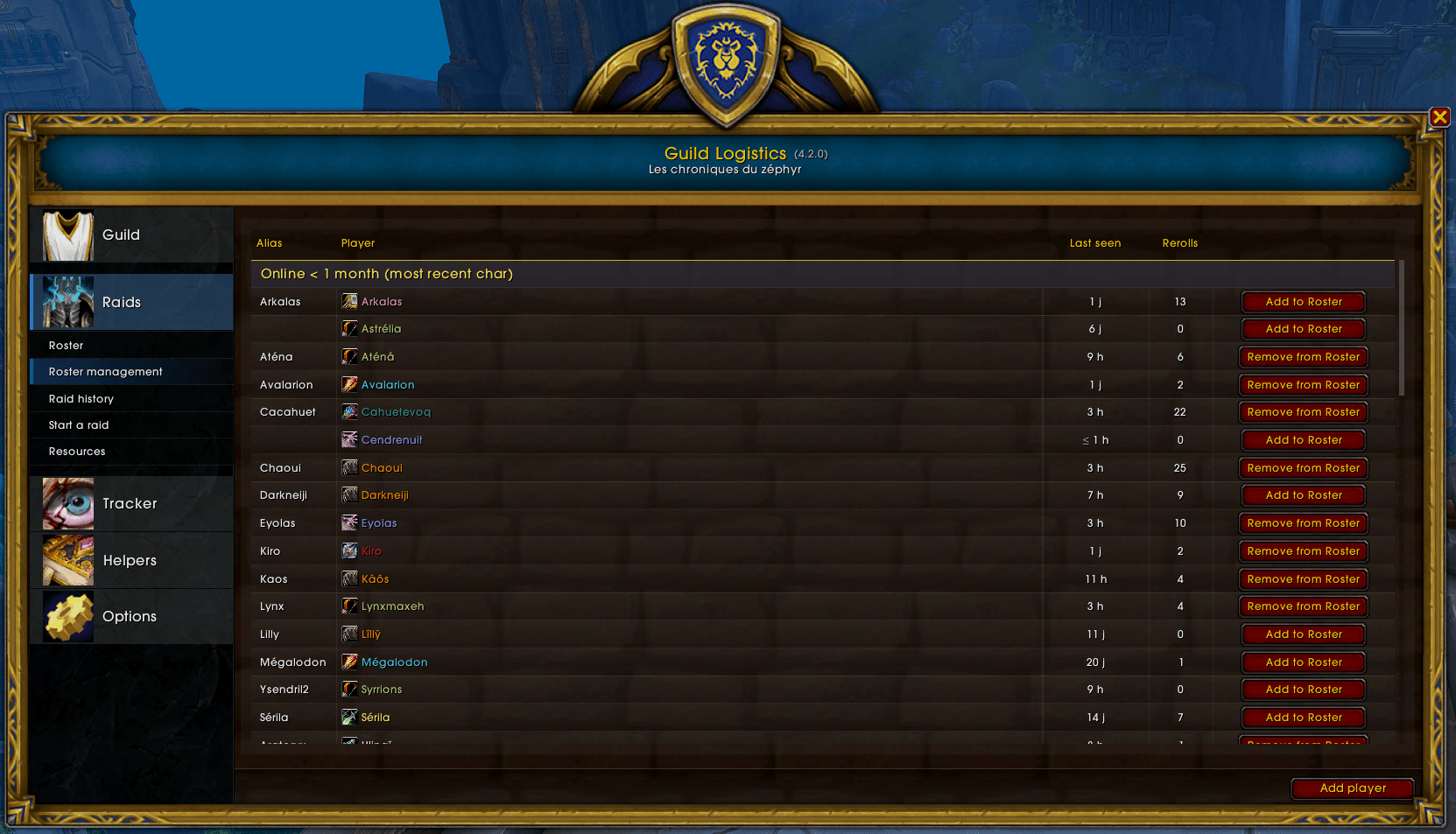
Capture d'écran 2025-09-15 022051.png
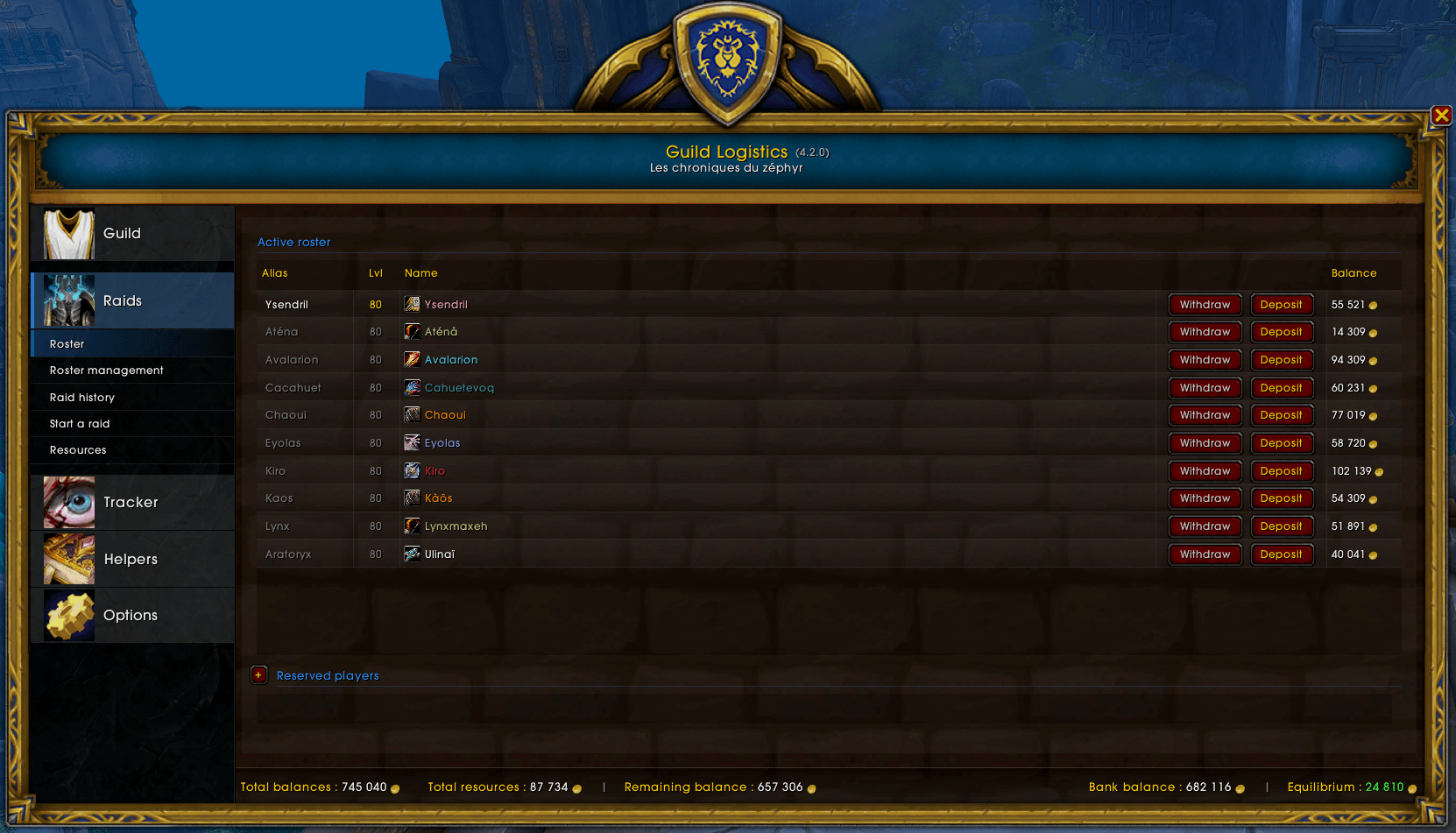
Capture d'écran 2025-09-15 022037.png
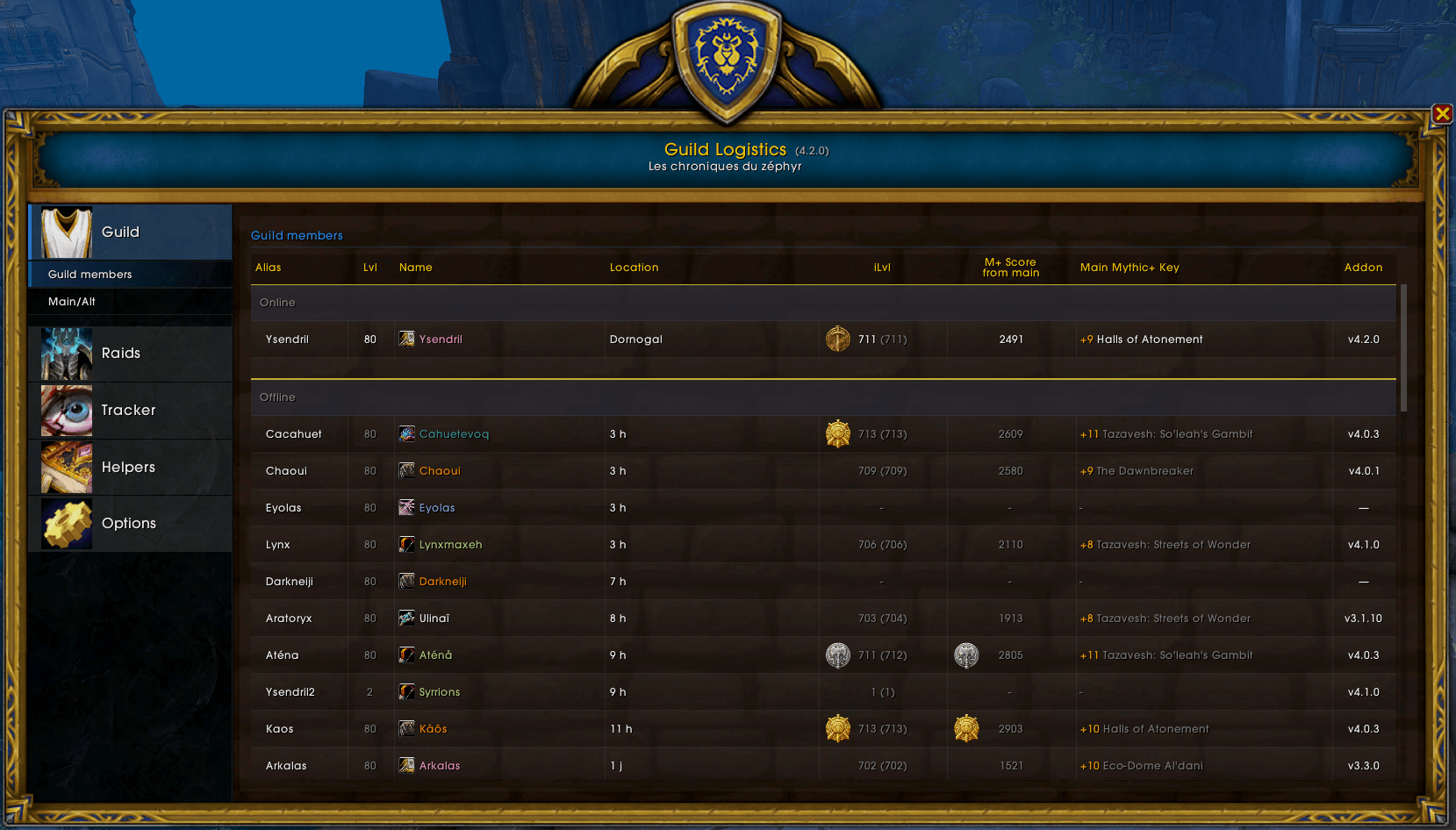
Capture d'écran 2025-09-15 021728.png
Capture d'écran 2025-09-15 022015.png
Capture d'écran 2025-09-15 022110.png
Description
GuildLogistics
A fast, all-in-one guild and raid companion for World of Warcraft.
Plan raids, track loot automatically, manage mains/alts, keep lightweight economics, and follow your group’s activity — whether you’re coordinating a guild or playing solo.
Who it’s for
- Guild Masters and Officers: simple tools to organize raids and share data with the team.
- Raiders: automatic loot history, clearer upgrade paths, and smart helpers.
- Solo players: private, offline experience with all features available locally.
Two ways to use it
Guild version
- Shares data seamlessly with guildmates who use the addon.
- Great for coordinated loot tracking, roster management, and guild economics.
- Typically configured by a GM or officer.
Standalone version
- No communication with other players. Nothing is sent over channels.
- All features remain fully usable on your own.
- Ideal for privacy or casual personal tracking.
- You can switch modes later in Settings. Data is preserved across modes.
Highlights
- Smart, tabbed UI with clear categories
- Automatic loot parsing from chat drops and rolls
- Link mains and alts, manage roster, and keep a clean history
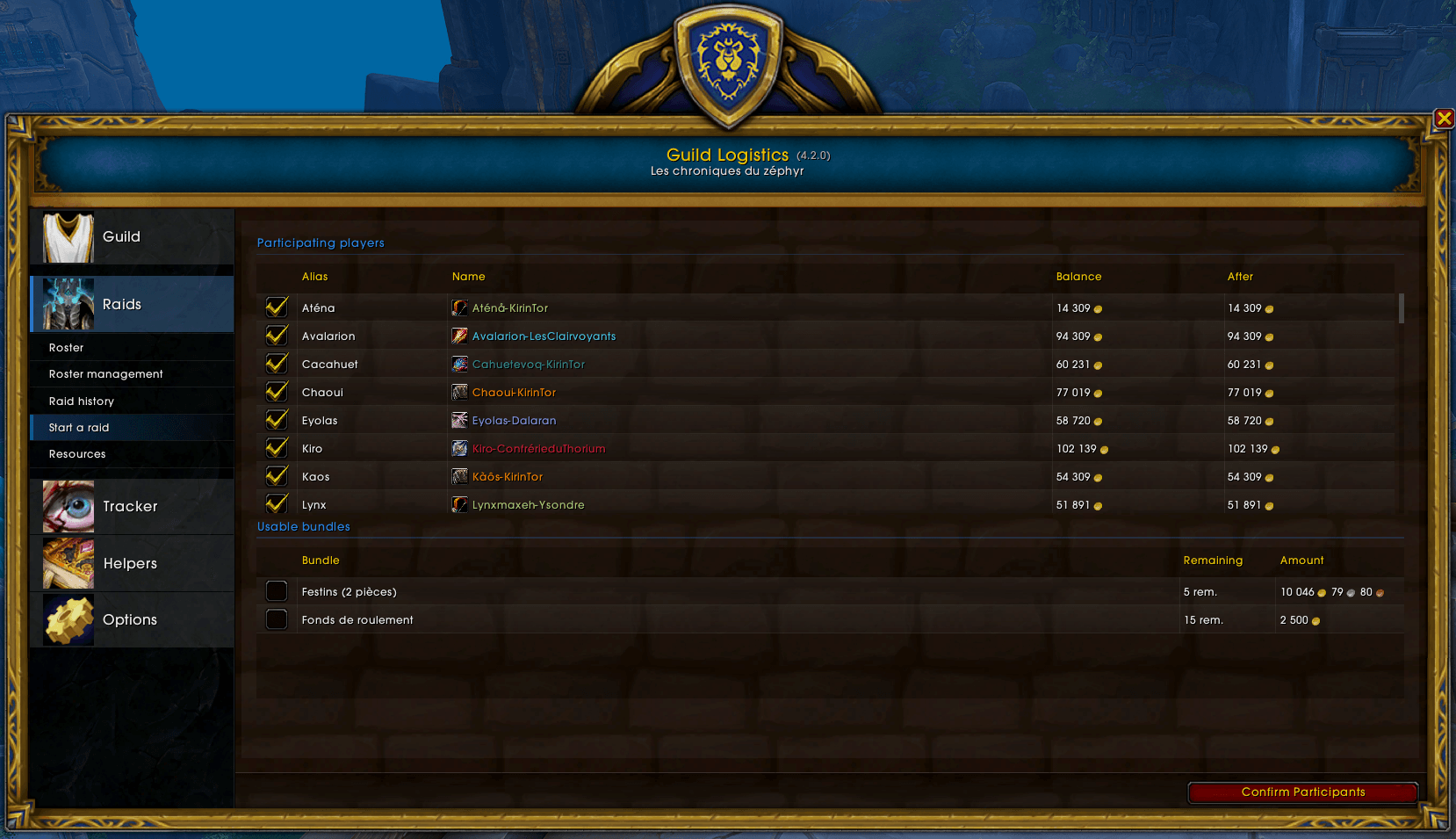
- Lightweight raid expenses and reimbursements
- Group activity tracking (composition, consumables, sessions)
- Handy reference helpers for Mythic+, raids, upgrades, and more
- Localization: English and French
Core features
Guild roster and identity
- Live view of guild members: ranks, online status, zones.
- Manage members and keep your roster tidy.
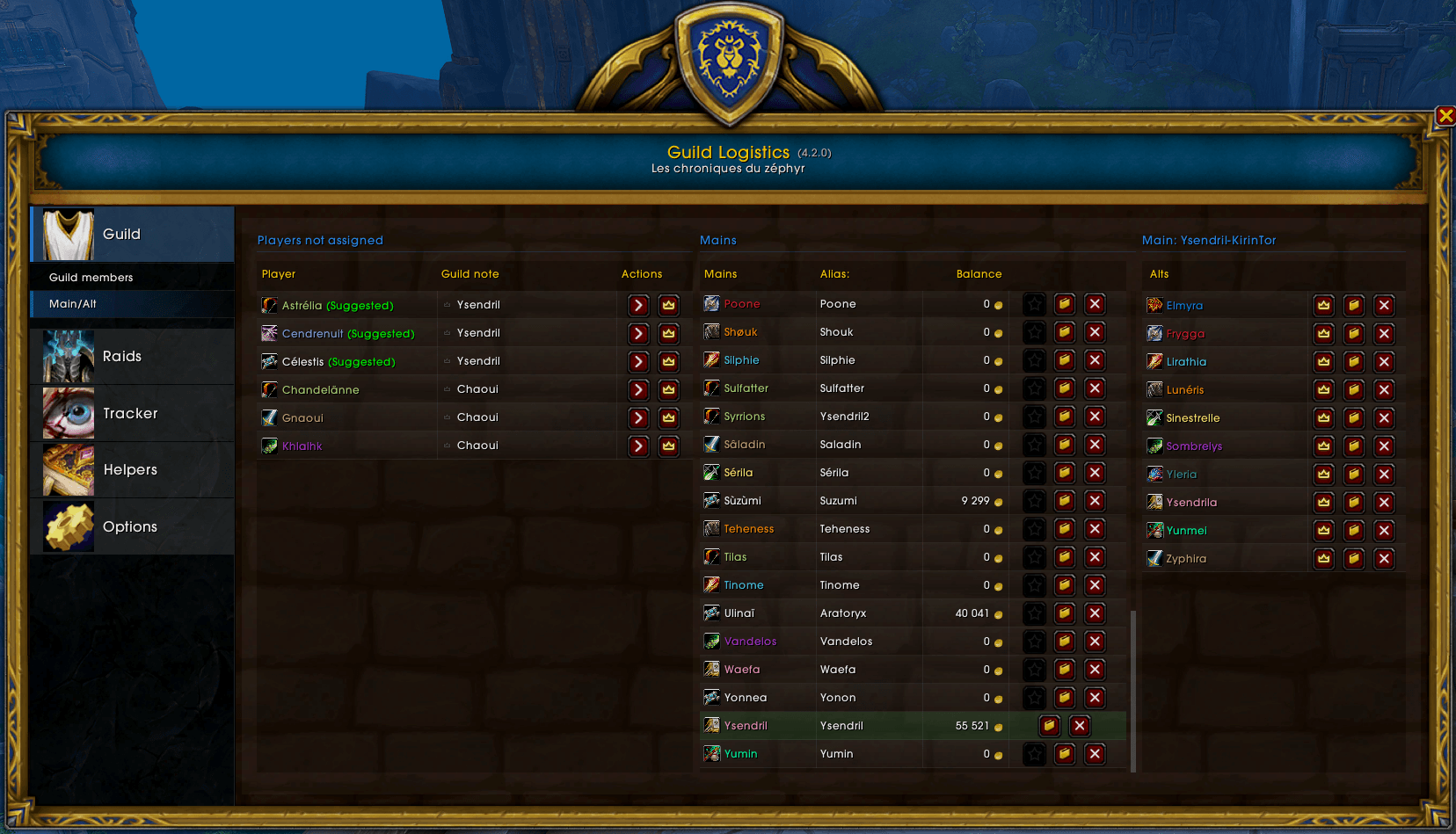
- Main–Alt links: declare mains, attach alts, and promote/demote in one place.
- Alias system: set short or alternate names for easy identification.
Raid planning and history
- Prepare raid nights with at-a-glance status.
- Keep a persistent history of your sessions and outcomes.
- Simple notes and reference points that help your team stay aligned.
Automatic loot tracking
- Detects loot drops and player rolls from chat.
- Records who looted, where, and when.
- Focuses on equippable loot to highlight meaningful upgrades.
- Clean summaries you can review later or discuss with your team.
Group tracker
- See party/raid composition at a glance.
- Track helpful context like consumables and roles.
- Start and end sessions to keep your run history coherent.
Guild economy (lightweight)
- Record raid expenses (consumables, repairs, purchases).
- Track reimbursements and keep a transparent paper trail.
- Useful for guilds that manage a shared bank or raid funds.
Helpers and reference tools
- Mythic+ affix rotation and planning helpers.
- Upgrade breakpoints (item level thresholds) to target your next boosts.
- Dungeons and raids reference sheets to check loot/level bands quickly.
- Crests and currency sources to plan your weekly progression.
- Delves and other activity summaries for easy planning.
- Best-in-Slot context (not prescriptive, but handy for quick checks).
Quality of life
- Clear badges and subtle notifications for items that need attention.
- Minimap button to open/close the main UI quickly.
- UI scaling to fit any screen and preference.
- Performance-conscious lists with smooth scrolling and large roster support.
Privacy and control
- Standalone mode never broadcasts or listens for data. Everything stays local.
- Guild mode only shares with guildmates using the addon and focuses on raid-relevant information.
- Your data lives in your WoW SavedVariables; no external servers.
Localization
- English (enUS)
- French (frFR)
Getting started
- Install the addon and log in.
- On first run, choose between Guild or Standalone mode.
- Open the UI via the minimap button or the slash command
/glog. - Visit Settings to adjust preferences (UI scale, privacy, etc.).
- Explore the tabs:
- Roster and Main/Alt
- Loot Tracker
- Group Tracker
- Raid History
- Helpers (Mythic+, Raids, Upgrades, Crests, Delves)
Tip: You can switch modes later; both modes are designed to function independently without data loss.
FAQ
Do I need to be a GM to use it?
No. Everyone can use the addon. Guild mode sharing is typically configured by a GM or officer, but you can use Standalone mode anytime.
Will it spam my chat or whisper people?
No. It’s designed to be discreet. In Standalone mode, it doesn’t communicate at all.
Can I switch between Guild and Standalone without losing data?
Yes. Both modes retain your data. You can switch via Settings whenever you want.
Is this only for raiders?
It’s great for raiders, but solo players benefit too — especially from loot history, upgrade helpers, and personal planning tools.
Level up your raid nights and keep your guild organized — or play privately with all the tools to track your own progress. GuildLogistics makes both approaches smooth and enjoyable.
GuildLogistics (Discontinued) Team