
GuildFoundMarket - GFM
- By
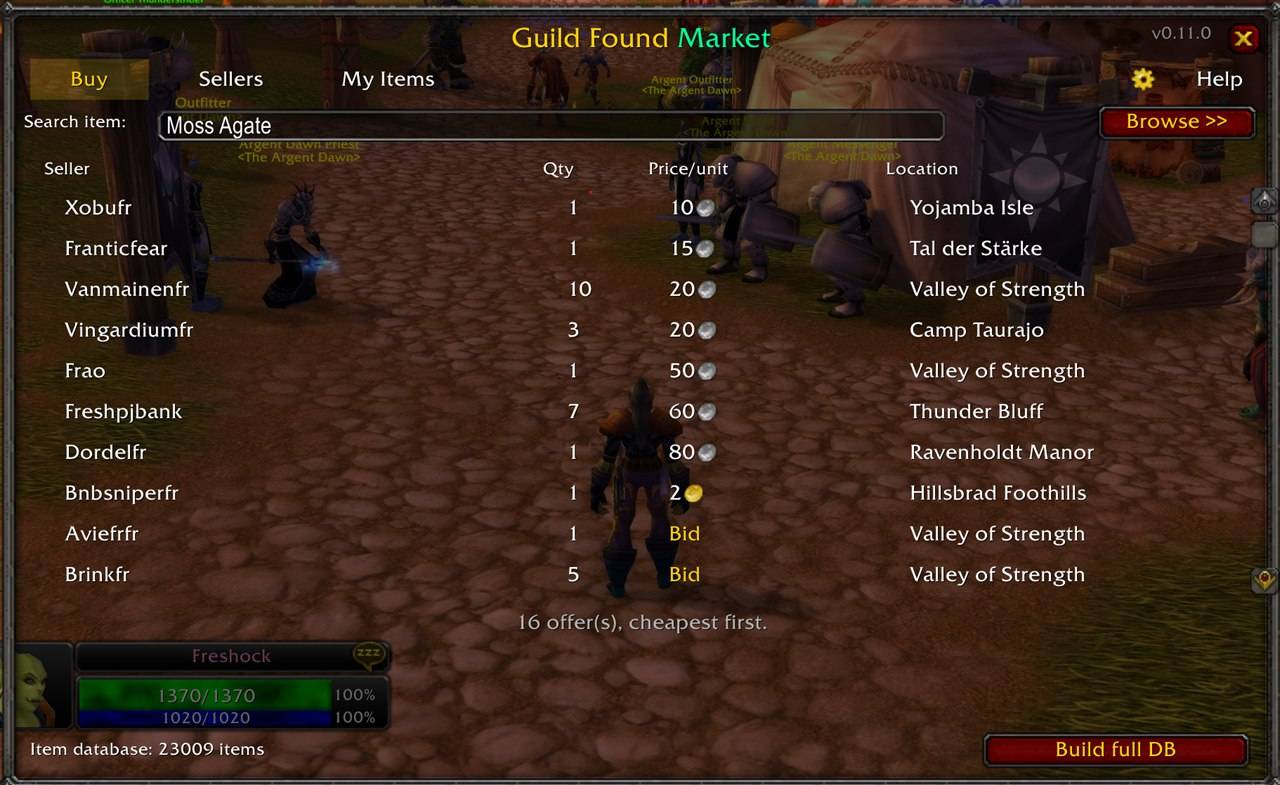
buy-search-results.jpg
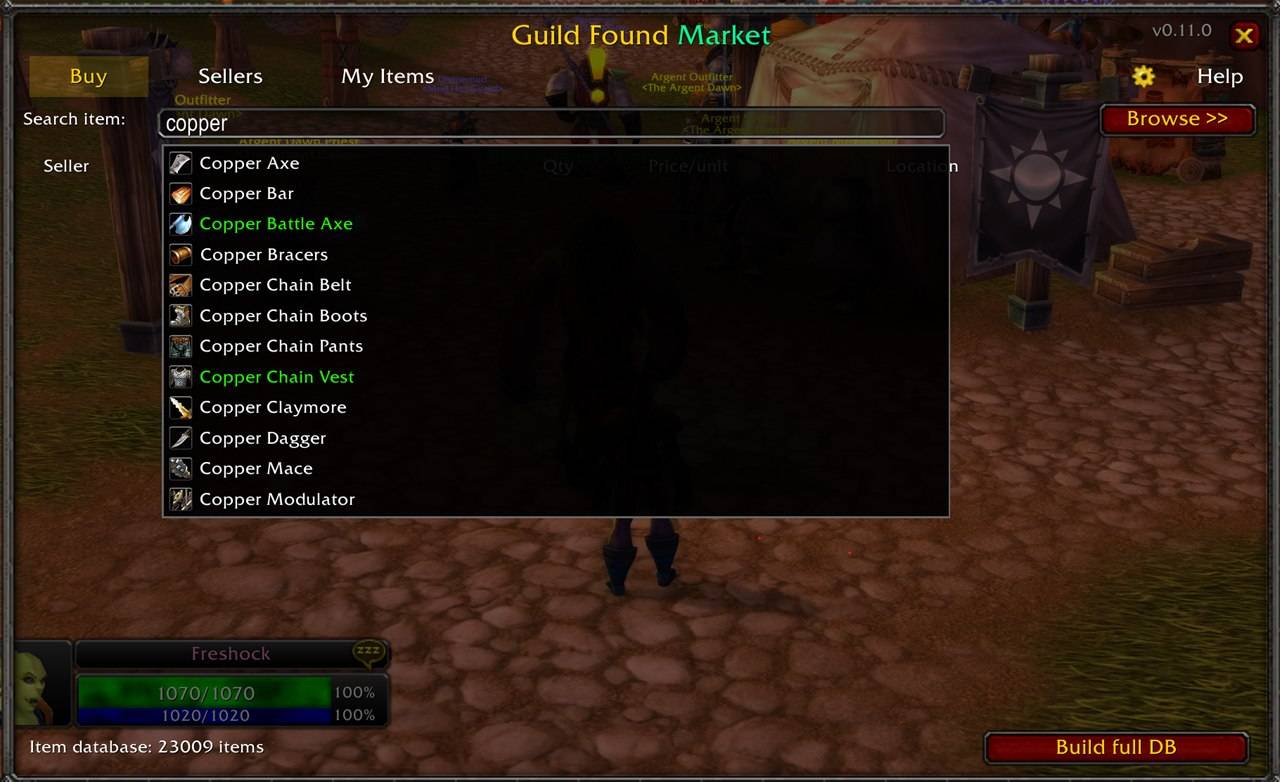
buy-autocomplete.jpg
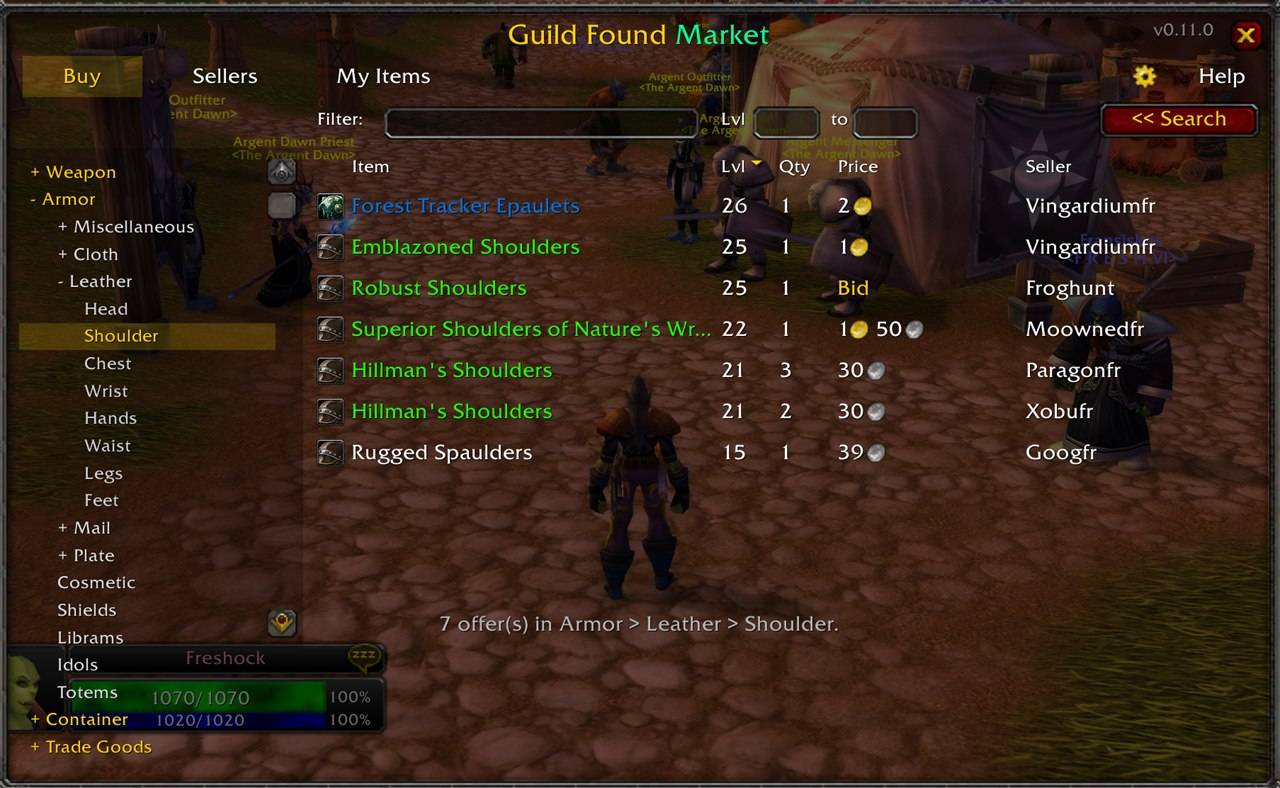
buy-browse.jpg
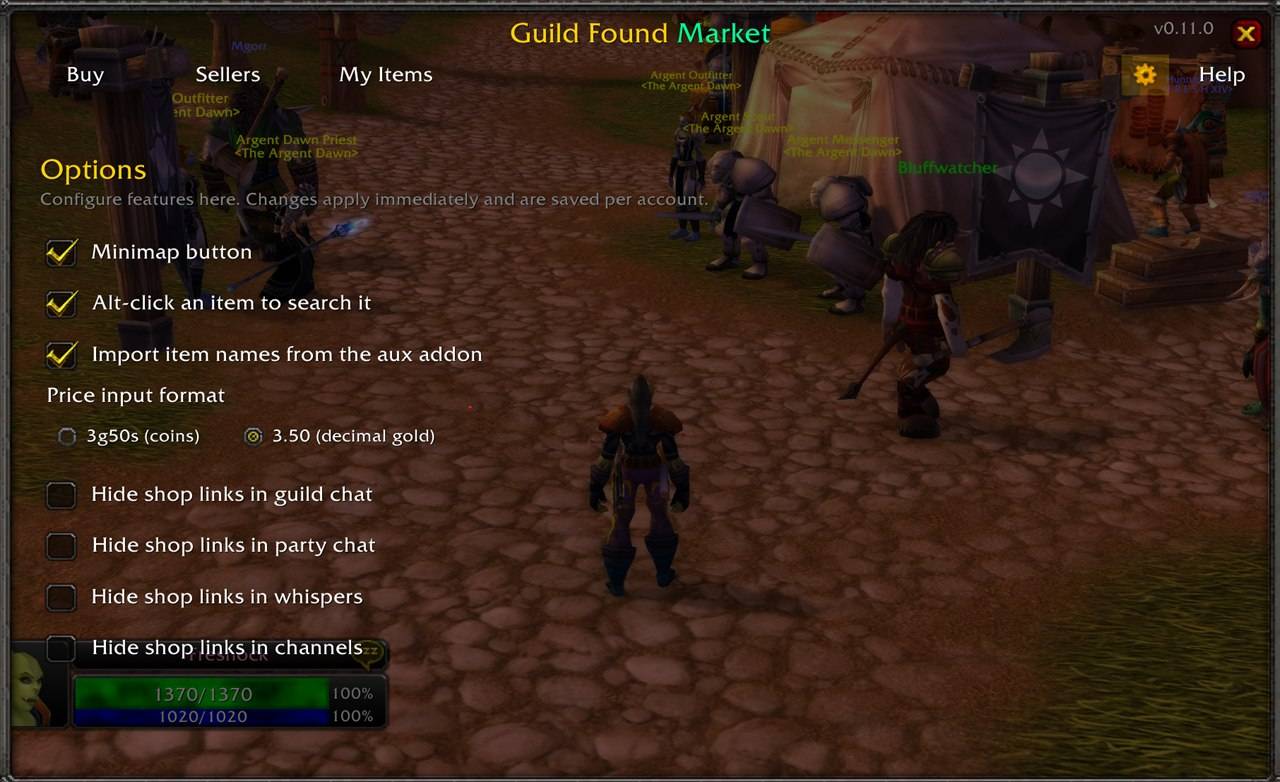
config.jpg
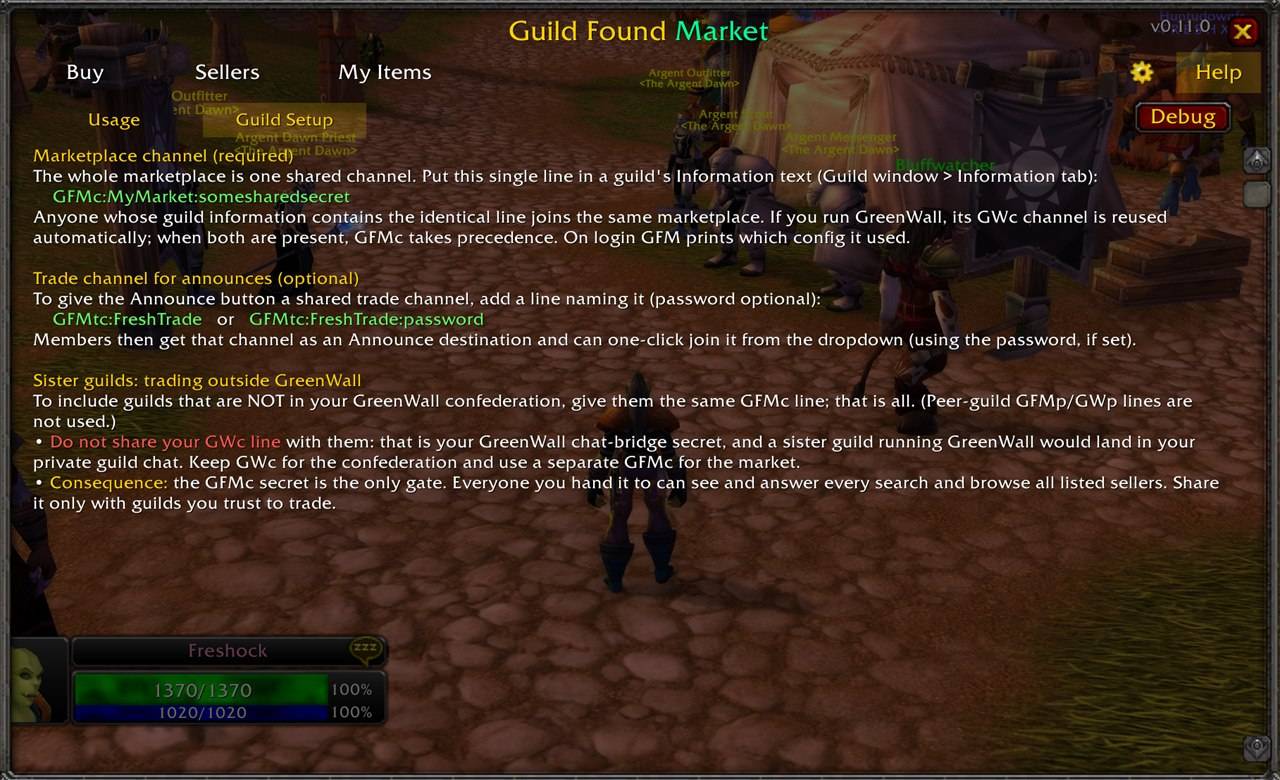
help.jpg
Description
Guild Found Market
A private, cross-guild marketplace for guild-locked communities. Find live offers from people in your own guild confederation and trade face-to-face. No Auction House, no spam, no third-party services.
Why
The Auction House can't be restricted to your own guilds, and guild-locked or self-found communities (Hardcore, Season of Discovery, ironman alliances, and similar) need a way to trade within their group. Guild Found Market keeps the whole marketplace inside a confederation you define in your guild information. The actual handover happens through the normal trade window.
It's a live, peer-to-peer marketplace: offers come straight from sellers who are online right now, with no central server storing listings. It shines once a good number of people in your confederation run it: the more active members online, the more offers you see.
What you can do
Buy
- Search an item. Start typing and pick it from the autocomplete (arrow keys, quality colors, or shift-click an item link). Online sellers in your confederation answer, sorted cheapest first: who, how many, the price (or "Bid"), and their current location.
- Browse by category. Don't know exactly what you want? Browse a class and subclass tree instead. Armor even drills down to the equip slot (Head, Chest, Trinket, and so on), with a level range and a text filter to narrow big categories.
Sellers
Browse everyone in your confederation who is online and selling right now: a sortable, name-filterable list. Open one to see their whole catalog, filter it, right-click an item to whisper them, or Ctrl-click to compare it across other sellers.
Buyers (Want To Buy)
The buy side of the market. Advertise what you're looking for, and let sellers find you.
- "Search by item" answers the seller's question "who wants this?": pick an item and see the buyers after it, with quantity and what they'll pay.
- "Find buyer" browses everyone who has a want list (sortable, name-filterable); open one to see everything they want.
- On any of your own listings, a button jumps straight to the buyers for that item.
My Items
Two tabs in one place:
- Selling. Add the items you sell; your client answers searches automatically, with no pop-ups and no spam to anyone. Heading into a raid or PvP? Flip to Offline to pause answering. Your items are kept.
- WTB. Your own want list: add items via the search picker with a quantity, an optional max price, and a COD checkbox.
See recent prices anywhere
GFM remembers what it last saw for an item (from your searches, browses, and seller views) and shows it on the item tooltip: seller count, price range, and how long ago, in a compact colored gold/silver/copper notation. It's a fresh snapshot, not stale history, and you can turn it off in Options.
Announce your shop
Drop a clickable "shop is open" line into guild, party, raid, a whisper, or your guild's shared trade channel. Nothing is ever sent automatically: you press Enter yourself. Other GFM users who click it browse your shop live.
Quality of life
- Sort any list by column (item quality, quantity, level, price), and filter loaded lists by name.
- A shop note: a short line buyers see next to your name (a chat-bubble in the lists, click to read).
- A spam filter to hide incoming shop-link lines per surface (guild, party, whispers, channels), local to you.
- A self-building, multilingual item database for autocomplete.
Setup for guild officers
Access is controlled by a single line in your Guild Information text (Guild window, Information tab):
GFMc:MyMarket:somesharedsecret
GFMc:name:secret defines the private marketplace channel. GFM derives a hidden broadcast channel from this line, and everyone whose guild information contains the identical line joins the same marketplace. Pick any secret string.
The trust boundary is simply who can read it: only a guild's own members can read that guild's information, so only the guilds you paste the line into take part. Put the same GFMc line in every guild that should trade together, including sister guilds outside your GreenWall confederation. Peer-guild lines (GFMp/GWp) are not used by GFM.
Optional: add a shared trade channel for the Announce button with GFMtc:Name or GFMtc:Name:password. Members get it as an announce destination and can join it in one click.
Already running GreenWall? GFM reuses GreenWall's GWc channel automatically, so a confederation works with no extra setup. When both are present, GFMc takes precedence over GWc, so keep GWc for the GreenWall chat bridge and add a shared GFMc line wherever you want the marketplace.
Getting started
- Open the window with
/gfm,/market, or the minimap button. - First run: build the item database. Autocomplete turns the name you type into the ID used to search, and it's built locally. On a fresh install it only knows the items in your bags, so to search for things you don't own, run the one-time "Build full DB" scan in the Buy tab (or have the aux addon installed, which seeds it instantly). It's a safe background scan that resumes if you stop, and is only needed once.
- In the Buy tab, type an item and press Enter, or browse a category. You can also shift-click an item from your bags, character sheet, a chat link, or AtlasLoot into the search box, or Alt-click an item in your bags to search it instantly.
- In My Items, add what you sell (and, on the WTB tab, what you want). Your client answers searches on its own; use Online / Offline to pause while you raid or PvP.
- Browse the Sellers and Buyers tabs to see who's online and trading right now.
Good to know
- Only online players show up, since you trade face-to-face anyway.
- Guild Found Market helps you find buyers and sellers. It never trades for you and respects the game's rules.
- No dependency on any other addon, and not tied to any specific game mode or community.
Source and license: open source under the MIT license.
GuildFoundMarket - GFM Team
