GuildFlow
GuildFlow_Events_Raids.png
GuildFlow_Group_Finder.png
GuildFlow_Members.png
GuildFlow_Overview.png
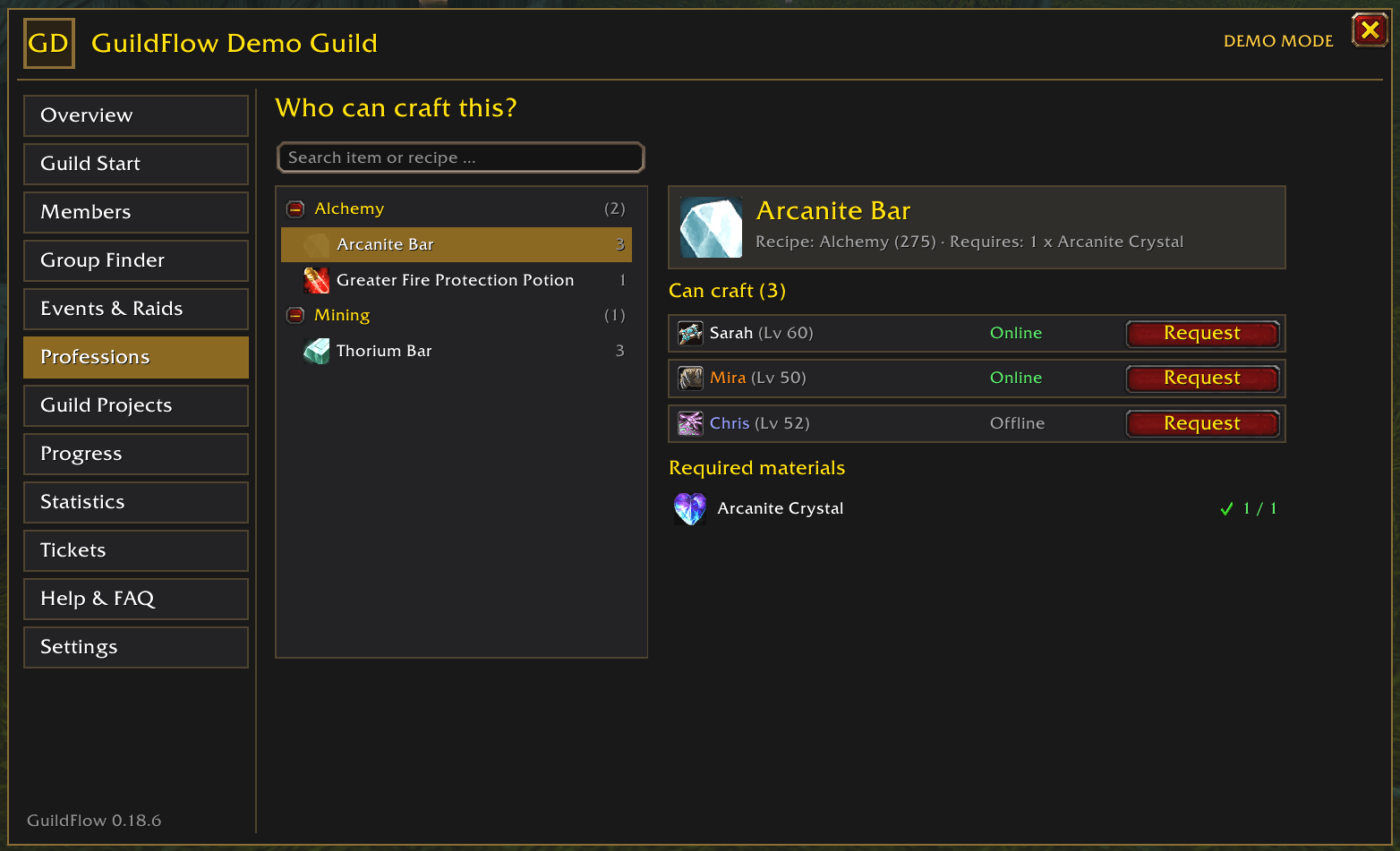
GuildFlow_Professions.png
Description

GuildFlow – Your Guild. Your Adventure.
GuildFlow is an all-in-one guild management and social coordination addon for World of Warcraft: Forever.
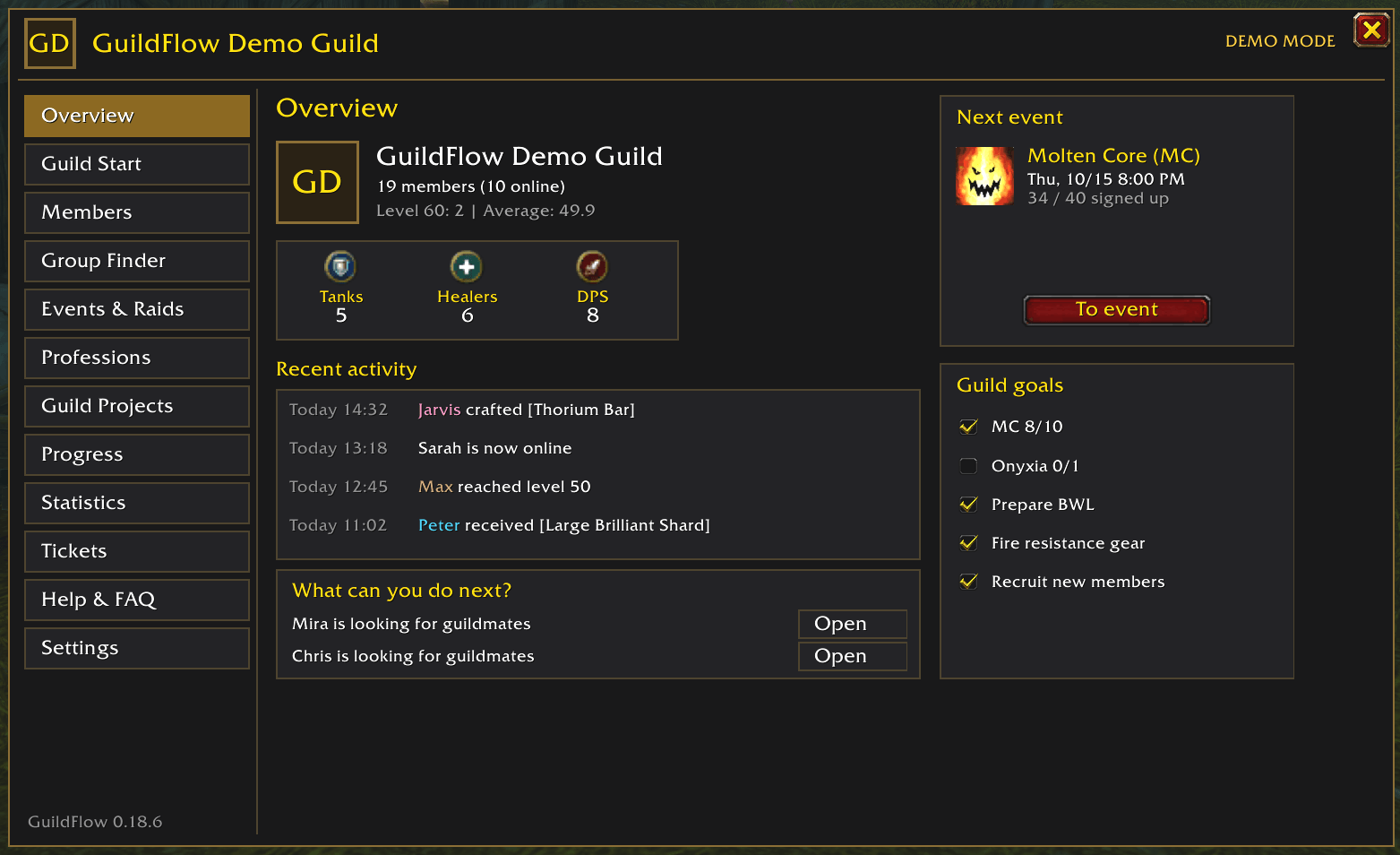
From guild calendars and raid planning to loot management, professions, member profiles, and statistics, GuildFlow brings your guild's activities together in one convenient in-game interface.
Whether you're a guild leader, officer, raid organizer, or regular member, GuildFlow helps you spend less time organizing and more time playing together.
Features
📅 Guild Calendar & Events
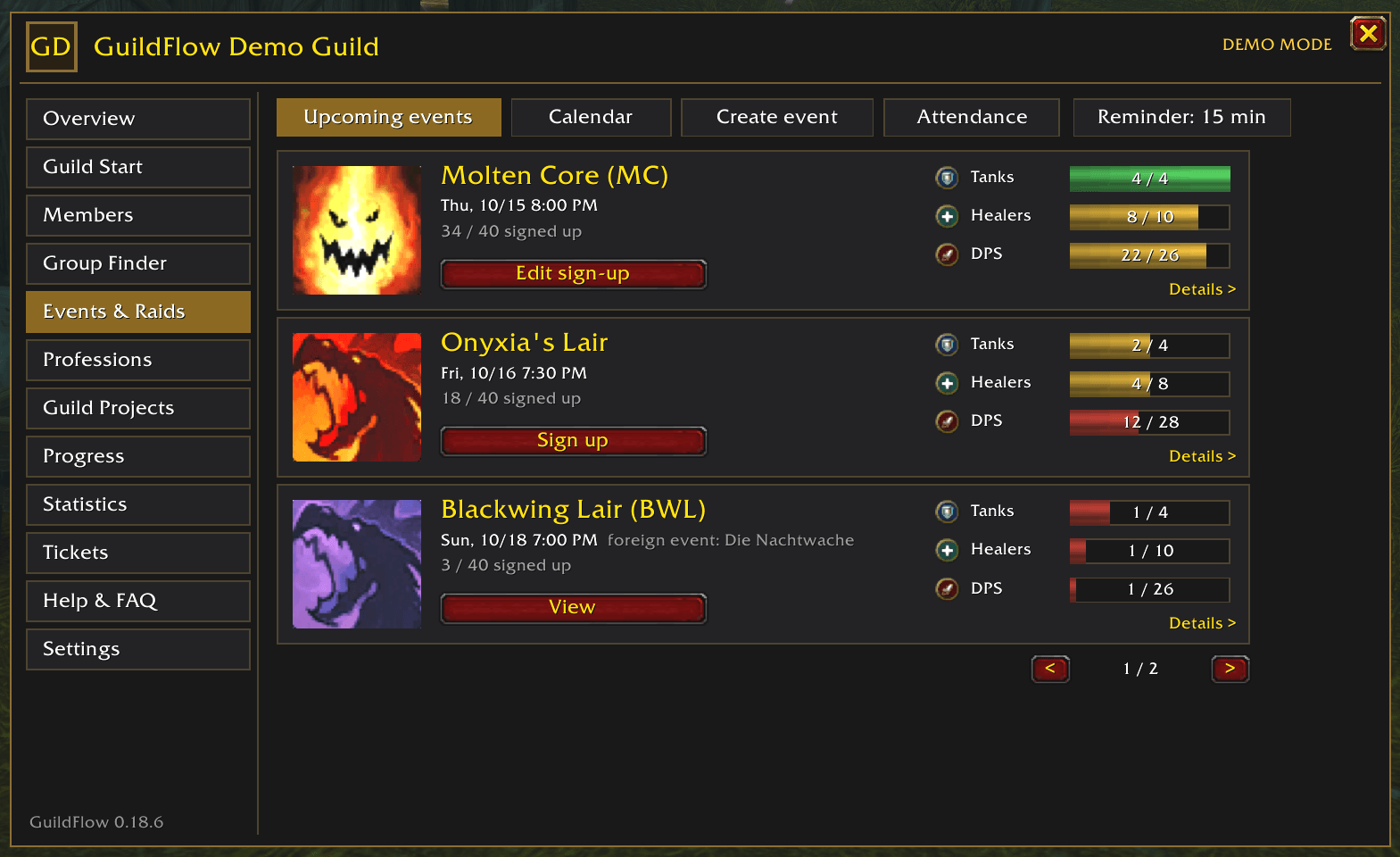
Plan raids, dungeons, and guild activities with a built-in calendar, recurring events, role-based sign-ups, waitlists, and reminders.
⚔️ Raid Management
Organize raid groups, review class buffs, track boss kills, manage attendance, and prepare your team with raid checklists.
💎 Loot Management
Manage Soft Reserves with priorities, organize Loot Council decisions, maintain wishlists, and track loot distribution. Optional AtlasLoot integration makes item selection easier.
👥 Guild Members & Group Finder
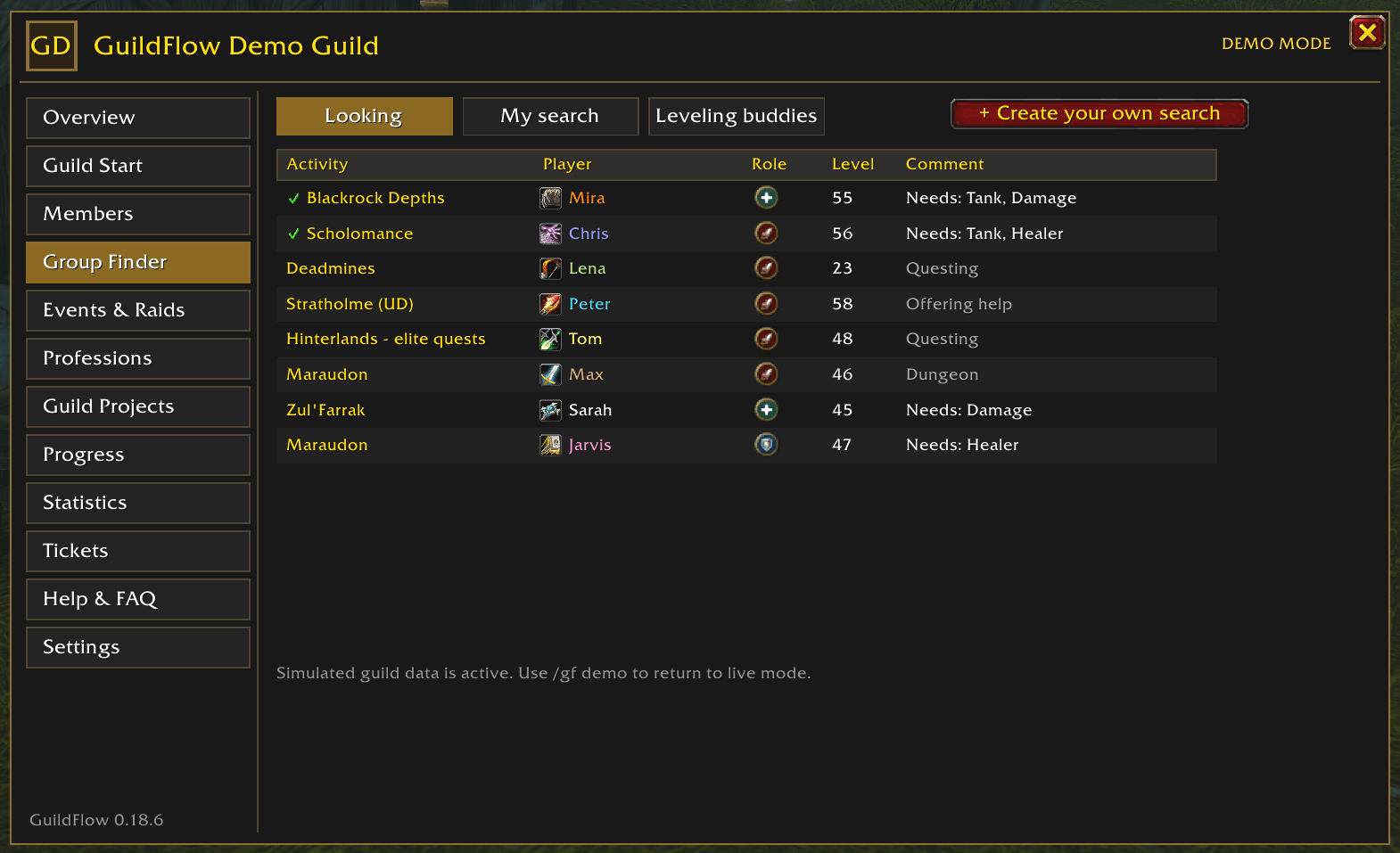
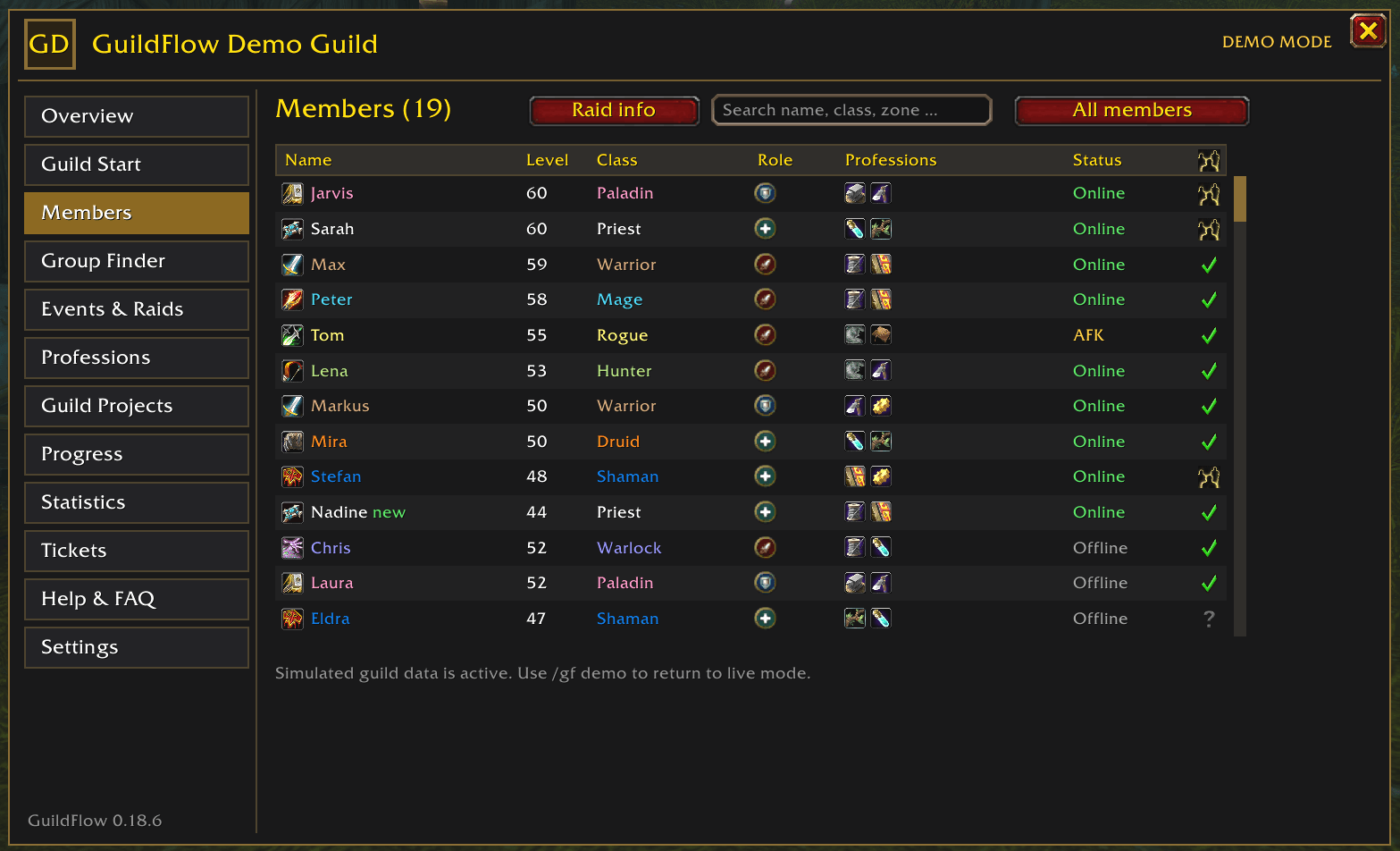
Explore member profiles, specializations, talents, main characters, and alts. Find guildmates for quests, dungeons, and other activities.
🔨 Professions & Guild Crafting Orders
Take guild crafting to the next level!
GuildFlow automatically shares profession and recipe information between participating guild members, making it easy to discover who can craft specific items.
Guild Crafting Orders
Create crafting requests directly within your guild!
Choose an item, specify the quantity, and decide who will provide the required materials.
Eligible guild crafters can offer to fulfill your request. Once an offer has been confirmed, the order can progress from accepted to crafted and finally completed after delivery.
Track your crafting orders in a dedicated overview, including the assigned crafter, required materials, and order status.
🔔 Smart Crafting Notifications
Never miss a crafting opportunity!
Whenever a new guild order becomes available that your character can fulfill, GuildFlow displays a small crafting notification near your minimap.
A number indicates how many new matching orders are waiting for you.
The GuildFlow dashboard also includes a dedicated "Jobs you can craft" panel, allowing you to quickly browse available requests.
No intrusive popups or notification sounds!
👥 Linked Alt Character Support
Your crafting professions aren't limited to your currently logged-in character!
If your characters are linked and mutually verified within GuildFlow, the addon can recognize professions and recipes learned by your other characters.
Example:
You're currently playing your Warrior, but your linked Mage knows Tailoring.
If another guild member creates a crafting order for a recipe your Mage knows, GuildFlow can notify you and allow you to offer to fulfill the request without switching characters first.
GuildFlow remembers which character actually knows the recipe.
⚔️ Craftable Gear Upgrades
Discover potential equipment improvements crafted by your guildmates!
GuildFlow analyzes the equipment of your currently logged-in character and suggests suitable craftable armor and jewelry from your guild's known recipes.
The new "Upgrades for You" dashboard panel shows potential improvements and how many guild members can craft them.
Hover over an item to see its World of Warcraft tooltip, or over the crafter count to discover who can make it.
You can inspect the required materials and create a guild crafting order directly from a suggested upgrade.
Note: Equipment recommendations currently use item level and basic equipment compatibility. They are suggestions, not guaranteed best-in-slot upgrades for your class or specialization.
📊 Guild Statistics
Explore guild activity, member progression, raid attendance, boss kills, projects, and loot statistics.
🎯 Guild Projects & Organization
Coordinate shared goals, track contributions, manage guild permissions, and communicate with guild leadership through private tickets.
🖥️ GuildFlow Sync – Optional Windows Companion
Keep your guild connected, even when your guildmates aren't online at the same time!
GuildFlow Sync is a free, optional Windows companion application that extends GuildFlow beyond the game.
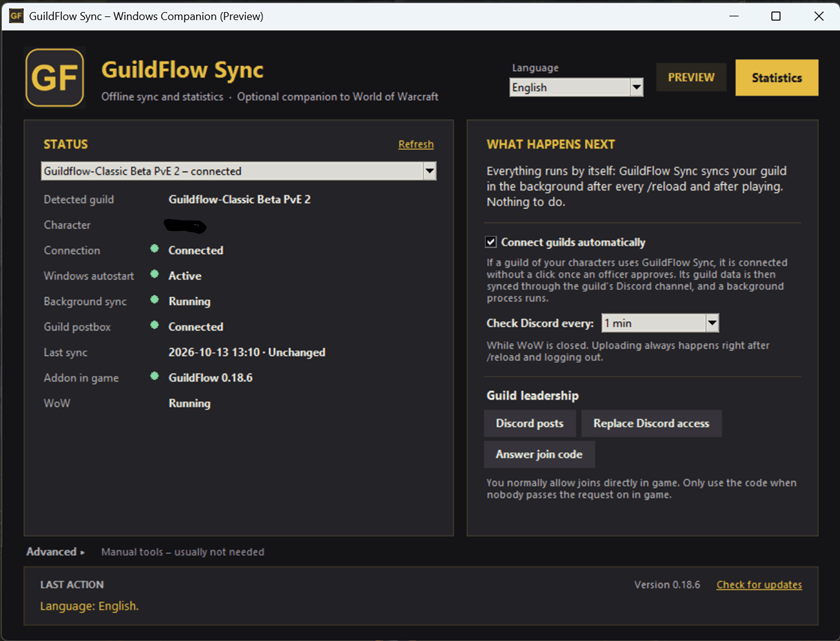
While the core addon synchronizes information between players who are online together, GuildFlow Sync enables additional features through your guild's Discord server.
Features
🔄 Automatic Offline Synchronization
Keep supported guild data synchronized through Discord, even when guild members are not online at the same time.
📅 Events & Raid Sign-ups
Share event updates, registrations, and other guild information between gaming sessions.
📊 Advanced Guild Statistics
Explore detailed guild statistics, player activity, raid participation, loot history, and progression through a dedicated Windows interface.
⚙️ Background Synchronization
GuildFlow Sync runs quietly in the background and automatically handles synchronization.
🚀 Easy Installation & Updates
A convenient setup wizard helps install and configure GuildFlow. The Windows companion also includes automatic update management.
Where can I find GuildFlow Sync?
GuildFlow Sync is maintained alongside GuildFlow in our official GitHub project.
Visit our official GitHub page using the GitHub link in the project's Social Links section.
The GitHub project contains additional information, installation instructions, and details about the Windows companion application.
Is GuildFlow Sync required?
No! GuildFlow works without additional software.
The Windows companion is completely optional and is intended for guilds that want additional offline synchronization and statistics.
Compatibility: Windows 10 / 11
Getting Started
Install GuildFlow, launch World of Warcraft: Forever, and open the addon using /gf or the GuildFlow tab in your guild window.
Want to explore the interface first? Type /gf demo to try GuildFlow with a simulated guild.
Built for Guilds. Designed for Players.
GuildFlow is designed to make guild organization easier, encourage cooperation, and help players discover more opportunities to enjoy World of Warcraft together.
Less organizing. More playing together.
GuildFlow Team