image_2026-03-10_210013117.png
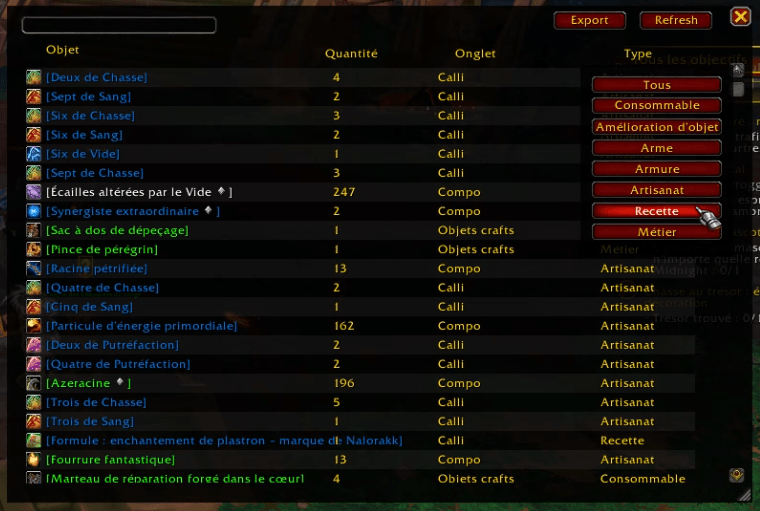
image_2026-03-10_210130007.png
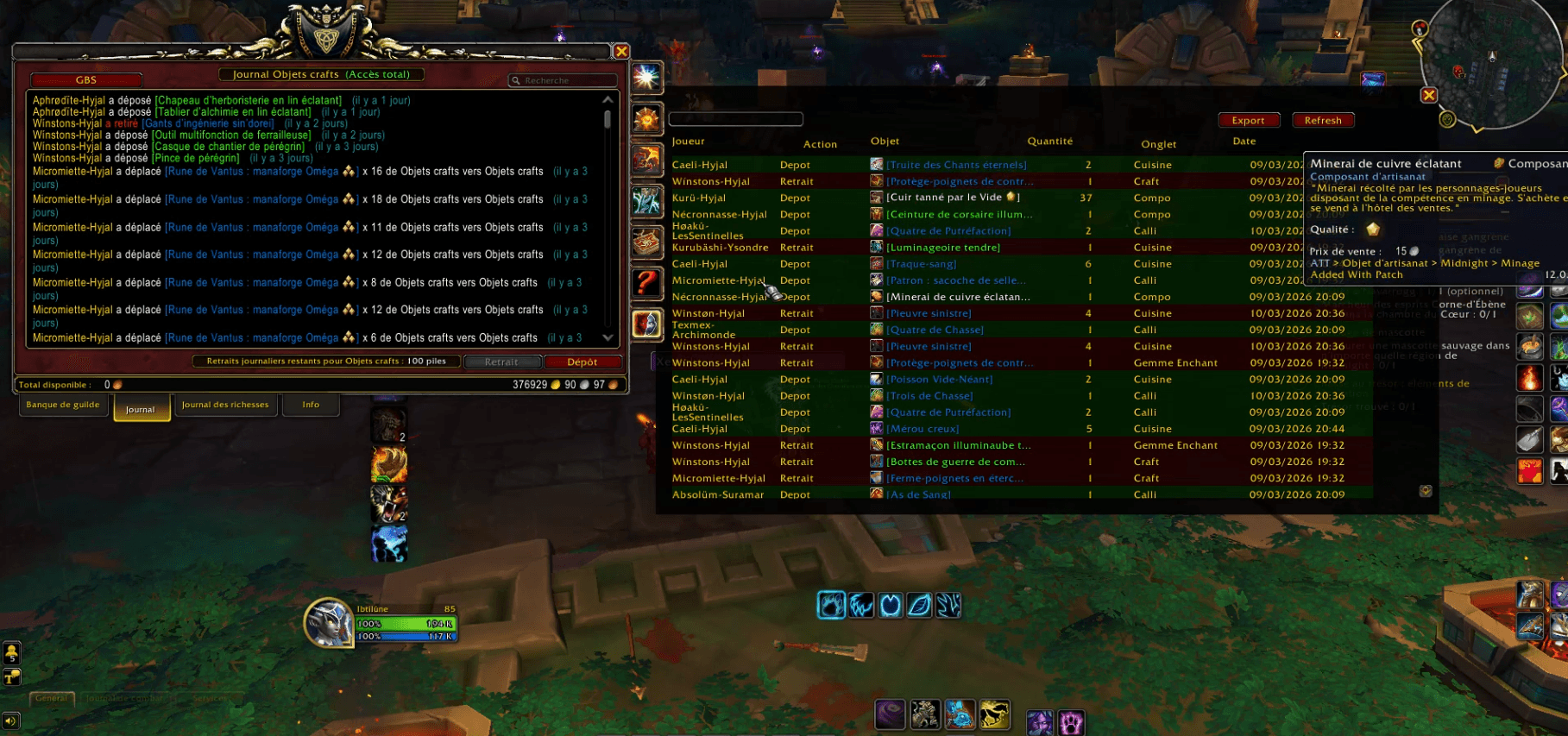
image_2026-03-10_210416802.png
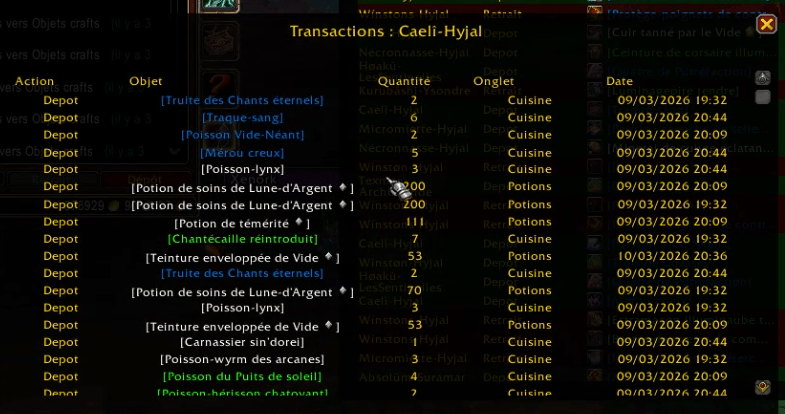
image_2026-03-10_210439388.png
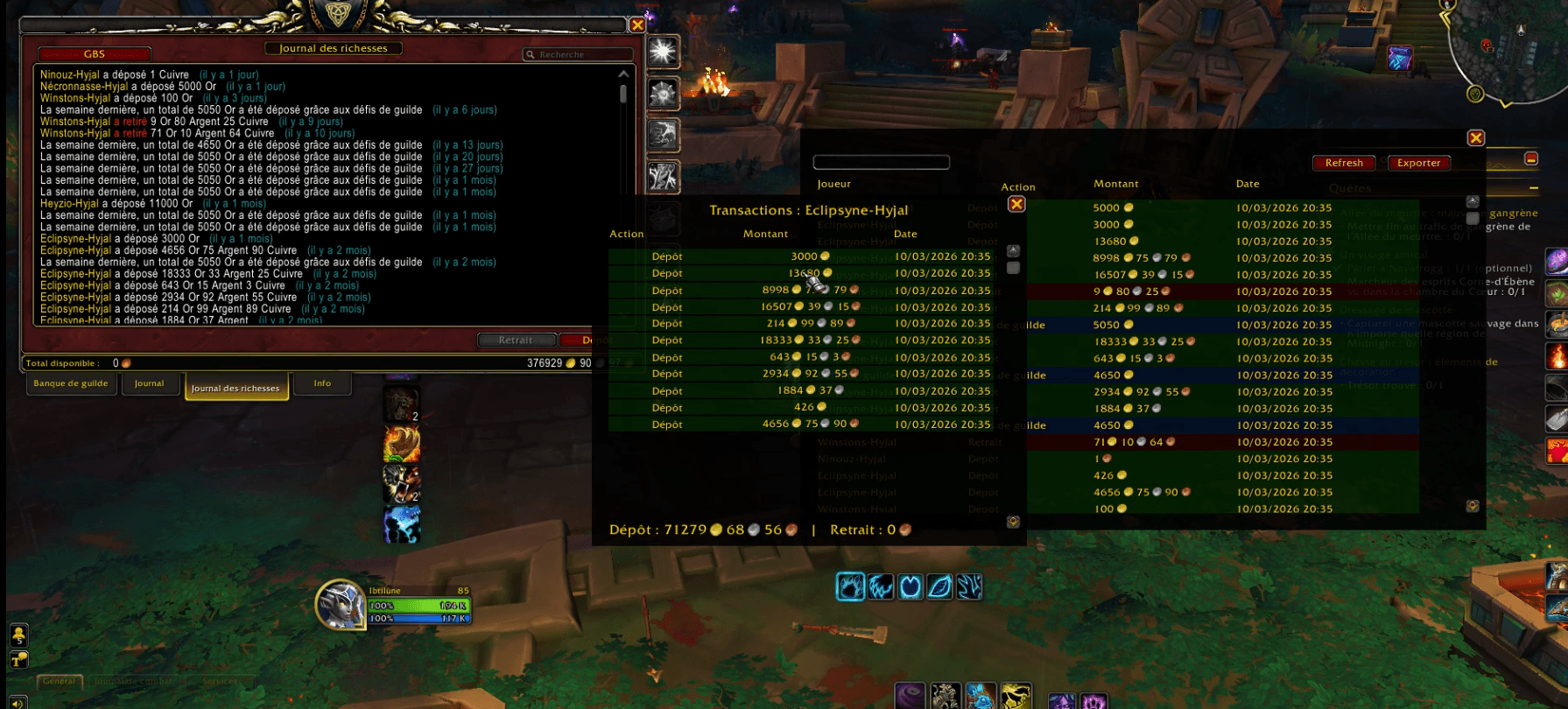
image_2026-03-10_210249579.png
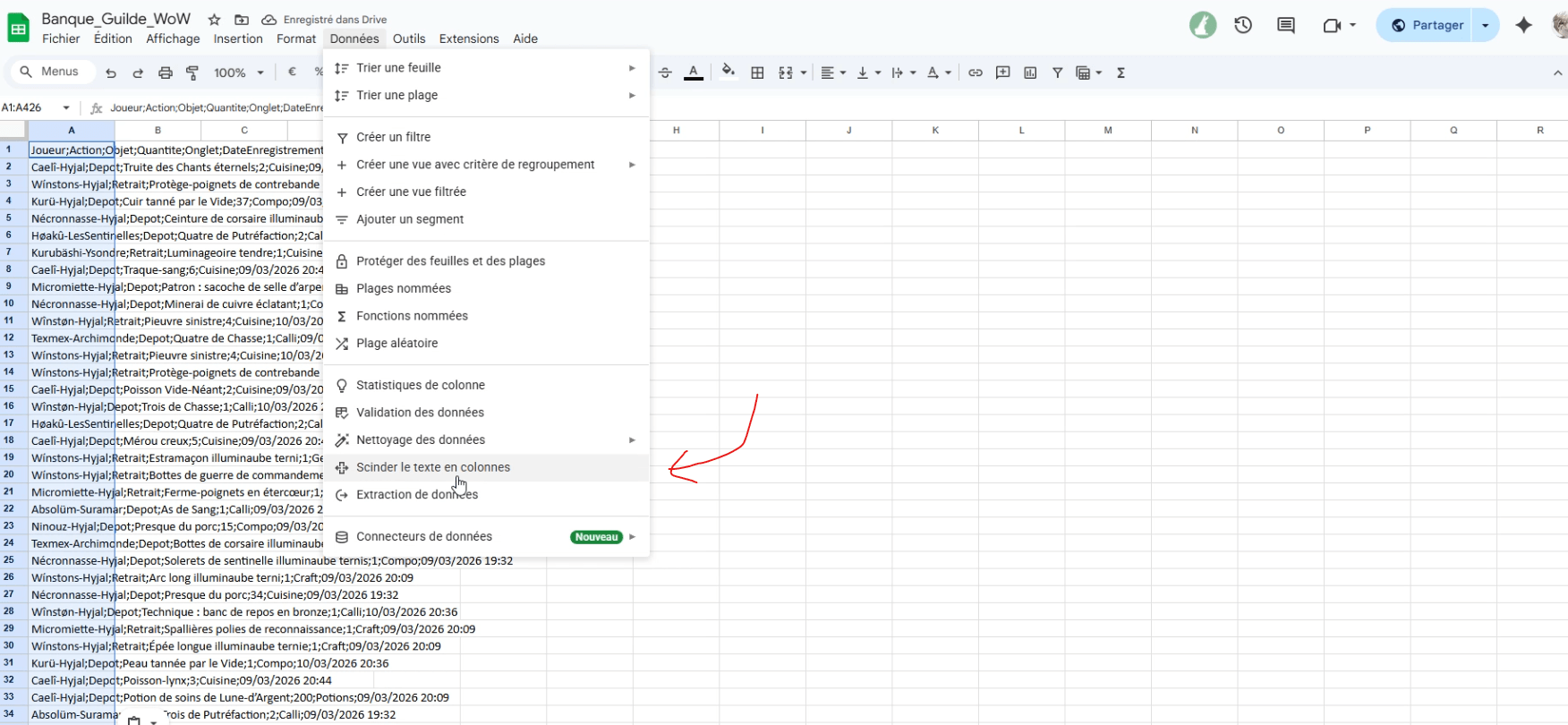
image_2026-03-10_210644403.png
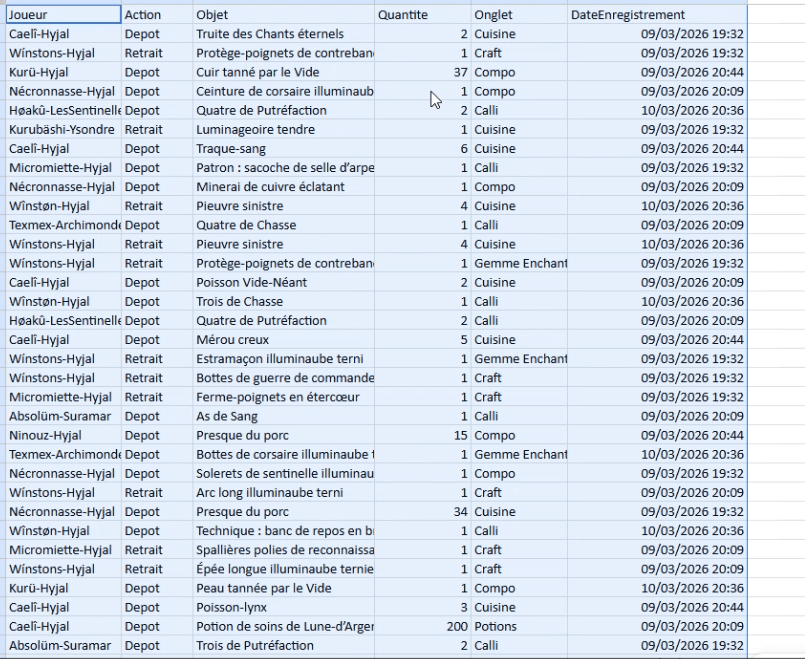
image_2026-03-10_210823848.png
Description
GuildeBankSylvana is an addon designed to help the Trinity guild track and analyze the activity of its guild bank.
Unlike the default Blizzard interface, the addon stores logs locally, allowing the history to be preserved even when the in-game logs are cleared.
Features
How to Use ?
-
After installing the addon, type /reload.
-
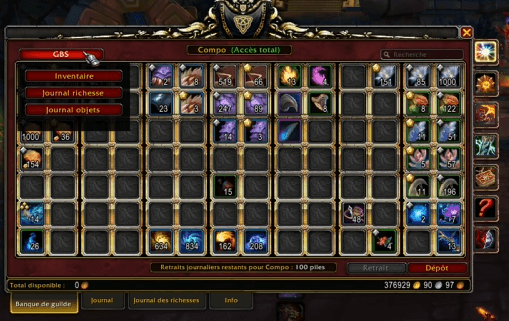
Go to your guild bank. A GBS button will appear at the top left of the window.
-
Select the desired menu. For example, for Inventory, you need to click through all the tabs of your guild bank quickly (so the game loads the contents) and then press Refresh in the Inventory window. You will then see the full contents of your guild bank.
-
The same method applies for the Item Log: you need to open the deposit/withdrawal logs for all tabs at least once and click Refresh. For the Gold Activity Log, do the same in the gold deposit/withdrawal logs.
-
Clicking on a player’s name will display the history related to that player.
How Deposit/Withdrawal Logs Work
- The addon does not use the in-game date/time of deposits or withdrawals. Instead, it records the system date and time of the computer running the addon.
- Once scanned, logs are stored locally in your game files (only once). On the next refresh, new logs are added while keeping the old ones, allowing you to maintain a full history.
How to Export to Excel / Google Sheets
-
Click Export.
-
A window will appear with a line of text. Copy it using Ctrl+C.
-
In your Google Sheet: paste it into a cell using Ctrl+V → go to Data → Split text to columns → in the small Separator window, select semicolon.
Benefits
✔ Keeps logs even if Blizzard deletes them
✔ Clear and filterable tables
✔ Resizable interface
✔ Easy spreadsheet export
✔ Ideal for guild management
Compatibility
- World of Warcraft Retail
- Guild Bank
Project
Addon developed for guild management by Sylvana for the Trinity guild on Hyjal.
French :
GuildeBankSylvana est un addon conçu pour aider la guilde Trinity à suivre et analyser l’activité de sa banque de guilde.
Contrairement à l’interface Blizzard, l’addon enregistre les logs localement, ce qui permet de conserver l’historique même lorsque les journaux du jeu sont supprimés.
Fonctionnalités
Comment l’utiliser ?
-
Après avoir installé l’addon, faites /reload.
-
Rendez-vous à votre coffre de guilde. Un bouton GBS apparaît en haut à gauche de la fenêtre.
-
Sélectionnez le menu souhaité. Par exemple, pour Inventaire, cliquez rapidement sur tous les onglets de votre coffre de guilde (pour que le jeu charge le contenu), puis appuyez sur Refresh dans la fenêtre Inventaire. Vous verrez alors tout l’inventaire de votre coffre.
-
La même méthode s’applique pour le Journal d’objets : ouvrez les journaux de dépôt/retrait de tous les onglets au moins une fois, puis cliquez sur Refresh. Pour le Journal de richesse, faites de même dans les journaux de dépôt/retrait d’or.
-
En cliquant sur le pseudo d’un joueur, vous verrez l’historique lié à cette personne.
Comment fonctionnent les logs de dépôt/retrait
- L’addon n’utilise pas la date du jeu pour les dépôts ou retraits d’or ou d’objets. Il enregistre la date et l’heure système de l’ordinateur de l’utilisateur.
- Une fois scannés, les logs sont enregistrés localement dans vos fichiers du jeu (une seule fois). Lors du prochain rafraîchissement, les nouveaux logs sont ajoutés tout en conservant les anciens, ce qui permet de garder un historique complet.
Comment exporter vers Excel / Google Sheets
-
Cliquez sur Export.
-
Une fenêtre apparaît avec une ligne de texte. Copiez-la avec Ctrl+C.
-
Dans votre Google Sheet : collez-la dans une cellule avec Ctrl+V → allez dans Données → Fractionner le texte en colonnes → dans la fenêtre Séparateur, choisissez point-virgule.
Avantages
✔ Conserve les logs même si Blizzard les supprime
✔ Tableaux clairs et filtrables
✔ Interface redimensionnable
✔ Export facile vers tableur
✔ Idéal pour gestion de guilde
Compatible
- World of Warcraft Retail
- Banque de guilde
Projet
Addon développé pour la gestion de guilde par Sylvana pour la guilde Trinity sur Hyjal.
GuildeBankSylvana Team