


GuildDiscord
- By
help.webp
join.webp
main.webp
Description



⚔️ Your guild, linked to its Discord
Members verify themselves. Roles keep themselves in sync. All from one in-game window.
GuildDiscord connects your WoW guild to a Discord server. Members prove which characters they play, get a role for their class and their guild rank, and those roles follow the guild roster automatically. ✨ No officer has to check anyone, and 🛡️ nobody can claim someone else's character.
👑 Setting it up (Guild Master, a few minutes, once)
- 🪟 Open GuildDiscord (minimap button or
/gd) and go to Guild setup. - 🏰 Optional: no Discord yet? Copy the link for a ready-made layout (Tavern, Raiding or Simple) and click Create. These are just starting templates of channels; change anything afterwards. Already have a server? Skip this.
- 🤖 Add the bot with the link in the window. It greets you in your server with a Finish setup button: click it and paste your code.
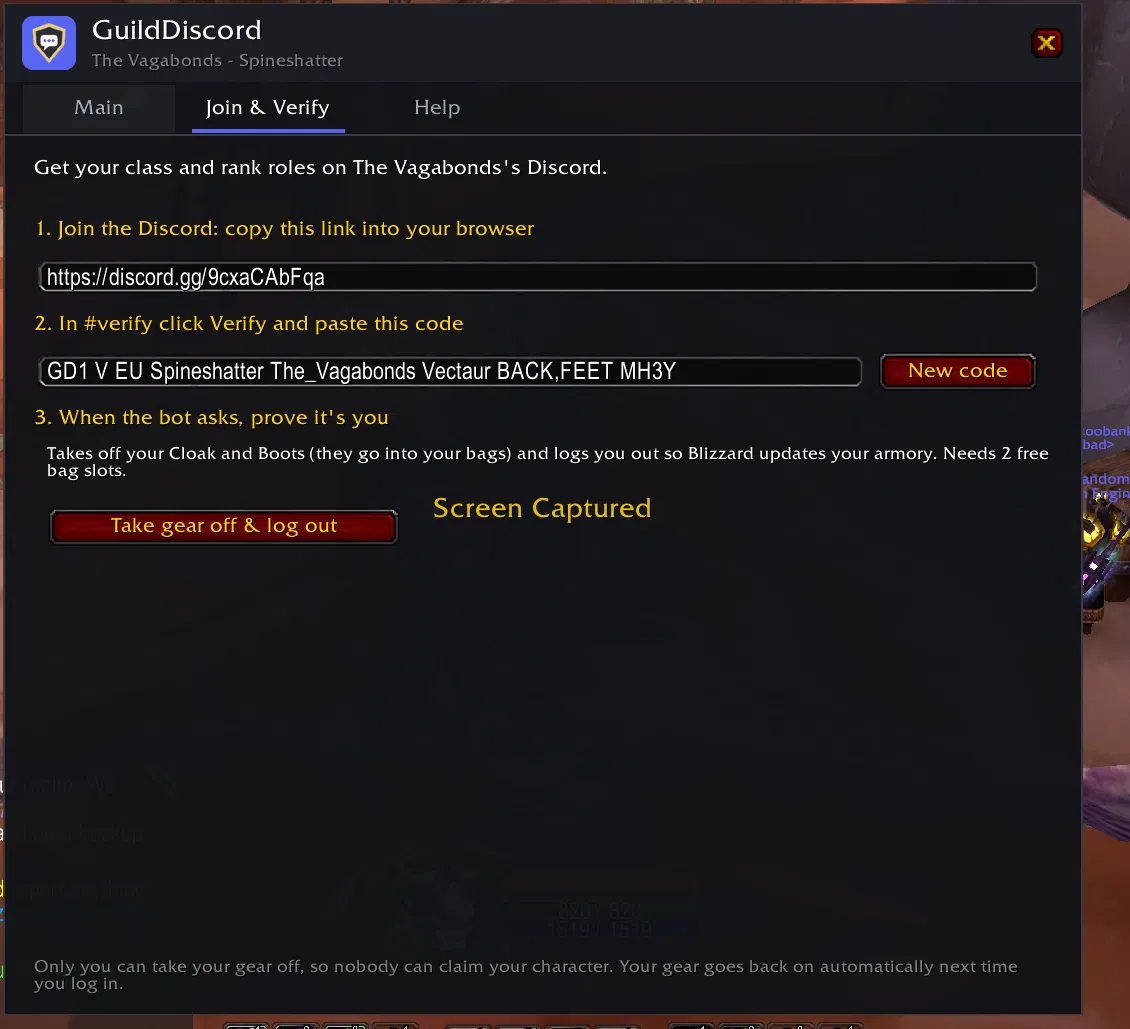
- 🎽 Click Take gear off & log out. A few minutes later the bot has created a class role for every class and one role per guild rank, named like your ranks, and posted a Verify button for members.
- 💾 Log back in: the window opens on the last step. Paste the invite the bot sent you and save. It goes into your guild info, so every member sees it.
Setup is available to ranks allowed to edit the guild info, and only while the guild has no Discord yet. Each guild has one Discord; only the Guild Master can move it to another server.
🧭 For members (two minutes)
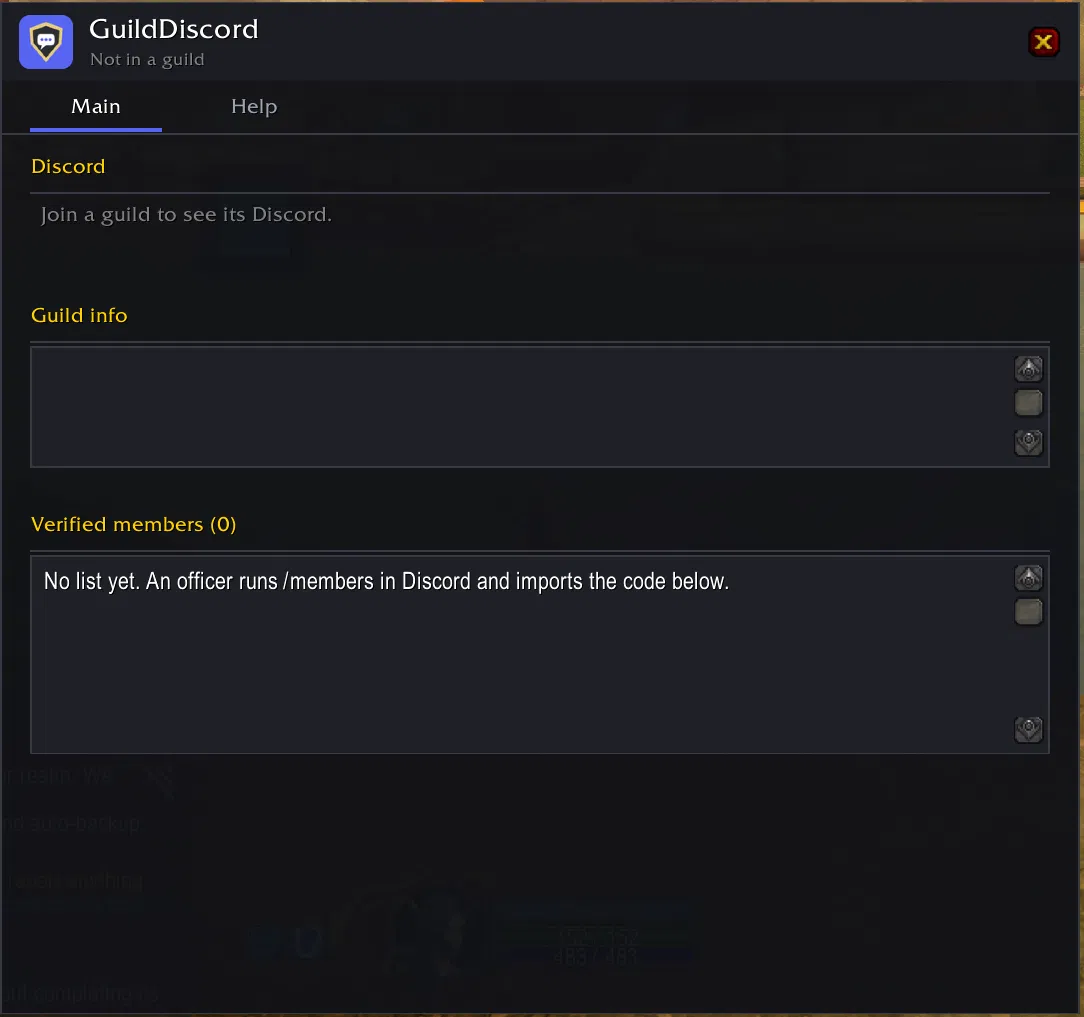
- 🪟 Open GuildDiscord. The Main tab shows your guild's Discord invite.
- 📋 In Join & Verify, copy your code. In Discord, click Verify and paste it.
- 🎽 Click Take gear off & log out. A few minutes later you have your roles, and your gear goes back on when you log in.
🎭 Verify each of your characters to get a class role for each; /main picks the one used as your nickname.
🏠 The Main tab
- 🔗 Your guild's Discord invite, or a note that the guild has none yet
- 📝 The guild info, editable right there by ranks allowed to (the invite can sit alongside your own text)
- 👥 Verified members and their Discord names, shared with the whole guild once an officer imports the list from
/members
🛡️ Why nobody can fake it
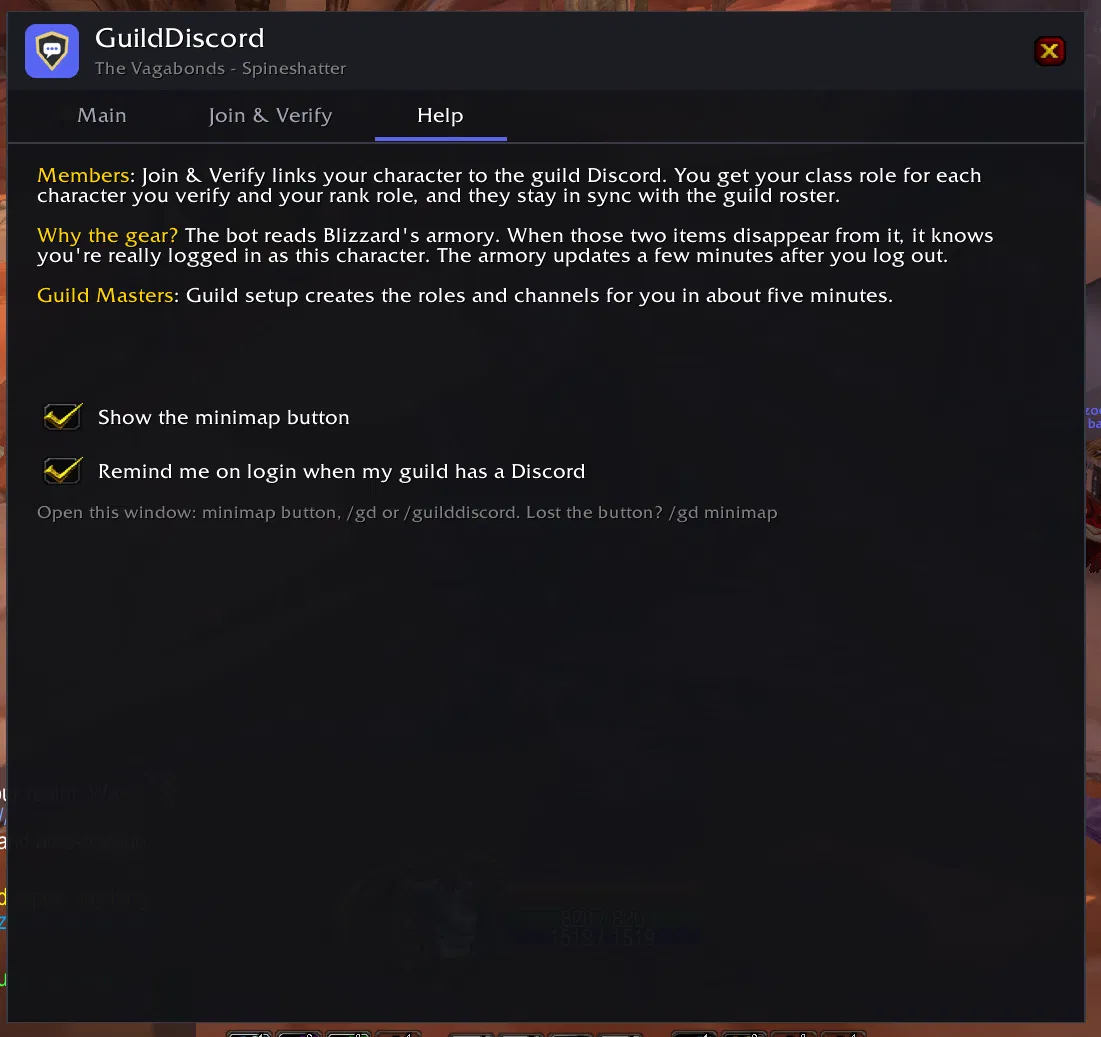
Your code names two pieces of gear you're wearing. The bot reads Blizzard's armory and waits for those items to disappear from it, which only the player logged in on that character can do. If two Discord accounts try to verify the same character at once, both attempts are cancelled and the character is locked for a while. 🔒
✅ Safe for your server
- 🧱 The bot only manages roles it created itself; your existing roles are never touched
- 🚦 If a roster update would remove many members at once (usually a Blizzard hiccup), nothing changes until an officer confirms
- 📜 Every role change is listed in an admins-only log channel, along with leavers, returns and level-70 dings 🎉
- 🗂️ Verification is per Discord server: a character only counts in the servers it was verified in
💡 Good to know
- ⏳ Verification takes a few minutes: Blizzard updates the armory shortly after you log out.
- 👀 Characters must be visible on the armory ("Share my game data with community developers" on in your Battle.net privacy settings, which is the default).
- 💬 Discord commands:
/members,/chars,/whois,/main,/unverify. - 🗺️ Open the window with the minimap button,
/gdor/guilddiscord.
☕ Support GuildDiscord
GuildDiscord is free, with no paywalled features. If it helps your guild, a coffee pays for hosting the bot and the time spent on updates. Thank you! 💜

GuildDiscord Team
