


Guild Scout
gst_recruitment_1.png
gst_inspecter.png
gst_settings.png
Description
Guild Scout
Guild Scout is a recruitment assistant for World of Warcraft Anniversary. It helps guild recruiters discover nearby guildless players, maintain prospect records, inspect equipment, and organize recruitment workflows.
The recruiter database persists across reloads, relogs, and future play sessions. All data remains local in World of Warcraft SavedVariables.
Find Potential Recruits
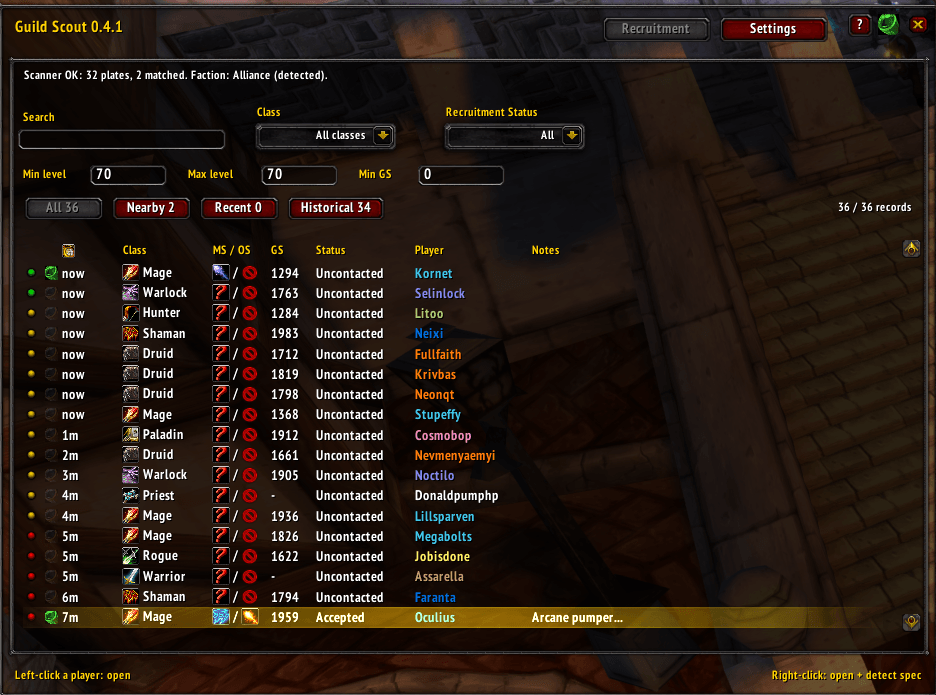
Scan nearby players and discover characters matching your recruitment criteria.
Filter the Recruitment table by:
- Level range
- Class
- Recruitment status
- Observation status
- Minimum GearScore when TacoTip is available
- Player name or notes
Friendly Name Plates must be enabled for nearby-player discovery. Guild Scout documents this requirement but never reads or changes the setting automatically.
Scanning can be started or stopped from the workspace header or by right-clicking the minimap button. Automatic scanning at login is optional and disabled by default.
Persistent Recruiter Database
Guild Scout maintains records containing:
- Notes
- Recruitment status
- Main and off spec
- Last-seen information
- GearScore
- Equipment snapshot
- Inspection status
- Meaningful record-update count
Status, specs, and notes save automatically. Records remain available until removed through Selective Purge or Factory Reset.
Equipment and Spec Inspection
Inspect a supported nearby player to capture a timestamped equipment snapshot and detect their primary spec from their talent trees.
Captured equipment remains available after the player leaves and supports standard item tooltips.
For a faster workflow, right-click a Recruitment row to open the player record and begin inspection immediately.
Recruiter Interface
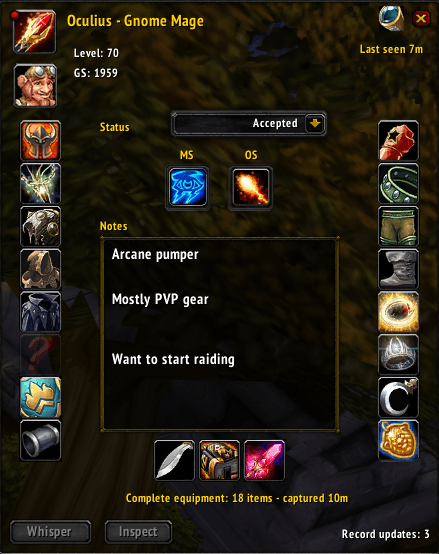
The Selected Recruiter window uses a compact, Classic-inspired equipment layout with:
- Class and race portraits
- Level and GearScore
- Presence and last-seen information
- Main and off-spec controls
- Recruitment status
- Scrollable notes
- Equipment tooltips
- Whisper and Inspect actions
The Recruitment and Selected Recruiter windows can be positioned independently.
Minimap Button
The draggable minimap button supports both round and square minimaps:
- Left-click: Open Guild Scout
- Right-click: Start or stop scanning
The button changes color to show whether scanning is active.
Backup and Transfer
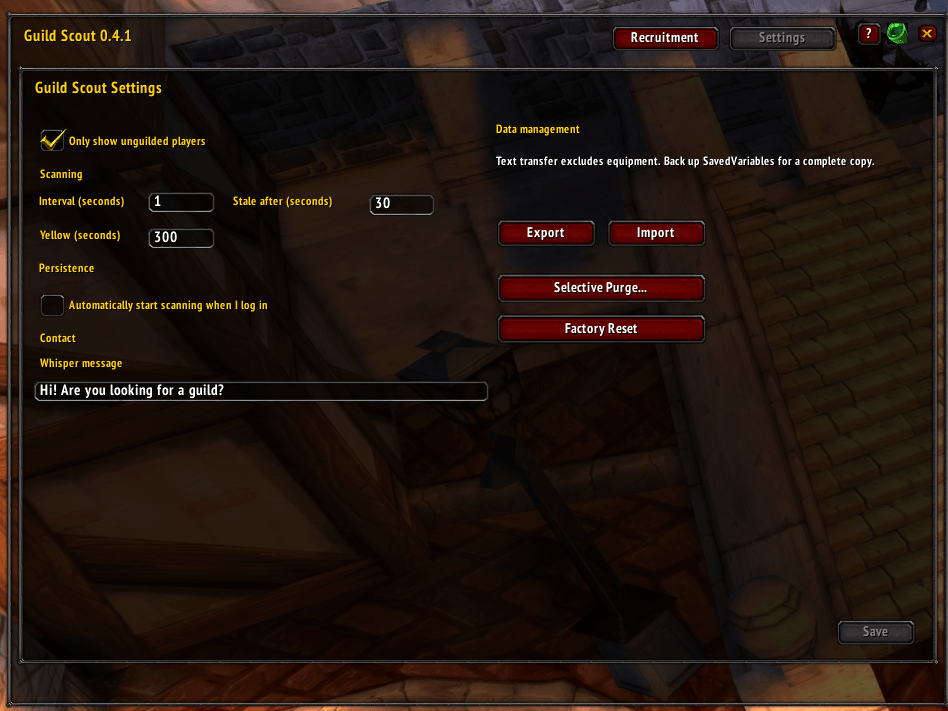
Export recruiter records for backup or transfer, then import them later.
The text transfer format includes recruiter data but excludes equipment snapshots. Back up Guild Scout SavedVariables when a complete backup, including captured equipment, is required.
Settings also provides:
- Selective Purge with preview and confirmation
- Select All support
- Factory Reset with confirmation
Diagnostics and Support
Use:
/guildscout debugThis produces a sanitized scanner report containing lifecycle state, aggregate unit counts, filter statistics, and scanner errors.
Diagnostic reports do not include player identities. Development builds also include a Diagnostics panel; stable releases keep diagnostics available through the command.
Slash Commands
Open Guild Scout with:
/gst
/guildscout
Additional commands are available for scanning, status, configuration, exporting, filtering, and diagnostics.
TacoTip Integration
When TacoTip is installed, Guild Scout automatically imports cached GearScore values during scans. No additional configuration is required.
Blizzard API Boundaries
Guild Scout assists recruiters without automating player interaction.
It does not:
- Send whispers automatically
- Target players automatically
- Inspect arbitrary offline characters
- Change Friendly Name Plates or other game settings
- Upload player data anywhere
Inspections and whispers require explicit user actions and supported Blizzard unit information.
Privacy
Guild Scout only stores information available through Blizzard’s addon API or entered manually by the user. All records remain local in your World of Warcraft SavedVariables.
Feedback
Bug reports and feature requests are welcome.
When reporting scanner problems, include the sanitized output from:
/guildscout debugThe Guild Scout Team
