Guild Ledger Forever - Sync Recipes/Gear/Map-Location/Talents
- By
Guild Ledger Forever
Made for the guild End Game, and available for any guild to use.
Guild Ledger keeps useful guild information in one easy-to-read window. Find someone who can craft what you need, check a guildmate's gear and spec, or catch up on recent guild loot.
Built for WoW Forever (Camelot). It works on its own, with no extra addons required.
Get to know your guild
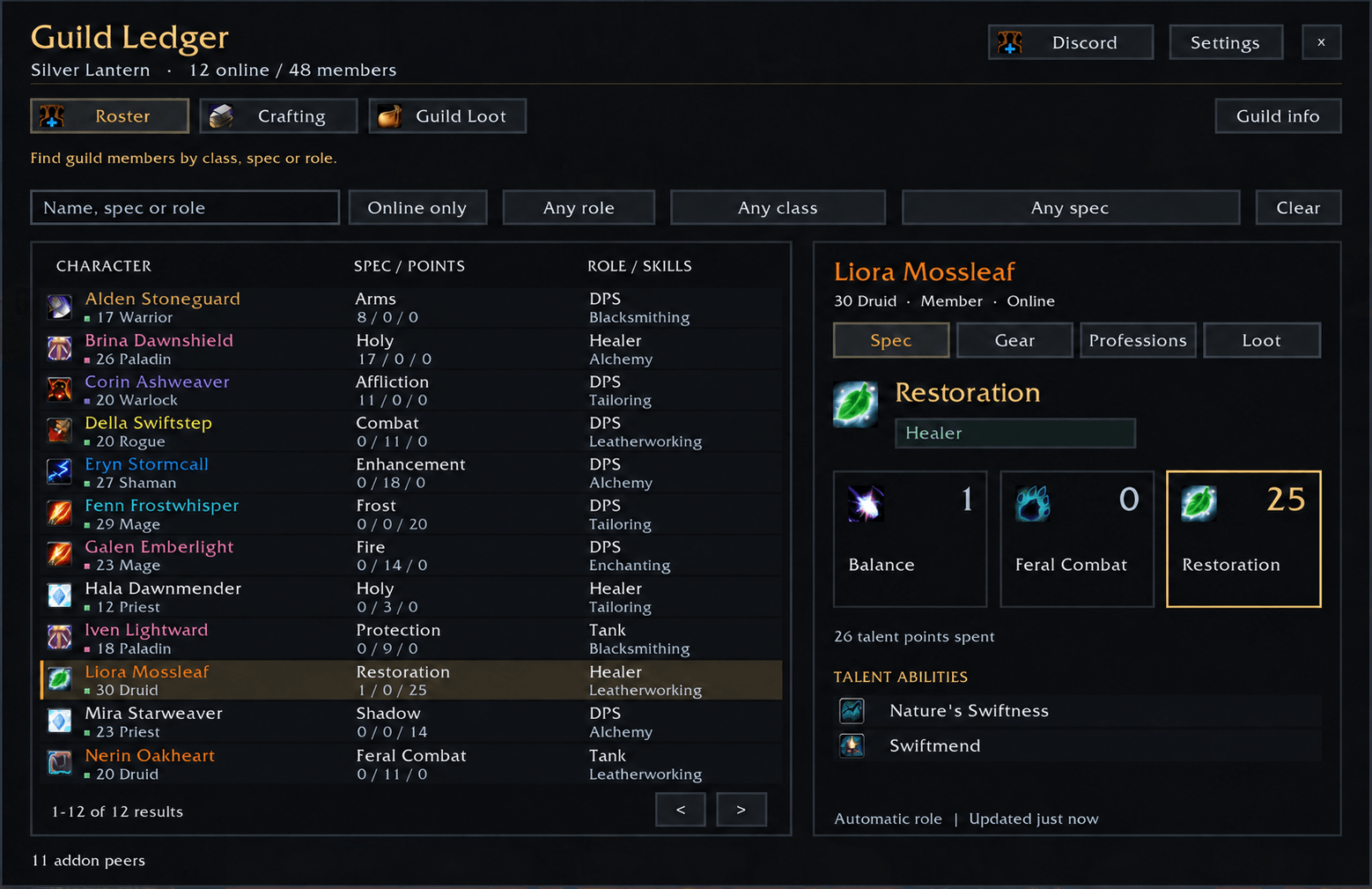
Browse members by name, class, spec or role. See their level, equipped gear, talents and professions. Roles are suggested from their spec, and members can choose their own role in Settings.
Find a crafter
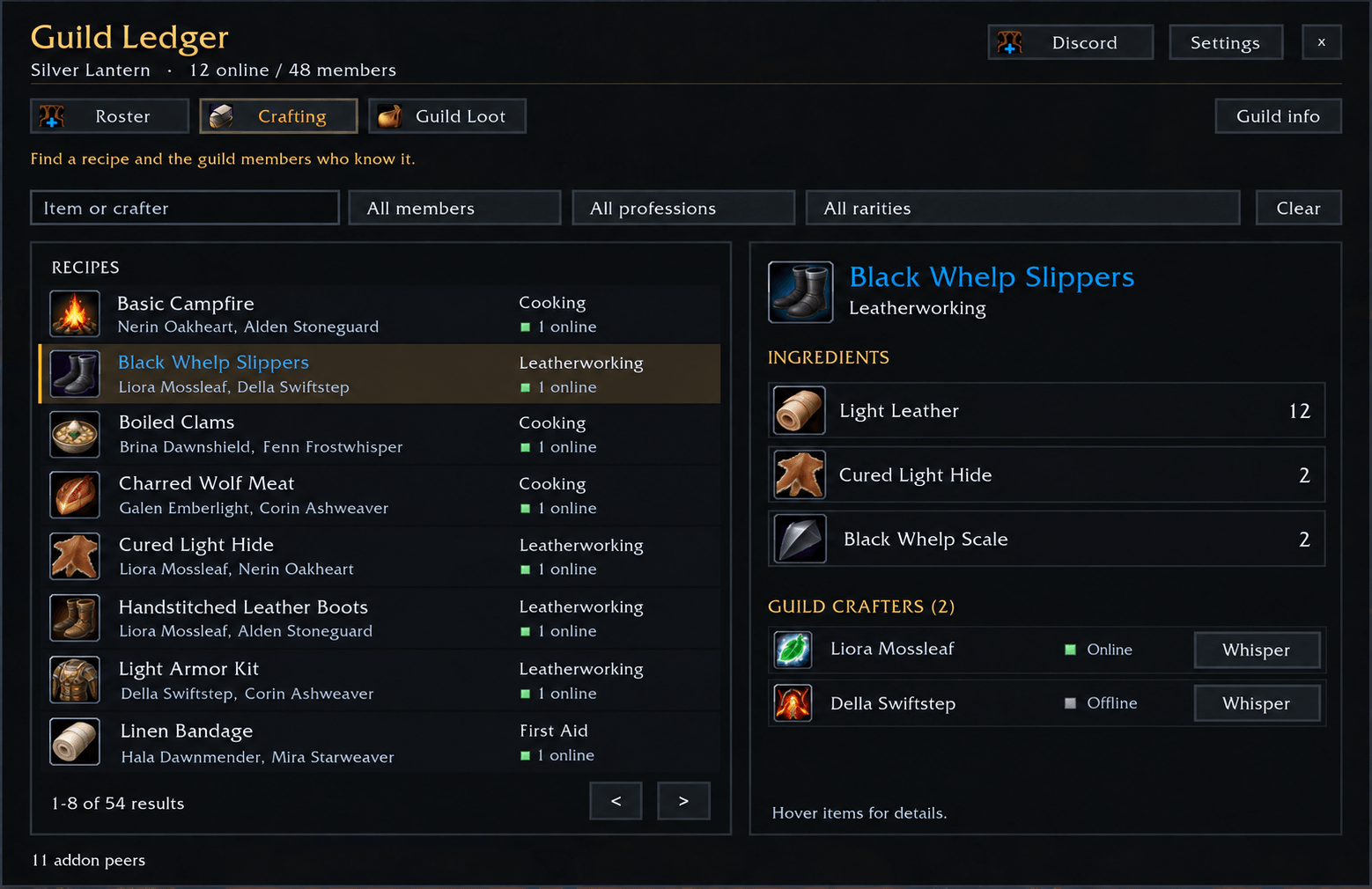
Search for an item and see which guild members know the recipe, what ingredients it needs, and who is online. Use the Whisper button to contact a crafter.
Filter recipes by profession, rarity or item binding. Bind-on-pickup items are hidden by default, with an option to show them.
Keep up with your guild
- Shared loot feed: see recent items received by members using the addon, with up to seven days of history. Blue items and above show by default; authorized officers can include greens too.
- Guildmates on the map: see class-colored markers on zone and continent maps. Hover for their name, level, class and spec when known. Map display and location sharing are on by default for new users; either can be turned off in Settings.
- Your guild's Discord: the guild master can set an invite link for members to copy.
Getting started
- Install and enable Guild Ledger for your WoW Forever client. For a manual install, put the GuildLedger folder inside Interface/AddOns.
- Type /gl or click the minimap button to open it.
- Open each profession window once to share your recipes.
- Ask your guildmates to install it too. Their details fill in as they share information through the addon.
The first sync can take a little time in a large guild. Loot is recorded from supported item-receipt messages while members use the addon, so it is not a complete record of everything the guild has ever looted.
Guild Ledger does not scan bags, banks, material supplies or guild notes. Location sharing works outside instances and does not save a location history.
Help and source code
Report a problem · Source code and instructions
Leave a comment for any features you want and I can add it if its feasible.
All Rights Reserved. Bundled libraries keep their own licenses.
Guild Ledger Forever - Sync Recipes/Gear/Map-Location/Talents Team