Guild Dungeon Forever
- By
1-open-now.png
2-calendar.png
3-my-group-applicant.png
4-add-guild-member.png
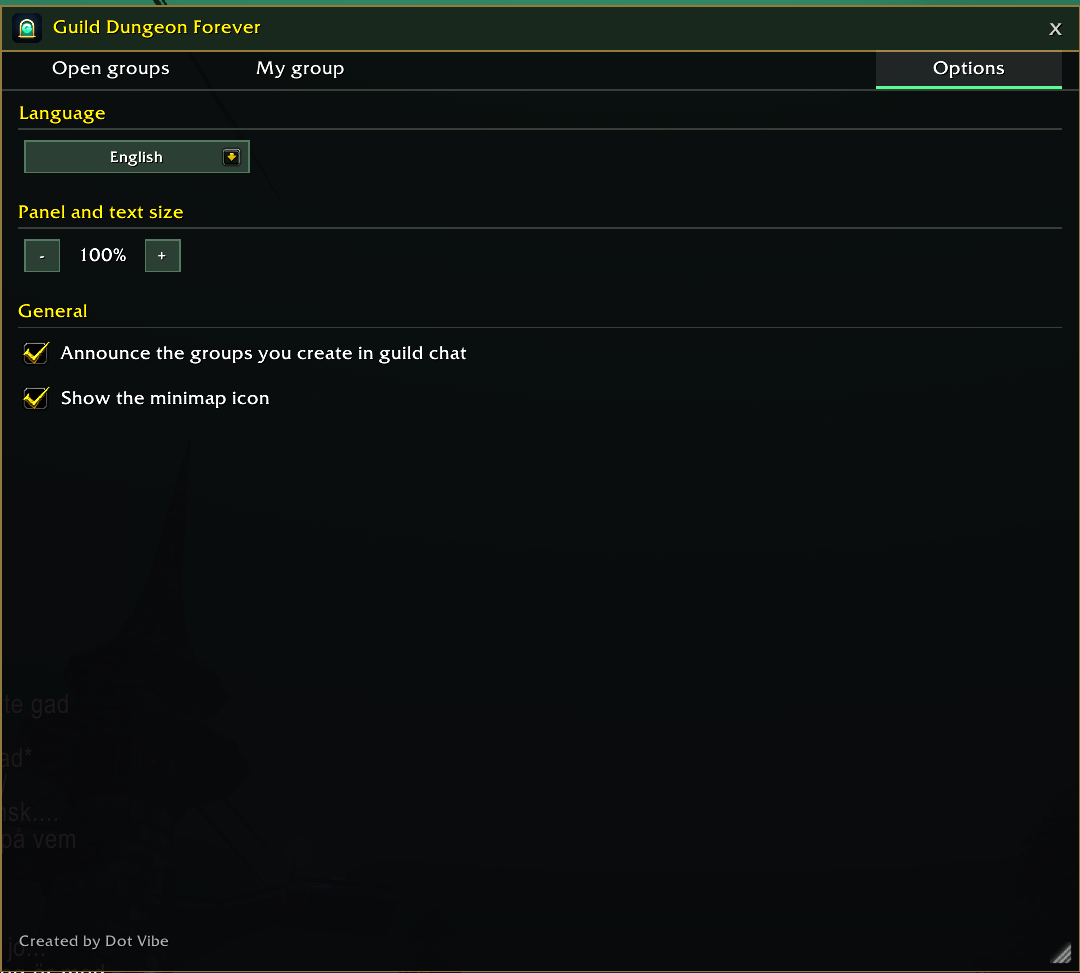
6-options.png
Description
Guild Dungeon Forever
Find a group for your dungeon inside your own guild.
Why I made it
One of the things that made vanilla WoW special was the sense of community and of belonging to your guild. On WoW Forever, though, I often see players who have a guild but still end up running dungeons in pugs instead of getting together with their guildmates.
That's why I made Guild Dungeon Forever 🙂 Whoever wants to run a dungeon creates the group with tank, healer and DPS slots, and the other guild members sign up with their role, with no spam in chat. The goal is to make it easier to play together inside the guild and to help the community grow a little.
What it does
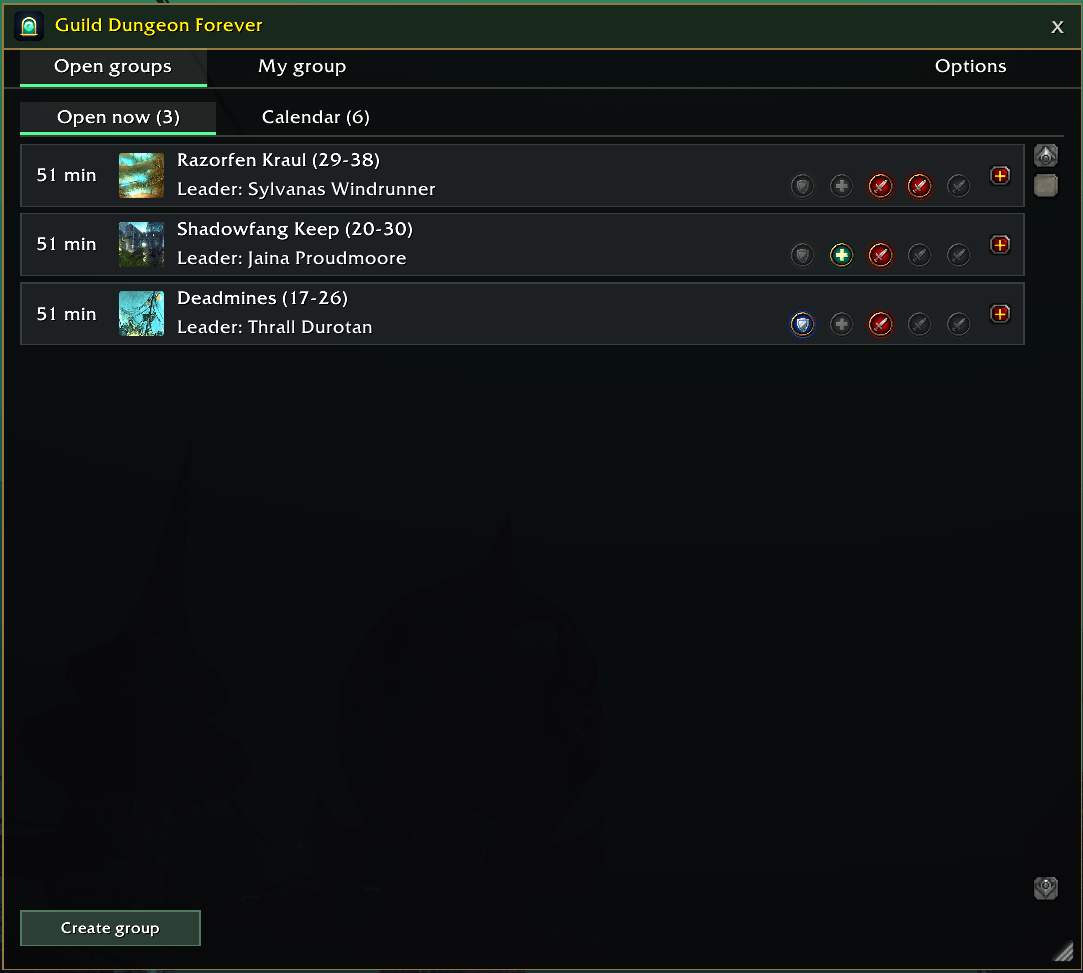
Guild Dungeon Forever lets you open a group for a 5-player dungeon, right now or for a day and time of the next week, and lets your guild members apply for a role with one click. Everything happens in a small panel: no more "LF healer for SFK" lines lost in guild chat.
Made for World of Warcraft: Forever.
Features
- Open a group in seconds: pick the dungeon (the ones that fit your level are highlighted), your role and an optional note.
- Schedule groups ahead: choose "Start now" or "Plan ahead" with a day of the next 7 days and a start time (every 15 minutes). Guild members can apply right away; at the start time the usual 60-minute timer begins.
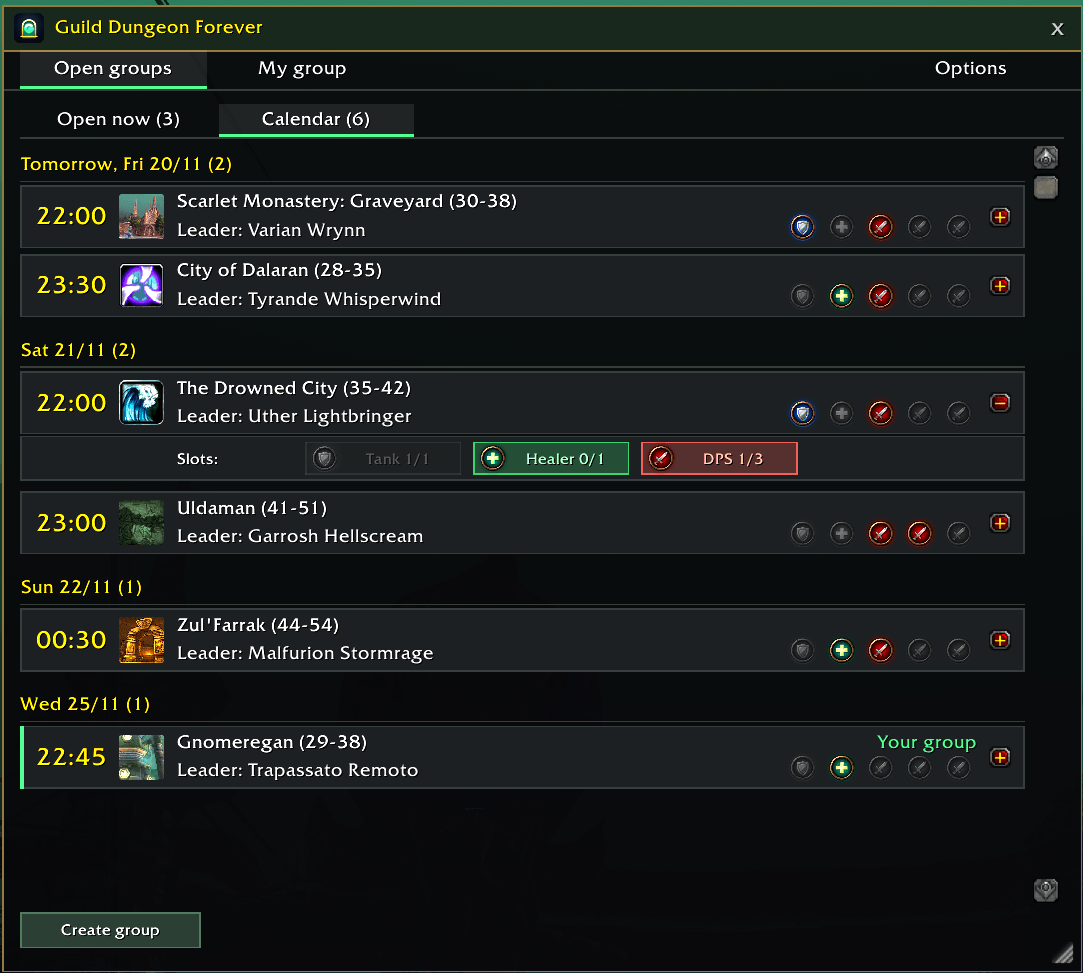
- Calendar: "Open groups" has two tabs, "Open now" and "Calendar". The calendar lists the scheduled groups by day ("Today", "Tomorrow", "Wed 18/11"…), one compact row each with start time, dungeon, leader and slots; click a row to apply.
- Up to 5 groups at once: one that starts now and others scheduled, at least one hour apart. Switch between them with the small tabs in "My group".
- Apply even if the leader is offline: your application waits in a queue ("Queued") and reaches the leader as soon as they log back in.
- One group now, many in the calendar: you can be in one group that is open now at a time, and apply to as many calendar groups as you like.
- Fixed role slots: 1 Tank, 1 Healer, 3 DPS, as in every 5-player dungeon.
- Only the roles your class can play: a Warrior can apply as Tank or DPS, a Priest as Healer or DPS, a Mage only as DPS, and so on.
- Apply with one click: guild members see all open groups and click the colored role they want (blue Tank, green Healer, red DPS) with its free slots, e.g. "Healer 0/1". The tooltip tells you why a role is not available.
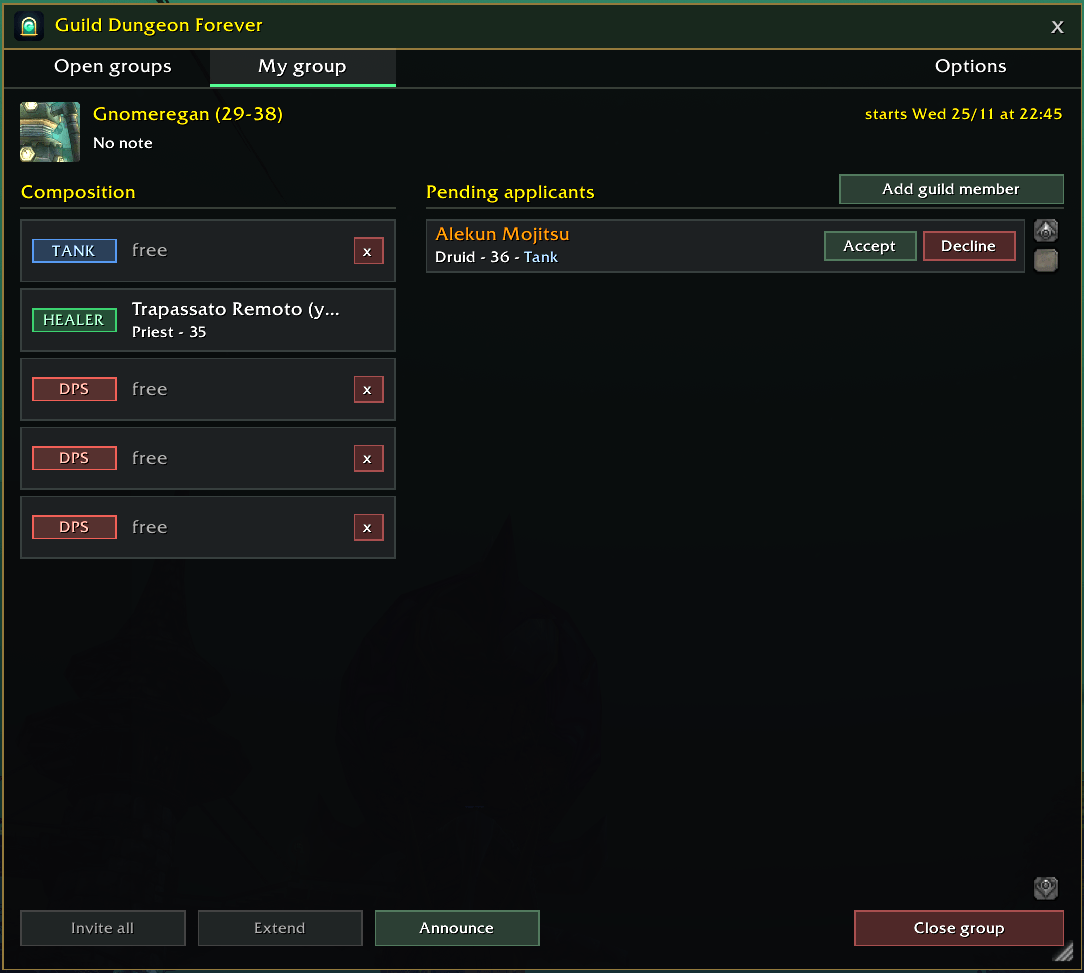
- Accept or decline applicants from the "My group" tab, with their class and level, and remove an accepted member with the red X (for example if they went offline).
- Invite everyone to the party with one button once the group is ready.
- Announce button: one line in guild chat with the roles you still need, e.g. "[GDF] Razorfen Kraul (29-38) by Dot Vibe is looking for: Tank x1, DPS x2." (at most once every 2 minutes).
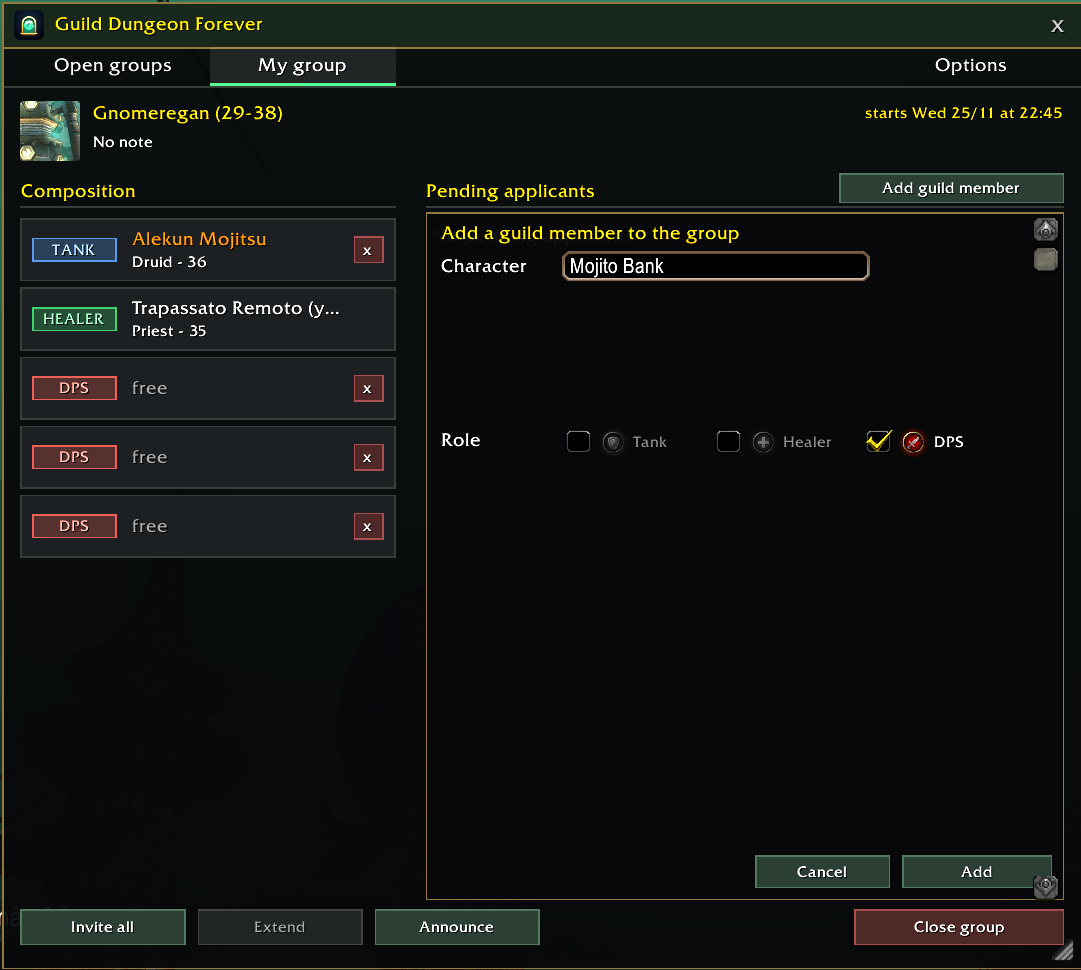
- Players without the addon: mark a slot as taken with the red X, so nobody applies for it.
- See who is in a group: hover a group to see its members with class, level and role.
- Dungeon icons for all 34 dungeons of Forever, new ones included.
- Guild chat announcement when you open a group, for guild members who don't have the addon yet, with the start time for scheduled groups (on by default, you can turn it off in the Options tab).
- Groups expire 60 minutes after they start (extendable by 30 minutes at a time, as long as it doesn't overlap your next group), or when the leader stays offline after the start.
- English and Italian, chosen from a drop-down menu in the Options tab.
- Minimap button to open the panel; you can drag it around the minimap or hide it.
- Clean dark panel that you can move and resize by dragging the bottom-right corner, and scale from 80% to 150% (text included) in the Options tab; position, size and scale are saved.
How to use
- Click the minimap button (or type
/gdf) to open the panel. - To lead: click "Create group", choose the dungeon, your role, a note and when it starts ("Start now" or "Plan ahead" with day and time), then confirm. Accept applicants in the "My group" tab and click "Invite all" when it's time.
- To join: in "Open groups", look in "Open now" or in the "Calendar" and click the role you want. You get a message when the leader accepts or declines you.
Only guild members who have the addon can see the groups and apply.
Commands
The panel does everything; commands are optional.
/gdfopens or closes the panel/gdf helplists all commands/gdf list,/gdf create <dungeon> <role> [note],/gdf apply <n> <role>/gdf statusshows the version and the groups seen
Privacy
The addon talks only to your guild, with hidden addon messages: nothing appears in any chat channel, except the guild chat announcements you choose to send (when you open a group, if enabled, and with the Announce button).
Donation
If you'd like to support the development of Guild Dungeon Forever, you can do so via PayPal. Thank you!

License
All Rights Reserved. You may download and use this addon to play World of Warcraft; you may not redistribute or republish it without permission.
Guild Dungeon Forever Team