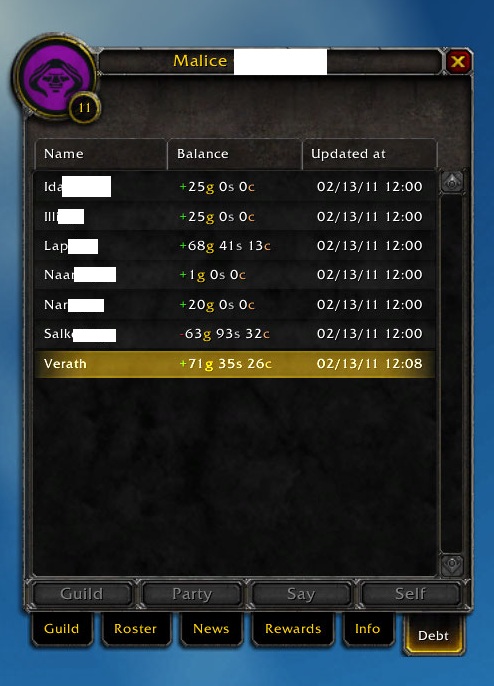
GUI in version 2.0.0-beta. The GUI, attached to the guild roster (sorted by name).
Description
What it is
An addon to keep track of who uses the guild money.
Before using
Visit your guild bank to update the addon (this seems to be the only way for an addon to access the guild money log). Also make sure you visit the guild bank regularly to keep the addon updated.
Usage
GUI
The GUI was added in version 2.0.0-beta and should provide a much easier way to view the data the addon collects. The GUI can be found as a new tab on the guild roster (press J) and features both sorting and multiple char info output.
Clicking a character name will select it, shift + click will add the name to the current selection. When you got the characters you want to display information about selected, click the button at the bottom bar that corresponds to where you want to info to be printed.
Chat commands
/gdt <name>[ <chat type>] - Displays <name>'s money balance in <chat type>.
<name> - The name of the character you want information about. One can also use %p and %t instead of the player's/target's name.
<chat types> (optional) - One of the following chat types; self (default), guild or g, party or p, say or s.
Examples
"/gdt abc" - Displays Abc's balance to you.
"/gdt abc p" - Displays Abc's balance to the party chat.
"/gdt %p" - Displays your balance to you.
"/gdt %t g" - Displays your target's balance to the guild chat.
The Guild Debt Team


Owner