Guild Control
- By
Guild Control is a lightweight guild management addon for World of Warcraft, designed to make managing guild members easier through a clean and organized interface.
WoWScrnShot_101626_135741.jpg
WoWScrnShot_101626_135723.jpg
WoWScrnShot_101626_135732.jpg
WoWScrnShot_101626_135736.jpg
Description
Guild Control is a lightweight guild management addon for World of Warcraft Classic+ / WoW Forever, bringing member management, guild information, ranks, and recruitment together in a clean, familiar WoW interface.
Whether you are a Guild Master, an officer, or a member helping your guild grow, Guild Control keeps useful tools within easy reach. Administrative actions follow your character’s guild permissions.
How to Open
Type /guild or /guildcontrol in chat to open the addon.
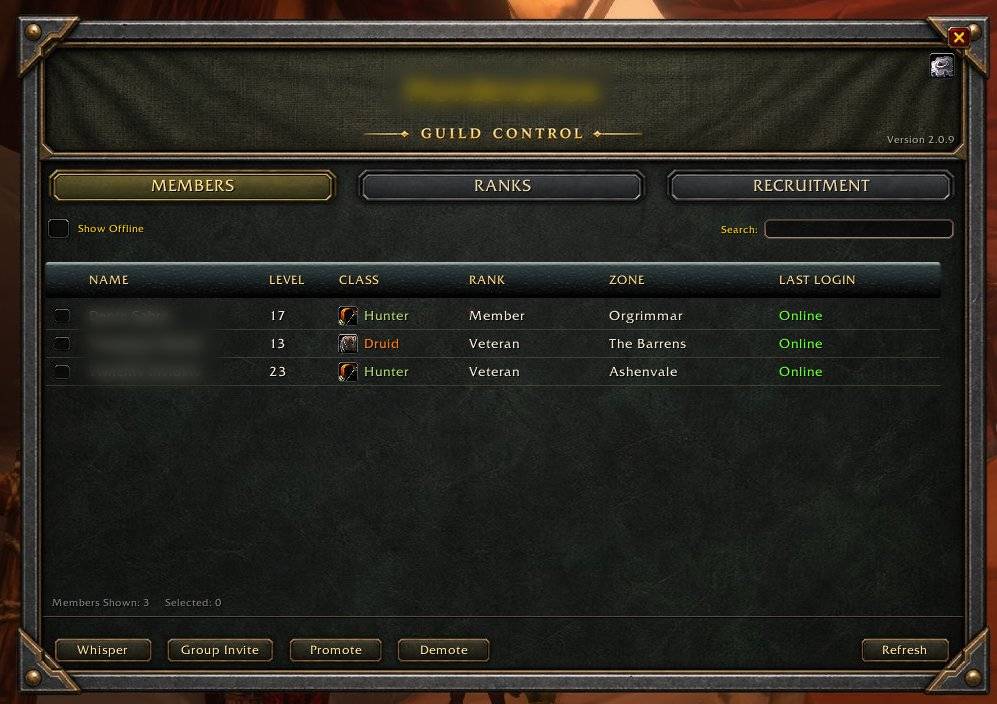
Members
Browse your guild roster and handle everyday member management from one organized page.
- Guild Roster: View member names, levels, classes, ranks, and last online activity.
- Search & Sorting: Quickly find members and organize the roster.
- Online Filtering: Show or hide offline members.
- Multiple Selection: Select multiple members for supported actions.
- Whisper: Send messages to selected members.
- Group Invite: Invite guild members to your party.
- Promote & Demote: Adjust member ranks according to your guild permissions.
- Guild Notes: Read public and officer notes through tooltips when permitted.
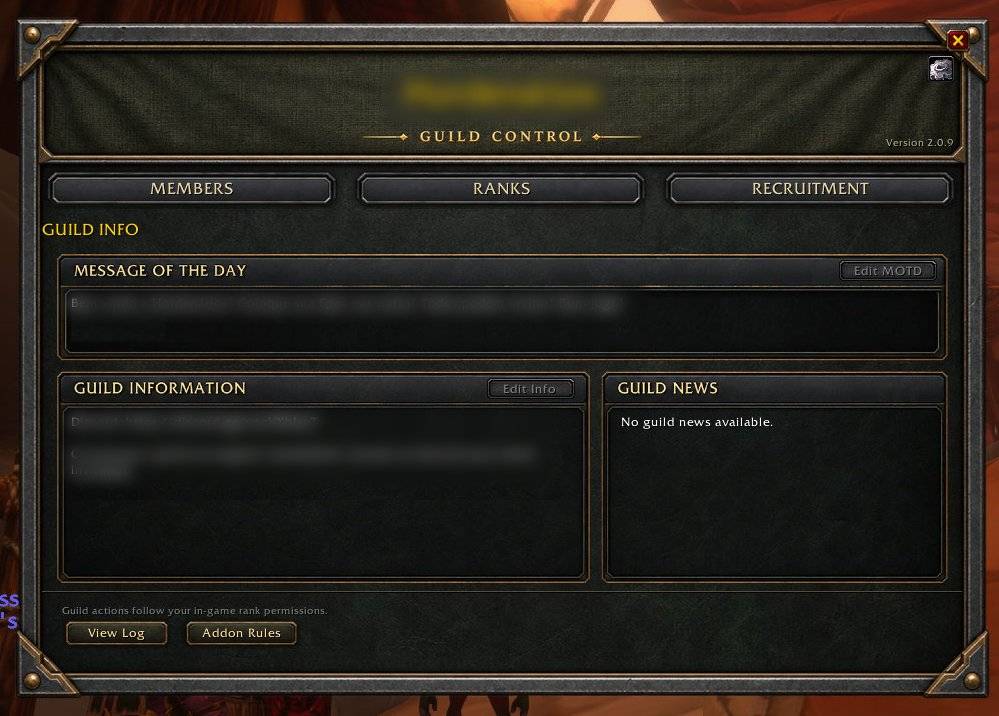
Guild Info
Keep guild information and addon guidance easy to find.
- Guild Information: Read your guild’s information in a dedicated, scrollable area.
- Usage Guidance: Review the addon’s basic rules and behavior.
- Central Navigation: Access Members, Ranks, and Recruitment from the main window.
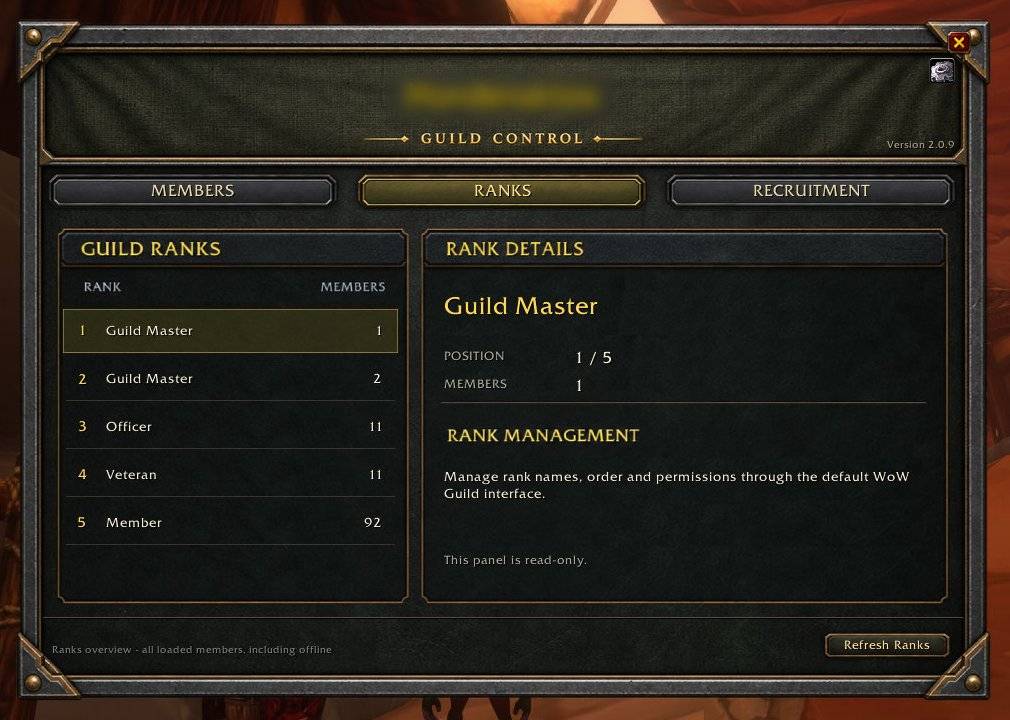
Ranks
Access guild rank management through the game’s native tools.
- Ranks & Permissions: Use the built-in guild controls to manage your guild’s hierarchy.
- Permission Awareness: Available actions depend on your character’s authority within the guild.
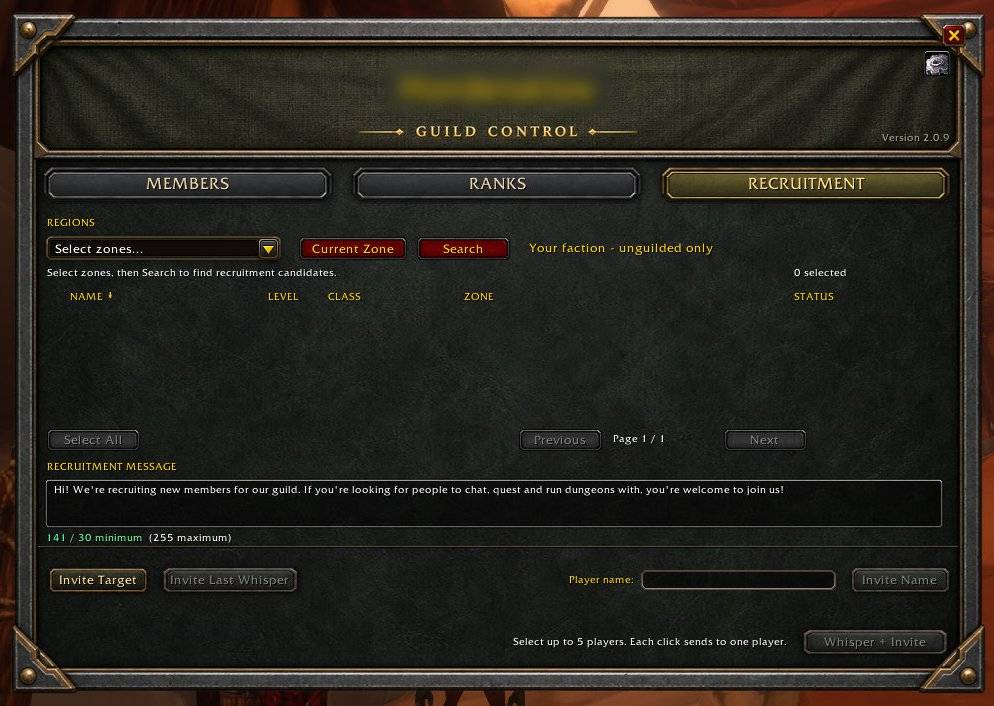
Recruitment
Organize recruitment and reach potential members from a dedicated page.
- Recruitment Filters: Narrow your search using the available filters.
- Candidate List: Review potential recruits before taking action.
- Recruitment Message: Prepare the message used to introduce your guild.
- Whisper & Guild Invitations: Contact candidates and invite them when your guild permissions allow it.
- Invite Target: Start the invitation flow for your current target without adding them to the candidate list first.
- Built-in Anti-Spam Rules: Fixed cooldowns and repeat-contact limits help prevent excessive recruitment messages. These safeguards apply to everyone, including the Guild Master.
Designed for Everyday Guild Management
- A clean interface inspired by the original WoW UI.
- Useful tools for Guild Masters, officers, and participating members.
- Administrative actions that respect existing guild permissions.
- Recruitment safeguards built into the addon.
Spend less time managing windows and more time playing with your guild.
Guild Control Team