GuideMe
- By
01-capa.jpg
02-parada.jpg
03-seta.jpg
04-estilos-de-seta.jpg
05-temas.jpg
Description
guide.me
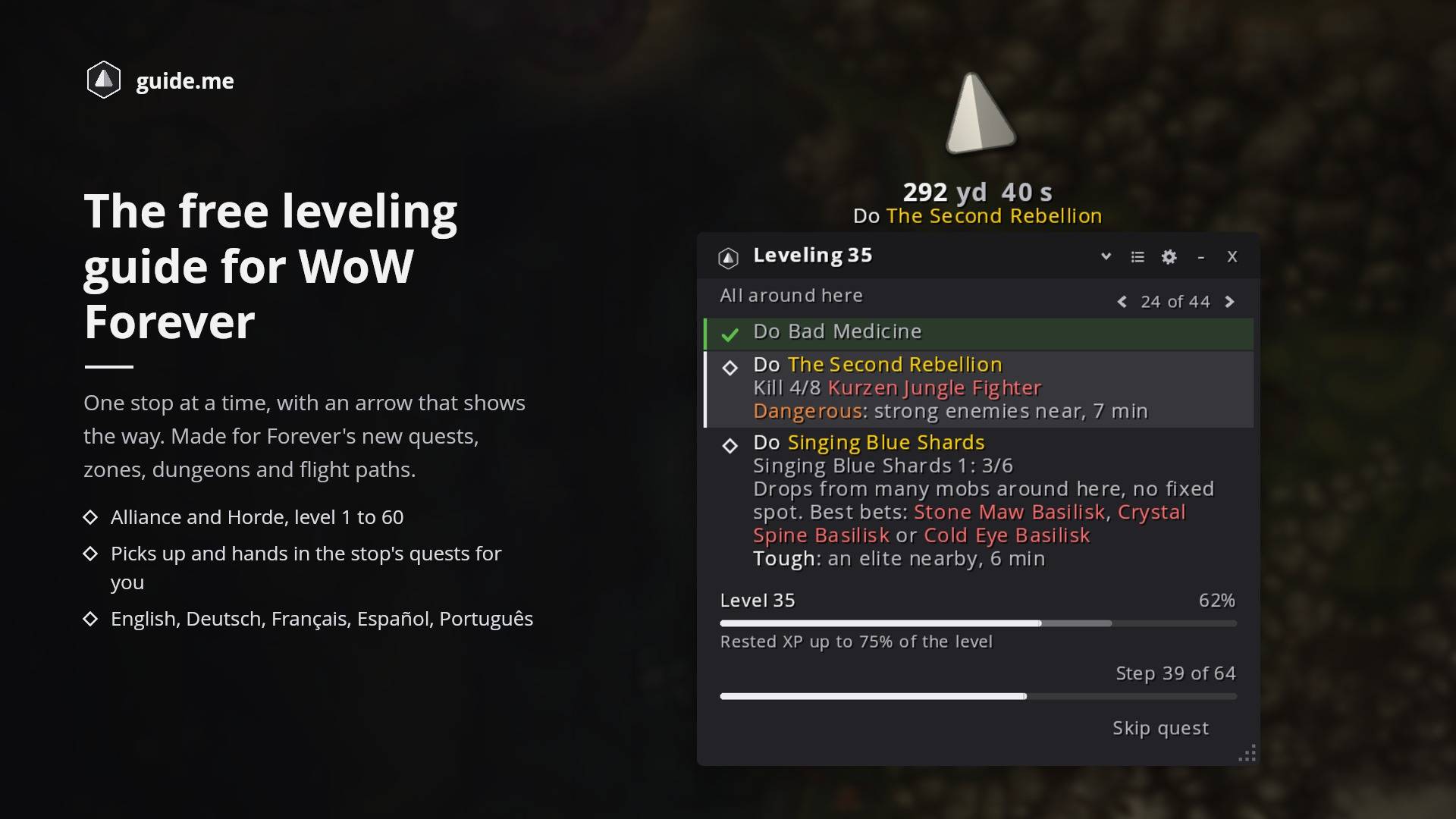
A free 1-60 leveling guide for WoW Forever, for the Alliance and the Horde, that knows Forever's new quests.
guide.me shows what to do next, where it is and how to get there. The route was computed from quest data: each zone is split into level ranges, elite quests and quests that give too little XP for the time they take are left out, and dungeons fill the gaps where solo quests run out. Forever's new quests are part of the route.
What you get
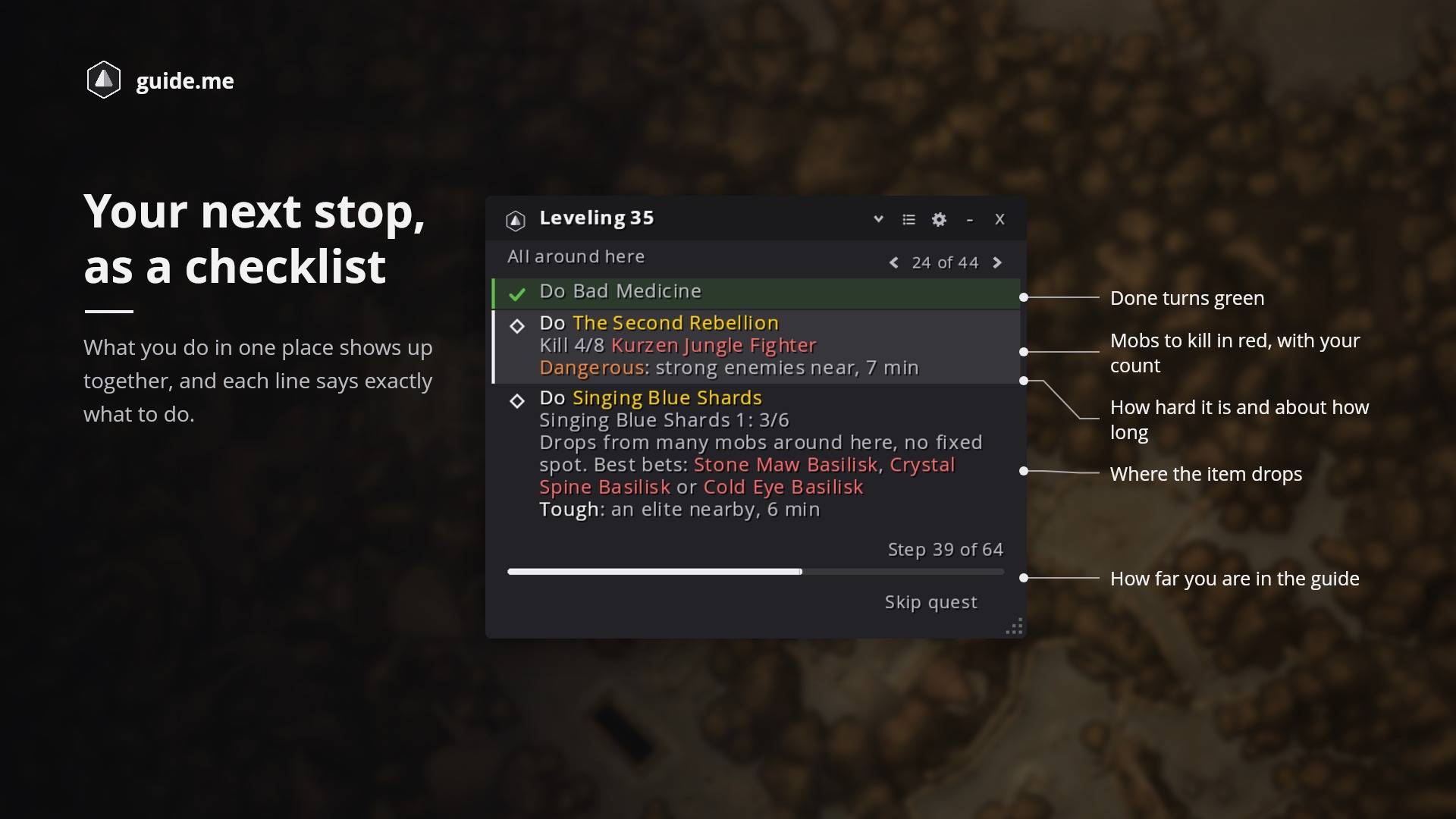
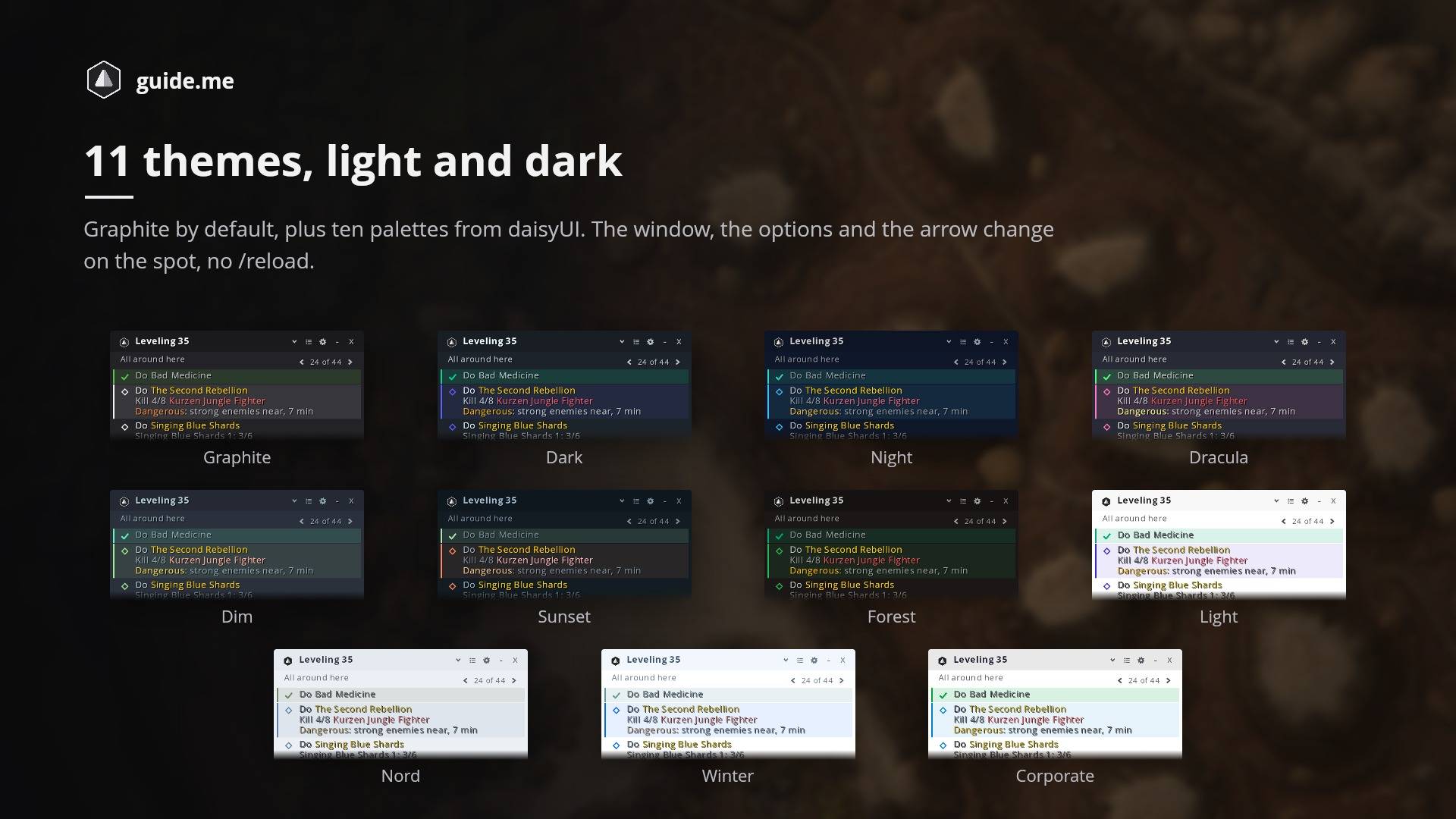
- Step window: the current stop as a checklist (talk to an NPC, turn in a quest, pick up the next ones). Lines tick themselves when you accept, complete or turn in a quest, and the window moves on by itself.
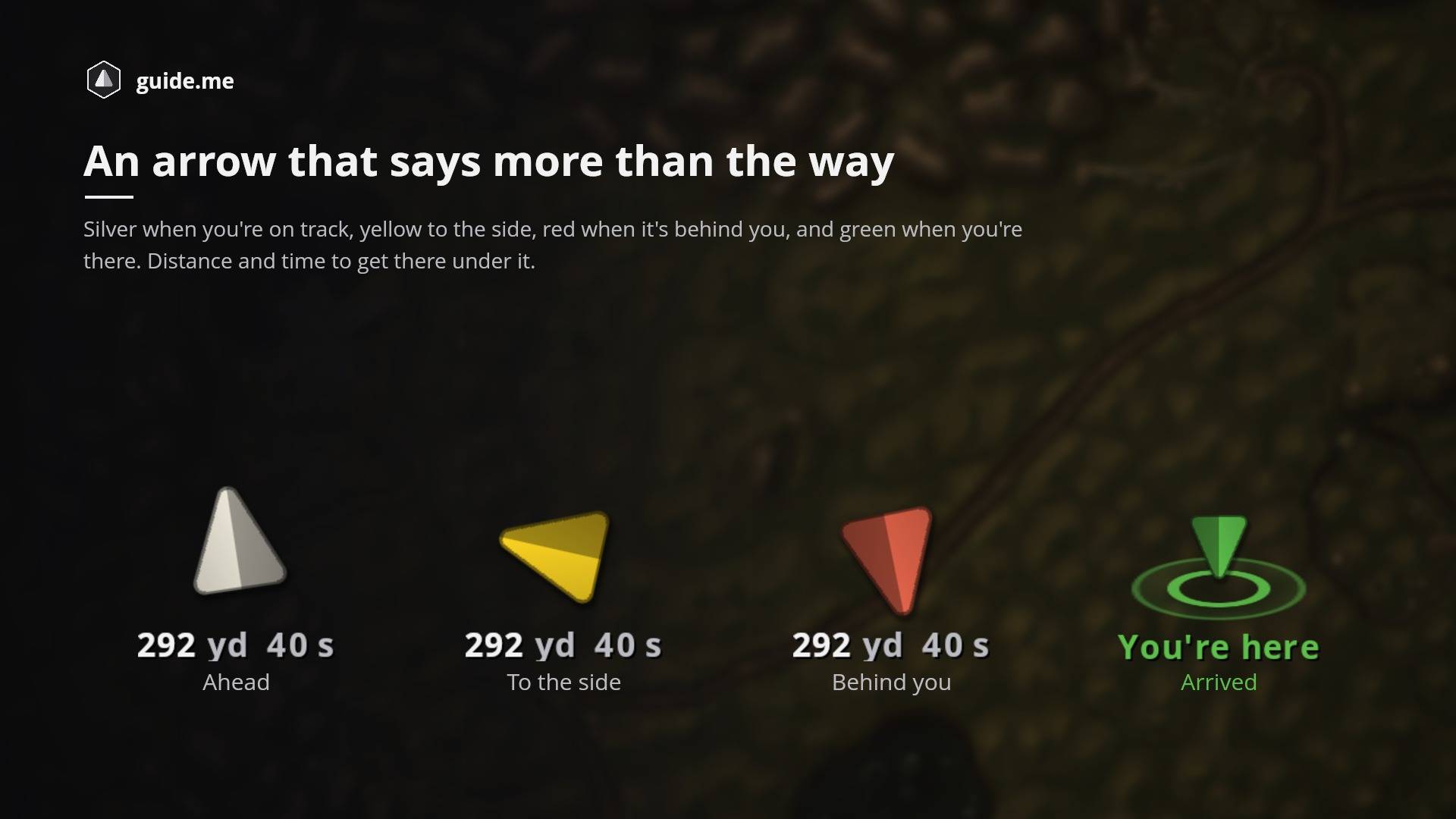
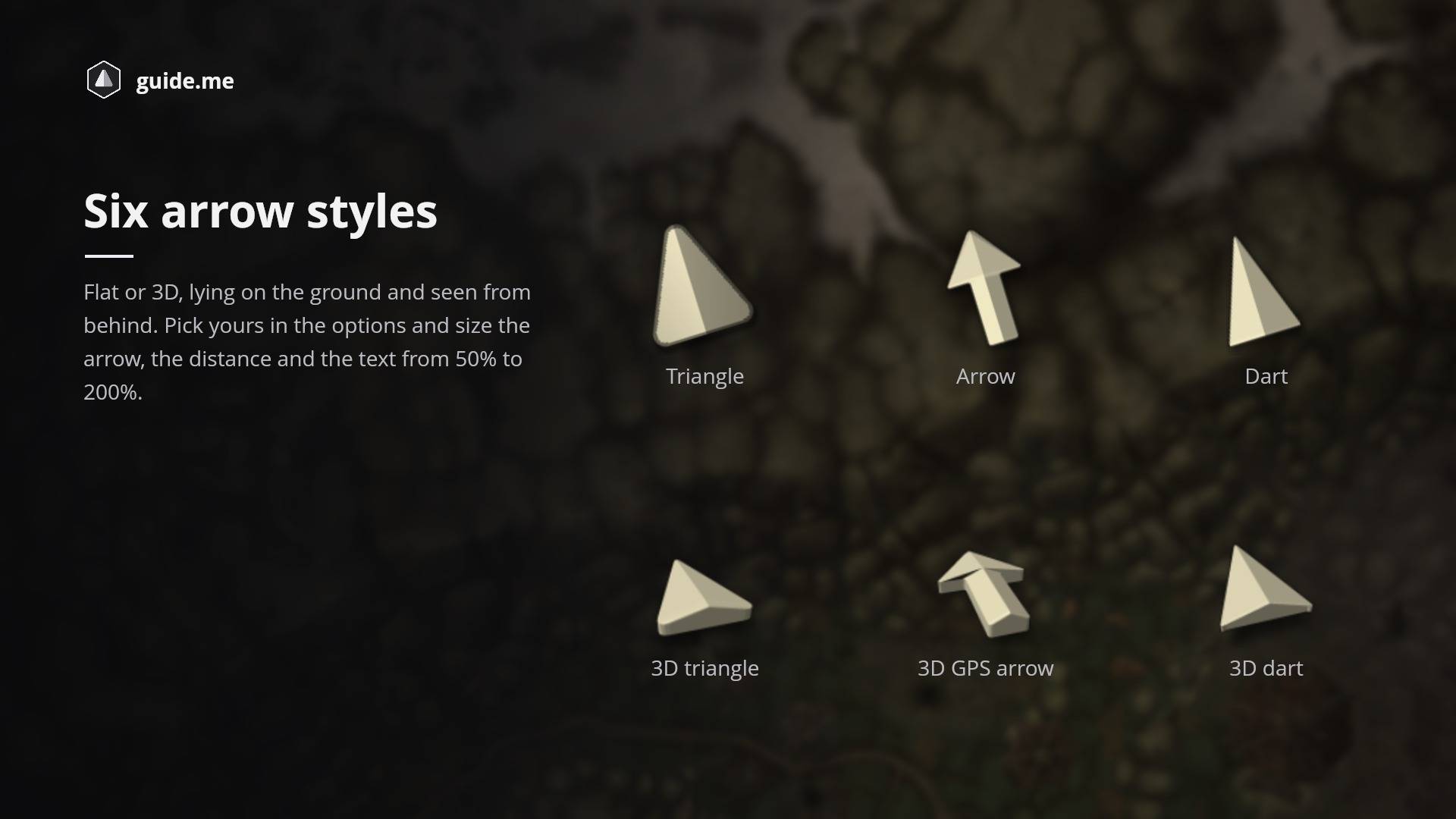
- Waypoint arrow: points to the next stop, to the nearest spot for your objectives, or to your corpse when you die, with the distance and about how long it takes. It lands when you arrive.
- Map and minimap: a dot on the destination with a thin line to it, and the objective areas marked on both maps.
- Travel planner: when the next step is in another zone (or far in this one), it plans the trip with the flight paths you know, the Deeprun Tram, boats, zeppelins, the Rut'theran portal, your hearthstone and your class teleports (mage, druid, the shaman's Astral Recall: one click on the arrow casts it). On the flight master's map, the node to fly to is highlighted.
- Death as a shortcut: when the nearest graveyard is right by your target and the walk is long, it suggests dying on purpose and reviving at the spirit healer (only when it saves a lot; never in Hardcore). As a ghost, the arrow takes you to the spirit healer, not your corpse.
- Quests on the world map: every quest giver with something for you, showing what you can pick up now, what is ready to turn in and what unlocks later (and what it needs).
- Class trainer: when new spells are waiting for you, the guide takes you to your class trainer.
- Talent builds: a leveling build for every spec of Forever's reworked talent trees, or paste a link of Wowhead's talent calculator to follow your own. The talent window shows how many points each talent takes and highlights the next one. You always click the talents yourself.
- Gear tips: item tooltips compare an item with what you wear, using stat weights for your spec. Better items get a silver frame at vendors, in your bags and among quest rewards.
- Behind on XP? Extra quests, quests you skipped earlier in the route and a "Reach level N" step with a good place to kill monsters, so you don't arrive under-leveled.
- Quests started by an item: it tells you who drops the item, and the button beside the guide uses it once it is in your bags. Lucky drops (like the OOX robots) only show up when the item drops.
- Group quests (optional): elite quests for a group are in the guides, shown only when you turn them on.
- Playing in a party: with friends who also use guide.me, the stop shows where everyone is in the guide and who still needs a quest. Nothing goes to the chat.
- Danger nearby: the stop warns you when an elite of your level stands or patrols near the quest.
- Auto accept and turn-in (optional): only for the quests of the current stop. Off by default; hold Shift to do it by hand.
- Buttons beside the guide: one uses the quest item the stop needs, the other targets the NPC to talk to or the nearest monster the stop still needs. Both take a key in Key Bindings.
- At vendors: sells your grey items and repairs your gear (hold Shift to skip). The stop warns you when your bags are almost full, and when a quest item you no longer need is left in them.
- Professions: for each of your professions, what to do now: the vein or herb that still gives points and where it grows most, how far you can skin, and beside any crafting window, what to make to level up (what you can make now first, and where to buy what is missing). When the next rank can be learned and its trainer is on the way, the stop takes you there.
- Reputation: quest rewards show the reputation they give.
- Flight trivia: while you fly, a small window tells you about the places below and your destination (texts in English and Portuguese).
- Languages: English, Português (Brasil), Deutsch, Français and Español (España and México). Quest, NPC and place names appear in your client's language.
Getting started
- Install guide.me and log in. It finds your place in the route from your zone, level and quests.
- Open a flight master's map once, so guide.me knows your flight paths.
- Type
/gmto show or hide the guide,/gm configfor the options and the guide list, and/gm helpfor every command. Key bindings are under Key Bindings > AddOns.
Found a problem?
Leave a comment here saying where you were, what the window showed and what you expected. In the addon, Options > Help has a line with your version and step, ready to copy: paste it in your comment.
Support
guide.me is free and will stay free, with nothing locked behind a donation. If it saved you some time, you can buy me a coffee at ko-fi.com/torlockheitor.
Credits and license
Quest, NPC, flight path and dungeon data come from NorgannonDB (GPL-3.0), built from QuestieDB / Questie (GPL-3.0) and pfQuest (MIT). Talent trees and leveling builds come from Wowhead's WoW Forever talent calculator and class guides. Font: Open Sans (Apache License 2.0). All art is drawn from scratch.
guide.me is free software under the GNU General Public License v3.0. It is not affiliated with Blizzard Entertainment.
GuideMe Team