
image (2).png
Inkedimage_LI.jpg
Description
GreyGone v1.0
GreyGone is a lightweight, transactional World of Warcraft addon designed to keep your bags clean. It automatically identifies and deletes grey (junk) items with zero effort.
🚀 Features
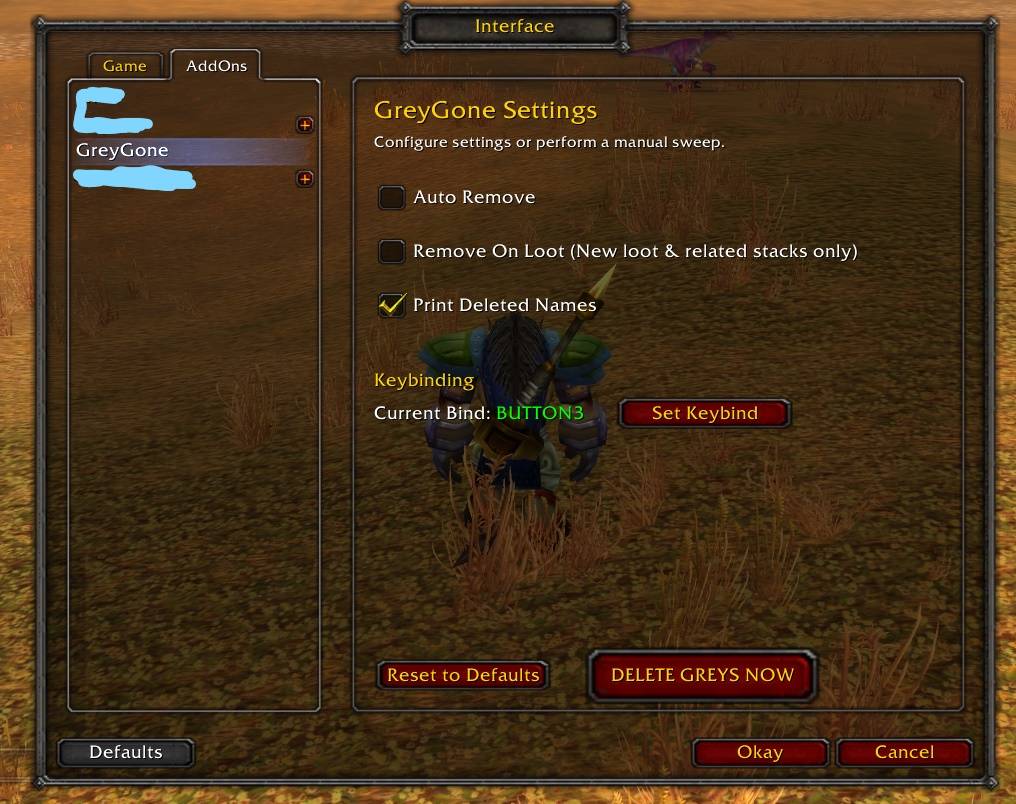
- Auto Remove: Automatically scans and deletes grey items when you open your bags.
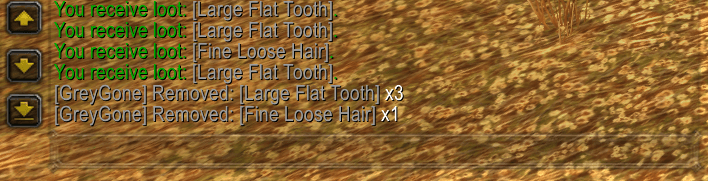
- Smart Looting: Detects when you loot new grey items (or add to existing stacks) and deletes the new additions (or their related stacks) instantly (this option won't affect current bag loots that are not affected by new loot).
- Manual Nuke Button: A large "DELETE GREYS NOW" button in the settings for immediate cleaning.
- Keybinding: Bind a custom key (e.g., F5) to trigger a cleaning cycle without opening menus.
- Safety First: Does not delete items while you are in combat.
📥 Installation
manual installation guide:
- Download the GreyGone.zip file.
- Extract the
GreyGonefolder. - Move the folder to your WoW Addons directory:
<WOW Folder>\Interface\AddOns\
- Restart WoW.
⚙️ Usage
- Open Settings: Type
/greygonein the chat or go toInterface Options -> Addons -> GreyGone. - Set a Keybind: In the settings menu, click "Set Keybind" and press your desired key.
- Manual Delete: Open settings and click the big DELETE GREYS NOW button.
❓ FAQ
Q: Will it delete my quest items? A: No. Quest items are not classified as "Grey" (Poor quality) by the game.
Q: Does it work in Combat? A: No. For safety reasons, the addon pauses while you are in combat.
The GreyGone Team
