

GreedFrames
- By
click-casting.png
enemy-list.png
party-frames.png
raid-frames.png
Description
GreedFrames 1.0.0
GreedFrames is a new party and raid frame addon designed to improve Blizzard frames customization, buff and debuff tracking, and click-casting.
It keeps Blizzard Party and Raid frames. Edit Mode still moves and sizes the default grid. GreedFrames adds extra scale, columns, target-of-target bars, a unique enemy list, party/raid aura options, and click-casting that can share one binding between a helpful spell and a harmful spell.
Works on World of Warcraft: Midnight and Forever.
---
Requirements
World of Warcraft: Midnight or Forever
No other addons required
---
Party frames
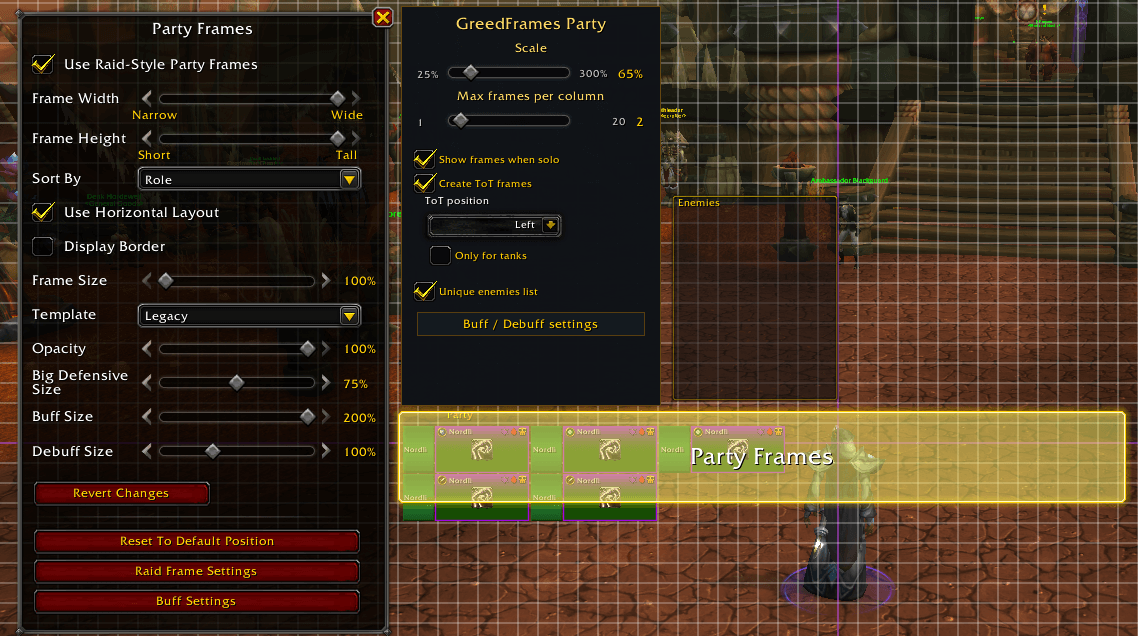
Scale the Blizzard party grid further than Edit Mode allows, wrap members with a max-frames-per-column slider, keep frames visible while solo, and attach target-of-target bars.
- Open Edit Mode, click the party frames, and use GreedFrames Party:
Scale — 25% to 300% - Max frames per column — wraps extra members into new columns
Show frames when solo — only force-shows; unchecked leaves Blizzard's default visibility - Create ToT frames and ToT position — Left, Right, Above, or Below
Only for tanks — ToT bars on tanks / main tank / main assist only - Unique enemies list — shared with raid
Buff / Debuff settings — party aura options
---
Raid frames
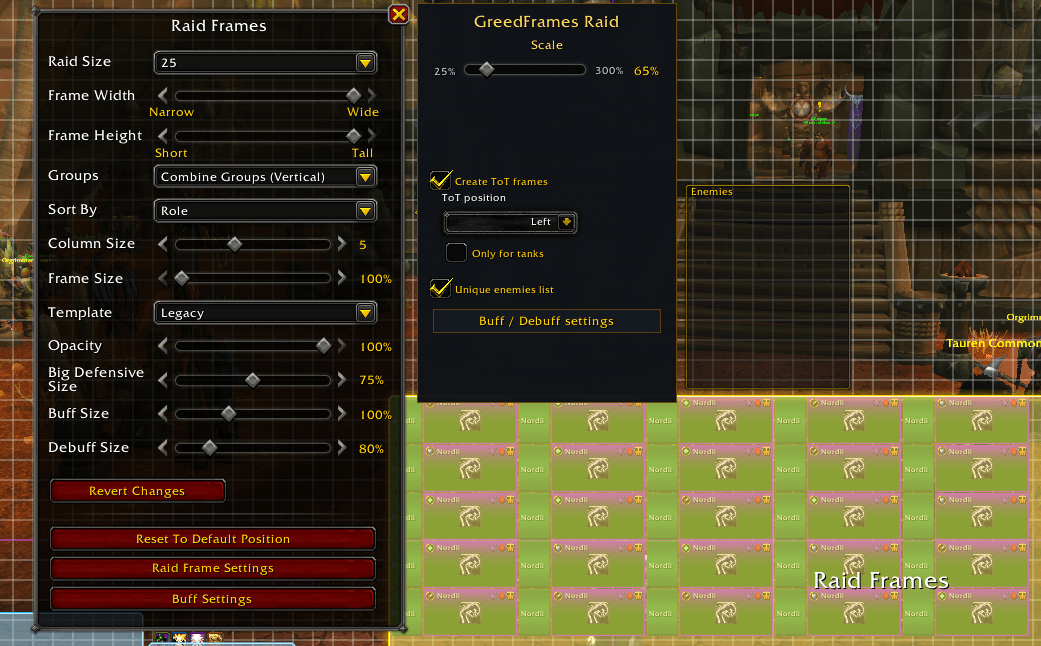
Raid uses the same extras without replacing Blizzard's own column-size slider.
GreedFrames Raid includes:
- Scale — 25% to 300%
- Create ToT frames and ToT position
- Only for tanks — ToT bars on the outside edge of the raid group
- Unique enemies list — same list as party
- Buff / Debuff settings — raid aura options, independent from party
---
Click-casting
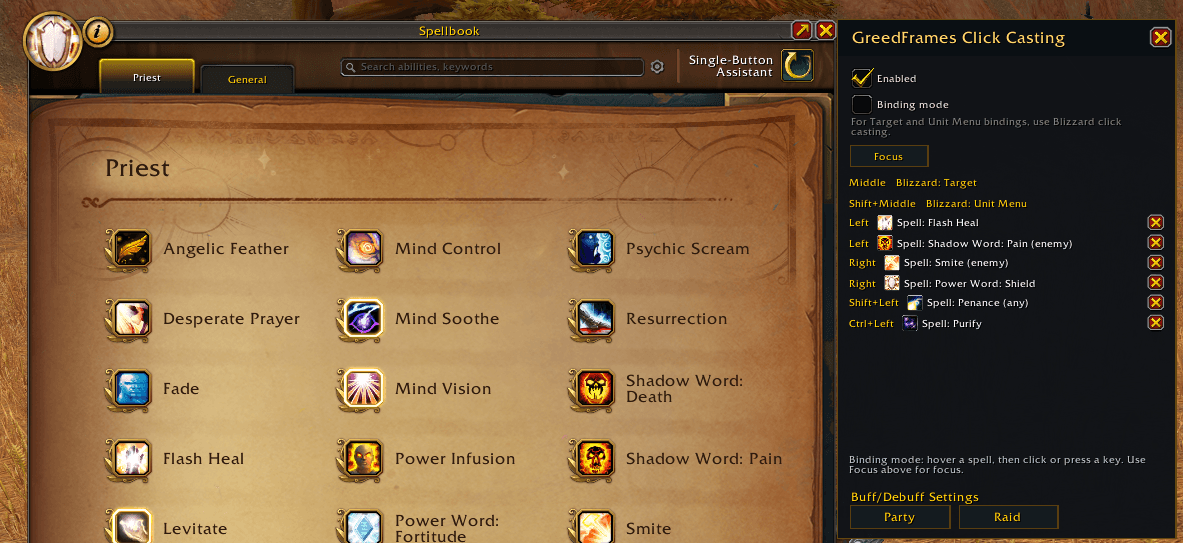
- Click-casting binds a spell to a mouse button or key, then casts that spell on the unit under the cursor.
- A helpful spell and a harmful spell can share the same binding. Left-click can Flash Heal a friend and Smite an enemy. Keybinds used here are separate from action-bar keybinds.
- Target and Unit Menu stay on Blizzard Click Casting. Focus can be bound from the GreedFrames window.
Open the spellbook and `/gf`, or the GreedFrames tab on the book.
Enable the addon and turn on Binding mode.
Hover a spell, then click or press a key (Shift / Ctrl / Alt allowed).
Bind Focus from the Focus button the same way.
---
Unique enemy list
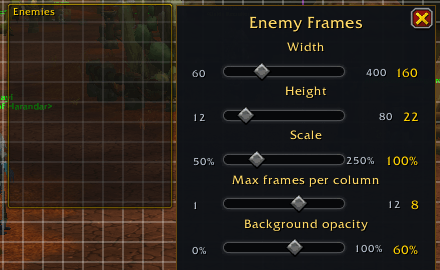
The unique enemy list is built from the group's targets. Each enemy appears once, even if several people have that mob targeted.
Enable Unique enemies list on the party or raid Edit Mode panel (one shared setting). In Edit Mode, click the Enemies box to set width, height, scale, frames per column, and background opacity.
Clicks on a visible row use the same click-casting binds as party and raid frames.
---
Buff and debuff tracking
Party and raid each have their own aura settings. Open them from Buff / Debuff settings in Edit Mode or from the bottom of the click-casting window.
Which buffs and debuffs to show
Only-mine and filter categories
Custom spell list with size, glow, show-first, and hide-in-combat
Scan the spellbook for trackable buffs
Character-specific settings if you want this character's list isolated
---
License
MIT. See LICENSE.
The GreedFrames Team
