Graphics Settings Dumper
Dumps Graphics settings from wow into a copyable list. Paste into your Favourite AI. It can generate recommended settings for your PC. Then Import the new list back and apply!
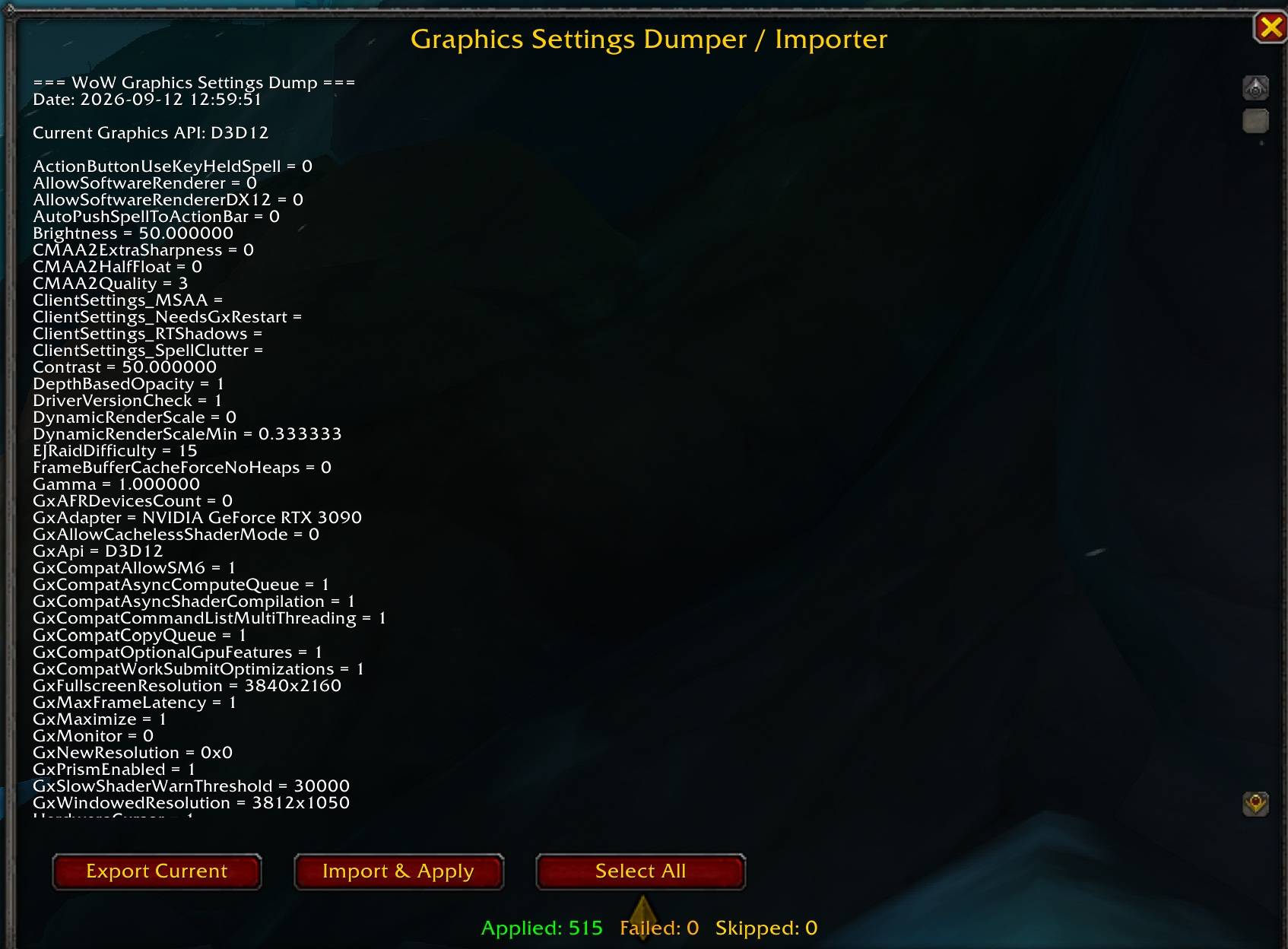
gsd window.jpg
Description
This lightweight very small addon is designed to help you optimize your graphics settings to improve framerates.
It exports/imports ALL the graphic settings so you can use external AI to help you optimize for your unique PC specification (CPU / GPU etc)
How to use
Type /gsd to bring up the window.
Click Ctrl+A to select the entire list (or click Select All)
Click Export Current - This saves the list to your clipboard
paste into your favourite AI and ask it to check your PC spec for recommended settings
When your AI generates a new list copy it to your clipboard
Clear the original list - Click Ctrl+A to select the entire list (or click Select All)
Press Delete
Paste your new list into the window (from the AI / external source)
Press Import & Apply
(you'll receive a notification in chat if any settings failed to apply)
type /console reload
Enjoy your optimized graphics settings.
Graphics Settings Dumper Team