Gotta Queue 'Em All
- By
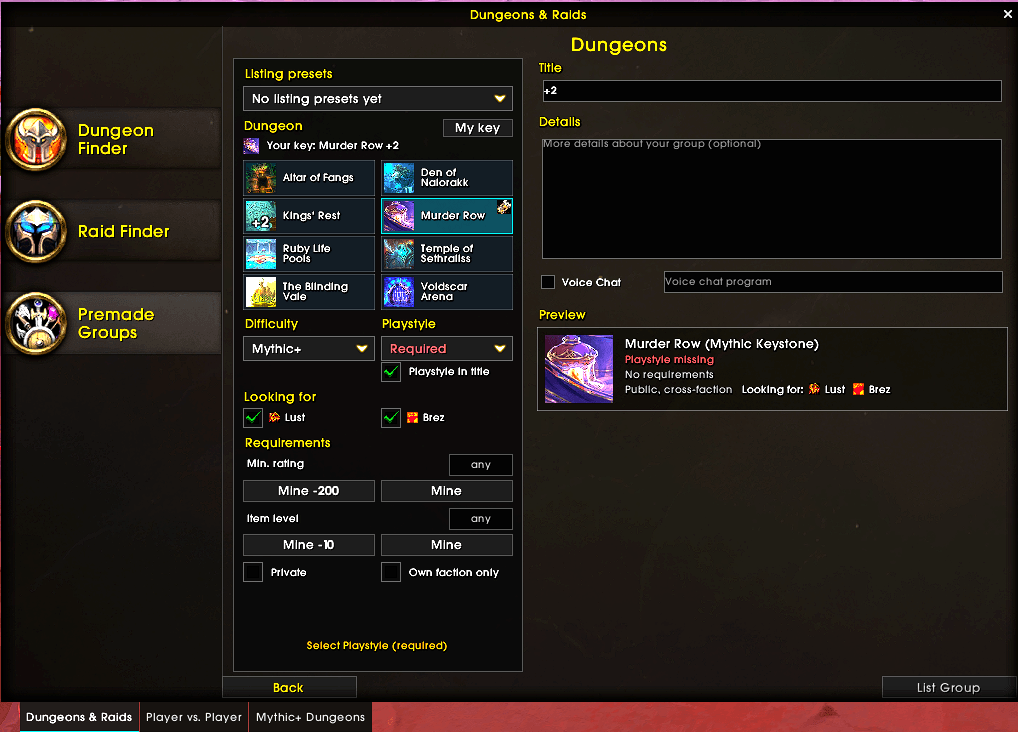
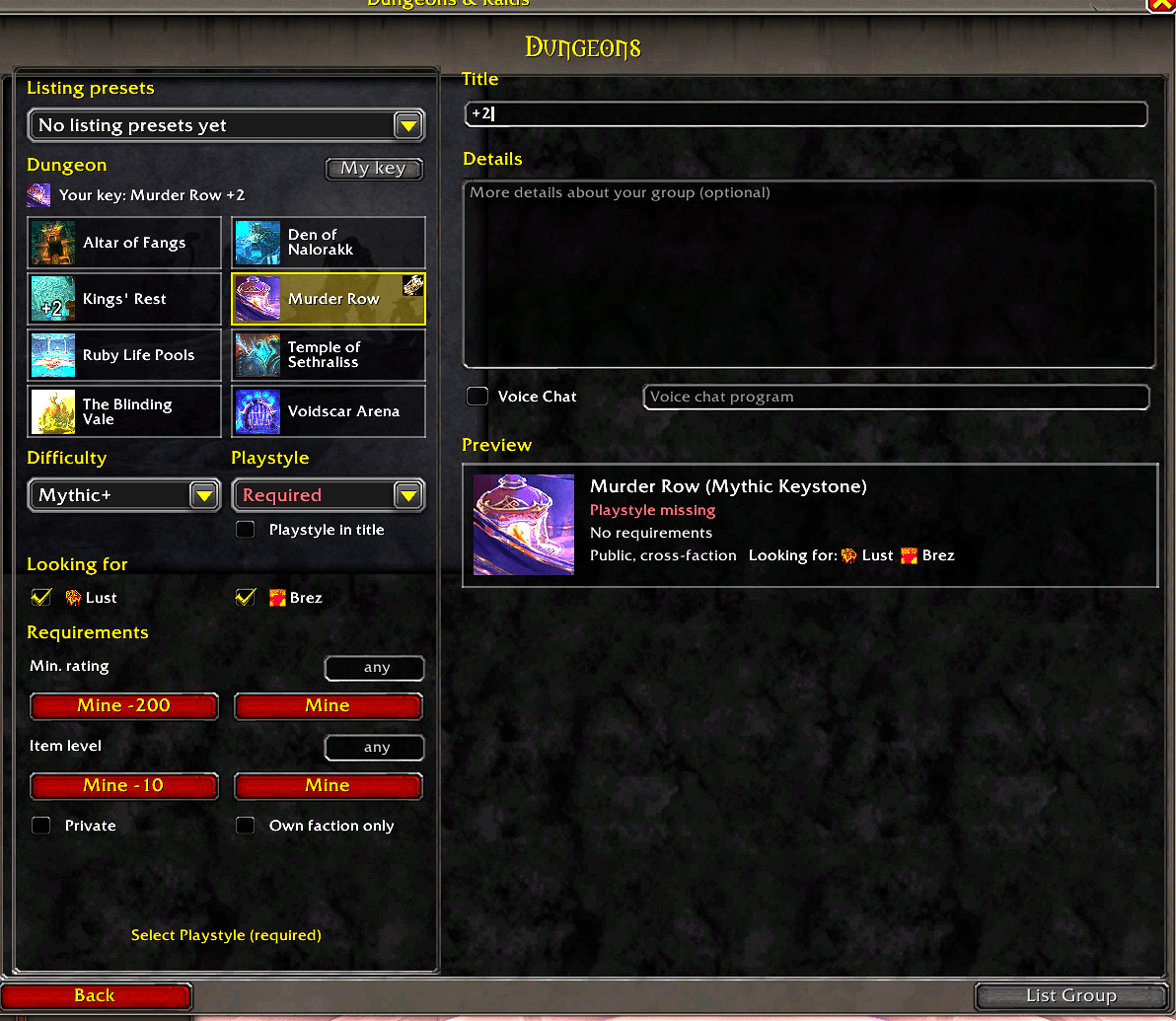
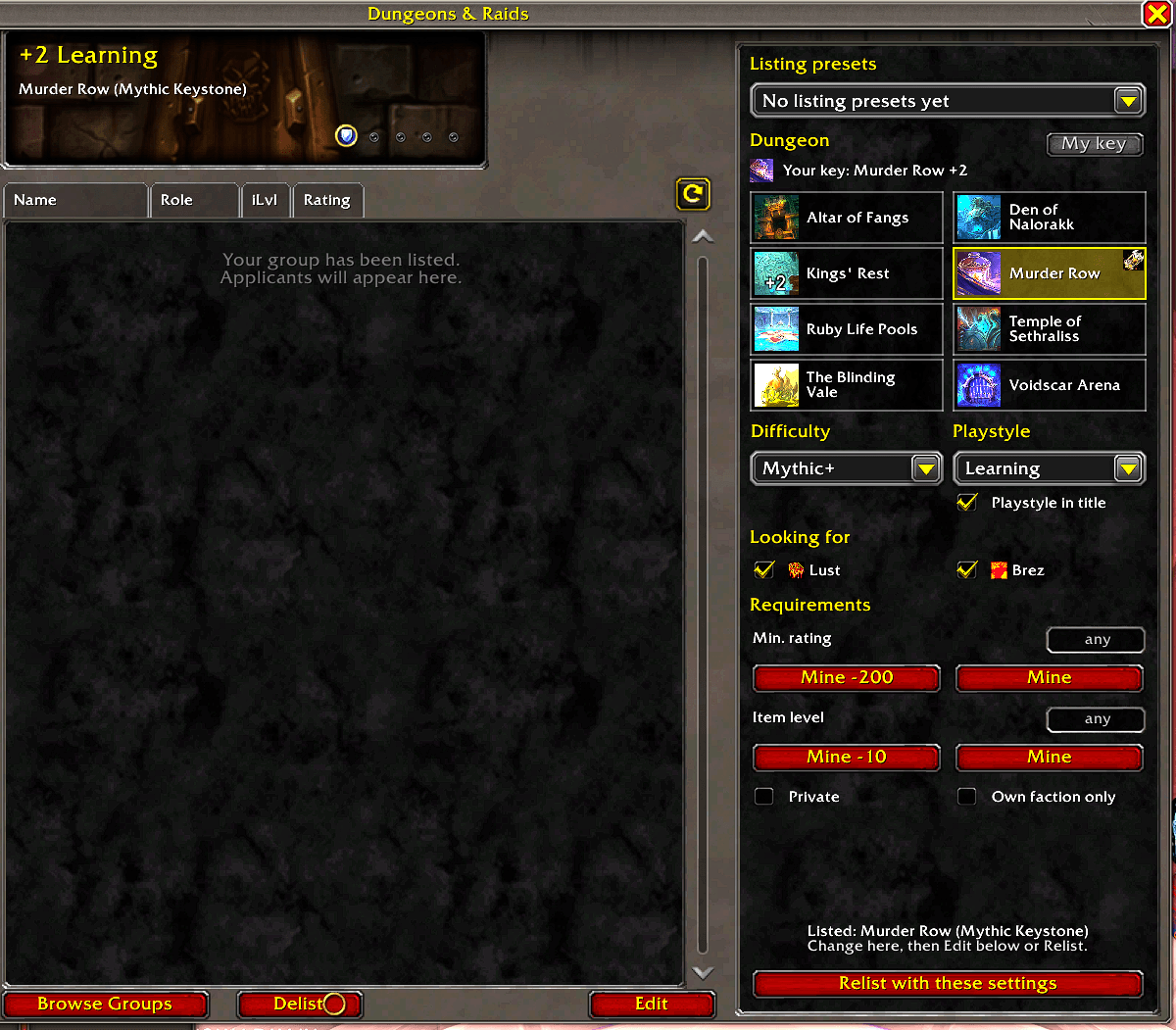
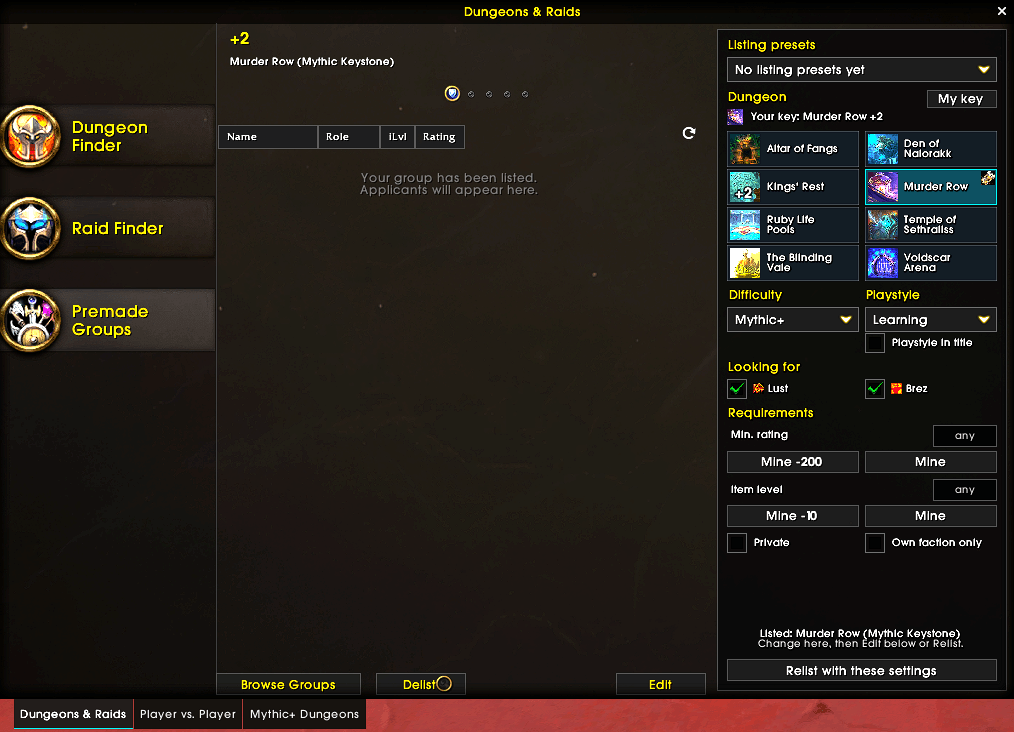
Larger Premade Groups window with docked sidebars for searching and starting groups: filters, presets, fit checks, relist.
startgroup.png
findgroup_orig.png
relist_orig.png
relistgroup.png
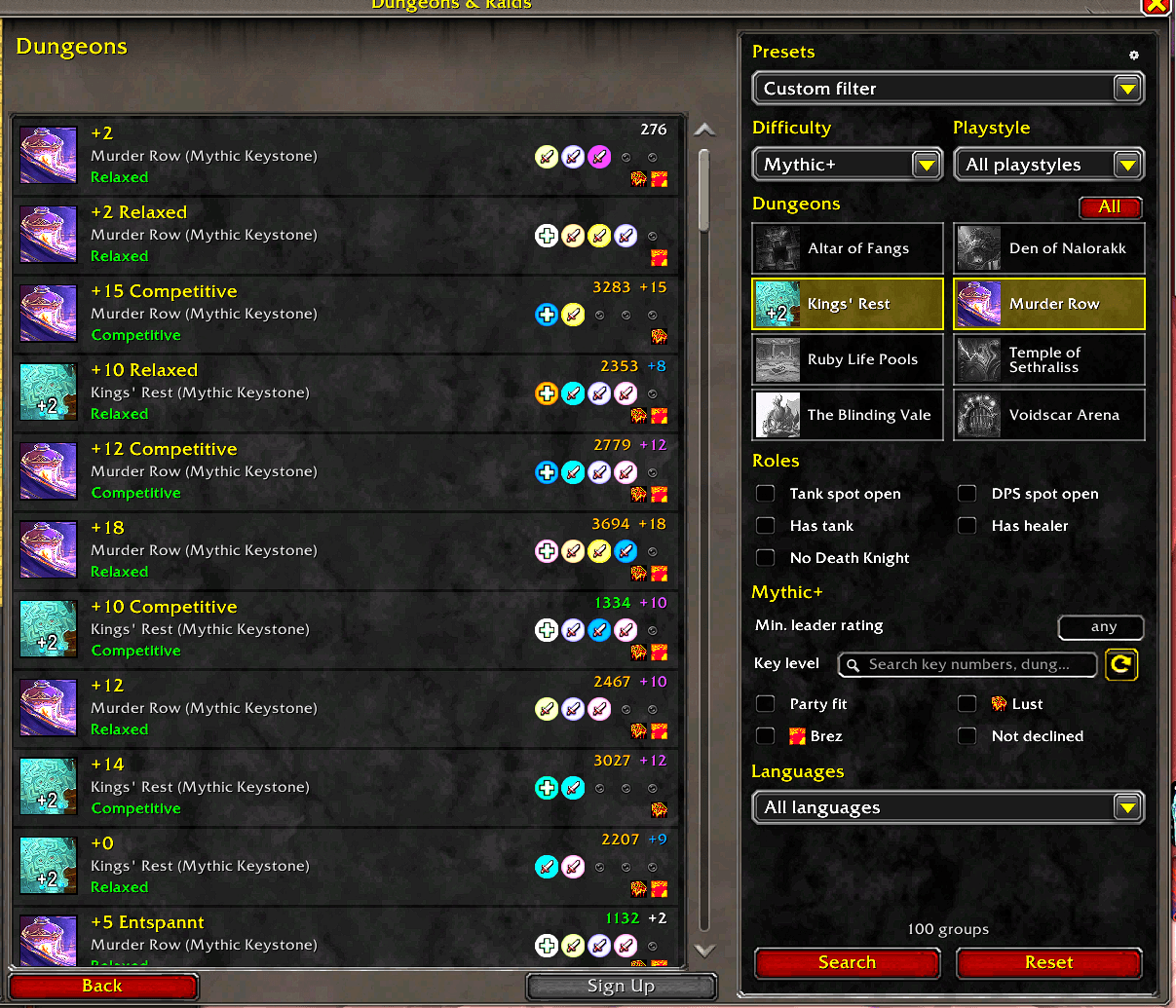
lookgrou_orig.png
Description
Find groups faster and build your own without leaving the Premade Groups window. Gotta Queue 'Em All enlarges Blizzard's Group Finder and docks a sidebar next to it, one for searching and one for starting a group.
Searching
- Dungeon tiles, roles, minimum rating, difficulty and playstyle in one sidebar.
- "Fits my group" toggles: room for your party, Bloodlust, battle res, hide groups that declined you.
- Badges on every row (Lust, B-Res, declined) plus the leader's Mythic+ score and best key for that dungeon.
- "N of M groups match" counter.
- Named presets: one click loads the filters and searches.
Starting a group
- Listing presets: dungeon, difficulty, your own keystone, requirements, playstyle.
- Stays visible while you are listed; changes are pushed when you edit the listing.
- One-click relist.
- Marks applicants that bring what you are looking for (Lust / B-Res).
Everything else
- Uses Blizzard's own search and listing: players without the addon see your group exactly as usual.
- No work outside the Group Finder: no OnUpdate, nothing in combat.
- Optional EllesmereUI look when its Blizzard skin is enabled.
Open the Group Finder (I) and pick a category under Premade Groups. Settings: Options > AddOns > Gotta Queue 'Em All, or type /gotta (/gqea). /gotta toggle switches the addon on or off.
- Group titles and comments cannot be read by addons, so the listed key level can only be searched by typing e.g.
+12into Blizzard's search box (docked in the sidebar). - Group titles cannot be written by addons; Blizzard's automatic title is used.
Bugs and ideas: please open an issue.
The Gotta Queue 'Em All Team