


GoldKompass
- By
English
Keep an eye on your gold. Where does it come from, where does it go, and how much do you earn per hour? GoldKompass records everything and shows it in one clear window. English and German.
Features
Overview
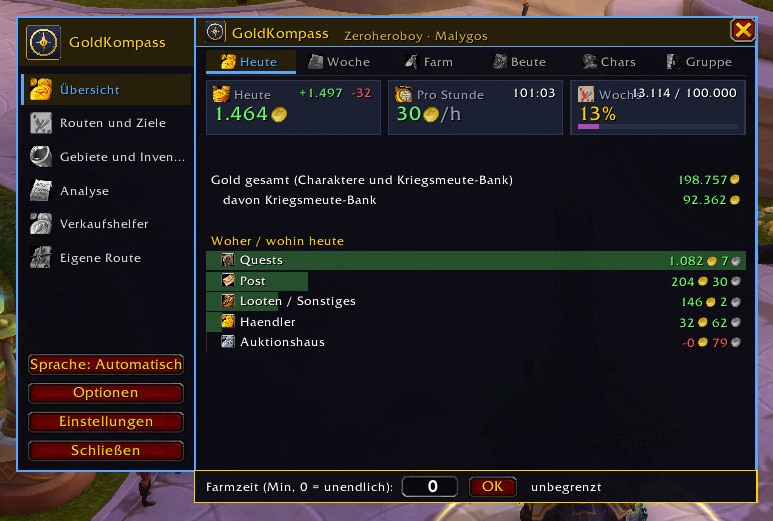
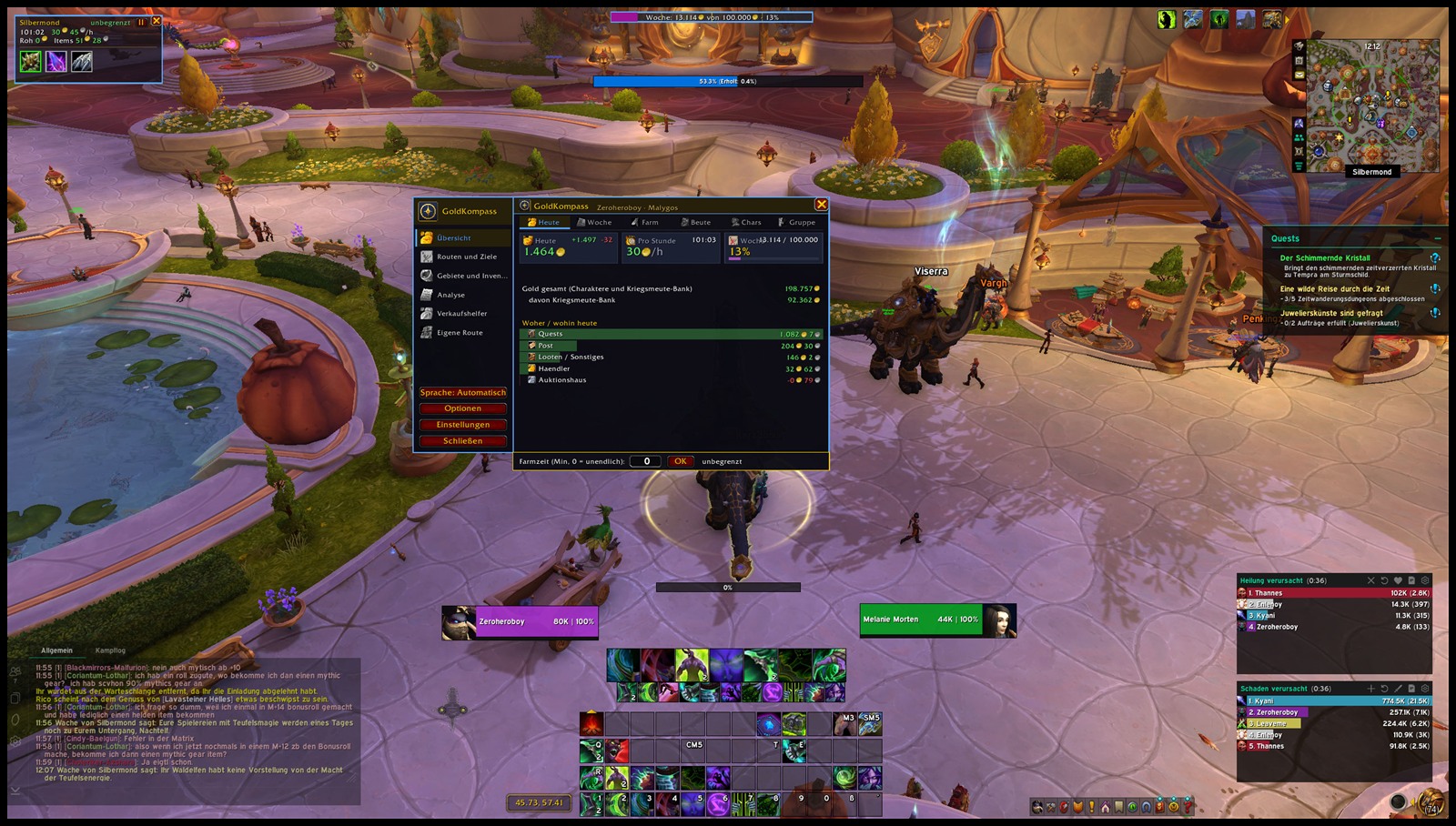
- Gold today, gold per hour and weekly goal at a glance
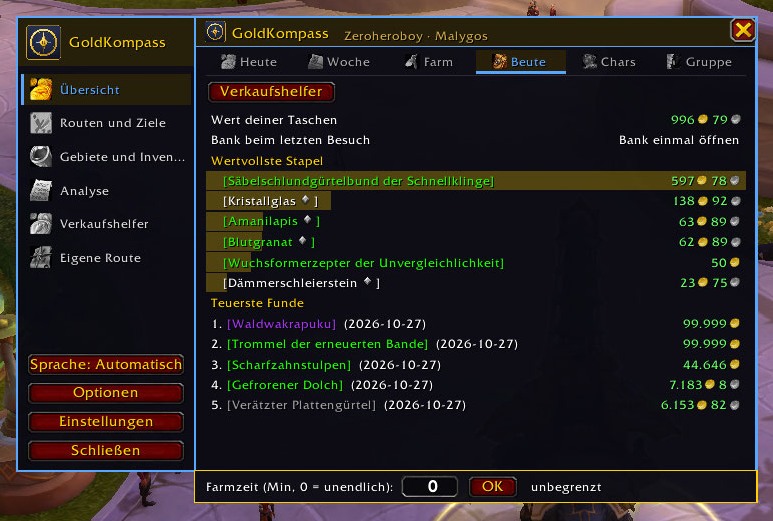
- Income and expenses by source: loot, quests, vendor, auction house, auction sales, mail, trade
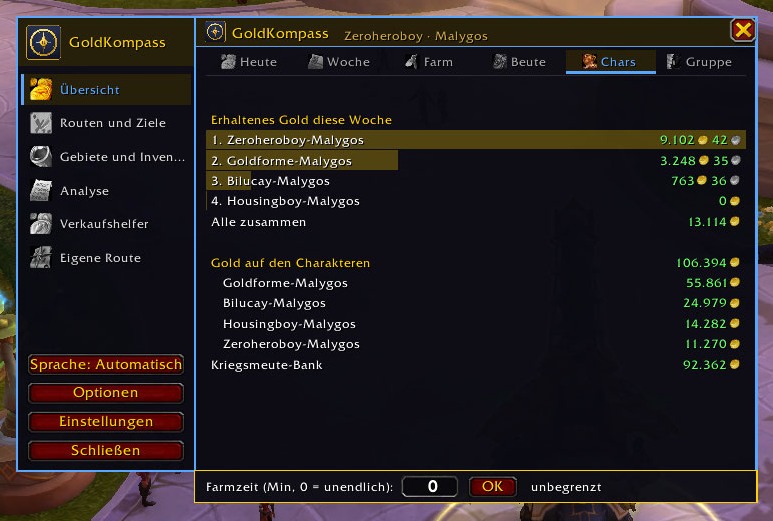
- Gold of all characters and the warband bank
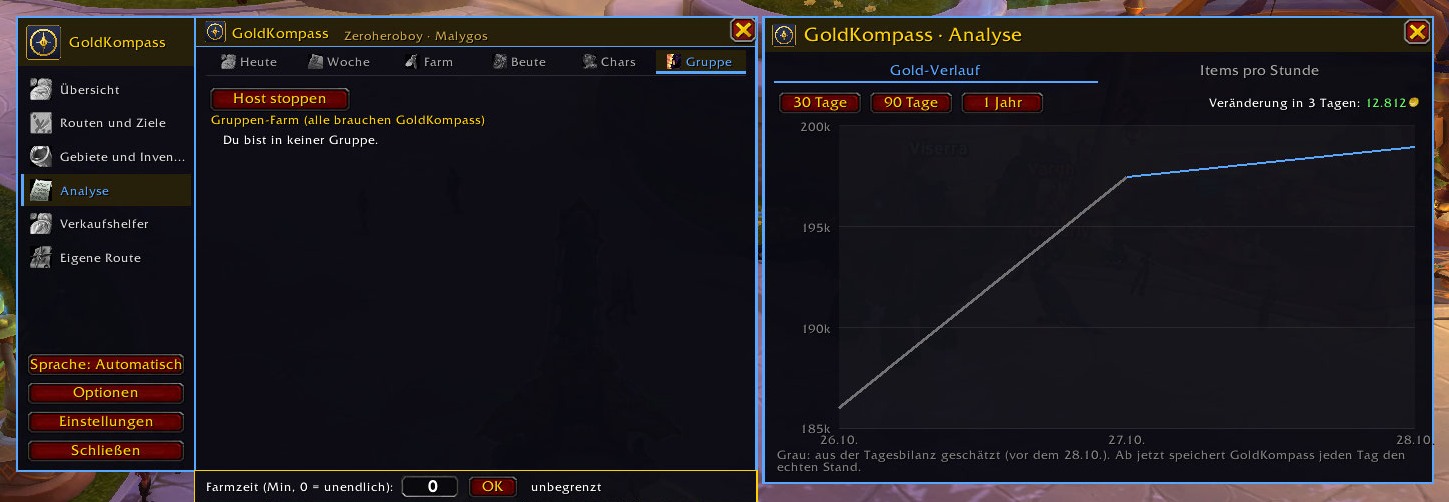
- Gold history as a line chart over 30 days, 90 days or one year
Farming
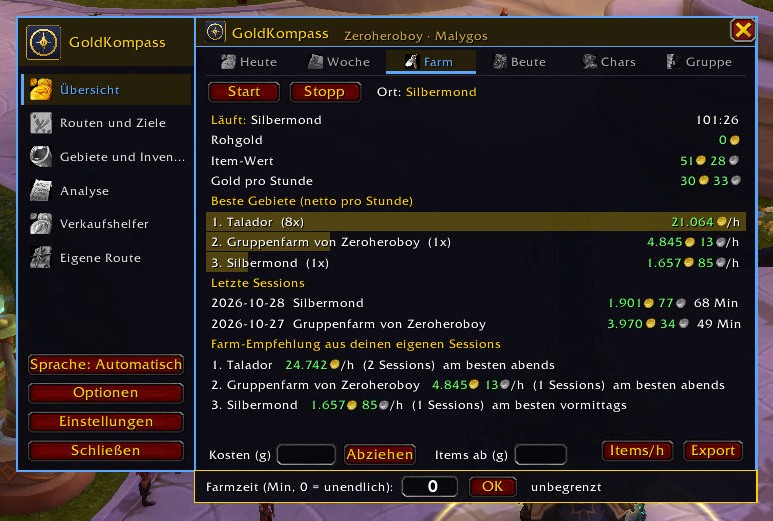
- Farm sessions with start, stop and pause, also via key bindings
- Gold per hour including item value from Auctionator or TradeSkillMaster
- Small farm window showing your most valuable loot as quality-colored icons
- Items per hour by zone, best zones and routes compared
- Time limit, deduct costs, session is kept after /reload
- Routes support and your own routes shown on map and minimap
Trading and selling
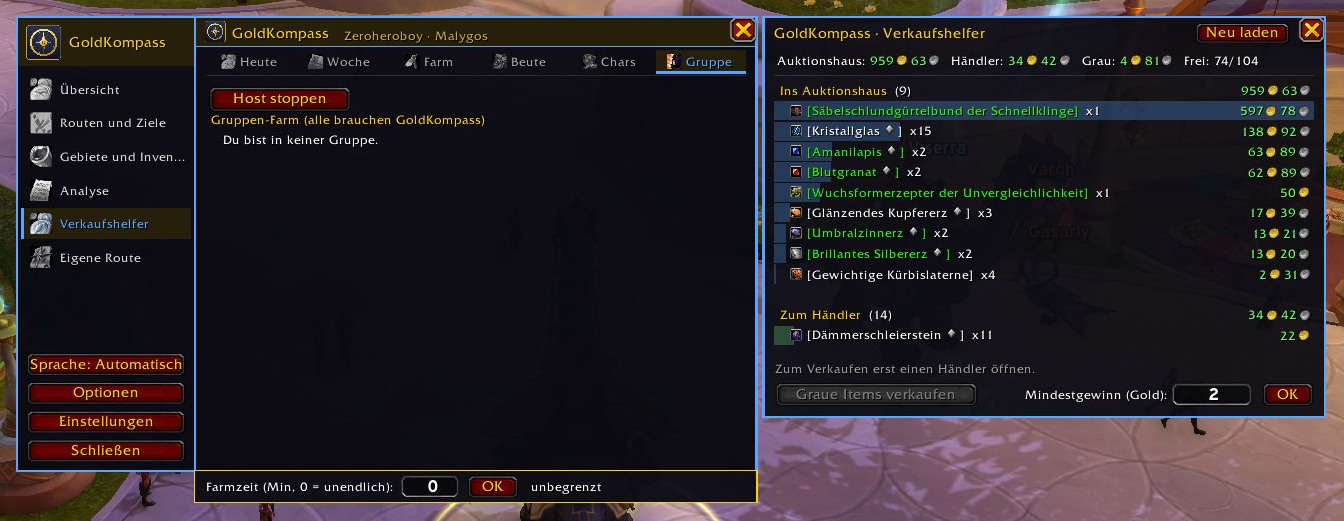
- Sell helper: what belongs in the auction house and what goes to the vendor
- Price alarm and bargain alarm based on your own price history
- Value of your bags, bank and all characters, material tracker
Together
- Group farming with host button and group loot
- Guild weekly goal
Records
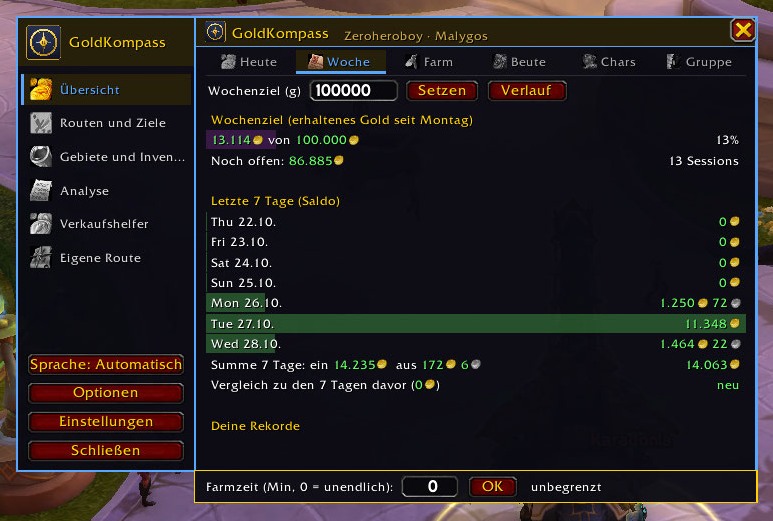
- Best farm hour, best day and best week with a golden pop-up for every new record
- Comparison with the previous week, pop-up when the weekly goal is reached
Usability
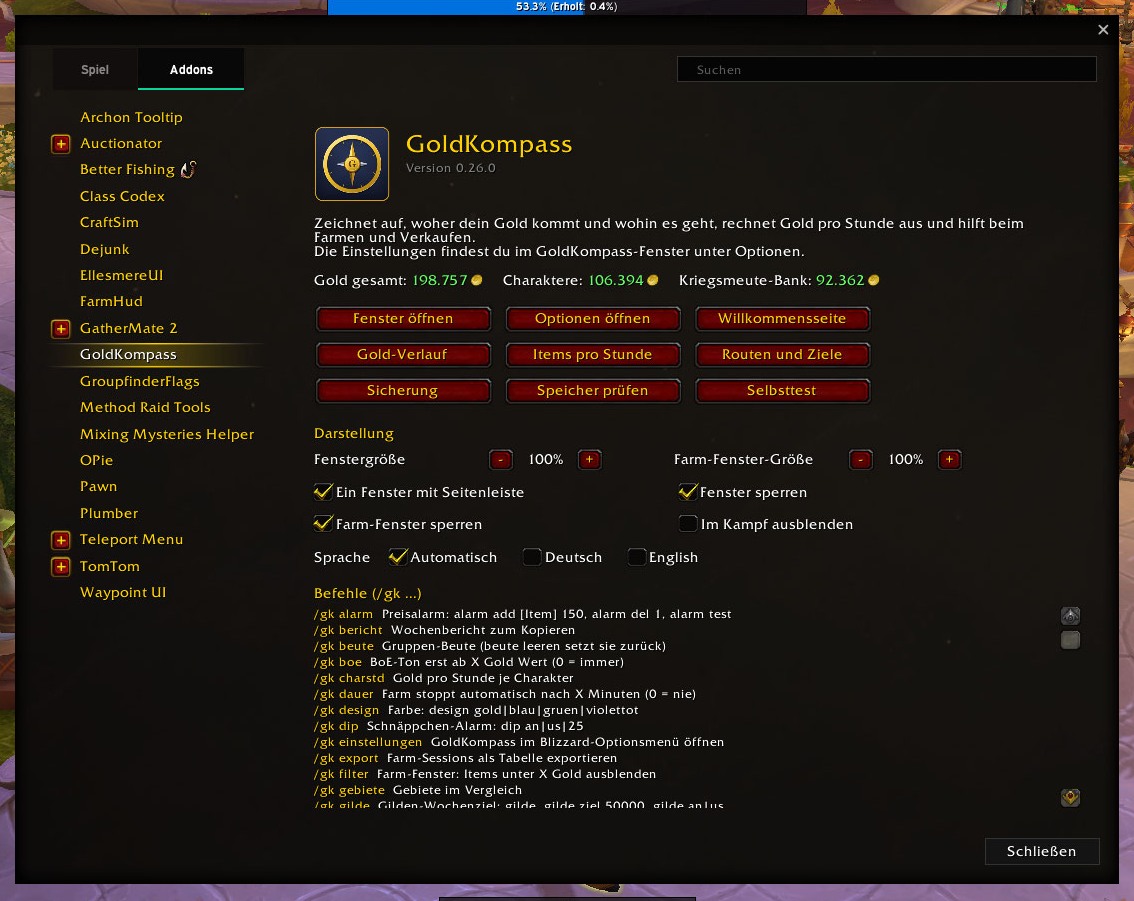
- One window with sidebar: the overview stays open, other pages open next to it
- Adjustable size, lockable position, optional hide in combat, window positions are remembered
- Addon compartment at the minimap, page under Esc > Options > AddOns, minimap button
- Display in Titan Panel, ElvUI, Bazooka and other bars (LibDataBroker)
- Backup: export and import settings or all data as text
- Five color themes, English or German
Commands
/gkopen the window/gk commandsshow all commands/gk startand/gk stopfarm session,/gk pausepause it/gk goal 5000set the weekly goal,/gk goal offremove it/gk historygold history,/gk itemsitems per hour/gk sellsell helper,/gk lootgroup loot/gk recordsyour records,/gk tourshow the introduction again/gk language enor/gk language dechoose the language/gk backupbackup,/gk selftestself-test
German command names keep working in both languages.
Game versions
Retail, Mists of Pandaria Classic, Burning Crusade Anniversary, Classic Era and WoW Forever. Features that only exist in Retail, like the warband bank, are skipped in Classic.
Optional
Auctionator or TradeSkillMaster (prices), Routes (farm routes), Titan Panel/ElvUI/Bazooka (bar display)
FAQ
No item value is shown. Install Auctionator or TradeSkillMaster and open the auction house once so prices are scanned. Without them GoldKompass uses the vendor price.
The window is gone. Type /gk. If it is off screen, type /gk scale 1 and drag it back by the sidebar.
Where are my separate windows? All pages open to the right of the overview. Turn off "One window" in the settings (/gk settings) for separate windows.
Something is wrong. Run /gk selftest and send the result together with the Lua error.
Deutsch
Dein Gold im Blick. Woher kommt es, wohin geht es, und wie viel verdienst du pro Stunde? GoldKompass zeichnet alles auf und zeigt es in einem übersichtlichen Fenster. Deutsch und Englisch.
Funktionen
Übersicht
- Gold heute, Gold pro Stunde und Wochenziel auf einen Blick
- Einnahmen und Ausgaben nach Quelle: Looten, Quests, Händler, Auktionshaus, Auktionshaus-Verkäufe, Post, Handel
- Gold aller Charaktere und der Kriegsmeute-Bank
- Gold-Verlauf als Linie über 30 Tage, 90 Tage oder ein Jahr
Farmen
- Farm-Sessions mit Start, Stopp und Pause, auch per Tastenbelegung
- Gold pro Stunde mit Item-Wert aus Auctionator oder TradeSkillMaster
- Kleines Farm-Fenster mit den wertvollsten Funden als Symbole in Qualitätsfarbe
- Items pro Stunde je Gebiet, beste Gebiete und Routen im Vergleich
- Zeitlimit, Kosten abziehen, Sitzung bleibt nach /reload erhalten
- Routes-Anbindung und eigene Routen mit Anzeige auf Karte und Minimap
Handeln und Verkaufen
- Verkaufshelfer: was ins Auktionshaus gehört und was zum Händler
- Preisalarm und Schnäppchen-Alarm aus deinem eigenen Preisverlauf
- Wert deiner Taschen, Bank und aller Charaktere, Material-Tracker
Gemeinsam
- Gruppen-Farm mit Host-Knopf und Gruppen-Beute
- Gilden-Wochenziel
Rekorde
- Beste Farm-Stunde, bester Tag und beste Woche mit goldener Einblendung bei jedem neuen Rekord
- Vergleich mit der Vorwoche, Einblendung bei erreichtem Wochenziel
Bedienung
- Ein Fenster mit Seitenleiste: die Übersicht bleibt offen, andere Seiten öffnen sich daneben
- Größe einstellbar, Position sperrbar, im Kampf ausblendbar, Fensterpositionen werden gemerkt
- Addon-Menü an der Minimap, Seite unter Esc > Optionen > AddOns, Minimap-Button
- Anzeige in Titan Panel, ElvUI, Bazooka und anderen Leisten (LibDataBroker)
- Sicherung: Einstellungen oder alle Daten als Text exportieren und importieren
- Fünf Farbdesigns, Sprache Deutsch oder Englisch
Befehle
/gkFenster öffnen/gk befehlealle Befehle anzeigen/gk startund/gk stopFarm-Session,/gk pausepausieren/gk ziel 5000Wochenziel setzen,/gk ziel ausentfernen/gk verlaufGold-Verlauf,/gk itemsItems pro Stunde/gk verkaufVerkaufshelfer,/gk beuteGruppen-Beute/gk rekordedeine Rekorde,/gk tourEinführung erneut zeigen/gk sprache deoder/gk sprache enSprache wählen/gk sicherungSicherung,/gk selbsttestSelbsttest
Die englischen Befehlsnamen funktionieren in beiden Sprachen.
Spielversionen
Retail, Mists of Pandaria Classic, Burning Crusade Anniversary, Classic Era und WoW Forever. Funktionen, die es nur in Retail gibt, etwa die Kriegsmeute-Bank, werden in Classic übersprungen.
Optional
Auctionator oder TradeSkillMaster (Preise), Routes (Farm-Routen), Titan Panel/ElvUI/Bazooka (Leisten-Anzeige)
Häufige Fragen
Es wird kein Item-Wert angezeigt. Auctionator oder TradeSkillMaster installieren und einmal das Auktionshaus öffnen, damit Preise gescannt werden. Ohne sie nimmt GoldKompass den Händlerpreis.
Das Fenster ist weg. /gk eingeben. Liegt es außerhalb des Bildschirms, /gk groesse 1 eingeben und es an der Seitenleiste zurückziehen.
Wo sind meine getrennten Fenster? Alle Seiten öffnen sich rechts neben der Übersicht. Für getrennte Fenster in den Einstellungen (/gk einstellungen) „Ein Fenster“ ausschalten.
Etwas funktioniert nicht. /gk selbsttest ausführen und das Ergebnis zusammen mit der Lua-Fehlermeldung schicken.
Source code / Quellcode: https://github.com/Rottgar85/GoldKompass
Author / Autor: Rottgar
Screenshots
GoldKompass Team
