GoldGuideForever
- By
Track farming sessions and compare crafting profits in WoW: Forever using saved Auctionator prices.
GoldGuide-01-Live-Farm-Tracking.png
GoldGuide-02-Farm-Session-History.png
GoldGuide-03-Crafting-Margins.png
Description
Vendor it, auction it, or disenchant it? GoldGuide puts the numbers side by side so you can decide what to do with your loot in World of Warcraft: Forever. Track your farming runs, see which recipes are worth crafting, and compare the value of gear before you break it down.
Track your farming runs
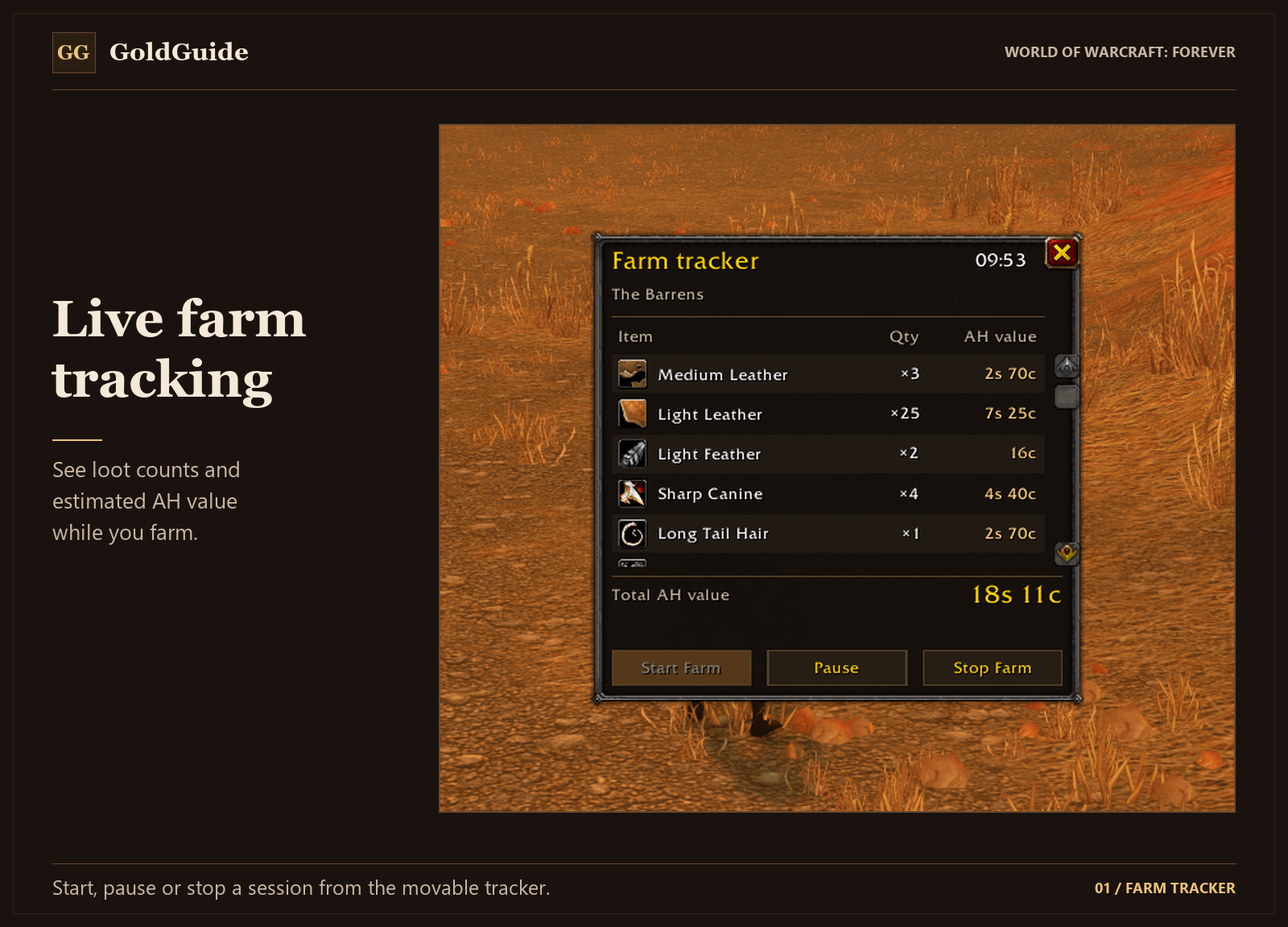
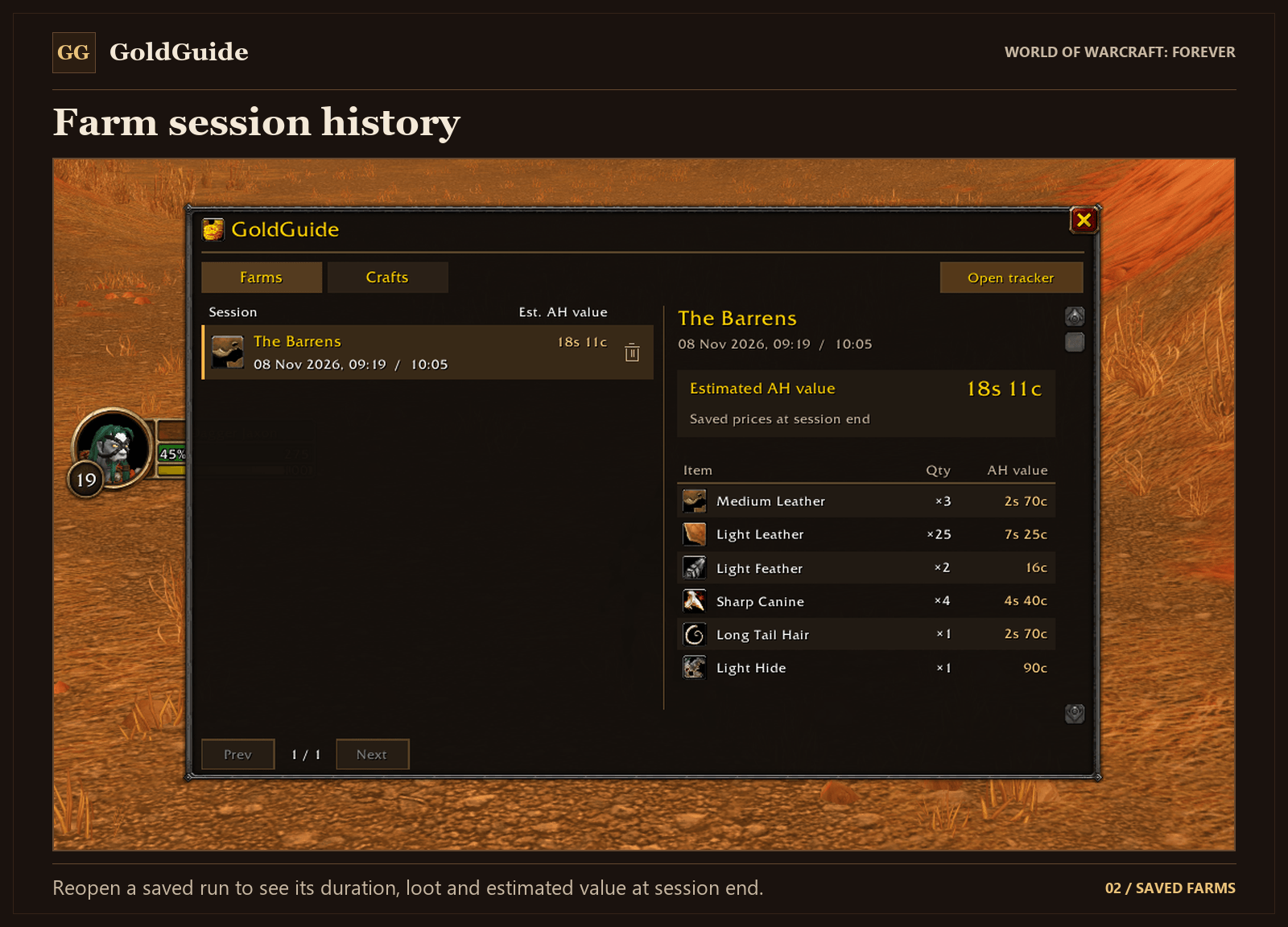
Press Start Farm to record item loot and skinning drops as you play. The movable tracker shows what you’ve collected and its estimated auction house value. Pause when you take a break, then press Stop Farm to save the run. Your character’s farm history keeps the starting zone, duration, and loot totals so you can compare runs later.
See what’s worth crafting
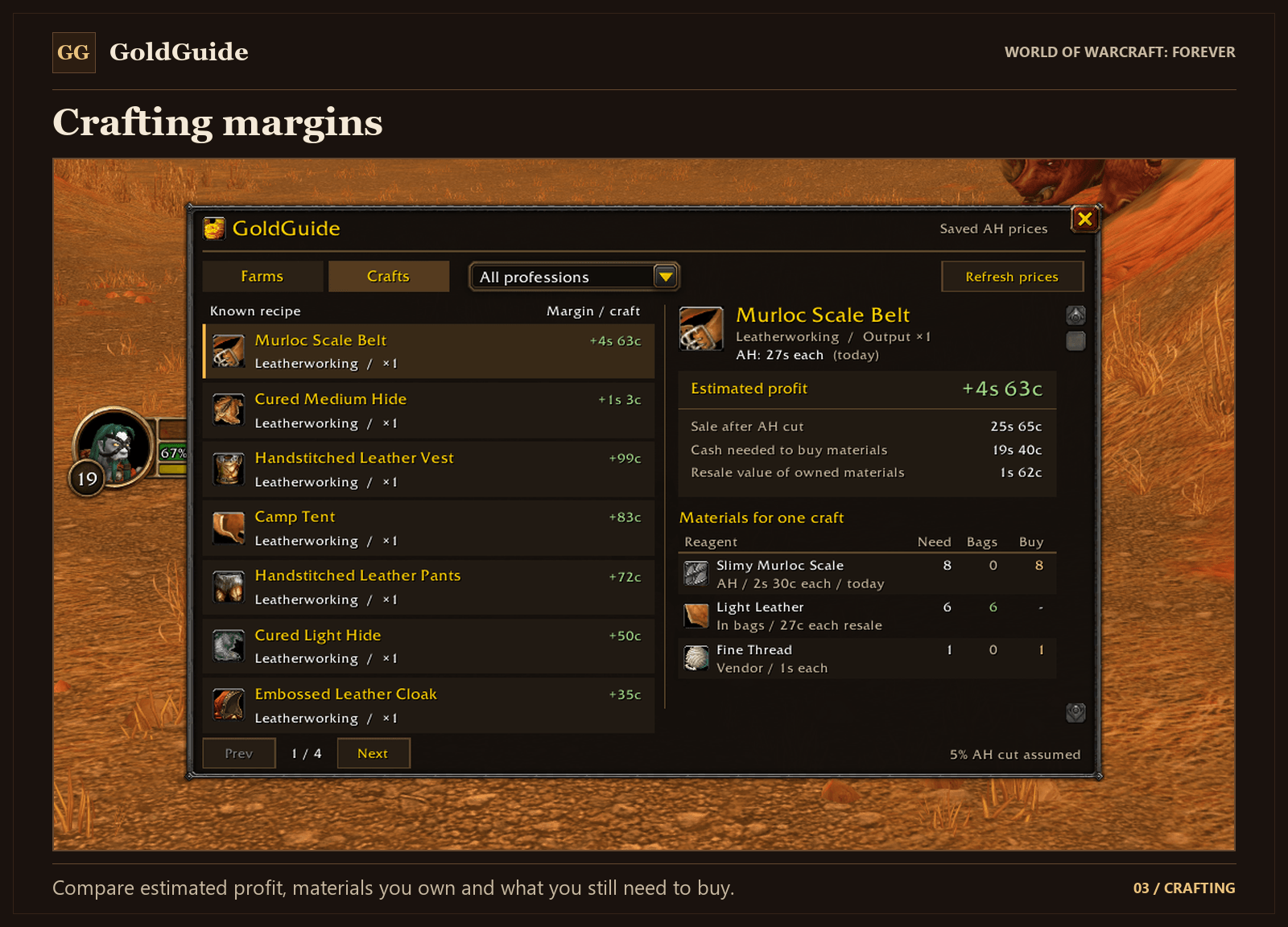
Browse your learned recipes by profession and see the estimated profit per craft after the auction house cut. GoldGuide shows what you need, what’s already in your bags, and how much you’ll have to spend. It also shows what your own materials could sell for, so you can decide whether to craft with them or sell them directly.
Compare before you disenchant
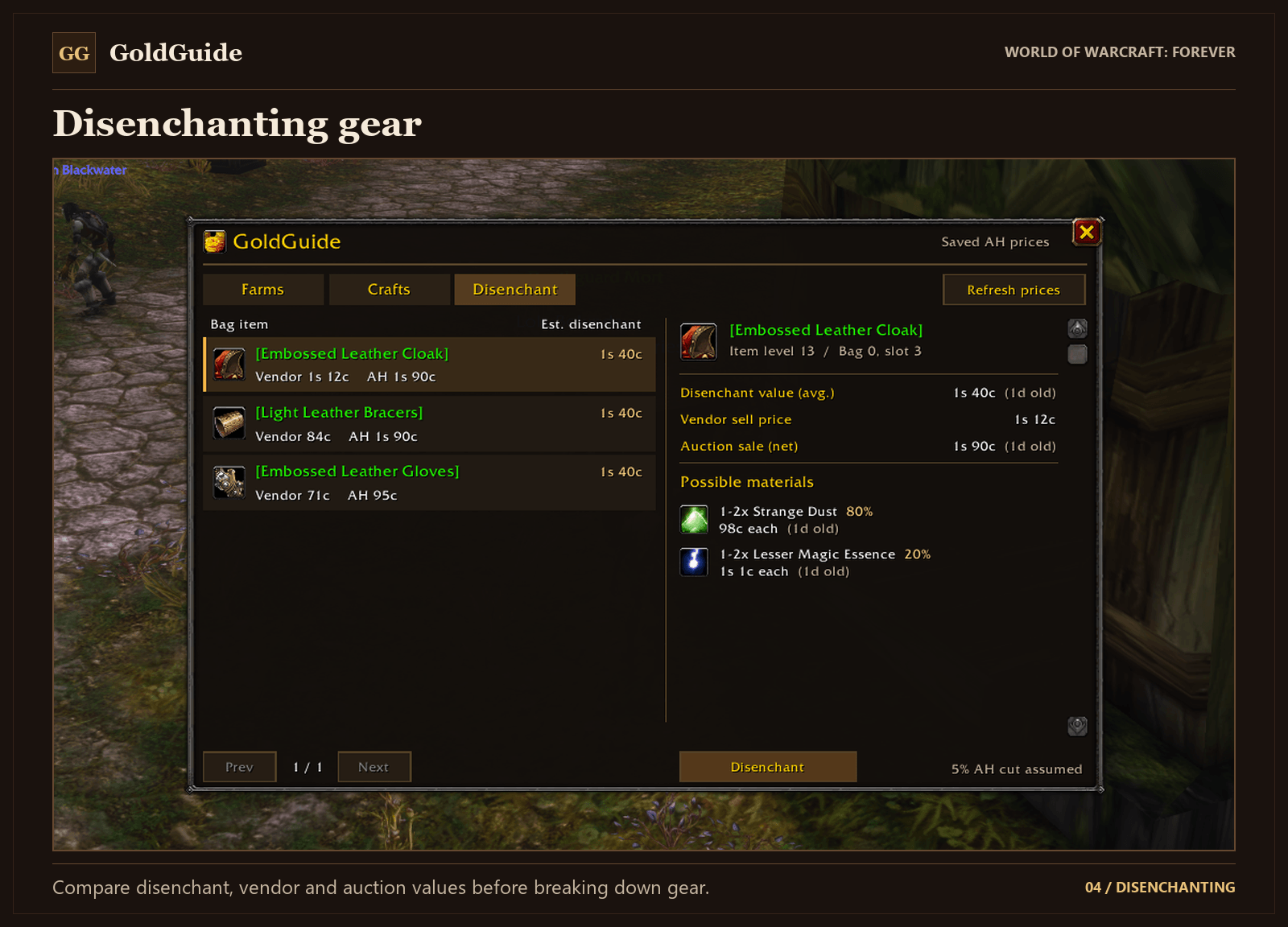
On a character with Enchanting, open the Disenchant tab and select a supported piece of gear from your bags. GoldGuide compares its estimated disenchant value, vendor sell price, and estimated auction proceeds side by side.
You’ll see which materials the item can yield, how many you might get, and the chance of each outcome. Each material also shows its saved unit price and scan age. Auction proceeds and material values use an assumed 5% auction house cut. If a material price is missing, the disenchant estimate stays blank.
Ready to break it down? Click Disenchant outside combat to cast on the selected item. GoldGuide drops behind the loot window so you can collect the materials.
Getting started
-
Click the minimap coin or type
/goldguide. Drag the window by its header to position it where you like. -
For auction prices, run an Auctionator Full Scan at an auctioneer. If GoldGuide was already open, click Refresh prices.
-
To populate Crafts, open each learned crafting profession window once.
-
To compare gear on an Enchanter, open Disenchant and select an item from your bags.
Auctionator is optional. Loot tracking, farm history, and vendor prices work without it. Auction-based estimates use your saved scans.
GoldGuideForever Team