


goldbook
- By
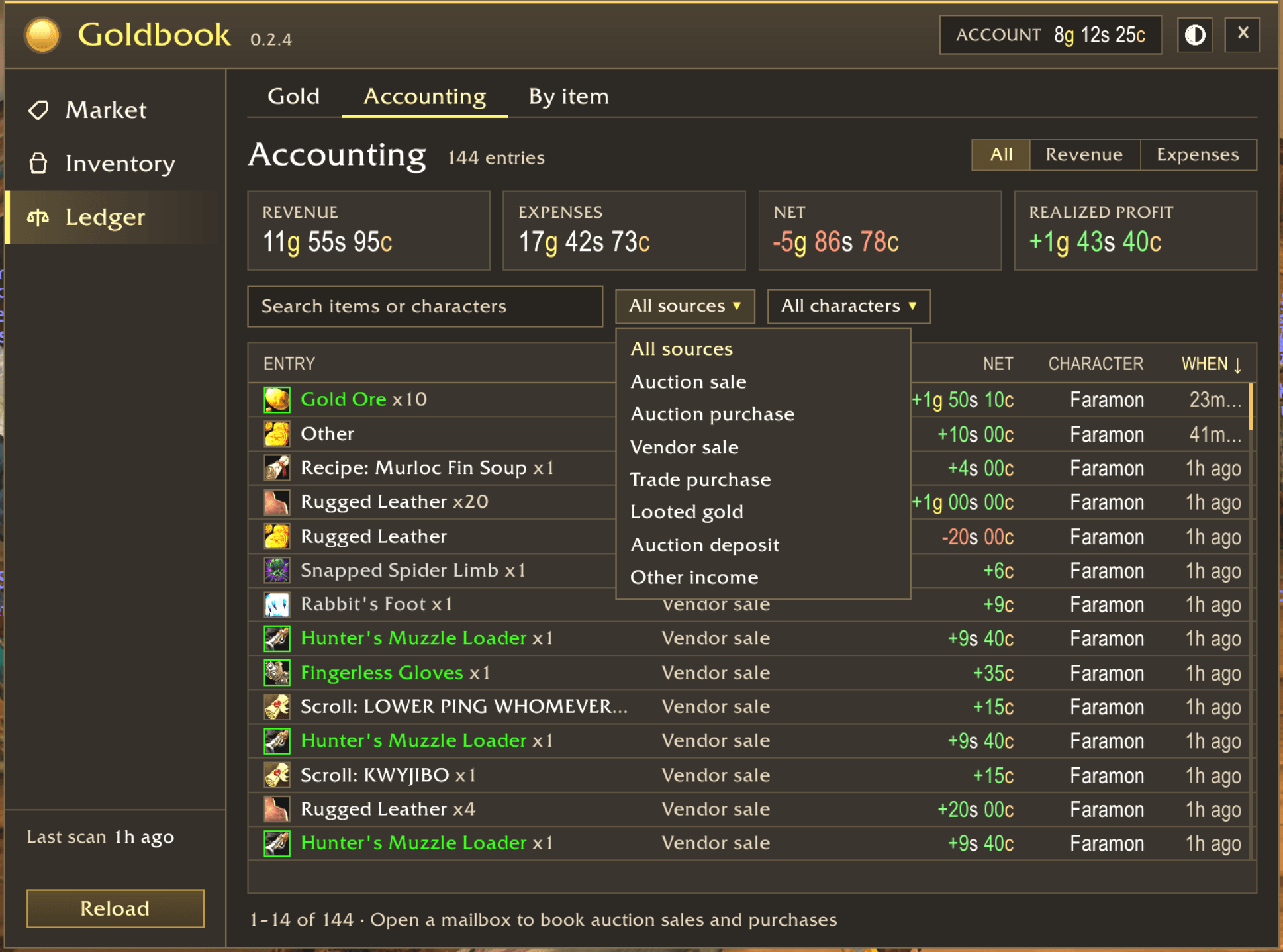
Personal ledger, keep track of all your income and expenses
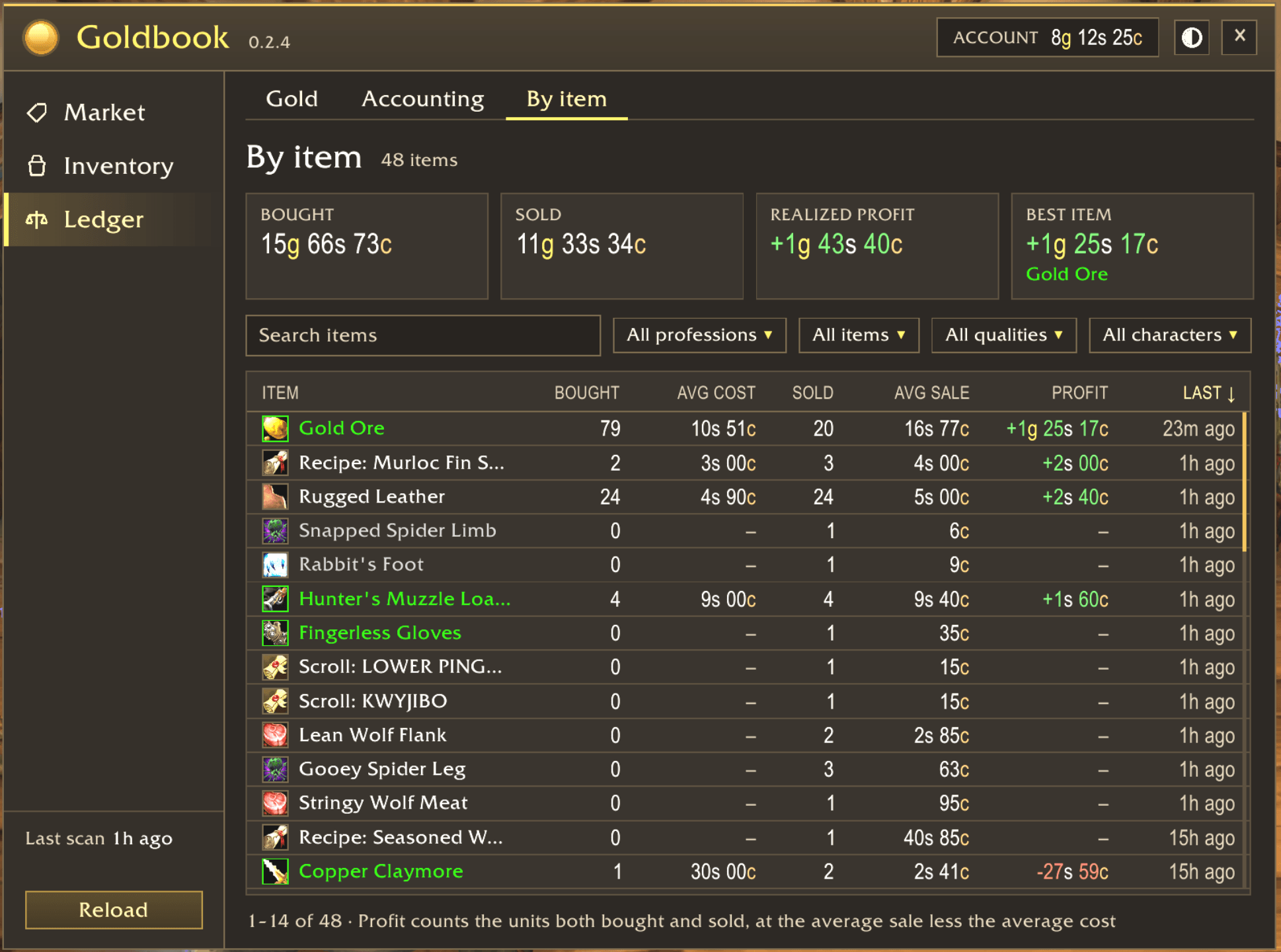
See which items contributed most to your net worth
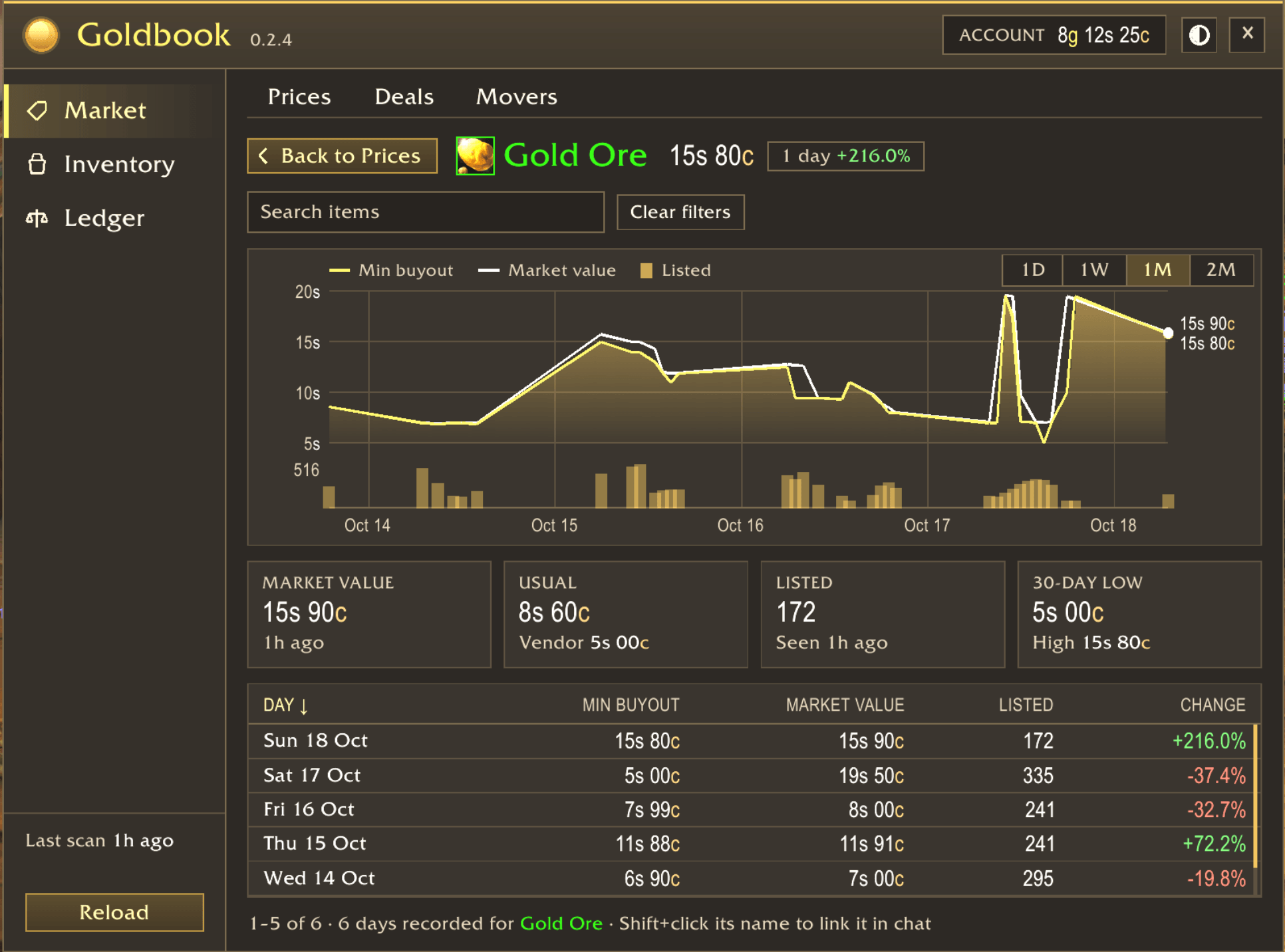
See current and historic market prices for items (including volume). Download the desktop client for a two-way data sync
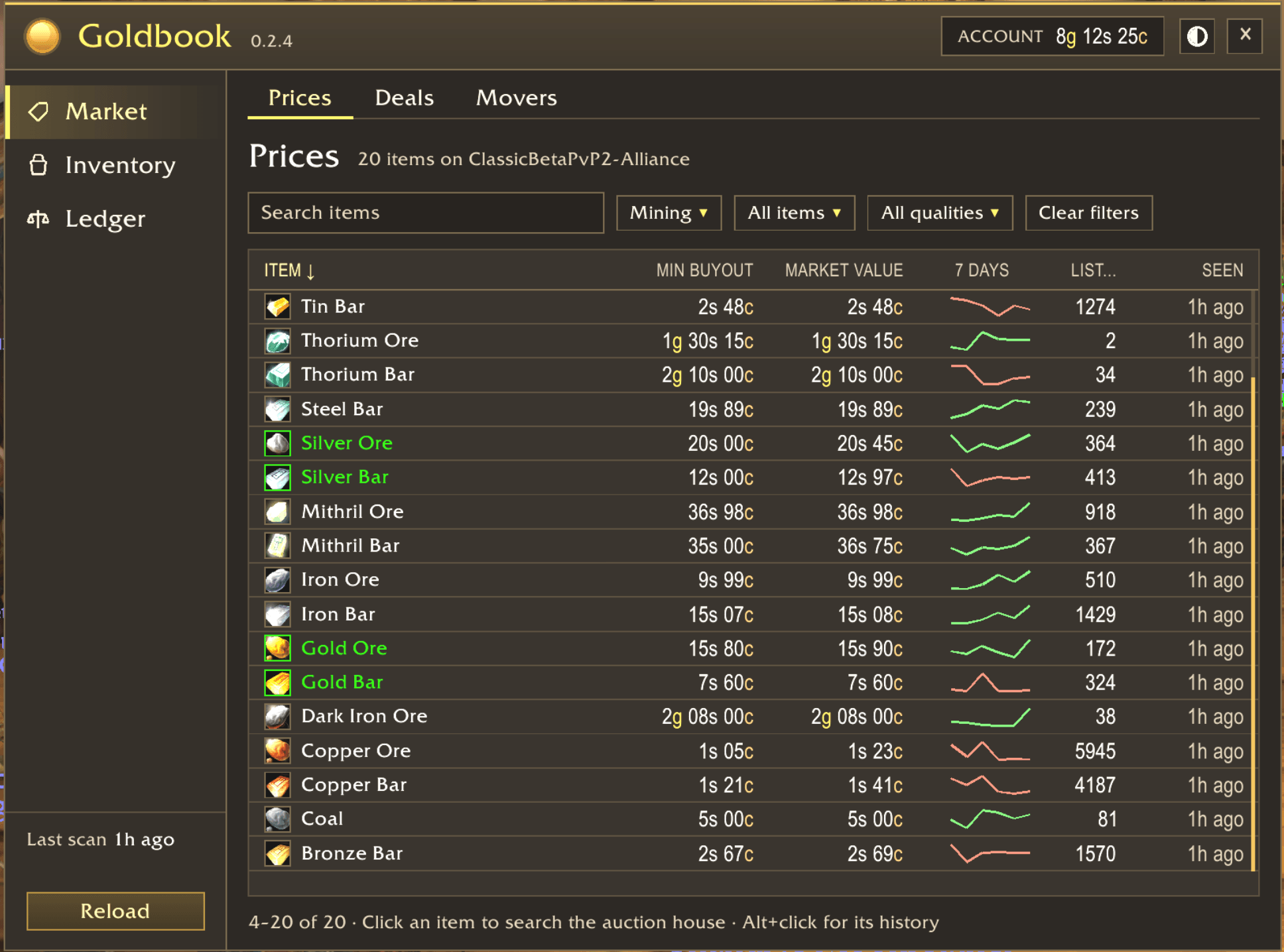
Searchable, sortable and filterable table view
Description
Goldbook scans the auction house, shows prices in item tooltips and in its own window, finds deals, tells you what to sell, and keeps the books on your gold. Every gold movement is recorded, so you can see what you earn, what you spend, and what each item really made you.
In the game
Open the window with /gb show, or click the gold crest on the minimap. Its views sit in three hubs.
Market
- Prices: every item you scanned, with the minimum buyout, market value, a 7-day sparkline, the quantity listed, and when it was seen. Search, and filter by profession, item type and quality.
- Deals: items listed below what they resell for, or below what a vendor pays, after the 5% auction house cut. You set the minimum profit (
/gb minprofit). - Movers: the prices that rose or fell most since the day before.
- Item history: Alt+click any item, in bags, chat, loot or the auction house, to see its price chart for a day, a week, a month or two months. Shift+click an item at the auction house to open it in Goldbook.
Inventory
- Bags: what each item in your bags brings in, at what price to post it, and whether to auction it or sell it to a vendor.
- Mail: opens with the mailbox. It lists every mail with a Sold, Bought, Cancelled, Expired or Other tag. One button collects the mails shown, skips cash on delivery, and stops when your bags are full.
Ledger
- Gold: gold per character, today's change, 30 days, net worth with your bags, and a chart over one week, one month or two months.
- Accounting: your revenue and expenses as they happen. It records auction, vendor and trade sales and purchases; mail gold and cash on delivery; quest rewards and loot; and repairs, postage, deposits, flights, training and talent resets. Filter by source and character.
- By item: the same books added up per item, with units bought and sold, average cost and sale, and the profit or loss realized.
The tooltip adds the auction prices, a price to post at, the vendor price and any deal to every item. Vendor prices come straight from the game's own tooltip. The window has dark and light themes and a size slider.
Scanning
- Quick scan (
/gb scan, or left click Goldbook scan): the lowest price and the quantity of every item. - Full scan (
/gb scan full, or right click): every auction, adding market values and order books. - Autoscan (
/gb autoscan): a quick scan each time the auction house opens, at most every 15 minutes.
The website and the desktop app (optional)
An addon cannot go online, so the Goldbook desktop app does it for you. Get it from the website, for Windows, Apple silicon Macs and Linux (.deb and .rpm). It installs and updates the addon, and syncs both ways:
- It uploads your scans, gold, bags and accounting when you type
/reloador log out. - It brings back the prices other players scanned on your realm, so your tooltips and deals stay current even when you didn't scan.
The Goldbook website has the same Market, Inventory and Ledger views as the addon, for every character on your account, in any browser, including on your phone. Type /gb web in game for your login.
Requirements
A client with the modern auction house. Goldbook is built for the 1.60 "Forever" client (interface 16001).
Source code
- jkc-be/goldbook is the upstream: the addon, the desktop app, the sync client, the server and the website.
- jkc-be/goldbook-addon holds just the addon, mirrored from the upstream, with every release ZIP.
Report bugs and ideas in the upstream's issues.
goldbook Team
