
02
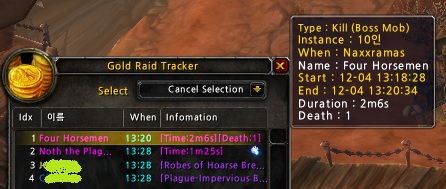
boss kill example1
STEP3 : Split 1
STEP3 : Split 2
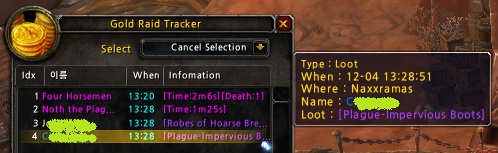
loot example1
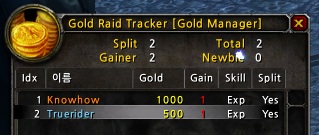
STEP3 : split 3
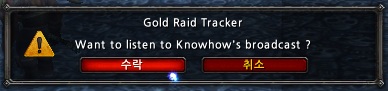
STEP1-2-2 : Confirm to listen to Broadcast
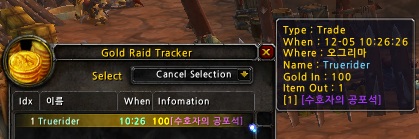
trade-ex2
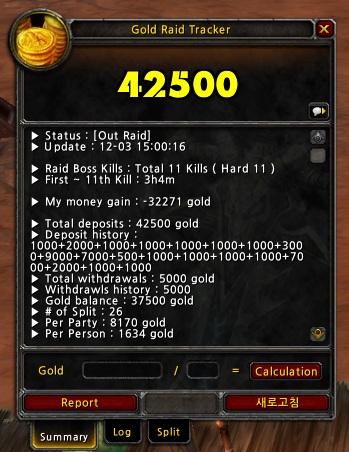
upload image test
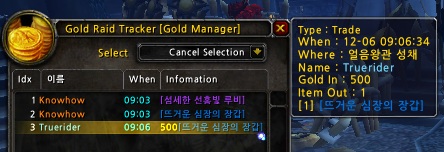
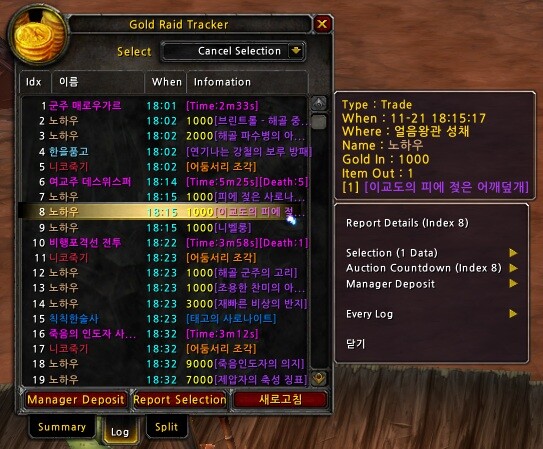
STEP2-1 log loot and trade
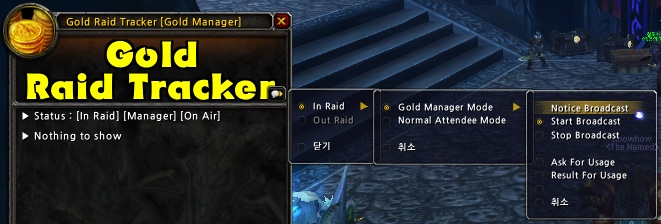
STEP1-2 : Select Mode and Broadcast
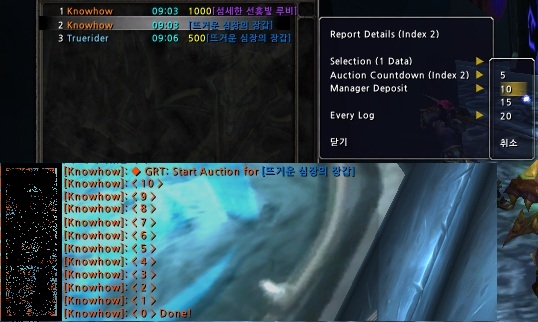
STEP2 : Auction
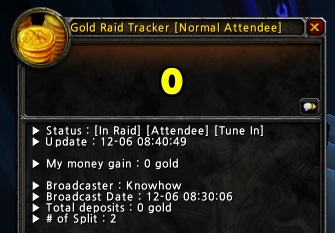
STEP1-2-3 : Participant's Window
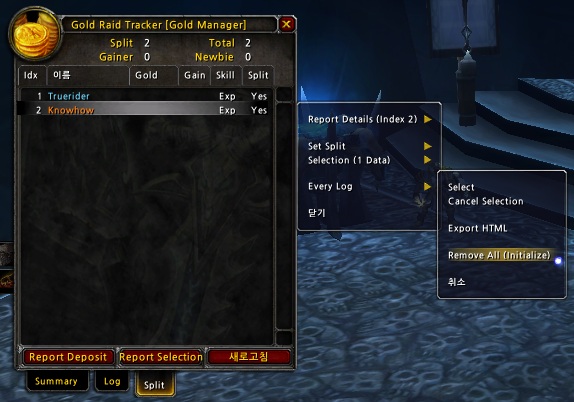
STEP1-1: Initialize
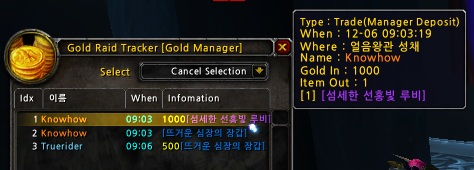
STEP2-2 : manager deposit3
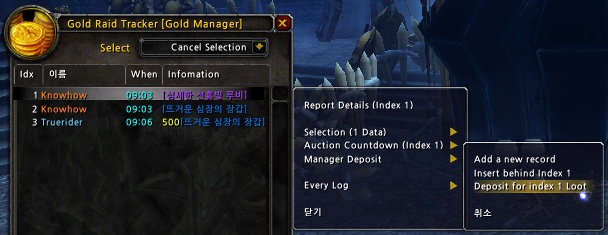
STEP2-2 : manager deposit1
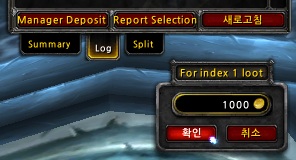
STEP2-2 : manager deposit2
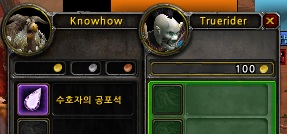
trade-ex1
Description
Gold Raid Tracker
The Gold Raid Tracker (GRT) is a World of Warcraft addon that helps raid leaders running gold pugs (GDKP). Its basic functions are to track trade, loot and mob kills in raids. With these functions, it provides the raid leaders and participants with good information about their raid.
Features
- It tracks trade, loot and bosskill logs
- It supports GDKP (Gold Dragon Kill Point)
- The whole gold pot ( total gold deposits ) is automatically recorded based on the gold trades with a gold manager. it means you don't need to write down the amount of gold for each item
- As a gold manager, you just loot items in advance and then trade items with the bidder who will pay the gold. If you are the bidder, you cannot log the gold deposit trade with yourself. For that case, GRT provide a special function [Manager Deposit] to help you log the trade virtually.
- As a participant, you can receive the broadcast information about the whole gold pot from your gold manager. you can also collect information about loot and bosskill logs locally except the trade logs.
- After a successful raid, you may split the whole pot with other raid members. GRT provide a GUI interface to help you check who will got the split gold or not.
Usage
If you have a Lightweight Data Broker (LDB) container add-on such as Titan Panel, GRT shows in that container. Left-clicking the icon toggles GRT frame, right-clicking the icon shows the options.
If you do not have an LDB container, click the minimap icon or type /grt ( /goldraidtracker ) to show the options.
Requirements
The Gold Raid Tracker is based on the Ace3 library. Please check the Ace3 installed before reporting the relative errors.
Basic Functions
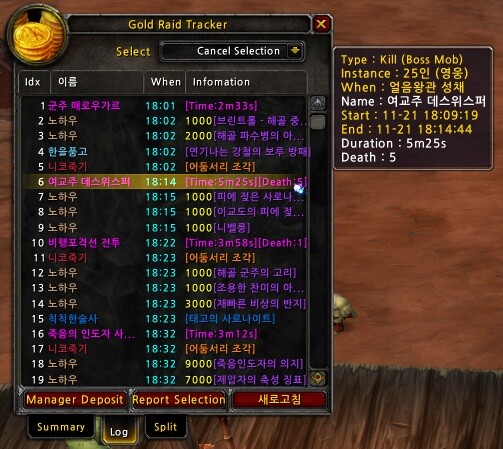
GRT tracks trade, loot and boss kill log.
Trade Log
It tracks trades (The following example shows that I received 100 gold and gave an epic gem. )


Loot Log
It tracks loots

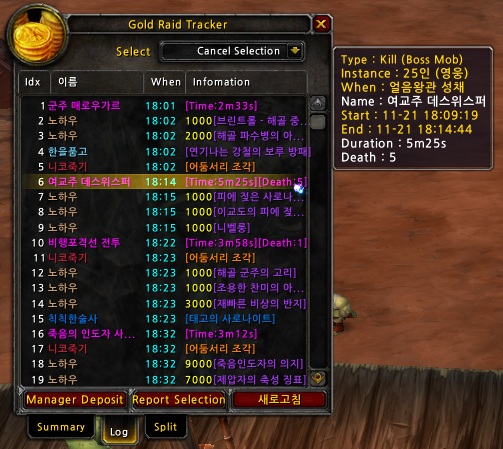
Mobkill Log
It tracks boss mob kills

A Raid Example : Tutorial
STEP1 : Clear the log and Setup the Broadcast
Both a gold manager and participants had better clear the whole log and setup the split member list with the current raid members when you start your raid actually. Because the split member list contains everyone who joined and left your party while you are gathering the raid members and you don't care left-ones before starting the raid.

If you are elected as a gold manager, the first thing to do is that you select [Gold Manger Mode] and [Notice Broadcast]. The other participants who use GRT will receive the confirm message and choose Accept to be on the Attendee Mode. During the raid, the gold manager will broadcast the information of the whole gold pot and the number of the split.


The other participants will see the screen that looks like the following image.

STEP2 : Log trade properly
As a gold manager, you have to gather all the gold paid for the items. the other log (loot and boss kill ) will be recorded automatically, so you don't care the logs.
All you have to do for this is that you just receive the gold paid. GRT will calculate the amount of total deposits based on the trade logs.
The following image shows two loot logs and one trade log.

If you are a gold manager and want to get an item, you should use the special function to record your trade, because you cannot trade with yourself.
[Manager Deposit] function will give you a method to log the trade with yourself virtually.


GRT provides simple auction functions, but it don't concern which bid method you choose. it just records the gold paid. The auction depends on you.
The following example shows auction count down for an item using RAID_WARNING channel.

STEP3 : Split the gold
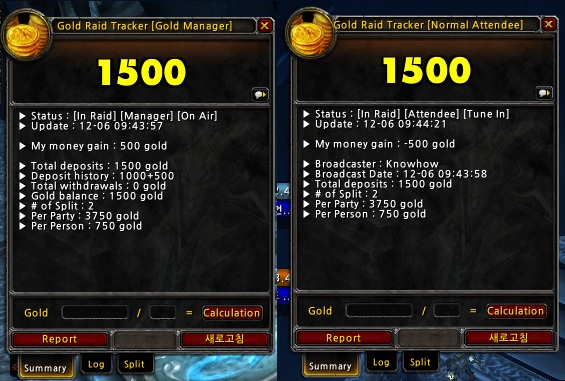
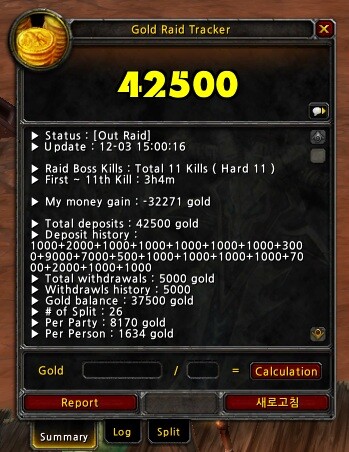
When the raid finished, as a gold manager, you should split the gold without any doubt. If you broadcast or inform the amount of total deposits, most of your members will agree with you about the total amount of the gold.
The following image shows the screen of a gold manager and a participant respectively

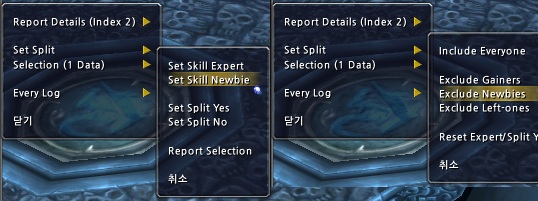
Another thing to do at this step is that you choose who will share the money or not. If some raid members showed bad skill or attitude, you can exclude them according to the agreement of other members. To do so, you just flag them as [Set Skill Newbie] and use [Exclude Newbies] menu on the split page If your split rule is that the gainer of any item should be excluded, you can use the menu [Exclude Gainers] to do so.

The following image shows that all of two members will get 750 gold for each.

Bug Reporting and Localization Issue
Please send your feedback to me. It will be very helpful to me. The information will be blinded for your privacy. Thank you very much in advance. knowhow999@gmail.com
I have made two locale versions of the enUS and koKR. I have tested my koKR locale version for a month, and I heard that enUS locale version is working. But I need more actual raid log data of the other locale clients for debugging. Please locate the following file after your raid finished and email this to me.
- World of Warcraft\WTF\Account\(account name)\(server name)\(character name)\SavedVariables\GoldRaidTracker.lua
If you want to make your locale version, you just translate the following file. I hope you can make it.
- World of Warcraft\Interface\Addons\GoldRaidTracker\Locales\<Your Locale File>
More Screenshots


Gold Raid Tracker Team
