


Gold Forever
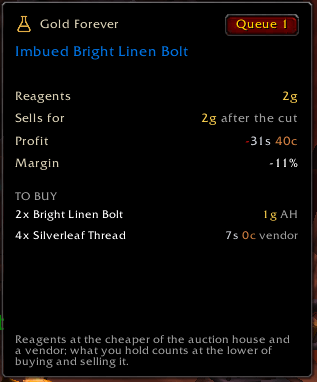
Crafting crafting window.png
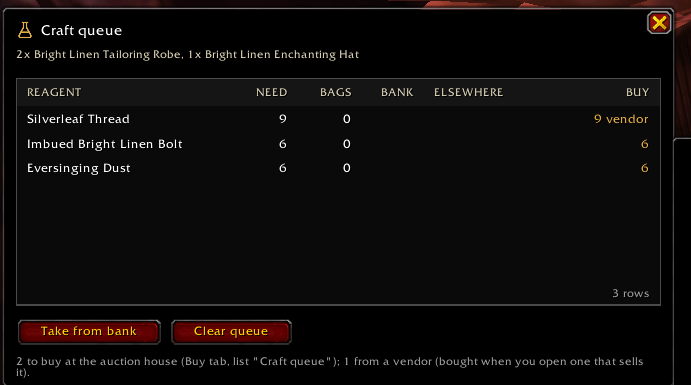
Crafting queue.png
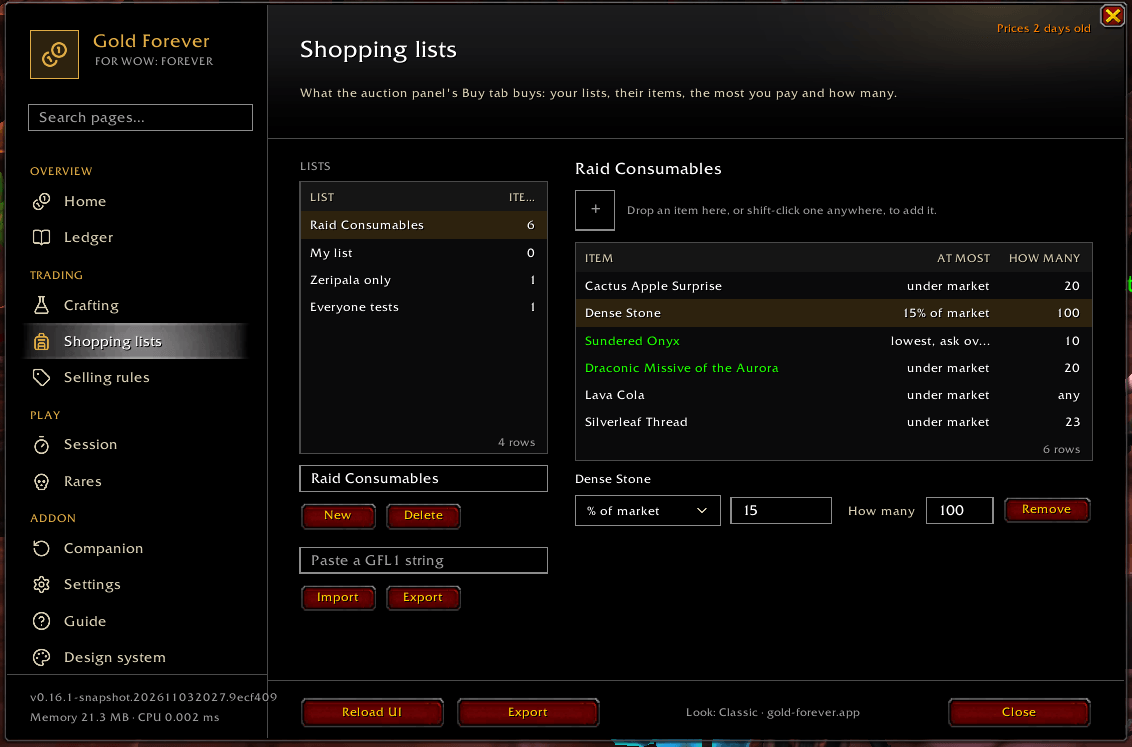
Shopping List.png
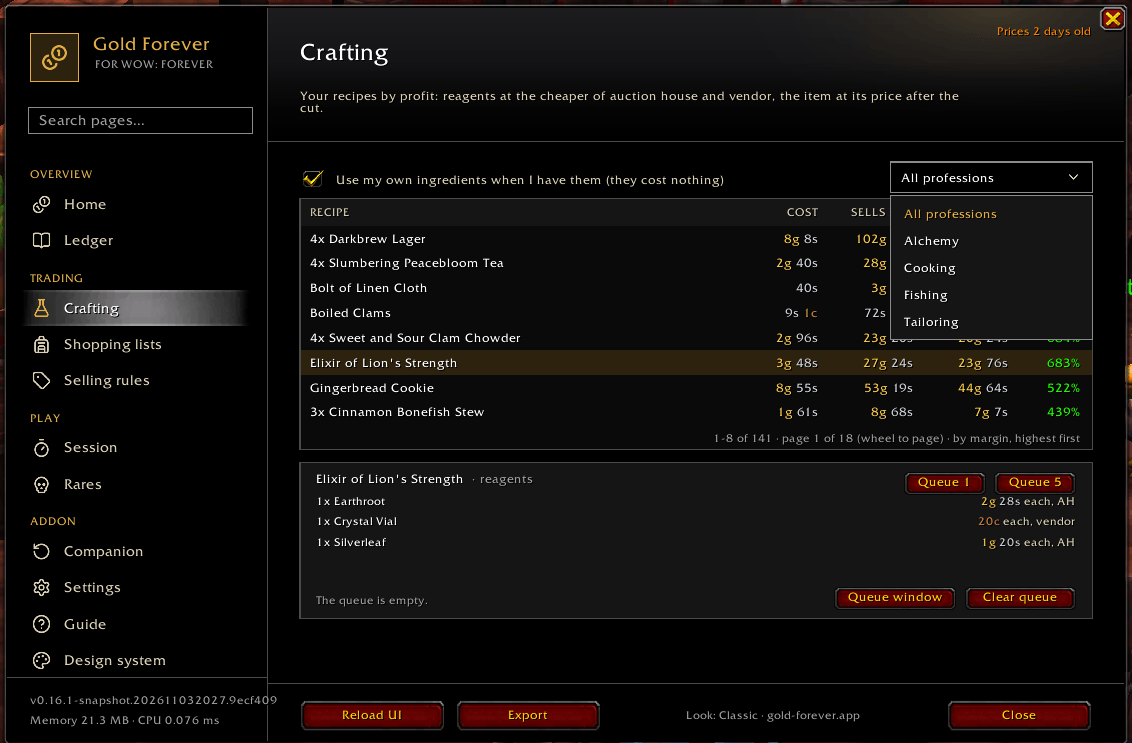
Crafting hub.png
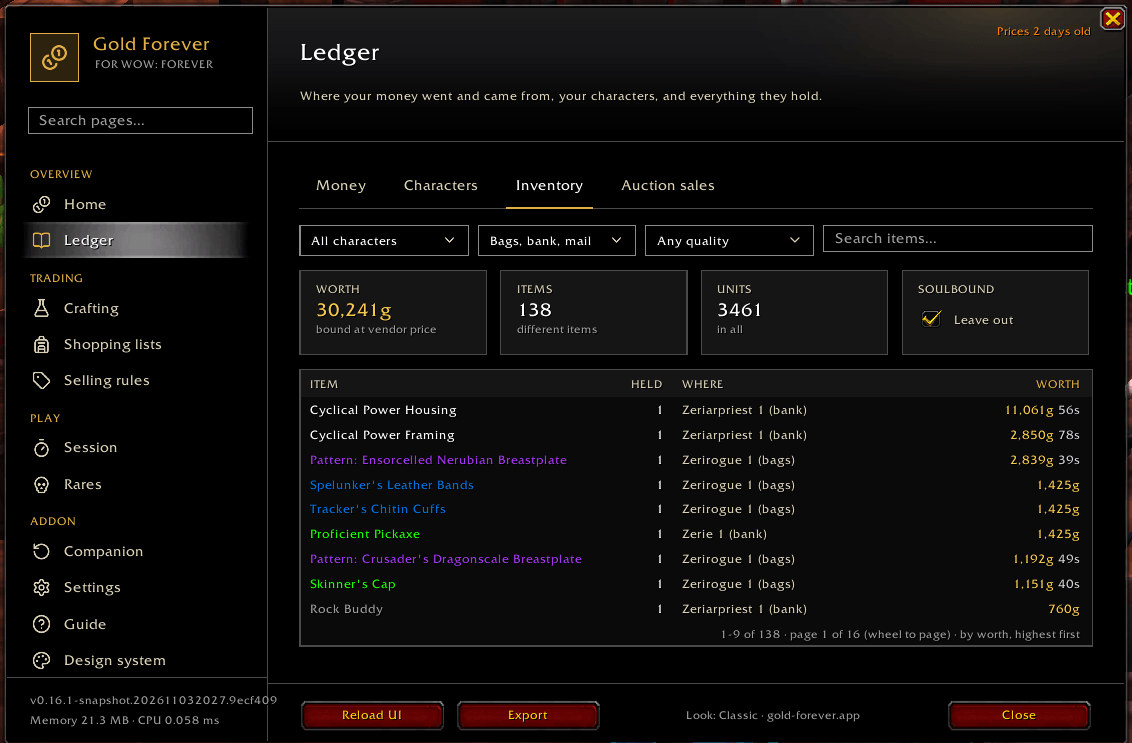
Ledger.png
Description
Gold Forever shows what your items are worth, what your farming earns, and what to sell, buy or craft. Made for WoW: Forever.
What you get
- Prices in every tooltip: your latest auction scan, what disenchanting gives, and how many each of your characters holds.
- Auction house panel: scan, then sell with a price and a reason for every item (never under your floor without asking), buy from your shopping lists, and cancel what is undercut. The Sell tab can go wide.
- Gold per hour while you farm: a one-line HUD with gold, XP and kills an hour and the time to your next level. Click it for the session's loot.
- Crafts that pay: your recipes by profit after reagents and the auction cut, and a craft queue that says what to take from the bank and what to buy.
- Mail in one press: opens all your auction house mail in turn. A player's letter is never touched.
- Alerts for big drops, rares and items that start a quest.
/gf: one window for your money, characters, ledger, sessions, rares, lists and settings, in three looks: Web, Classic and Arcane.
What you need
- Nothing more for everything above. It works on your own scans.
- Optional, for everyone's prices in the tooltip: the free Gold Forever companion app (Windows, macOS, Linux) and a free account on the Gold Forever website (sign in with Battle.net); both are linked below. The tooltip then adds the market price from every player's scans, its typical price over 7 days, and the cheapest listing. After the companion's first install, restart the game once.
- Optional, the website: the same free account shows your gold over time, price history, deals and what to craft today. Upload with the companion, or paste the text from
/gf export.
Your data
The addon records only your own characters, into the game's saved file on your computer, and nothing about other players. Nothing leaves your computer unless you upload it. Uploaded auction scans and loot counts become everyone's prices, without your name; your characters, gold and ledger stay private. Details: the privacy page, linked below.
Getting started
Type /gf. A first-run card says what it records and lets you choose what it does. /gf help lists the commands. Keep both folders, GoldForever and GoldForever_Auctions.
It also loads in retail; WoW: Forever comes first.
Links
- Website: gold-forever.app
- Companion app: github.com/gold-forever/companion
- Privacy: gold-forever.app/privacy
- Bugs and ideas: GitHub issues or Discord (
/gf checkgives what a report needs) - Source: github.com/gold-forever/addon (source-available, all rights reserved)
Gold Forever is a free fan project, not affiliated with or endorsed by Blizzard Entertainment. World of Warcraft is © Blizzard Entertainment.
Gold Forever Team
