


Goblinomics - Gold Economy Suite and Tracker
- By
dashboard.png
wizard.png
workshop.png
ledger.png
insights.png
Description
Goblinomics
Track. Analyze. Profit. Make Gallywix Jealous.
Goblinomics answers three questions for World of Warcraft Retail: what am I worth, where does my gold come from, and what's worth my time? One suite instead of a ledger addon, a farm tracker and a craft log side by side. It takes its prices from TradeSkillMaster or Auctionator instead of scanning the auction house itself, keeps everything in your SavedVariables, and sends nothing anywhere.
And yes, there's a goblin who gets more jealous the richer you are: the Gallywix Jealousmeter.
What's inside
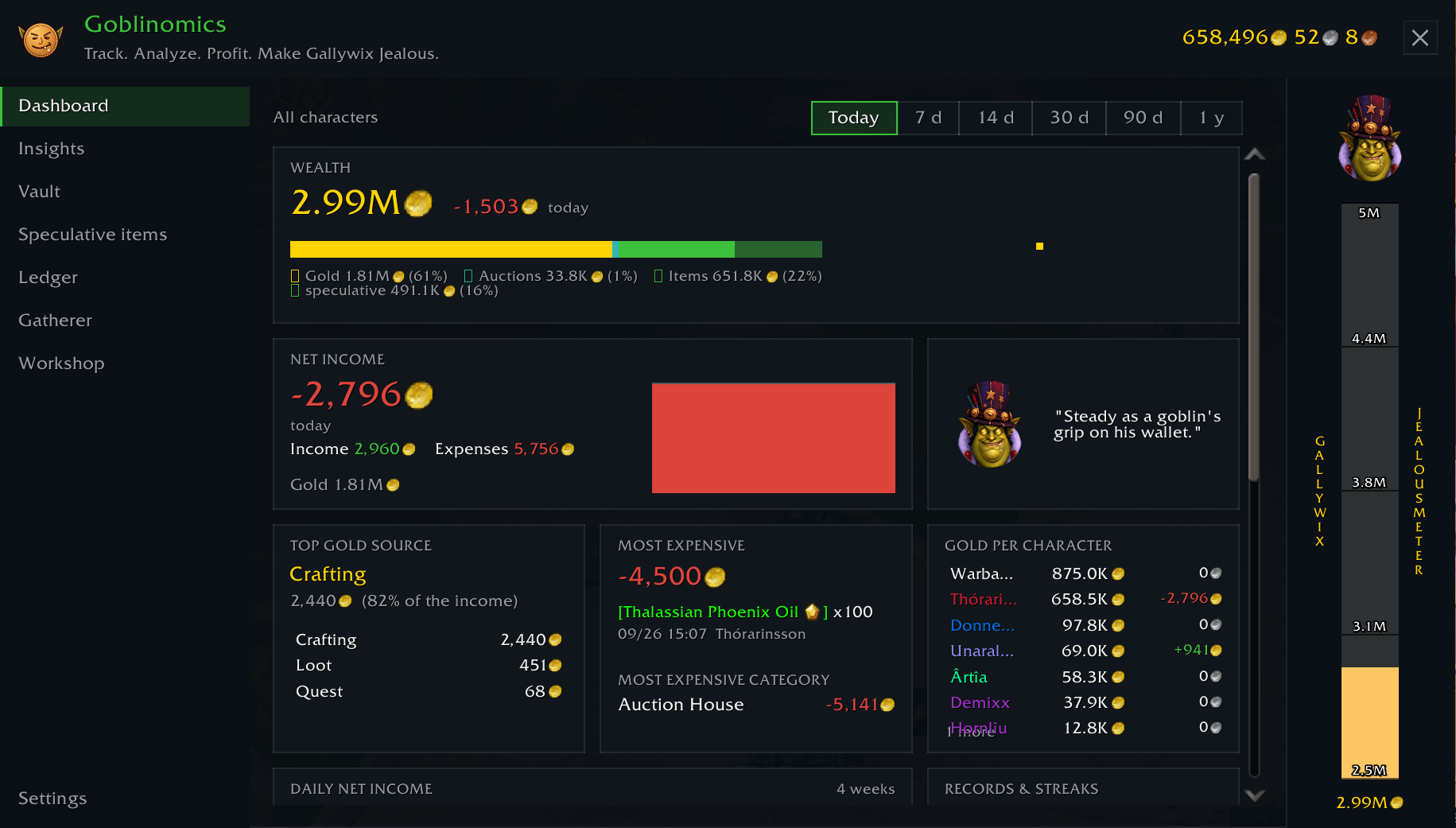
Dashboard – everything at a glance for 1 to 365 days: your wealth and how it moved, net income per day, your biggest gold source and your most expensive habit, gold per character, a calendar heatmap, records and streaks, auction house figures and a cheeky line from Gallywix.
Vault – one wealth figure over all characters and the warband bank: gold, active auctions and every item you could sell. Bound gear doesn't count. Expand a character to see what it's carrying, most valuable first. Items that hardly ever sell (and are worth 1000 gold or more) are shown separately as speculative, so you know how much of your fortune is wishful thinking. Gold goals come with a forecast.
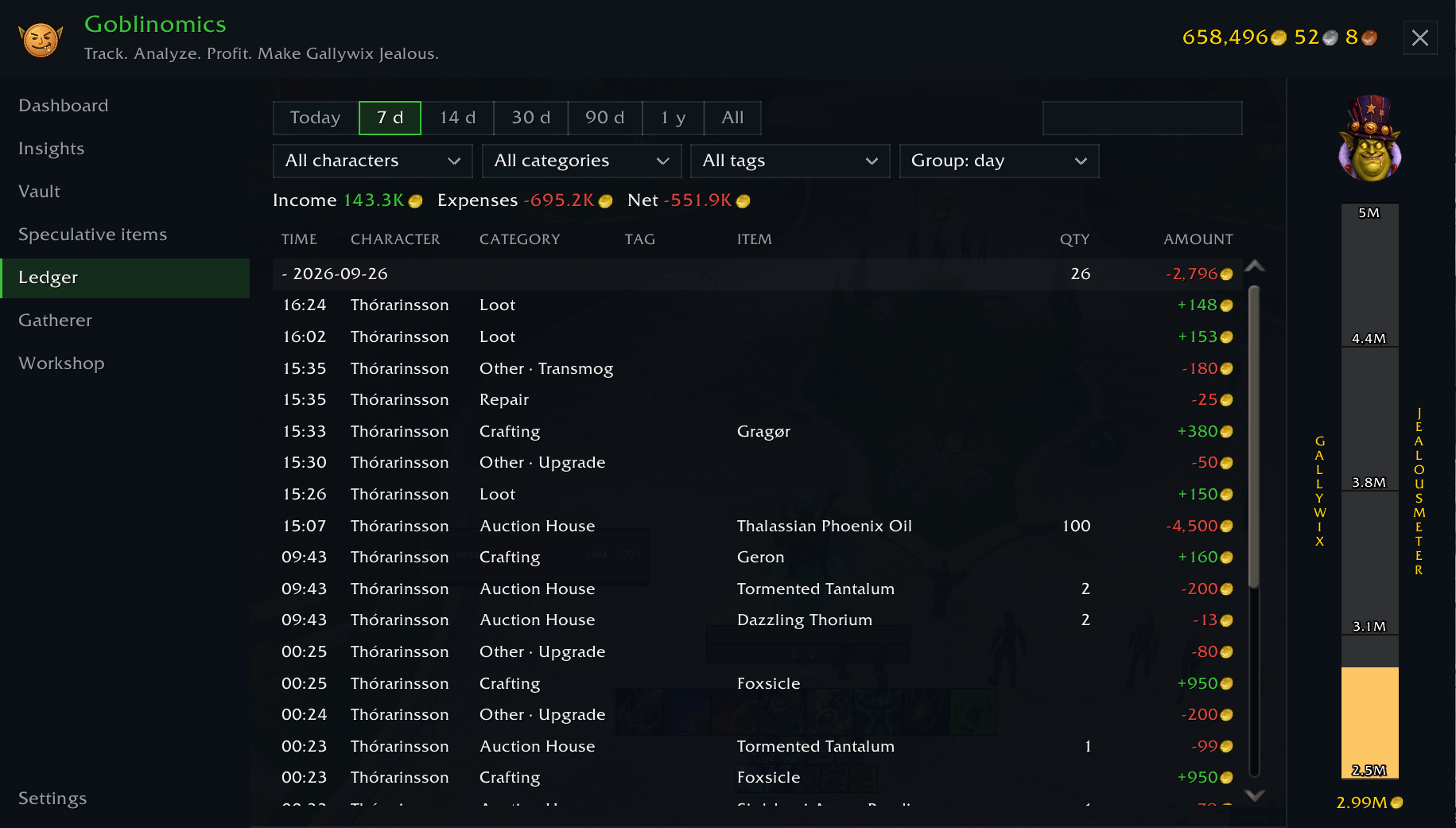
Ledger – every copper in or out, booked into a category: auction house, vendor, repairs, quests, loot, crafting, mail. Gold you move between your own characters isn't income. Mail rules for things like boosting payments, remembered trade partners, and an auction house log with your sale rate and lost deposits.
Gatherer – farm sessions with a small HUD and gold per hour, alerts for valuable loot and watchlist items, statistics per farm, and raid and dungeon lockouts for all your characters.
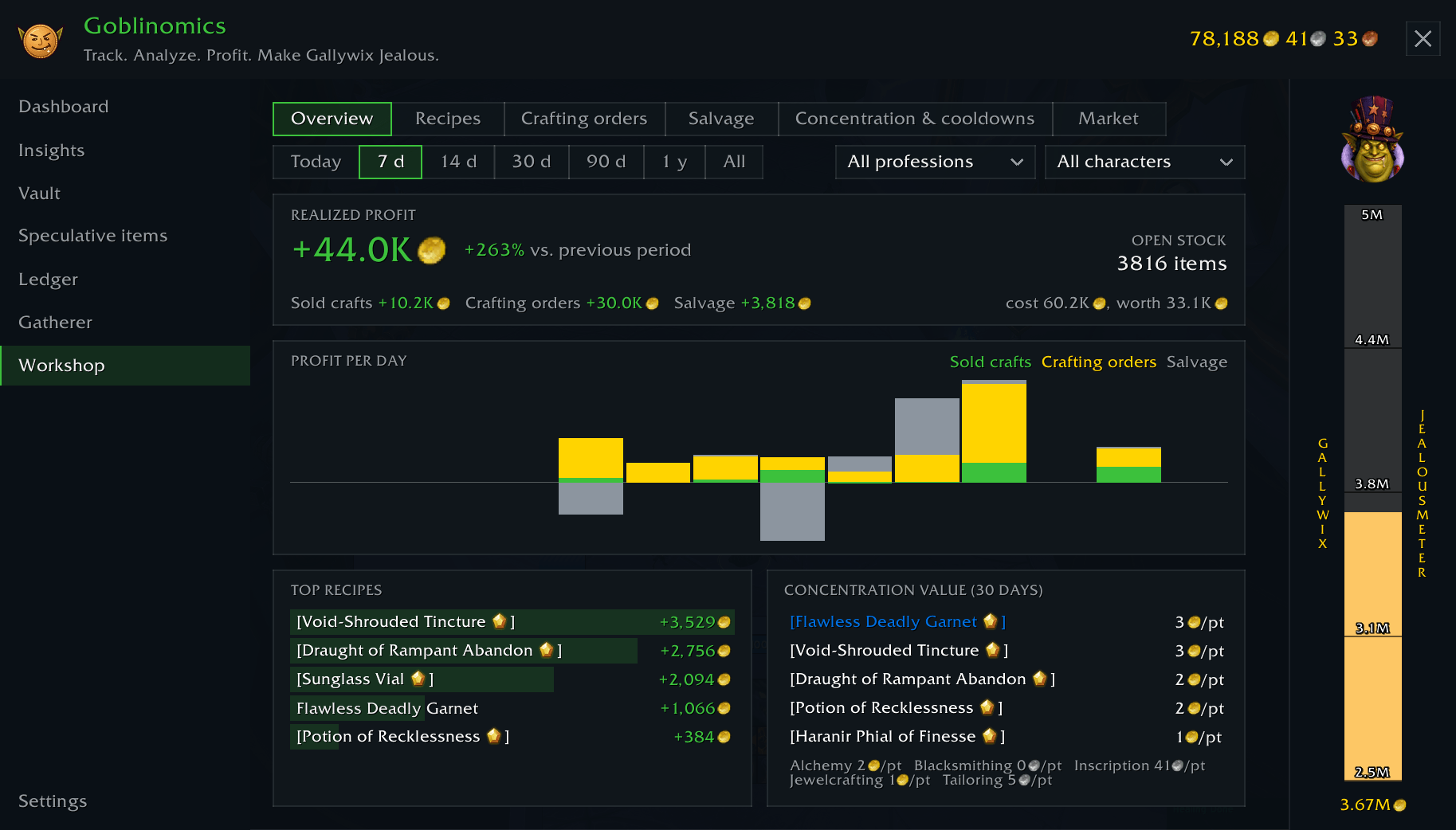
Workshop – what your crafts really cost and earn. Reagents count at what you paid for them, your own intermediates at their craft cost, and sales are matched against the craft. Profit per recipe and quality, crafting orders with commission and rewards, salvage, and what a point of concentration is worth to you.
- Concentration & cooldowns for every alt. See when each character's concentration is full and when transmutes and other cooldowns are ready, without logging in. A toast, a chat line or a minimap tooltip tells you, if you want.
- Market. A board for the products you choose: stock, market price, a price trend with a small chart, your own sale rate. Add an item with one click in the profession window. Items you have in stock get a warning when their price drops.
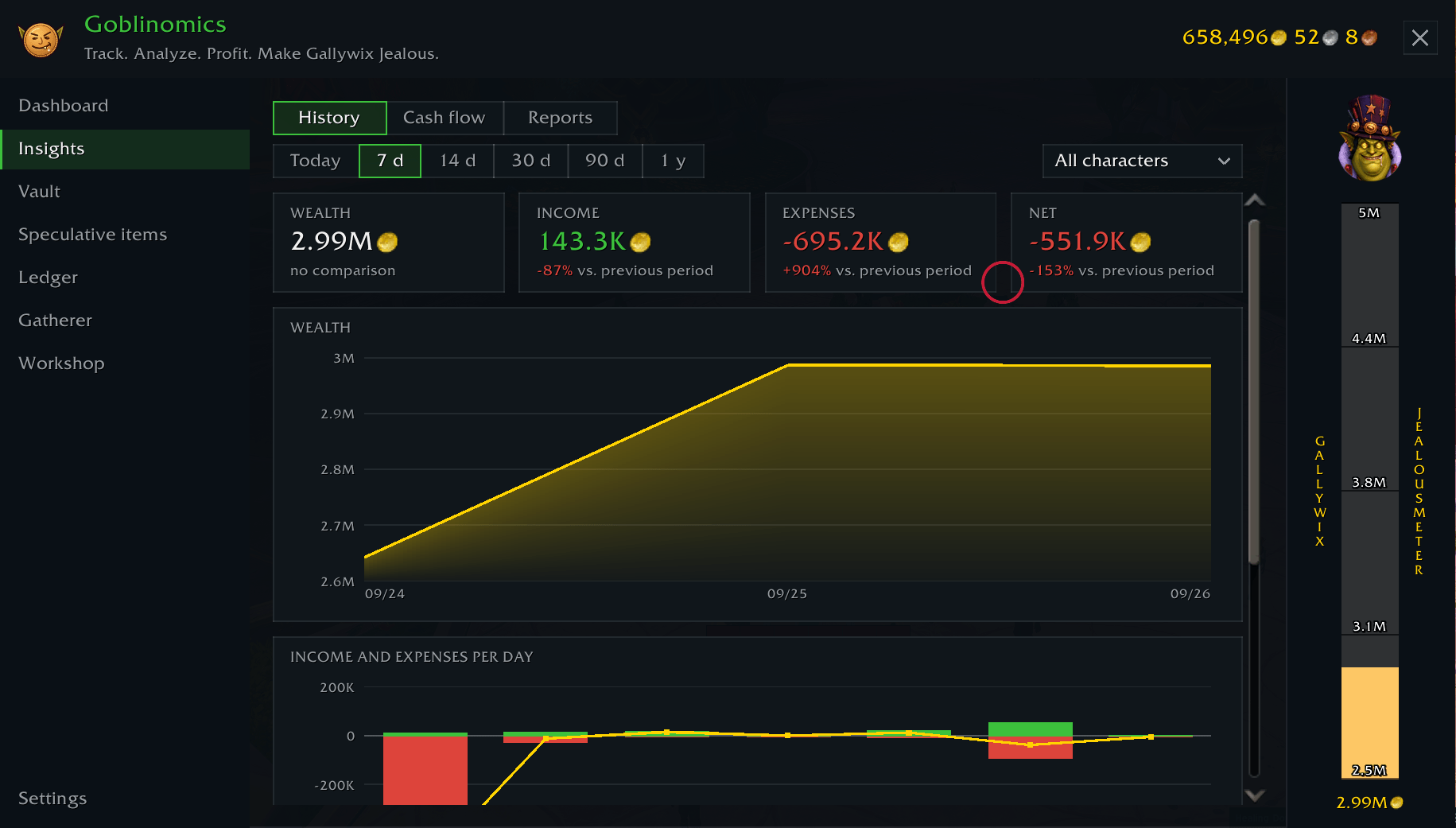
Insights – history charts, a cash flow diagram (where the gold came from and where it went) and daily and weekly reports. Loads only when you open it.
Import – brings in your old TSM Accounting or Journalator history, without duplicates, and can be undone.
Account link – more than one WoW account? Combine them into one wealth figure with an export string.
Don't need a module? Switch it off and it's gone.
Requirements
- TradeSkillMaster or Auctionator – strongly recommended. Without one of them Goblinomics only knows vendor prices, and your wealth will look sad.
- Optional: CraftSim for craft cost estimates.
Getting started
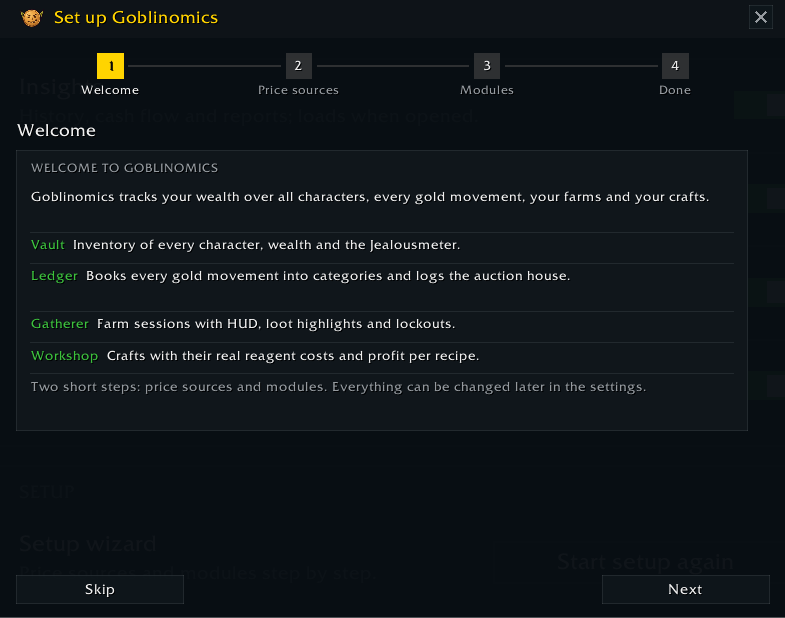
On your first login a short setup asks which price source to use and which modules you want. Then visit the bank, your mailbox and the auction house once on each character, so Goblinomics knows what you own.
| Command | What it does |
|---|---|
/gob |
open or close the main window |
/gob setup |
run the setup again |
/gob farm start [name] / stop |
start or stop a farm session |
/gob import |
import TSM Accounting or Journalator history |
/gob help |
all commands |
The window also opens from the minimap button, the addon compartment and a key binding. The wiki (link on the right) explains every module and setting.
Feedback
Found a bug or have an idea? Open an issue on GitHub (link on the right). The Lua error (BugSack makes that easy) and the output of /gob status help a lot.
Translations are welcome as a pull request or an issue on GitHub.
Deutsch
Track. Analyze. Profit. Make Gallywix Jealous.
Goblinomics beantwortet drei Fragen: Was bin ich wert, woher kommt mein Gold, und was lohnt sich? Eine Suite statt Ledger-Addon, Farm-Tracker und Craft-Log nebeneinander. Die Preise kommen aus TradeSkillMaster oder Auctionator, alles bleibt in deinen SavedVariables, nichts wird verschickt. Dazu gibt es das Gallywix-Jealousmeter.
Module
- Dashboard – Übersicht für 1 bis 365 Tage: Wealth mit Verlauf, Netto-Einkommen pro Tag, größte Goldquelle, teuerste Ausgabe, Gold pro Charakter, Kalender-Heatmap, Rekorde, Auktionshaus und ein frecher Spruch von Gallywix.
- Vault – eine Wealth-Zahl über alle Charaktere und die Kriegsmeuten-Bank. Gebundenes zählt nicht. Jeder Charakter lässt sich aufklappen, die wertvollsten Items zuerst. Items, die sich kaum verkaufen und mindestens 1000 Gold wert sind, stehen getrennt als spekulativ. Gold-Ziele mit Prognose.
- Ledger – jede Goldbewegung in einer Kategorie, Mail-Regeln (z. B. Boosting), gemerkte Handelspartner, AH-Log mit Verkaufsrate und verlorenen Deposits.
- Gatherer – Farm-Sessions mit HUD und Gold pro Stunde, Beute-Hinweise, Watchlist, Statistiken pro Farm und Lockouts aller Charaktere.
- Workshop – was deine Crafts wirklich kosten und bringen: Reagenzien zum bezahlten Preis, Profit pro Rezept und Qualität, Crafting-Aufträge, Verwertung und der Wert eines Konzentrationspunkts. Dazu Konzentration & Cooldowns aller Twinks mit Hinweis, wenn etwas voll oder bereit ist, und der Markt: eine Liste deiner eigenen Produkte mit Bestand, Preistrend und Warnung bei Preiseinbruch, Items per Klick im Berufsfenster hinzufügen.
- Insights – Verlaufsdiagramme, Geldfluss-Diagramm, Tages- und Wochenreports.
- Import – Verlauf aus TSM Accounting und Journalator, ohne Dubletten, rückgängig machbar.
- Account-Link – mehrere WoW-Accounts in einer Wealth-Zahl.
Voraussetzungen
- TradeSkillMaster oder Auctionator – sonst gibt es nur Händlerpreise.
- Optional: CraftSim.
Start
Beim ersten Login fragt ein kurzer Assistent nach Preisquelle und Modulen. Öffne danach Bank, Post und Auktionshaus einmal pro Charakter. /gob öffnet das Fenster, /gob help zeigt alle Befehle.
Fehler und Ideen bitte als GitHub-Issue, mit der Fehlermeldung (BugSack) und der Ausgabe von /gob status.
The Goblinomics - Gold Economy Suite and Tracker Team
