


GnoPS
- By
Gnopsgui-main.png
Gnopsgui-secret.png
Secret01.png
Secret02.png
Description
~Preface: If you're updating you may encounter errors/locations not working. Please run /gnops clearall, this will empty your savedvariables, so please make note of locations if required!~
With GnoPS (Gnomish Positioning System!) you can create pings for finding exact co-ordinates to within 0.01 x/y's.
Make a greeting for someone warping to your cornerstone or entering your house! Have a message in your favourite meeting spot for others to find!
Or with the "secret locations" option, create a starting point for a treasure hunt, or story (for those RP'ers out there). Locations following the first can't be found until the previous step has been triggered.
Normal repeatable locations give a greeting message, whilst secret locations allow a greeting message (story) followed by a second option (content) for more flavour.
/gnopsgui
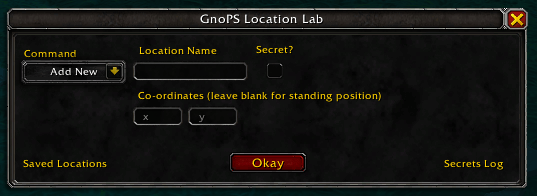
There is a gui to add/remove locations, normal and secret, this is accessed with /gnopsgui
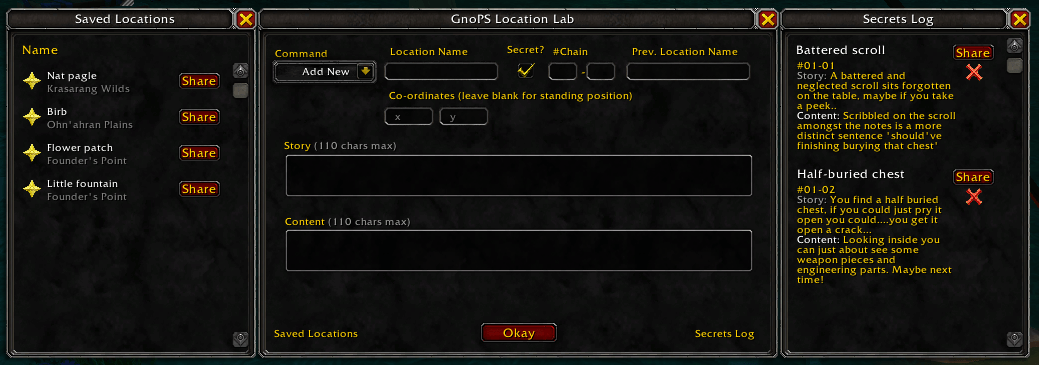
The gui also allows sharing, just target who you want to share with, and if they have GnoPS they should receive a pop up asking if they want to accept.
A {Star} raid-marker next to the normal location names will place a waypoint.
The {Cross} raid-marker next to secret locations can be used to clear that step, or the entire chain.
Creating new locations
Adding a normal location is as simple as standing where you want it, selecting "Add New" on the Command drop down, giving it a name, and hitting "Okay".
Adding a secret location is similar. Checking the "Secret?" box opens up a few extra boxes.
- #Chain > enter in numbers to allow secret chains to work with each other, eg. [01] - [01], in the second step you would enter [01] - [02], etc
- Prev. Location Name > If you're creating a 2nd/3rd/etc step, enter the previous steps location name here
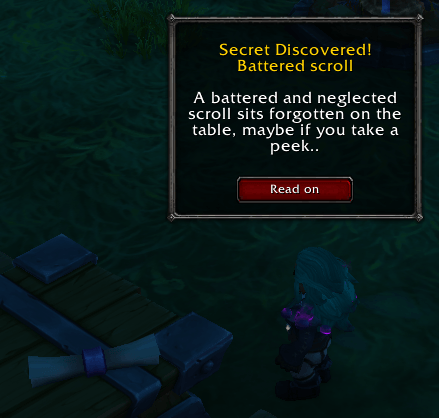
- Story > This is the first line that shows upon discovery of the secret location
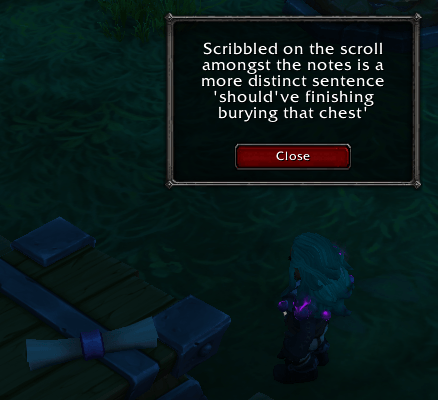
- Content > This is the text in the second window that pops up after clicking the Story "read on" button.
Removing locations
To remove locations from your list (and therefore savedvariables), select "Remove" on the drop down and type the location name exactly as is. To check names you can use the fly outs on the left and right of the main gui.
This will remove a location completely. If you want to only re-do a secret location, please use the reset {Cross} raid-marker.
Notes:
-Normal locations will ping every time you re-enter the location, whilst secret locations will only ping once unless resetchain (or using the {Cross}) is done.
-Currently it's just a default bell sound. This may become customisable down the line.
-<solved> There may be issues with overlapping chain numbers, however I haven't managed to trigger these myself. Chains link not just via number, but via title of previous step, so keep those unique.
-It has occured to me that some may want to make locations in zones that they're not stood in. I may add a mapID box beside the xx yy boxes down the line if there's call for it.
-Depreciated commands - Where-as these still do the job, all the information and commands are now within the gui. With the exception of resetchain, which still defaults to reseting everything with the chain# you enter, which might not give a desired result! Use the {Cross}, it's just better.
The GnoPS Team
