


GlobalUIOpacity
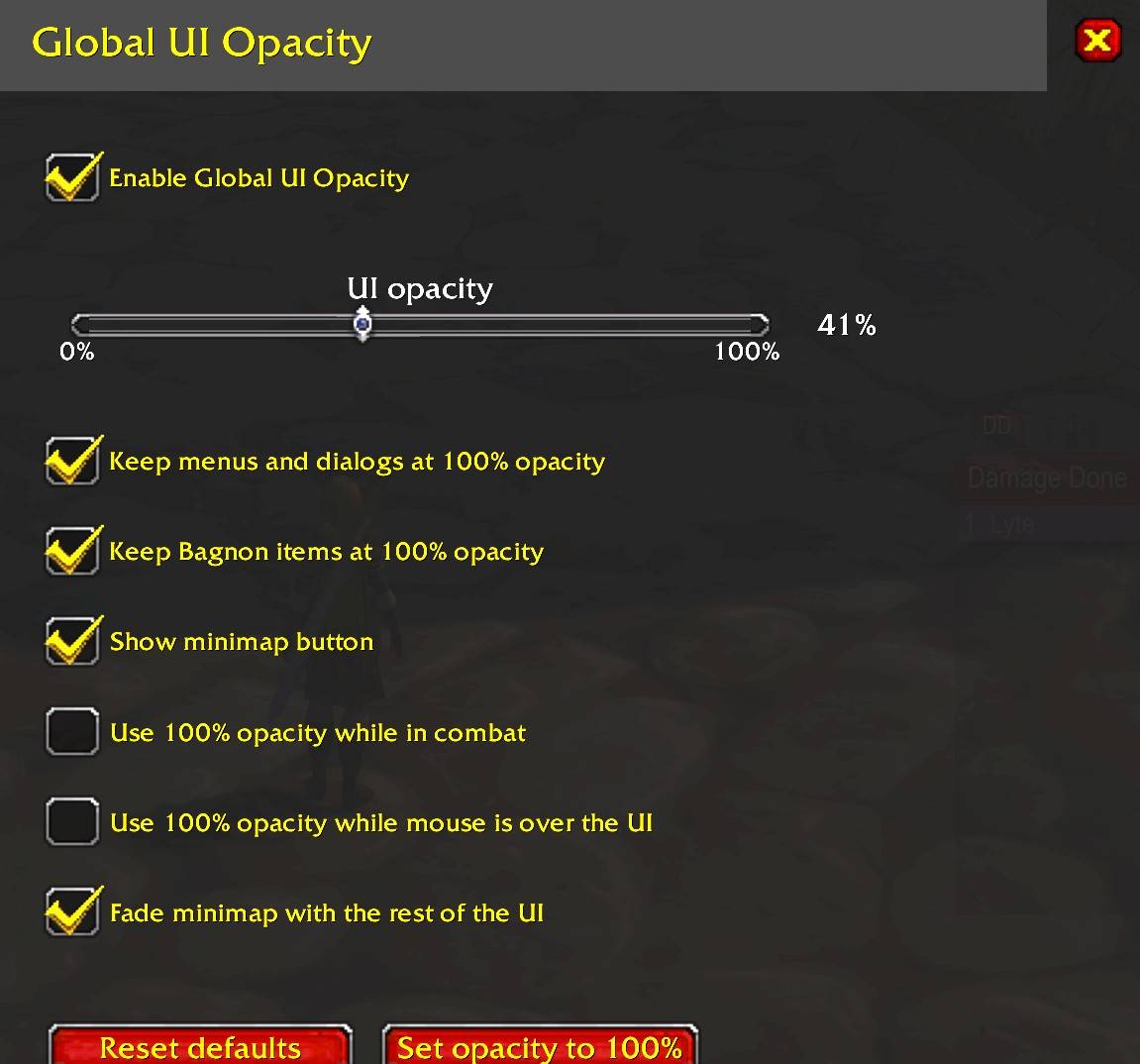
Menu.jpg
Description
Global UI Opacity
Global UI Opacity is a lightweight addon that lets you reduce the opacity of the World of Warcraft user interface without replacing, moving, or reskinning it.
The opacity change also applies to most addon interfaces, as long as those addons use the standard WoW UI hierarchy. This means action bars, meters, custom frames, and many other addon elements can fade together with the Blizzard UI instead of requiring separate opacity settings for every addon.
I originally created this addon because I play World of Warcraft for many hours on an OLED display. WoW contains a large number of static interface elements that can remain in exactly the same position for long periods of time. Since prolonged exposure to static content can contribute to OLED image retention and burn-in over time, I wanted a simple way to make those elements less persistent and less visually dominant.
Global UI Opacity allows the entire interface to remain visible while making it partially transparent. This cannot guarantee that burn-in will never occur, but reducing the intensity of static UI elements may help reduce prolonged static-image exposure on OLED displays.
Of course, the addon is also useful if you simply prefer a cleaner and less distracting interface.
Features
-
Adjustable global UI opacity from 0% to 100%
-
Fades the Blizzard UI and most addon interfaces together
-
Keep menus and dialogs at 100% opacity
-
Fade the minimap together with the rest of the UI
-
Optional full opacity while in combat
-
Optional full opacity while hovering over the UI
-
Movable minimap button for quick access to the settings
-
Settings available through the Blizzard AddOns menu
-
Standalone movable settings window
-
Settings are saved between sessions
-
No external libraries required
Default behavior
The addon starts enabled at 100% opacity, so installing it will not immediately change the appearance of your UI.
Menu and dialog protection, minimap fading, and the minimap button are enabled by default. Combat and mouseover overrides are disabled unless you choose to enable them.
Simply lower the opacity slider to the level you prefer.
Tested clients
Global UI Opacity 1.0.0 has been tested on:
Wrath Classic 3.4.5
Wrath 3.3.5 legacy clients
Both versions use the same addon package.
Other World of Warcraft versions have not yet been verified.
Wrath 3.3.5 note
The main UI opacity functionality works on legacy 3.3.5 clients.
However, older clients handle inherited frame opacity differently. Because of this, some menus and dialogs may still inherit the global UI opacity even when menu protection is enabled.
Rather than using aggressive compatibility workarounds that could interfere with the game UI or other addons, this limitation has intentionally been left in place.
Commands
/uiopacity – Open or close the settings window/uiopacity 50 – Set UI opacity to 50%/uiopacity on / /uiopacity off – Enable or disable the addon/uiopacity combat on|off – Toggle full opacity in combat/uiopacity mouseover on|off – Toggle full opacity while hovering over the UI/uiopacity minimap on|off – Toggle minimap fading/uiopacity button on|off – Show or hide the minimap button/uiopacity reset – Restore the default settings
Legacy /uialpha and /gua commands are also supported.
Lightweight by design
Global UI Opacity does not continuously scan or individually modify every frame created by World of Warcraft or other addons. Most addon interfaces fade naturally because they inherit the opacity of the standard WoW UI.
The addon deliberately keeps its scope limited in order to remain lightweight and reduce the chance of interfering with other addons.
If you spend long sessions in WoW, use an OLED display, or simply want the interface to take up less visual attention, Global UI Opacity provides a simple way to make the UI fade into the background while keeping it available when you need it.
GlobalUIOpacity Team
