Glean - Gathering Network
- By
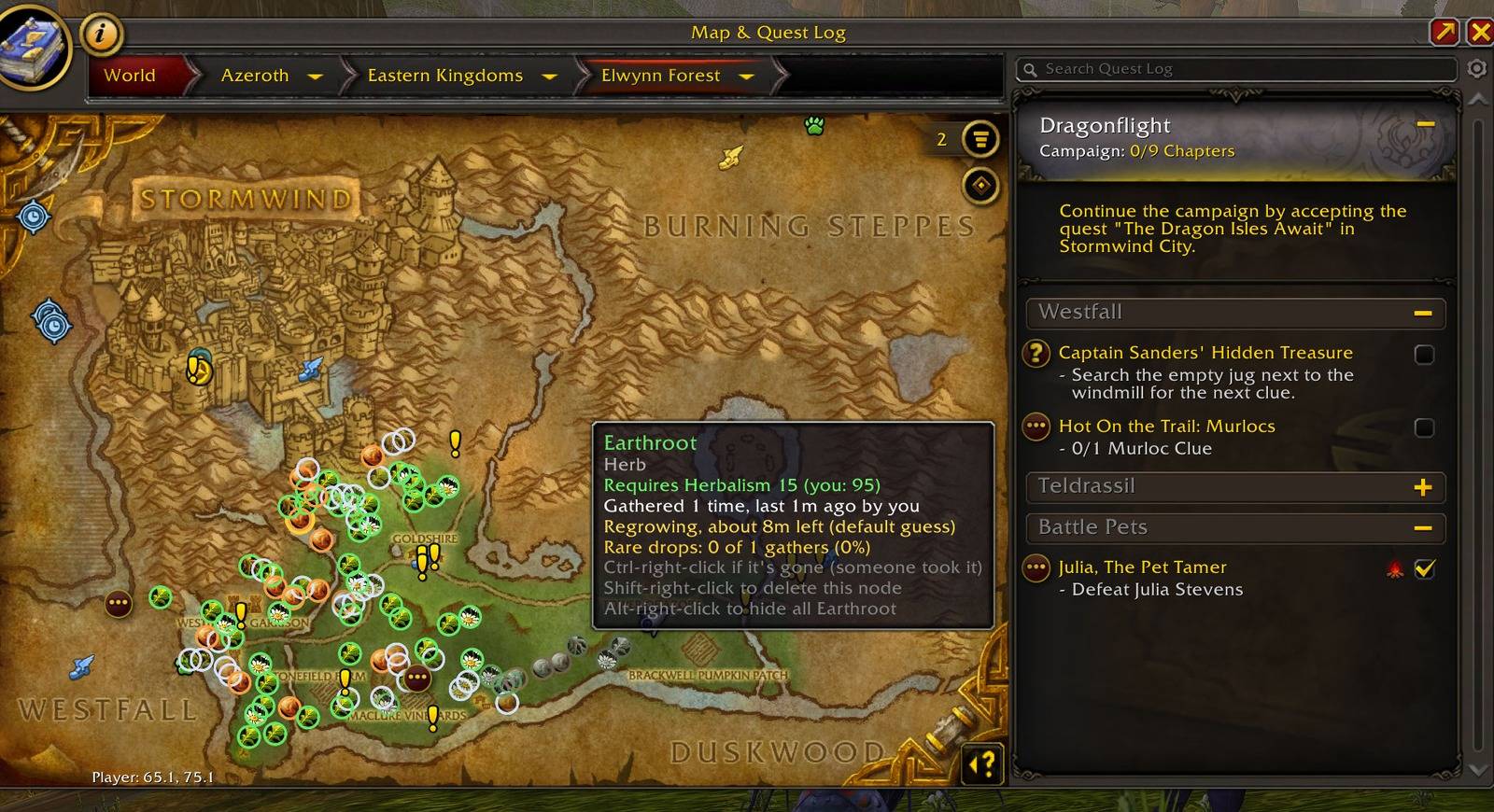
1-world-map-tooltip.jpg
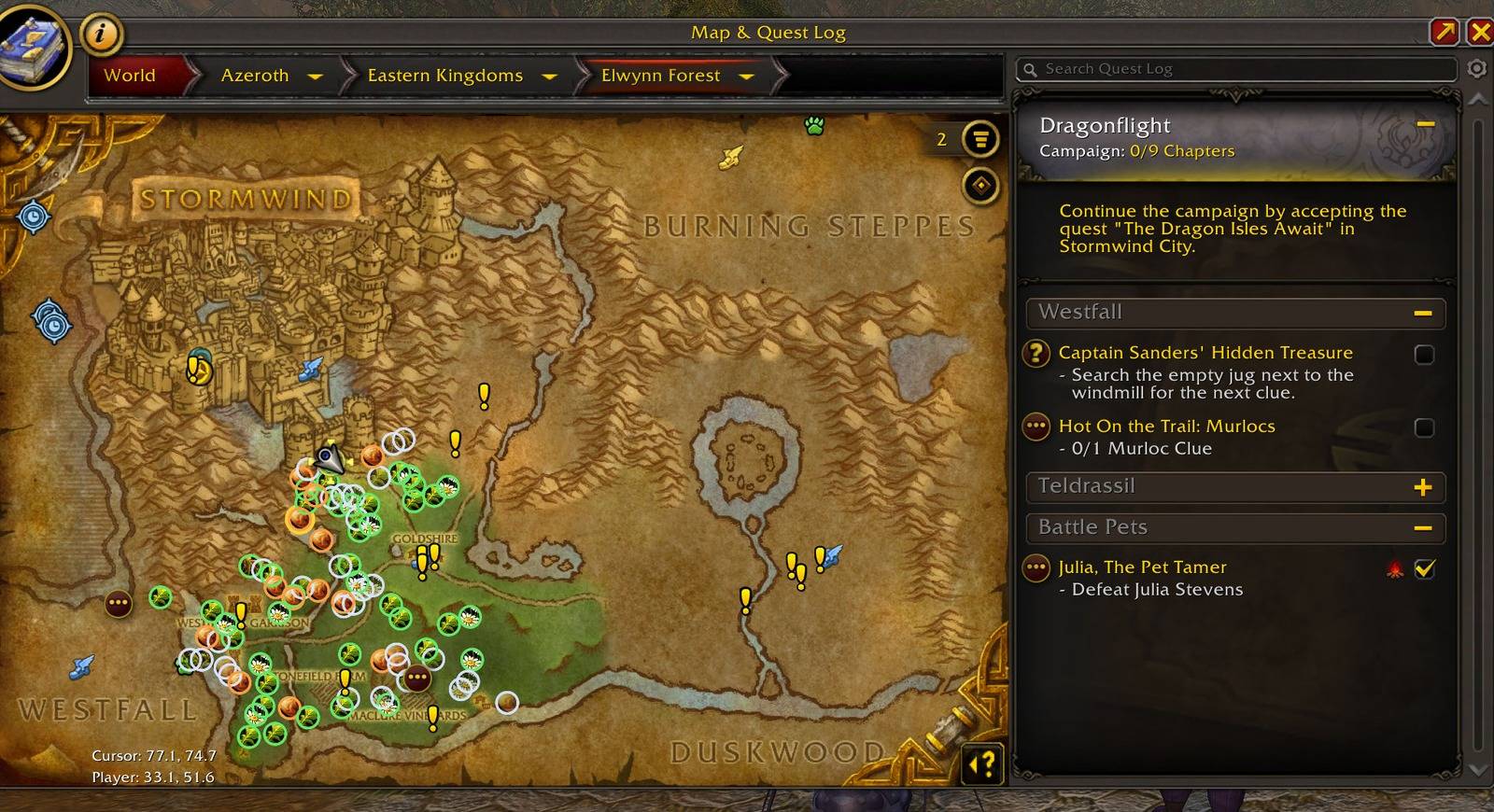
2-world-map.jpg
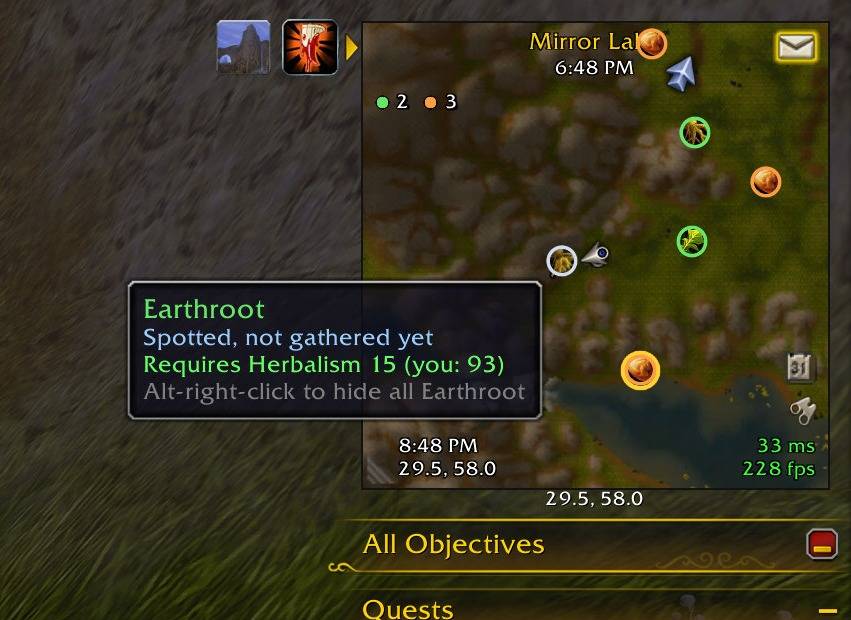
3-minimap.jpg
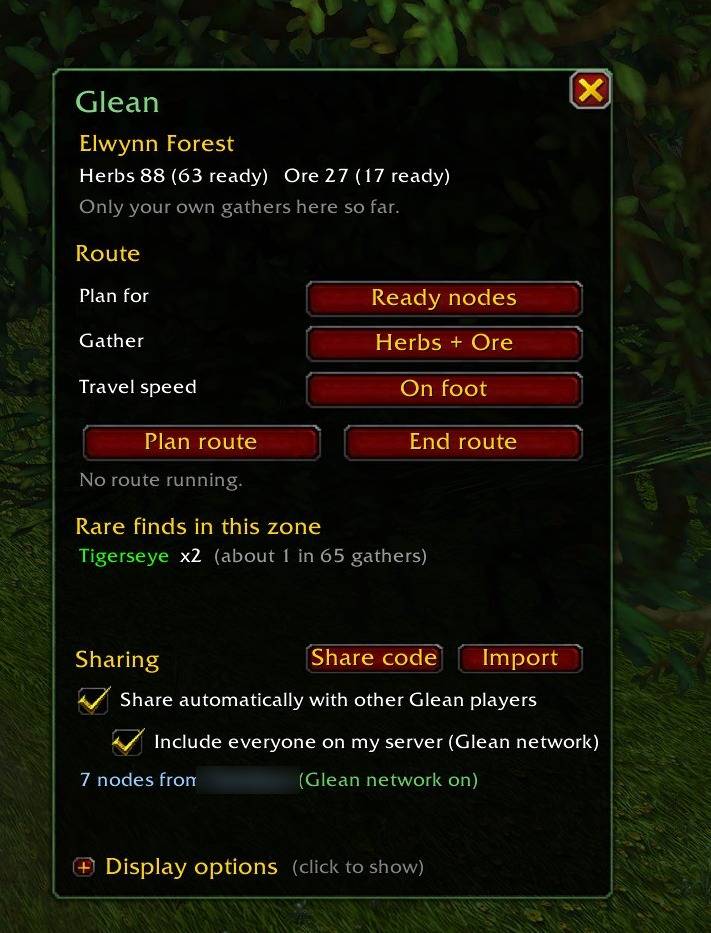
4-panel.jpg
5-route.jpg
Description
Every herb and ore node you find, shared automatically with every Glean player on your server, with real respawn timers and smart routes.
Glean learns where herbs and ore are as you play, works out when each node grows back, and plans the fastest loop through the ones that will be up when you get there. Every Glean player on your server swaps what they've found in the background, peer to peer, so your map fills in even in zones you've never farmed. There's nothing to set up: install it and play.
The Glean network
- Everyone shares, automatically. Glean quietly joins a hidden channel that every copy of Glean uses, and swaps nodes with all Glean players online on your server. No group, guild or invite needed, and nothing shows in your chat.
- Group and guild too. Group up with anyone who has Glean, friend or stranger, or log in near guildmates, and your maps swap.
- Credit where it's due. Nodes are passed from player to player, each still credited to whoever first found it.
/glean sourcesshows who's added to your map. - Share codes. Click Share code to turn your whole map into text you can paste into Discord or a message. A friend clicks Import and gets your nodes, even on another server. It doubles as a backup.
- "Someone took it." Arrive at a node that's gone? Ctrl-right-click its pin. Its timer restarts and your group is told, so nobody else rides there for nothing.
Respawn timers that learn
- Every gather is recorded: where, what, and what it dropped.
- Glean starts with a sensible regrow guess, then learns each node's real respawn time from your visits.
- Regrowing pins fill up with colour as they grow back. Half full means half regrown.
- A ready counter on the minimap shows how many nodes in view should be up right now.
Smart routes
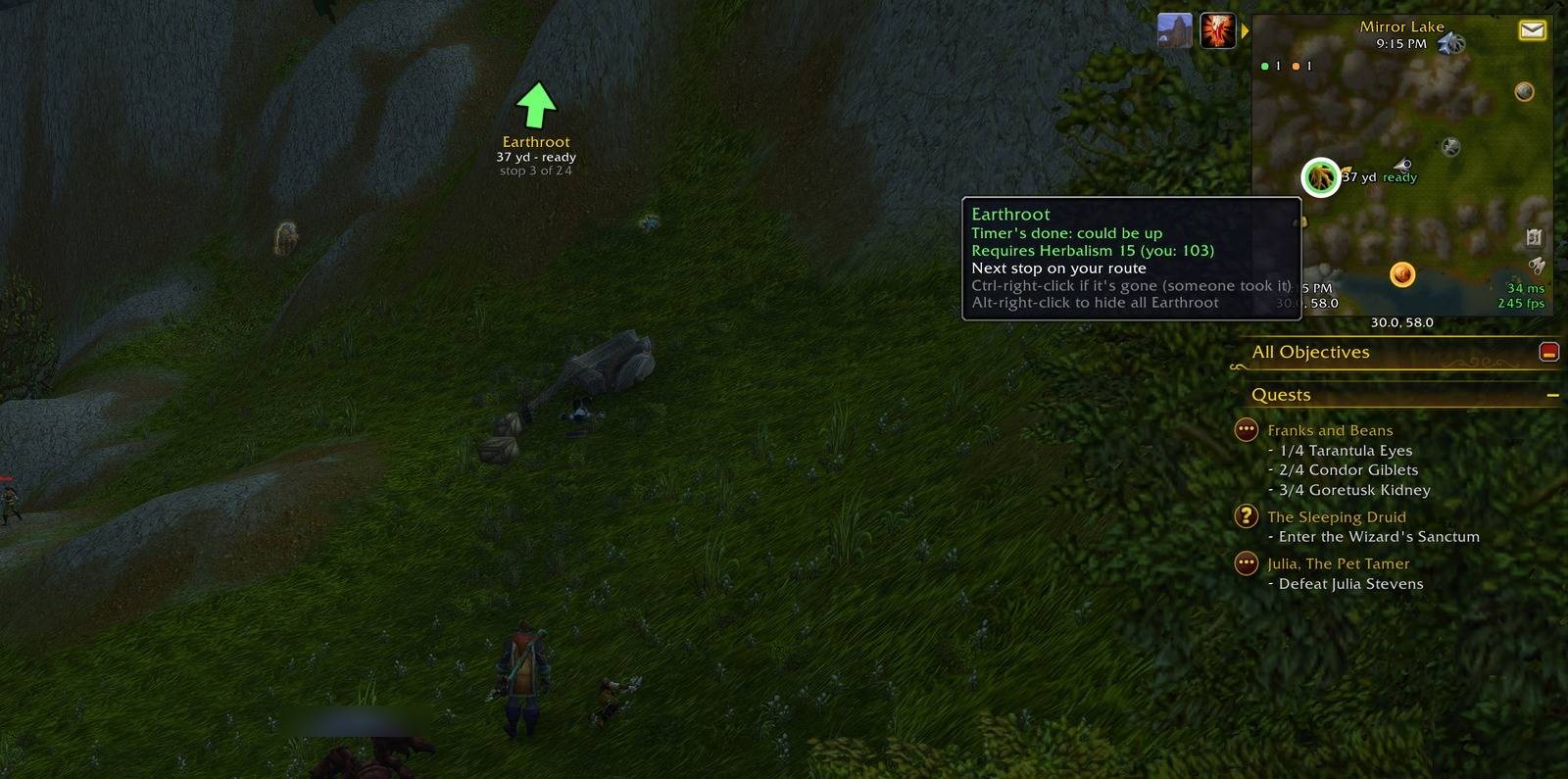
- Plan route starts at the stop nearest you and plans a short leg (about 5 minutes) through the spots that should be up by the time you get there. Finish a leg and Glean plans the next one from wherever you are, so you can just keep riding.
- Routes learn. Ride up to a stop, find it empty and ride on: Glean skips it for you and remembers. Spots that keep coming up empty stop being suggested.
- Prefer the big picture? Choose a full loop through every spot in the zone, or rare spots only.
- An on-screen arrow guides you, the route is drawn on the world map, and gathering a stop moves you on to the next.
Rare drops
- Glean tracks which nodes actually give you rare items (green and better, or anything you add with
/glean watch). - Rare spots get a gold ring, and the panel shows each zone's rare finds and roughly how often they drop.
Maps that show what matters
- Herb and ore pictures on the minimap and world map, or plain coloured dots if you prefer.
- Hide what you don't want:
/glean hide Silverleaf, or alt-right-click a pin. Hidden kinds leave your maps and routes but are still recorded and shared. - Spotted nodes: hover over a node's sparkle on the minimap, or right-click one you can't gather yet, and Glean marks it as a hollow pin. When your skill goes up, Glean tells you what you've just unlocked and where.
- Continent badges show at a glance which zones you have herbs and ore in.
Your group on the minimap
Glean players in your group show on your minimap as arrows in their class colour, pointing the way they're facing. Out of range, the arrow sits on the minimap's edge pointing toward them, with name and distance.
Optional square minimap
A clean square minimap with a thin border. Drag its corner or edges to resize it. Zone, server time, your local time, coordinates, latency and FPS are drawn inside it, and you can fade it in combat.
And more
- Smart tracking: Find Herbs and Find Minerals switch on by themselves, and follow your route when the game only allows one.
- Item tooltips: bag, bank and alt counts, the skill a node needs, where you've found it, and Auctionator prices if you use Auctionator.
- Skills and goals: every herb and ore, coloured by your skill-up chance, plus gathering goals with progress bars.
- Version notices: Glean tells you when someone you share with has a newer version.
Getting started
- Install Glean and log in.
- Type /glean to open the panel. Click Display options to unfold the display settings.
- Gather as normal. Glean does the rest.
/glean help lists every command.
Good to know
- Glean is fully tested on Retail (Midnight). WoW Forever and Classic Era support is built in and being tested now; full compatibility is coming shortly.
- The Glean network reaches players on your realm and the realms connected to it. Free Starter accounts can't join chat channels, so on those accounts only group and guild sharing work.
- Addons can't reach the internet, so there's no central database. The map grows as more players use Glean.
- Sharing is on by default. One switch in the panel turns it off, and then Glean sends and receives nothing.
Found a bug?
Type /glean report in game. A window opens with your versions, settings and any recent Glean errors, already selected: press Ctrl+C and paste it into a comment here, with a sentence about what happened. /glean photos turns on photo mode, which takes screenshots at the right moments (including when Glean hits an error) so you can attach pictures too.
Credits
Glean is written from scratch and uses no code, artwork or text from other addons. Some ideas came from addons well worth knowing:
- The square minimap's layout was inspired by Forever Square Minimap by StephanTxC.
- The item tooltip, skill list, goals and zone overview were inspired by GatherWise.
- Carbonite set the standard for an all-in-one map with gathering built in.
Glean - Gathering Network Team