


GildedGauge
- By
1.png
2.png
3.png
4.png
Description
GildedGauge
GildedGauge is a lightweight loot-value and farming tracker for World of Warcraft, featuring TradeSkillMaster pricing, valuable-drop alerts, session statistics, and synchronized multiplayer challenges.
TradeSkillMaster is strongly recommended. GildedGauge uses TSM market data to estimate the value of your loot instead of relying only on vendor prices. With TSM installed, you can choose between several pricing sources including DBMarket, DBRegionSaleAvg, DBRegionMarketAvg, DBHistorical, DBMinBuyout, and custom TSM price strings.
Whether you're farming transmog, materials, BoEs, old raids, or just chasing gold, GildedGauge gives you a clean overview of what your session is actually worth.
Main Features
- Live loot valuation powered by TradeSkillMaster
- Multiple TSM price sources including DBMarket, DBRegionSaleAvg, DBRegionMarketAvg, DBHistorical, DBMinBuyout, and custom strings
- Vendor price fallback when no usable TSM value is available
- Separate raw gold tracking
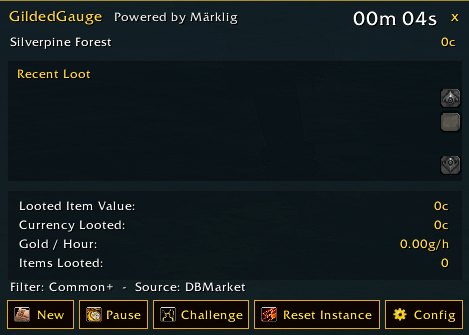
- Real-time Gold / Hour
- Recent Loot history with item quality colors and values
- Optional item icons and compact loot rows
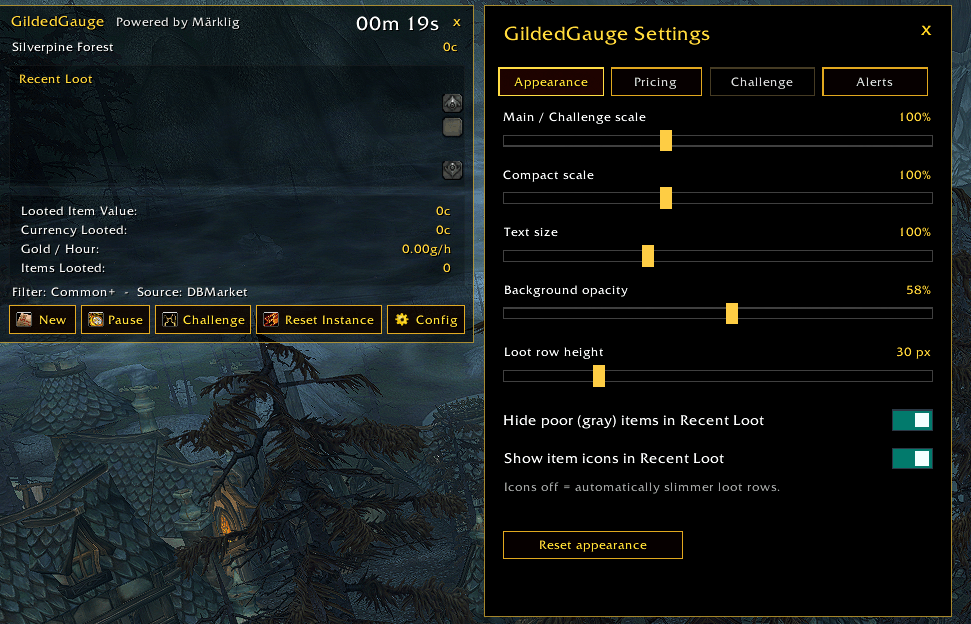
- Adjustable UI scale, text size, opacity, and row height
- Hide Poor/gray items from Recent Loot
- Valuable-drop notifications with configurable thresholds
- Optional on-screen alert and sound
- Poor/gray items are ignored by valuable-drop alerts by default
- Compact display mode
- Built-in Instance Reset button
- Multiplayer Challenge mode
GildedGauge Challenge
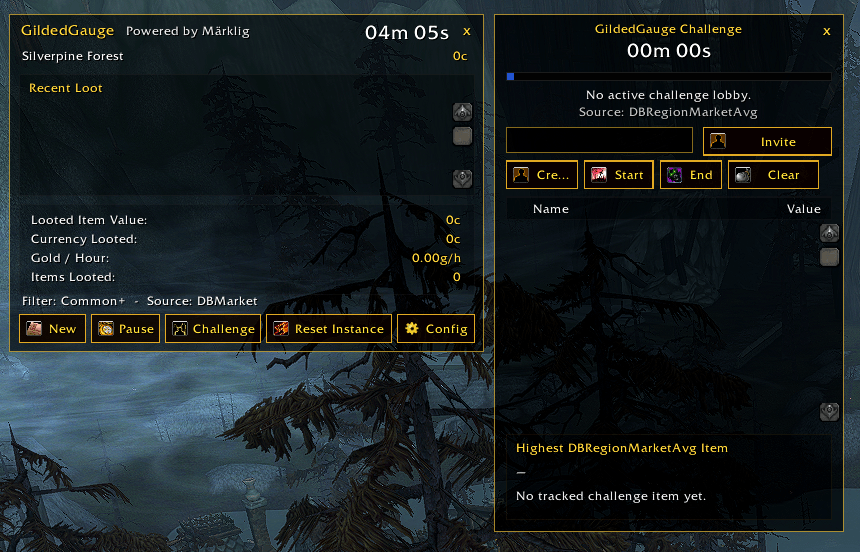
Challenge mode lets multiple GildedGauge users compete during the same farming session.
Create a lobby, invite your friends, wait until everyone is ready, and start the challenge when your group is prepared.
Challenge Features
- Synchronized multiplayer leaderboard
- Dedicated challenge timer
- Separate TSM price source for challenge scoring
- DBRegionSaleAvg recommended by default for more stable values
- Optional filtering of Poor and Common items
- Unanswered invitations are automatically removed when the challenge starts
- Leader-controlled Start, End, and Clear actions
- Highest-value item tracking
- Click any player to view their Top 5–10 highest-value items
- Challenge pricing settings are synchronized from the leader when the challenge begins
Using a separate Challenge price source helps reduce misleading scores caused by unusually priced or low-volume auction listings.
Valuable Loot Alerts
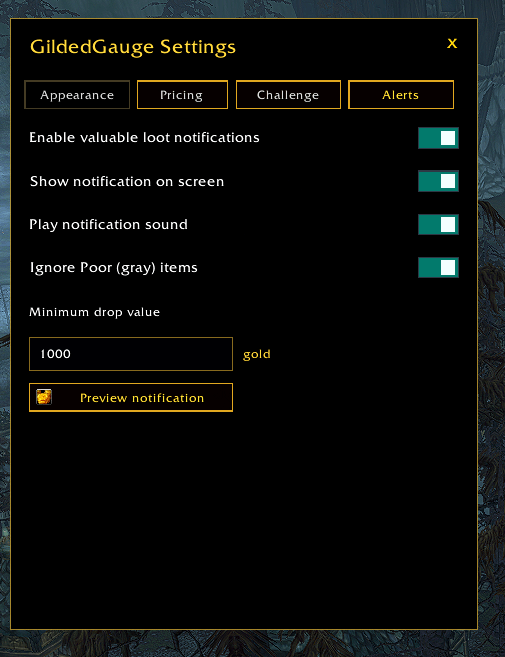
GildedGauge can notify you when a drop exceeds a value threshold that you define.
For example, with the threshold set to 5,000 gold, qualifying items valued at 5,000g or more can trigger an on-screen notification and an optional sound.
Alert settings include:
- Enable or disable valuable loot alerts
- Configure the minimum item value
- Enable or disable the on-screen popup
- Enable or disable notification sounds
- Ignore Poor/gray items to reduce false alerts from unrealistic auction values
Session Behaviour
GildedGauge stays idle when you first log in and does not automatically start a farming session.
Use /gg to activate the addon and begin tracking.
The timer continues while moving between areas and instances, and the GildedGauge window remains available until you close it manually.
Commands
| Command | Description |
|---|---|
| /gg | Open GildedGauge and start the first session after login |
| /gg new | Start a fresh session and reset current session data |
| /gg reset | Same as /gg new |
| /gg pause | Pause the current session |
| /gg resume | Resume the current session |
| /gg start | Same as /gg resume |
| /gg compact | Toggle between the main and compact display |
| /gg config | Open GildedGauge Settings |
| /gg settings | Same as /gg config |
| /gg challenge | Open the GildedGauge Challenge window |
| /gg resetinstance | Request an instance reset |
| /gg resetdungeon | Same as /gg resetinstance |
| /gildedgauge | Full alias for /gg |
Settings
GildedGauge Settings are divided into four sections:
Appearance
Customize UI scale, text size, transparency, loot row height, item icons, and loot filtering.
Pricing
Choose the TSM price source used for your normal farming sessions.
Challenge
Configure challenge pricing, item quality filtering, and the number of top items displayed for each player.
Alerts
Configure valuable-drop notifications, sound, on-screen alerts, and the minimum value threshold.
TradeSkillMaster
TradeSkillMaster is strongly recommended for the best GildedGauge experience.
With TSM installed, GildedGauge can use actual market-based pricing rather than relying only on vendor values.
Supported sources include:
- DBMarket
- DBRegionSaleAvg
- DBRegionMarketAvg
- DBHistorical
- DBMinBuyout
- Custom TSM price strings
For Challenge mode, DBRegionSaleAvg is recommended because it generally provides more stable values than the current minimum auction listing.
Recommended Challenge Setup
Price Source: DBRegionSaleAvg
Ignore Poor / Common Items: Enabled
Top Items: 10
This setup generally provides a more stable and competitive leaderboard while reducing inflated values from unusual auction listings.
Powered by Märklig
The GildedGauge Team
