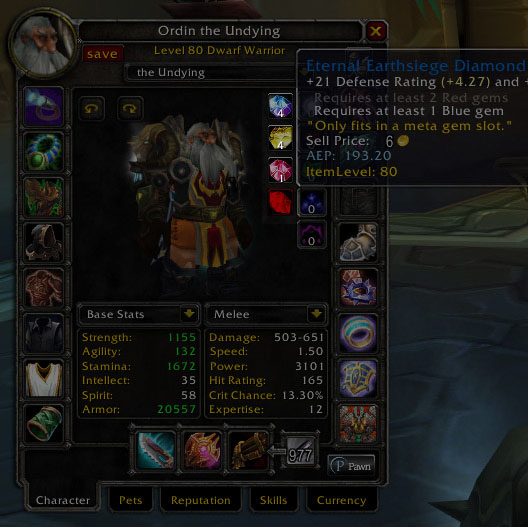
Showing an inactive metagem (requirements not met).
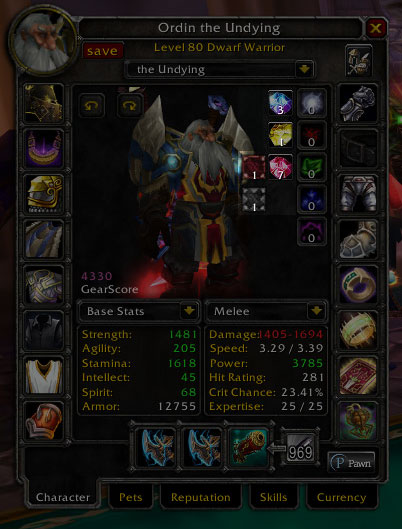
GemWatch indicating that I have an empty red and meta socket in my headgear. If you mouse over the empy socket icons, it will tell you which piece of gear has the missing gem(s).
Showing a meta gem that is currently Active
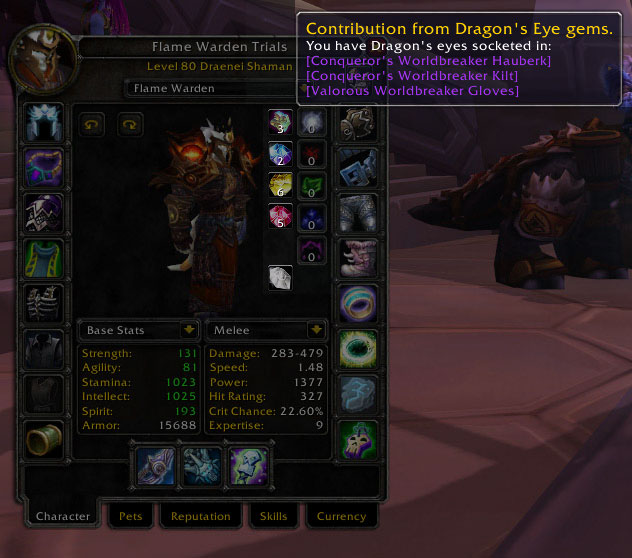
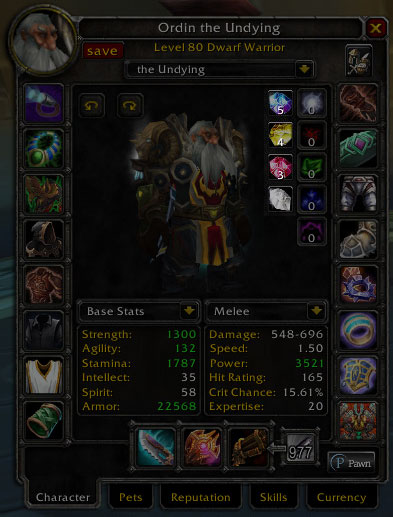
GemWatch showing the number of Jewler's Gems currently equipped, and what gear they are in.
Description
Integration with the character sheet's new stat panels is planned for a future release.
About GemWatch:
GemWatch was originally and addon that I first discovered in BC. It would put a little frame next to your resistances showing you the total count of what color gems you have equipped. It was nice for figuring out what you needed to activate a meta gem. Unfortunately it was never updated for WotLK.
Until today! *fanfare*
The addon has been almost completely rewritten to take advantage of the new functionality that came with the 3.2 patch. GemWatch can now correctly identify all gems in the game, and no longer relies on a list of enchantment IDs to determine color as the previous version did. It also will indicate if you have a meta gem equipped, and if that gem is activated or not. It will put empty socket icons next to the color count if you have empty sockets of that color, mouse over the icon and it will tell you what piece has the empty socket(s). GemWatch can now determine automatically if you are a Jewelcrafter, and will attempt this the first time you use GemWatch on a given character, and enable counting of your Jeweler's gems, so you can tell at a glance if you have your maximum of three. You can still manually turn this off/on using /gw jeweler.
You can adjust where on the character sheet the icons appear with /gw pos
GemWatch supports localization, but needs your help! To contribute translation information for your locale, please visit here.
If GemWatch is not detecting the colors of your gems correctly, it is most likely an issue with the localization for your specific locale (Or I don't have one for your locale). If this happens, you can use the option /gw override, then reload your UI or re-log. This will cause GemWatch to pull the gem color information directly from the game client, and should get the color detection working properly.
GemWatch Team