


GemOrder
- By
GemOrder - Order placement submission.png
GemOrder - Workshop members overview.png
GemOrder - Order queue overview.png
GemOrder - Workshop selection.png
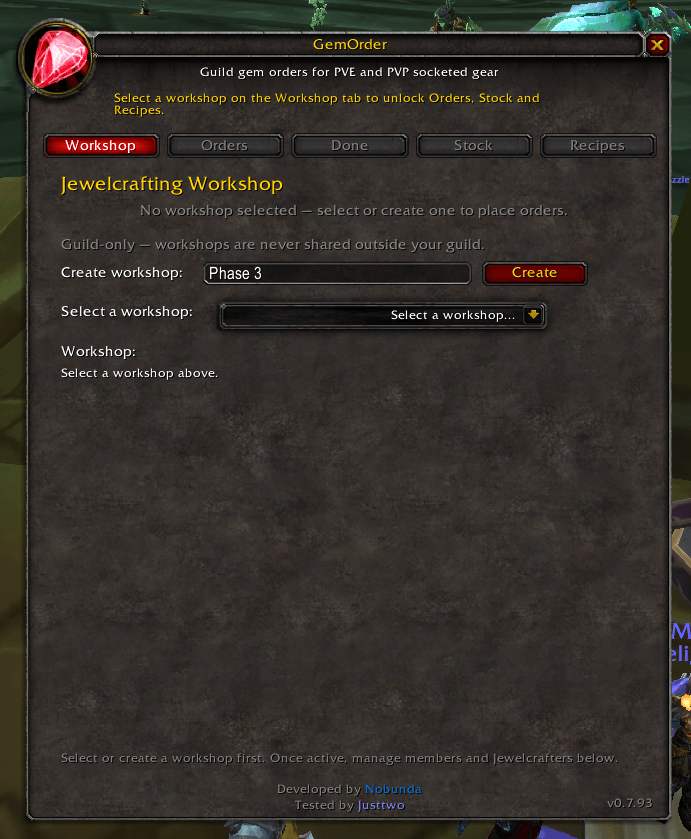
GemOrder - Workshop creation.png
Description
Summary (short description)
Guild gem ordering for WoW TBC Anniversary Phase 3. Raiders submit socketed Hyjal, Black Temple, and Season 3 PVP gear with gem requests; jewelcrafters share recipes and raw gem stock; orders sync across the guild in real time.
Overview
GemOrder helps guilds coordinate gem cutting during TBC Anniversary Phase 3. When someone loots new socketed gear from Mount Hyjal, Black Temple, or Season 3 PVP, they open the addon, pick their item and gems, and submit an order. Promoted jewelcrafters in the same workshop see the queue, pick up orders, and track what cuts the guild already knows and who has materials on hand.
Everything runs through lightweight guild addon messages — no external website, no weakaura, no spreadsheet.
Built for raid teams and guild JC teams that want one shared queue instead of whisper chains and “who has Runed Crimson Spinel?” in general chat.
Key features
Workshop-based guild sync
-
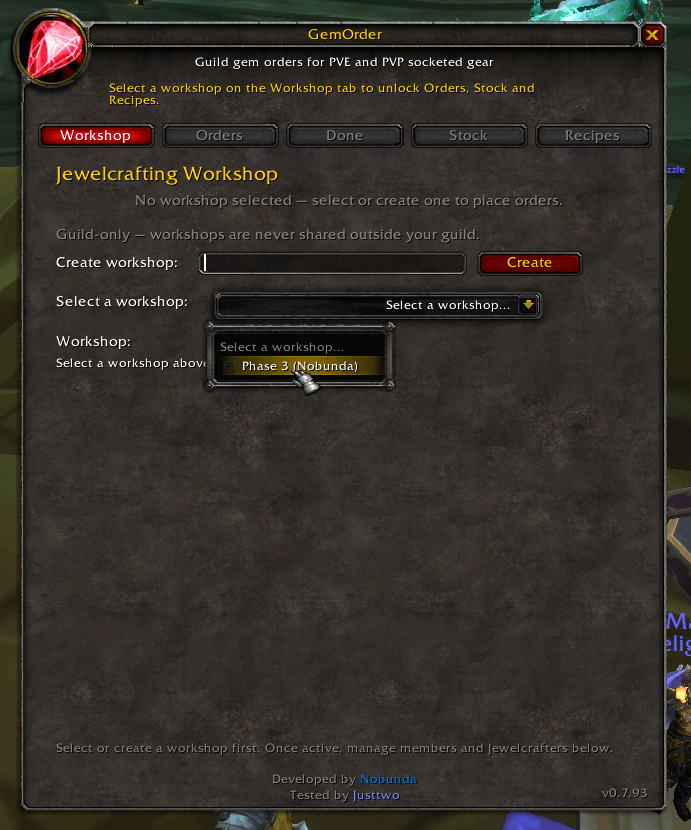
Create or join a workshop (one per guild activity — e.g. “BT Progression”, “Sunday Hyjal”).
-
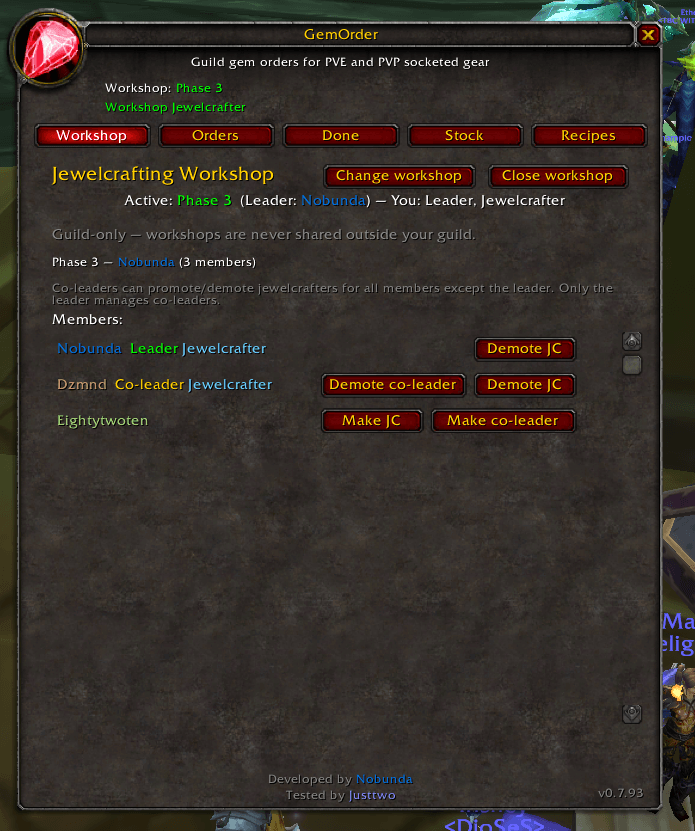
Leaders and co-leaders manage the workshop; promoted jewelcrafters handle the order queue.
-
Orders, workshop membership, gem stock reports, and recipe knowledge sync automatically between online guild members running the addon.
-
Guild-scoped data only — workshops from other guilds are ignored.
Order queue for raiders
-
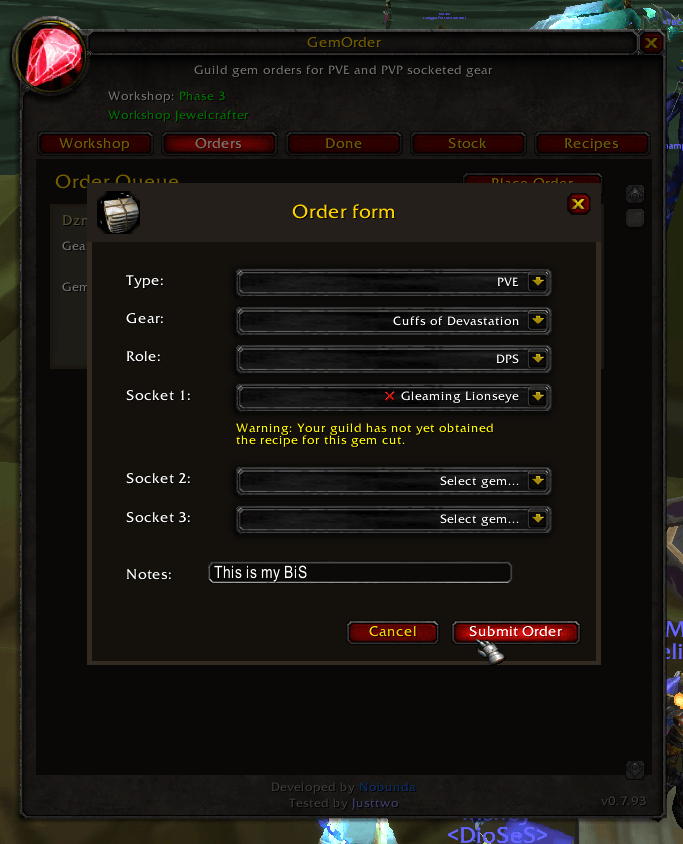
Place Order form with:
-
Gear type: PVE (Hyjal / Black Temple) or PVP (Season 3, by class)
-
Socketed gear from a curated catalog (only items that actually have gem sockets)
-
Role: Tank, Healer, or DPS
-
Up to three gem cuts per order (Phase 3 epics + pre-Phase 3 rare cuts)
-
Optional notes (BiS context, priority, etc.)
-
-
Recipe indicators in gem dropdowns: green check = at least one workshop JC knows the cut; red X = none reported yet.
-
Warning if you select a cut nobody in the workshop has learned.
-
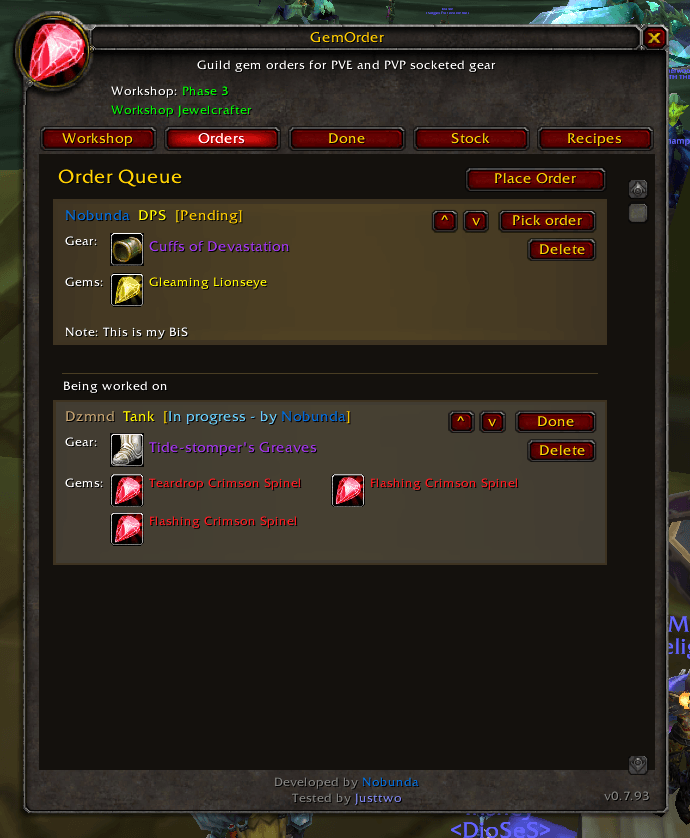
View pending, in progress, and completed orders on separate tabs.
Jewelcrafter workflow
-
Promoted JCs see Pick order, Done, and queue reorder controls.
-
Order rows show player, role, gear (icon + name), requested gems, and status.
-
Shift+click gear or gems to link in chat; Ctrl+click gear to preview in the Dressing Room.
Recipe coverage (Recipes tab)
-
JCs share known epic and rare gem cuts by scanning their Jewelcrafting window (Refresh button opens JC for you).
-
Workshop view lists every tracked cut and which jewelcrafters know it — same data that powers the order-form checkmarks.
-
Helps officers see coverage gaps before progression nights.
Gem stock (Stock tab)
-
Promoted JCs scan bags and bank for raw epics (and related stock the addon tracks).
-
Bank is cached from your last bank visit (WoW only exposes bank slots while the bank window is open — same limitation as other bag addons; GemOrder remembers the last scan).
-
Per-JC breakdown plus workshop total so the team knows who has Crimson Spinel, Pyrestone, etc.
Gear catalog
|
Category |
Content |
|---|---|
|
PVE — Mount Hyjal |
Socketed loot from Hyjal bosses |
|
PVE — Black Temple |
Socketed loot from BT |
|
PVP — Season 3 |
Socketed Vengeful / Vindicator pieces (helms, shoulders, chests, bracers — no socketless offsets) |
All gem IDs and cut names are aligned with Phase 3 TBC Anniversary (including Pyrestone and Indormi epic cuts).
Quality-of-life
-
Minimap button (gem icon): left-click opens the window, right-click jumps to Workshop tab, Shift+drag to reposition.
-
Item tooltips on gear and gem dropdowns.
-
ESC closes the order dialog and main window.
-
Lazy UI load — addon stays light until you open it (logout-safe design).
Who is it for?
|
Role |
What you do |
|---|---|
|
Raider / guild member |
Join a workshop → Orders tab → Place Order |
|
Jewelcrafter |
Get promoted in the workshop → manage queue, refresh recipes & stock |
|
Raid / guild lead |
Create workshops, promote co-leaders and JCs, close old workshops |
Requirement: You must be in a guild. Multiple guild members need the addon installed for sync; offline orders appear when they log in and sync.
How to get started
-
Install GemOrder and
/reload. -
Open via minimap gem icon or
/gemorder(aliases:/gorder,/gor). -
Workshop tab → create a workshop or join an open one.
-
Raiders: Orders tab → Place Order.
-
Jewelcrafters: Ask a leader to promote you, then use Orders, Stock, and Recipes.
Commands
|
Command |
Description |
|---|---|
|
|
Open / toggle main window |
|
|
Same as above |
|
|
Request a full guild sync (orders, workshops, stock, recipes) |
|
|
Rescan your bags (and bank if open) and refresh stock |
|
|
Join a workshop by ID (usually easier via UI) |
Minimap: Left-click = open addon · Right-click = Workshop tab · Shift+drag = move button
Tabs at a glance
|
Tab |
Purpose |
|---|---|
|
Workshop |
Create/join workshops, promote JCs/co-leaders, manage members |
|
Orders |
Live queue — place and fulfill gem orders |
|
Done |
Completed order history |
|
Stock |
Who has raw gems (bags + cached bank) |
|
Recipes |
Which cuts each JC knows (Epic / Rare) |
Sync & privacy
-
Sync uses guild addon channel messages prefixed with
GemOrder(visible only to clients running compatible addons in the same guild). -
Saved data (
GemOrderDB) stays on your machine: orders, workshop membership, your stock/recipe reports. -
No account credentials or combat log data are collected.
FAQ
Does everyone in the guild need the addon?
Only people who place orders or JCs who work the queue need it. More installs = better sync coverage.
Why doesn’t my bank show until I visit the bank?
The WoW client only lets addons read bank slots while your bank window is open. GemOrder caches your last bank scan and keeps showing it until you open the bank again and refresh.
Why does a gem show a red X?
No promoted jewelcrafter in your workshop has reported that cut yet. A JC should open Jewelcrafting and hit Refresh on the Recipes tab (or you may not have the recipe on anyone).
Can I use this outside Phase 3 content?
The gear and gem lists are built for TBC Anniversary Phase 3 (Hyjal, BT, S3 PVP). Other tiers are not in the catalog.
Does this replace trade or mail?
No — it coordinates requests. You still cut gems and deliver them the way your guild already does.
Technical notes
-
Game version: TBC Anniversary (
Interface: 20505, 20506) -
Dependencies: None
-
Conflicts: Disable duplicate gem-order addons if you use another; only one workshop sync addon per guild channel prefix is recommended.
Credits & links
-
Author: Henrik8210
-
Source: github.com/Henrik8210/wow-addons
The GemOrder Team
