


Qazo GearGrid
- By
Screenshot 2026-10-10 191020.png
Screenshot 2026-10-10 191007.png
Screenshot 2026-10-10 190951.png
Description
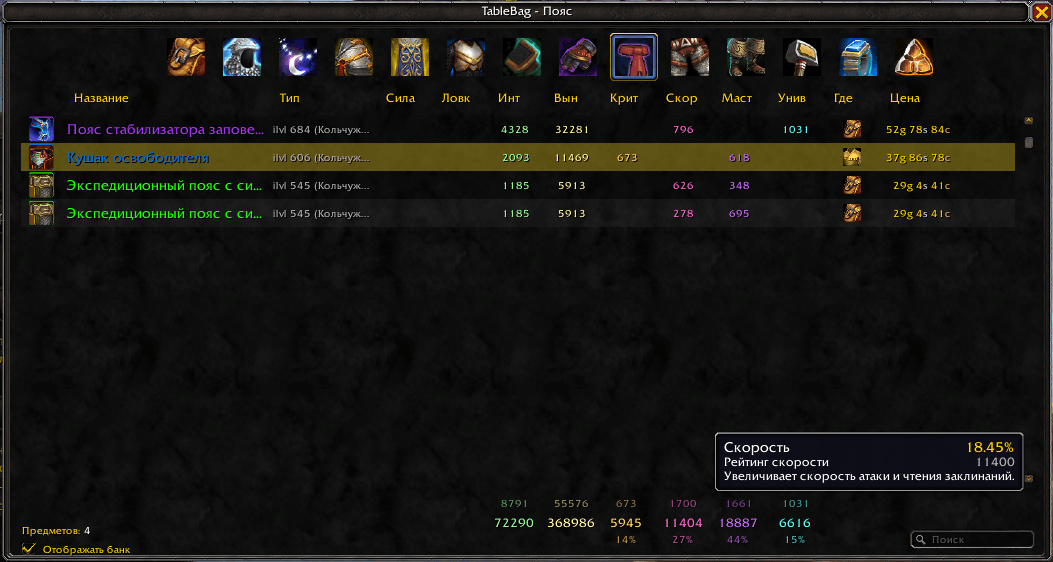
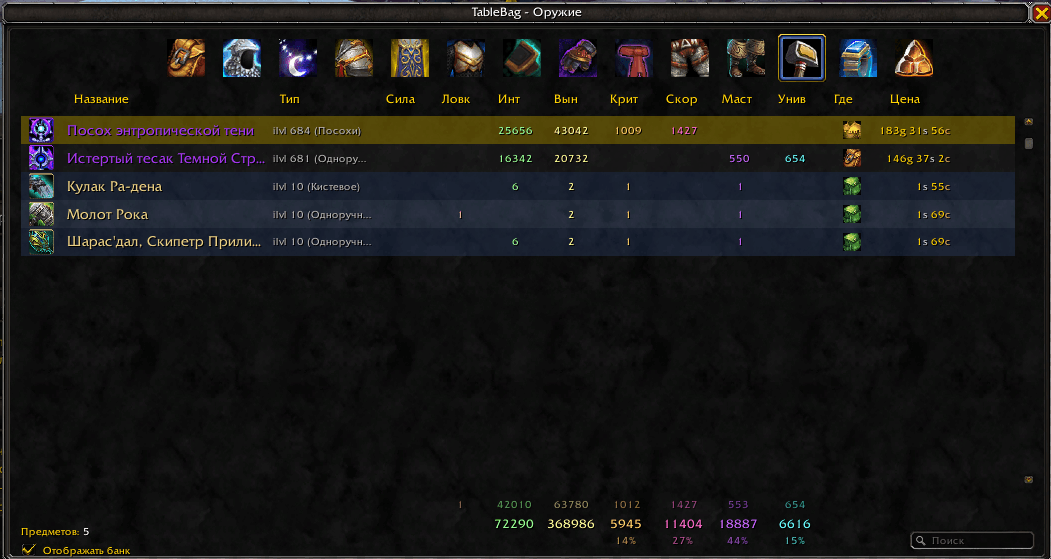
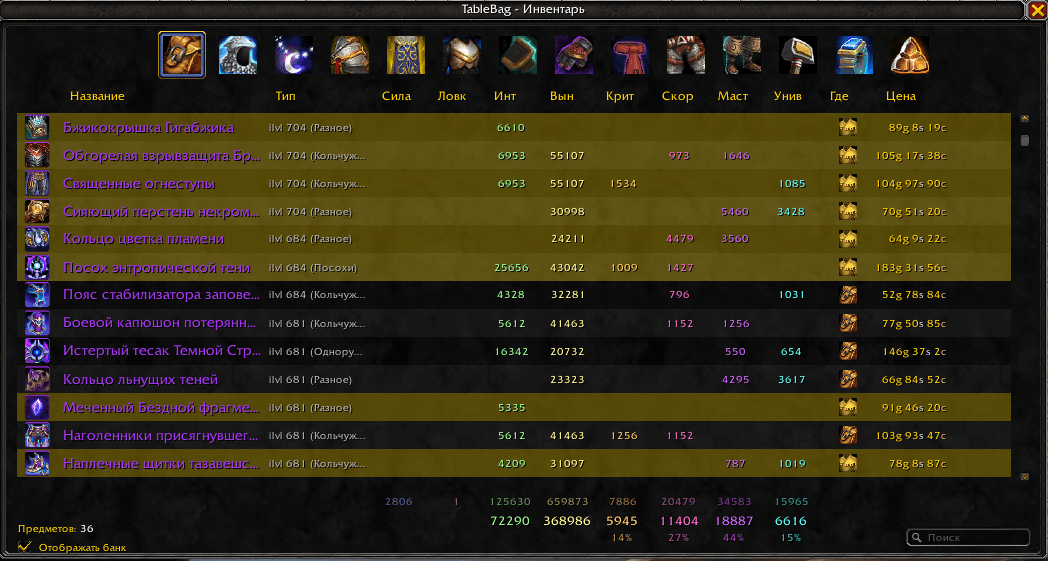
GearGrid turns your bags and bank into a sortable, filterable table — with live stat totals for everything you own and everything you wear.
Default WoW bags are a wall of icons with no numbers. You can't quickly tell what you have in reserve, where the second copy of a trinket is hiding, or how much crit you'd lose by swapping your current helm. GearGrid lays it all out as a single table — like a spreadsheet for your gear.
What it does
Table instead of a bag.
Every equippable item from your bags, bank, and character — in one list. Icon, name, item level, stats, vendor price, location.
Live stat totals.
Three rows of totals at the bottom of the window:
-
Visible — stats of items currently passing your filter.
-
Equipped — sum of every stat on your character. Independent of filters.
-
Percent — each secondary stat's share of the total secondary stats. Always sums to exactly 100%.
Bank is part of the table.
Open your bank once — GearGrid remembers everything inside. The "Show bank" checkbox pulls those items into the same list. No more dragging gear back and forth just to compare.
Slot filters.
Fourteen icons at the top — head, neck, shoulders, back, chest, wrists, hands, waist, legs, feet, weapon, rings, trinkets. One click filters the table to that category.
Search by name and type.
Type "haste" or "crit" — the table filters by that string.
Sort by any column.
Click a column header to sort by it. Click again to reverse the order. Sort by stats, ilvl, name, price, or location.
Tooltips that match the character sheet.
Hover a stat total in the footer — see the real value with buffs, the rating, and the effect description. Same as the in-game character panel.
"Where is it" icons.
The "Where" column shows a bag, bank, or character icon. You know at a glance where each item lives.
Doesn't conflict with the default UI.
GearGrid doesn't hook the bag-opening flow. GearGrid is opened separately — via /gg
Qazo GearGrid Team
